
Key Takeaway: For the closest legal match to NetMirror’s multi-service intent, start with Amazon MX Player for free India-focused entertainment, OTTplay for cross-platform discovery and subscription bundles, and JioHotstar for licensed movies, shows, and sports. Confirm current India availability and support for your Android TV, Firestick, mobile, or web browser before choosing.
NetMirror is commonly described as an unofficial streaming app that brings movies and series from several services into one interface. When NetMirror is not working, users often search for apps like NetMirror, NetMirror-like apps, or a website like NetMirror that works on Android TV and the web. The problem is that unofficial APKs can disappear, change domains, show intrusive ads, request risky permissions, or provide content without clearly documented distribution rights.
Below, I compare ten safer NetMirror alternatives by content focus, price, device compatibility, and ease of use. These are not identical copies of the NetMirror APK. They are official or established options that can replace part of the experience with clearer ownership, more dependable apps, and fewer security concerns.
Important Note: Streaming catalogs and app availability differ by country, device, subscription level, and current licensing. This matters especially in India, where a service visible on the web may not offer the same titles or TV app support. Use official app stores and provider websites, and avoid lookalike NetMirror APK download pages with unclear ownership.
Why Trust FirestickTVStream?
This roundup focuses on well-known IPTV style streaming services and apps that we have reviewed with a quality and safety-first mindset. Every option included is:
- ✅ Tested for playback stability, app usability, and real-world streaming quality
- ✅ Compatible with common devices like smart TVs, phones, tablets, and streaming sticks
- ✅ Selected for strong libraries, clear features, and consistent performance over time
We avoid pushing 100% free and unverified IPTV services since they often carry legal and security risks, including copyrighted streams and unsafe redirects.
Research Overview:
- 50+ Services tested
- 245+ Hours of research and testing
- 45+ Detailed IPTV guides and reviews checked
Best Apps Like NetMirror: Top Recommendations
| Tool Name | Best For | Price | Get Started |
|---|---|---|---|
| Amazon MX Player | Free India-focused movies and shows | Free with ads | Visit Site |
| OTTplay | Multi-OTT discovery and bundles | Free discovery; paid bundles | Visit Site |
| JioHotstar | Indian movies, shows, and sports | Free and paid access | Visit Site |
| Plex | Free streaming and personal media | Free; optional paid features | Visit Site |
| ZEE5 | Indian and regional entertainment | Free and Premium plans | Visit Site |
1) Amazon MX Player
Amazon MX Player is the strongest free India-focused alternative in this list. It combines movies, web series, reality shows, and international dramas in one legal, ad-supported service. Its catalog and familiar browsing experience make it a closer match for readers who want broad entertainment without installing an unofficial NetMirror APK.
Features:
- Free Streaming: The ad-supported catalog includes movies, episodic shows, reality programs, and international dramas without requiring a separate paid subscription for basic viewing.
- India-Focused Library: Hindi and regional-language entertainment sits alongside dubbed international titles, making discovery easier for viewers who primarily stream from India.
- Web and App Access: The official website and supported apps provide safer access than third-party APK files, though device availability should be checked before installation.
- Original Series: Exclusive and original shows add titles that are not limited to the same rotating free-movie catalog found on many FAST services.
- Genre Browsing: Clearly separated movie, series, drama, and language collections reduce search time when you already know the type of content you want.
- Multiple Languages: Regional and dubbed options help households browse entertainment across Hindi, Tamil, Telugu, and other supported languages from one service.
- Official Distribution: Amazon ownership and official app-store distribution provide clearer accountability, updates, and privacy information than anonymous NetMirror clone websites or APK sources.
| Pros | Cons |
| Free, legal streaming with no separate premium subscription for the core catalog | Advertising interrupts playback |
| Strong India-focused selection across movies, series, and regional languages | The catalog does not include every title from paid streaming services |
| Official website and app-store presence reduce sideloading risk | Availability and app support can vary by device |
| Broad catalog is closer to NetMirror intent than a public archive | Some titles rotate because of licensing changes |
Pricing:
- Free with ads
Link: https://www.mxplayer.in/
2) OTTplay
OTTplay is the closest legal match for users attracted to NetMirror because it helps them discover content across multiple streaming services. OTTplay Premium also sells bundles that combine participating OTT subscriptions. It is particularly useful in India when you want one discovery layer instead of checking every app separately.
Features:
- Multi-OTT Discovery: Search and recommendations cover movies and shows from multiple supported streaming platforms, which closely matches the cross-service intent behind NetMirror searches.
- Subscription Bundles: OTTplay Premium plans combine participating services into one bundle, reducing the need to purchase every included subscription separately.
- Regional Filters: Language and genre filters make it easier to focus on Hindi, Tamil, Telugu, Malayalam, Bengali, and other regional entertainment.
- Movies and Shows: The service organizes films, series, originals, and television content so readers can compare choices before opening a partner platform.
- Editorial Guidance: Reviews, ratings, news, and curated lists add context when you want help choosing a title rather than only searching by name.
- Web Access: The official website works as a browser-based NetMirror alternative for discovery, while playback access depends on the selected plan and partner service.
- India Availability: Its catalog, bundles, and editorial coverage are designed for Indian OTT viewers, making it more relevant than several US-only free-TV services.
| Pros | Cons |
| Closest legal option for cross-platform OTT discovery | Not every OTT platform is included in every plan |
| India-focused bundles can reduce subscription fragmentation | Premium bundles require payment |
| Strong regional-language filters and recommendations | Some titles open through partner services rather than one universal player |
| Official service avoids unknown APK and clone-domain risks | Plan contents and prices can change |
Pricing:
- Free discovery features
- OTTplay Premium bundle prices vary by plan and included services
Link: https://www.ottplay.com/
3) JioHotstar
JioHotstar is a major official streaming choice for Indian movies, series, television, specials, and live sports. It does not aggregate every premium service like NetMirror claims to do, but it replaces a large part of the demand with licensed content, reliable apps, and clear subscription access.
Features:
- Movies and Series: A large licensed catalog covers Indian films, international entertainment, television programs, and platform originals across multiple genres.
- Live Sports: Supported plans and events include major live sports coverage, giving the service a viewing category that most free movie platforms cannot replace.
- Regional Languages: Language hubs and dubbed titles help viewers browse Hindi and regional entertainment without relying on unofficial links or third-party APKs.
- TV Device Support: Official apps are available across many phones, televisions, and streaming devices, although the exact plan and device support should be confirmed.
- Web Streaming: The official browser player provides a straightforward website alternative when you prefer not to sideload an APK onto Android TV or Firestick.
- Licensed Catalog: Clear platform ownership and content licensing make it a safer choice than services promising premium libraries without explaining distribution rights.
- Account Features: Watchlists, continuing playback, and personalized discovery make it easier to manage regular viewing across supported devices and household screens.
| Pros | Cons |
| Large India-focused catalog with movies, shows, and sports | A paid plan is needed for much premium content |
| Official apps and website offer dependable access | Sports access and plan benefits can change |
| Strong Hindi and regional-language coverage | It does not combine every competing OTT catalog |
| Licensed service provides clearer safety and legal standing | Availability is primarily designed around supported regions |
Pricing:
- Limited access may be available without a premium plan
- Subscription prices and benefits vary by current plan
Link: https://www.jiohotstar.com/
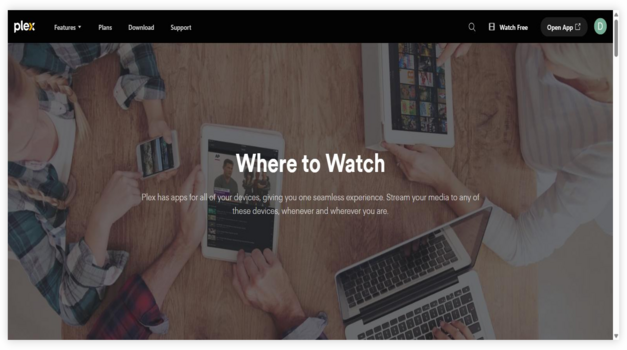
4) Plex
Plex I evaluated as a practical option for anyone looking for Best NetMirror Alternatives without feeling lost. It is a well-known, reputable platform that brings free streaming and personal media in one place. I like that it helps you avoid jumping between apps, and it allows you to keep my library organized. It is a good idea to consider Plex if all you need is an easy, engaging solution that still feels simple.
Features:
- Free Streaming: Free ad-supported streaming brings movies, shows, and live channels together. It helps you avoid random sites. Navigation stays simple. Content availability can vary by region.
- Media Server: Personal Media Server lets you stream your own files from a computer or NAS. I tested this at home and it kept playback stable. Setup is guided.
- Watchlist Tools: Watchlist and Discover tools track what to watch across services. It is helpful to keep in mind that results depend on your region. I recommend starting with Watchlist to stay organized.
- Live TV: Live TV channels and a program guide add a cable-like feel. It is great for background viewing. Channel lineup changes. The guide stays easy to scan.
- Device Support: Strong device support makes switching screens quick and consistent.
- Metadata Matching: Personal media metadata matching looks polished and saves time.
- Remote Access: Remote access works well after setup, even on slower uploads.
| Pros | Cons |
| It allowed me to stream my library with solid reliability | Ads can feel frequent on free streaming channels and movies |
| I could access free live channels without creating extra accounts | Some popular titles rotate out, so availability is not steady |
| Provided me with an easy Watchlist that keeps choices organized | Personal server setup may confuse beginners without basic network knowledge |
| Strong device support makes switching screens quick and consistent | Offline downloads require Plex Pass, which adds recurring cost |
| Personal media metadata matching looks polished and saves time | |
| Remote access works well after setup, even on slower uploads |
Pricing:
- 1 Month: Free; optional Plex Pass $6.99/month
- 12 Month: Optional Plex Pass $69.99/year
Link: https://watch.plex.tv/me
5) ZEE5
ZEE5 is an official India-focused platform for movies, television shows, web series, live TV, and regional entertainment. It suits readers who use NetMirror mainly for Indian content and want a supported app with clearer rights, regular updates, and a mix of free and Premium viewing.
Features:
- Indian Entertainment: The catalog brings together films, television episodes, web series, and originals aimed at viewers across India and supported international regions.
- Regional Catalogs: Dedicated language collections cover Hindi, Tamil, Telugu, Bengali, Marathi, Malayalam, Kannada, and other supported regional audiences.
- Live TV: Supported channels and live programming add a television-style option alongside the on-demand movie and series library.
- Official Apps: ZEE5 publishes supported apps for common mobile and television platforms, reducing the security risks associated with unofficial NetMirror APK downloads.
- Web Player: Browser access lets you check titles and stream supported content without installing a third-party package from an unknown website.
- Premium Downloads: Eligible Premium plans may include offline downloads and other account benefits, depending on the device, location, and current subscription.
- Search and Watchlist: Built-in search, categories, and account watchlists help organize titles when the catalog spans several formats and languages.
| Pros | Cons |
| Strong Indian and regional-language catalog | Premium titles require a subscription |
| Movies, series, live TV, and originals in one official service | Ads or access limits can apply to free viewing |
| Supported apps are safer than anonymous APK sources | Catalogs vary by country |
| Free and Premium viewing options provide flexibility | It cannot replace titles exclusive to other OTT platforms |
Pricing:
- Selected content may be free with ads
- ZEE5 Premium pricing varies by plan and country
Link: https://www.zee5.com/
6) SonyLIV
SonyLIV is a licensed streaming service for Indian television, movies, originals, and sports. It is a better intent match than general video-sharing or US-only live-channel websites because users can find recognizable premium entertainment through an official app and browser experience built for supported regions.
Features:
- TV Shows: Current and library programming from supported Sony television networks makes the service useful for viewers following Indian serials and reality shows.
- Movies and Originals: The on-demand catalog includes films, licensed series, and SonyLIV Originals across drama, comedy, thriller, and other genres.
- Live Sports: Supported subscriptions and locations may include live sports and replays, adding more variety than a movie-only NetMirror alternative.
- Regional Content: Indian-language programming and selected dubbed titles help the platform serve households that watch entertainment beyond one language.
- Supported Devices: Official mobile, web, and television apps provide clearer update and privacy paths than sideloading files from unknown download pages.
- Web Viewing: The official website offers browser playback for supported content, which is useful when you want an alternative that requires no APK.
- Account Controls: Watchlists, playback history, and subscription management help regular viewers continue programs and understand which content their plan includes.
| Pros | Cons |
| Licensed movies, TV shows, originals, and sports | Much of the premium catalog requires payment |
| Good fit for Indian viewers and supported regions | Sports and catalog rights change over time |
| Official apps reduce security concerns | Not every device receives identical features |
| Browser access provides a no-APK option | It does not aggregate competing OTT subscriptions |
Pricing:
- Some browsing or selected viewing may be available without Premium
- SonyLIV subscription pricing varies by plan and location
Link: https://www.sonyliv.com/
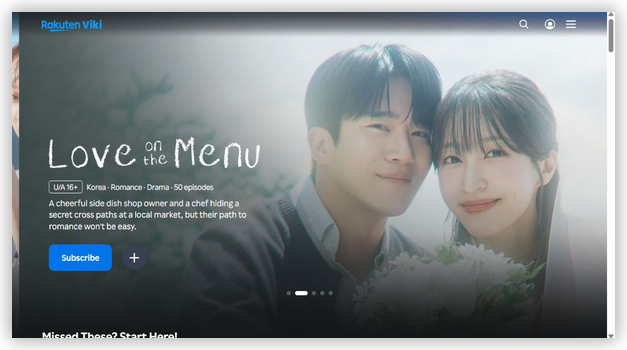
7) Rakuten Viki
Rakuten Viki is a well-known streaming solution I reviewed for anyone who wants a reputable way to watch Asian dramas and variety shows without relying on NetMirror. It is one of the easiest options to consider for subtitles, and it helps you follow fast dialogue with less effort. I like that it aims to keep shows engaging with strong community support, and its model can avoid shady sources. Serendipity often matters in discovery, and my watchlist grew quickly once I started browsing collections.
Features:
- Licensed Dramas: Licensed Asian dramas and movies are central here. It helps you avoid risky mirror sites. I could access many titles with stable playback and clear availability details.
- Community Subtitles: Community-powered subtitles cover many languages. It is important for newcomers who need clear context. I recommend choosing top-rated subtitle teams for the most consistent timing.
- Smart Discovery: Smart discovery pages group shows by mood and genre. This may help you decide faster on what to watch next. I found that curated collections are great for quick weekend picks.
- Viki Pass: Viki Pass adds ad-free viewing and select premium titles. It is best when you want fewer interruptions. I suggest checking the show badge first since some content stays free with ads.
- Device Support: Wide device support fits real-life viewing. It allows you to watch on web, mobile, and supported television apps. I could access my continue-watching queue across devices reliably.
- Watch Party: Watch Party syncs playback for shared viewing. It helps you watch together while chatting in real time. I tested it during a busy week and it stayed stable.
- Timed Comments: Timed Comments add a social layer during scenes. It can be engaging when you want live reactions without spoilers. I recommend turning filters on for calmer viewing.
| Pros | Cons |
| I could access many legal K-dramas with clear streaming rights | Some hit titles rotate out, so my favorites may disappear |
| Community subtitles are high-quality and engaging for language learners | Free tier includes ads that break immersion during intense scenes |
| It allowed me to avoid risky mirror sites and bad links | Search can feel limited when you do not know exact titles |
| Great way to follow fast dialogue with timed subtitles | Watch Party availability varies by region and specific licensing |
| Helpful to discover shows through curated collections and genres | |
| Offered me reliable playback on mobile and smart TV apps |
Pricing:
- 1 Month: Free; optional Viki Pass from $7.99/month
- 12 Month: Optional Viki Pass from $79.99/year
Link: https://www.viki.com/
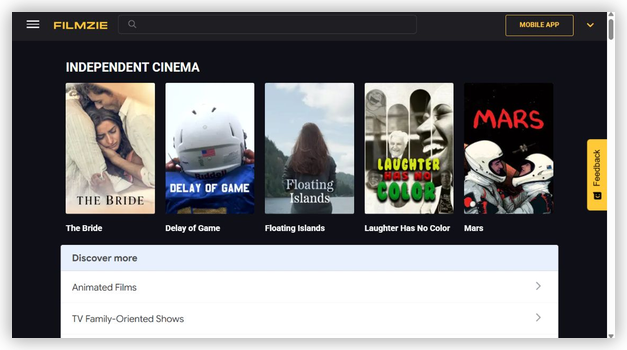
8) Filmzie
Filmzie is a reputable streaming solution I checked while looking for Best NetMirror Alternatives. It is great for viewers who aim to watch movies and series legally without a subscription fee. It helps you avoid shady links and confusing pop-ups. I keep in mind that ads support the service, but the interface stays engaging and simple.
Features:
- Free Streaming: Ad-supported free streaming library. It allows you to watch films and series without paid plans. The catalog is easy to browse. It may help if you want legal viewing.
- Personal Picks: Personalized recommendations and watchlist flow. I tested the watchlist and it kept my picks organized. It helps you return to titles fast. I suggest saving items early.
- Genre Browsing: Genre and collection browsing for quick discovery. It allows you to filter by themes and mood. The layout is one of the easiest to scan. It is important for fast choices.
- Device Access: Availability across common devices and platforms. It allows you to start on one device and continue elsewhere. I could access Filmzie quickly on my living room screen. This may help households.
- Clean Navigation: I could access titles quickly with clean navigation and clear categories.
- Indie Picks: Recommendations helped me find engaging indie picks without effort.
- Stable Playback: Stable playback in my sessions, with minimal buffering most times.
| Pros | Cons |
| Free, legal streaming model is a great option for beginners | Ad breaks can interrupt pacing, especially during longer films |
| I could access titles quickly with clean navigation and clear categories | Catalog depth varies, so some popular new releases are missing |
| Watchlist offered me a simple way to track what to watch | Search can feel basic when you need very specific results |
| Recommendations helped me find engaging indie picks without effort | Streaming quality may depend on device and network conditions |
| Works across devices, which is helpful to continue watching anywhere | |
| Stable playback in my sessions, with minimal buffering most times |
Pricing:
- Free to use
Link: https://filmzie.com/home/
9) FilmRise
FilmRise is a reputable, well-known solution I checked when I needed free, legal streaming beyond NetMirror-style apps. It helps you watch movies and television shows without a subscription, and it is great for beginners who want all you need in one place. I pay attention to simple navigation, playback stability, and content variety, and FilmRise typically delivers a clean way to avoid shady links. Keep in mind that the catalog rotates, so I consider it a good idea to browse by genre and search often.

Features:
- Free Streaming: FilmRise lets you watch movies and shows without a paid plan. The service is ad-supported. It is a practical solution when you want to avoid questionable streaming sources.
- Broad Catalog: You can browse action, drama, comedy, crime, and more. The layout aims to make discovery simple. This may help if you need quick alternatives to NetMirror style browsing.
- FilmRise Originals: FilmRise includes FilmRise Originals alongside licensed titles. It also groups content into themed channel-like collections. I found this helpful to keep recommendations relevant and engaging.
- Easy Discovery: Search and curated rows help you find something fast. Categories are clear for novice viewers. I recommend starting with the curated collections because they reduce choice overload.
- Device Support: FilmRise is available on many smart TV and mobile platforms. I tested it on a Roku setup. Setup was quick and needed minimal steps.
- Live Channels: FilmRise includes streaming channels in some apps. These act like lean-back television. It might be helpful to keep something playing without browsing.
- Watchlist Resume: You can save titles and return later on supported devices. Resume playback keeps your spot. It is essential for longer series or marathon viewing.
| Pros | Cons |
| It allowed me to stream legally without paying a subscription | Ads can interrupt scenes and reduce immersion during longer movies |
| Simple navigation is one of the easiest for new streamers | Catalog rotates, so favorites may disappear without notice |
| I could access genre collections quickly, making discovery feel engaging | Search can feel limited when you need very specific titles |
| Reputable library helps you avoid risky mirror-site streaming traps | Picture quality varies by title, especially older catalog items |
| Good idea to keep a watchlist for later viewing | |
| Provided me steady playback on my TV with minimal buffering |
Pricing:
- Free to use
Link: https://filmrise.com/
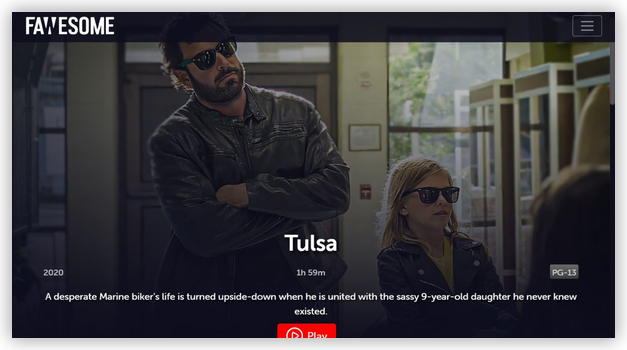
10) Fawesome
Fawesome is a well-known streaming guide that helps you find free movies, shows, and live channels fast. I evaluated it as a solution for anyone who wants to avoid shady links and confusing apps. It is great for cord-cutters who aim to keep choices simple and essential. My main takeaway is that it helps you compare what is needed across many services in one place.
Features:
- Streaming Hub: Fawesome focuses on free movies and shows across many genres. It keeps discovery simple for beginners. I tested browsing and found categories clear. It helps you avoid dead-end searches.
- Live TV: The platform also offers free live TV channels alongside on-demand titles. This may help when you want instant viewing. Channel browsing is straightforward. It is a good idea to save favorites.
- Fast Search: Search and genre pages allow you to narrow choices quickly. Filters make it easier to find high-quality picks. Results load quickly on common devices. It is important to pay attention to title details.
- Watchlist Flow: Fawesome lets you keep a watchlist for later. This helps you track what you want next. I found it reduced repeat searching. I recommend building a small list first to stay focused.
- Clean Categories: Clean categories made it one of the easiest guides to browse.
- Device Support: It helped me access live channels quickly on supported devices.
- Responsive Interface: As per my experience, the interface stayed engaging and uncluttered.
| Pros | Cons |
| I could access many free titles without creating an account | Ads can interrupt viewing, especially during longer movies and marathons |
| Clean categories made it one of the easiest guides to browse | Some titles rotate out, so availability can change unexpectedly |
| It helped me access live channels quickly on supported devices | I could not always find newest releases compared with paid services |
| Search felt responsive and typically surfaced relevant results quickly | Limited advanced filters compared with dedicated streaming search tools |
| Offered me a simple watchlist that kept my picks organized | |
| As per my experience, the interface stayed engaging and uncluttered |
Pricing:
- Free to use
Link: https://fawesome.tv/
What Is NetMirror, and Why Do People Look for Alternatives?
NetMirror is an unofficial streaming APK and website-style service that is promoted as a way to watch movies and series from multiple premium platforms. It is not a screen-mirroring utility such as AirPlay, Chromecast, or Miracast. People usually look for a NetMirror alternative when the app stops working, a domain changes, playback buffers, subtitles fail, or they want a safer service with an official TV app.
- Unstable Access: Unofficial apps and domains can stop working or move without notice, causing broken links and lost watchlists.
- Security Concerns: A NetMirror APK downloaded outside an official store may request unnecessary permissions or include intrusive advertising.
- Device Support: Users want apps like NetMirror for Android TV, Firestick, phones, and web browsers without complicated sideloading.
- Clear Rights: Official services identify the operator and explain pricing, privacy, regional availability, and content licensing more clearly.
- Better Reliability: Established platforms generally offer more predictable updates, subtitles, playback controls, and customer support.
NetMirror Not Working? Common Reasons and Quick Checks
If NetMirror is not working, the cause may be a temporary server outage, a changed domain, an outdated APK, regional restrictions, or device compatibility. Before installing another unknown file, try these basic checks and then move to an official alternative if the problem continues.
- Check Other Services: Open a trusted website or streaming app to confirm that your internet connection is working normally.
- Restart the Device: Close the app fully, restart your Android TV or Firestick, and clear the app cache if that option is available.
- Avoid Clone Domains: Do not follow random social-media links or download a replacement APK from a site that cannot identify its operator.
- Check Regional Access: Some titles and services are unavailable in India or on specific devices because of licensing restrictions.
- Use an Official Alternative: Choose one of the reviewed services above when you need stable updates and documented support.
How Did We Choose the Best NetMirror Alternatives?
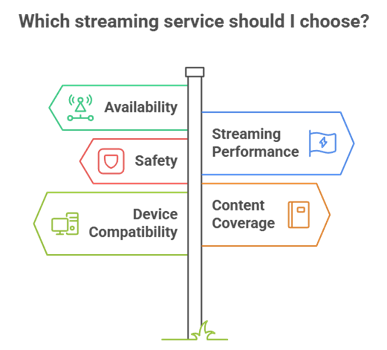
Apps like NetMirror vary widely in catalog size, safety, regional access, and television support. I compared established services using the same practical factors readers need before installing or signing up.
- Official Access: Preference went to identifiable operators, official websites, recognized app stores, and clearly documented plans.
- Streaming Performance: The shortlist favors straightforward navigation, dependable playback, useful search, and manageable advertising.
- Content Coverage: I included different choices for movies, live channels, Asian dramas, public-domain video, creator content, and personal media.
- Device Compatibility: Services were assessed for web, mobile, smart TV, Android TV, Firestick, or casting support where available.
- Regional Clarity: Availability in India and other countries can change, so official regional listings matter more than third-party claims.
Best Apps Like NetMirror for Android TV and Firestick
For a television-first setup, start with official services that support your exact device or a reliable casting method. Android TV availability does not always mean the same app is offered in the Amazon Appstore, so verify the listing on your Firestick or Smart TV before subscribing.
- Amazon MX Player: A strong free option for India-focused movies, series, and regional entertainment on supported screens.
- JioHotstar: Best for licensed Indian entertainment and sports when the app and selected plan support your television.
- Plex: Useful for free ad-supported streaming and organizing a personal media library across supported TV devices.
- ZEE5 and SonyLIV: Good choices for Indian television, movies, originals, regional programming, and selected live content.
- OTTplay: Helpful for discovering titles and comparing bundles, although playback may depend on its partner services and plan.
Best Websites Like NetMirror
If you prefer not to install an APK, an official browser-based service is easier to verify and update. Amazon MX Player, OTTplay, JioHotstar, Plex, ZEE5, SonyLIV, Rakuten Viki, Filmzie, FilmRise, and Fawesome all provide an official web presence, although playback, subscriptions, and catalogs vary by location.
- For Multi-OTT Discovery: OTTplay is the closest website match when your priority is searching across participating platforms and comparing bundles.
- For Free India-Focused Streaming: Amazon MX Player offers a broad ad-supported catalog without an unofficial APK.
- For Indian Premium Entertainment: JioHotstar, ZEE5, and SonyLIV cover licensed movies, series, television, originals, and selected live content.
- For Free Movies: Plex, Filmzie, FilmRise, and Fawesome provide established ad-supported or free catalogs.
- For Asian Series: Rakuten Viki focuses on Korean, Chinese, Japanese, and other Asian programs with subtitle support.
Are Apps Like NetMirror Safe and Legal?
The name “NetMirror alternative” does not automatically mean that an app is safe or legal. An official streaming service can legally provide licensed or ad-supported content, while an unofficial APK may redistribute premium titles without clear permission. Laws and availability differ by country, so use this as a practical safety check rather than legal advice.
- Use Official Sources: Install from the Amazon Appstore, Google Play, Apple App Store, a television app store, or the provider’s verified website.
- Check the Operator: Look for clear ownership, contact information, privacy terms, and an understandable business model.
- Review Permissions: A streaming app should not need access to contacts, SMS, accessibility controls, or unrelated files.
- Question Premium-Free Claims: New paid movies and shows offered free without ads or licensing details are a warning sign.
- Keep Devices Updated: Install system and app updates, use unique passwords, and remove apps you no longer trust.
Free vs Paid NetMirror Alternatives
Free NetMirror alternatives usually rely on advertising, smaller catalogs, or rotating titles. Paid services and bundles generally provide broader premium access, fewer restrictions, or extra features, but no single legal subscription includes every competing catalog.
- Free With Ads: Amazon MX Player, Plex, Filmzie, FilmRise, and Fawesome are the best starting points when monthly cost is the priority.
- Free and Premium Tiers: JioHotstar, ZEE5, SonyLIV, and Rakuten Viki mix open access with plan-dependent premium content.
- Paid Bundles: OTTplay Premium combines participating OTT services, but the exact partners and plan benefits can change.
- Main Trade-Off: Free options reduce cost, while paid plans typically improve catalog depth, premium access, downloads, sports, or account features.
Verdict :
The best NetMirror alternative is the one that matches your content and device needs without relying on an unknown APK. For the closest legal match to the original search intent, start with these three choices and confirm their current plan and device support in India or your country.
- Amazon MX Player: Best free option for broad India-focused movies and shows.
- OTTplay: Best for multi-platform discovery and subscription bundles.
- JioHotstar: Best for licensed Indian entertainment and live sports.
FAQs
What is the best free NetMirror alternative?
Amazon MX Player is the strongest free NetMirror alternative for India-focused movies and shows. Plex is better if you also manage personal media, while Filmzie, FilmRise, and Fawesome are useful for additional free movie choices. Catalogs and device support vary by region.
What is the closest legal app to NetMirror?
OTTplay is the closest legal match for NetMirror’s cross-service intent because it helps users discover content across participating platforms and offers multi-OTT bundles. It does not provide every competing catalog, so check the services included in the current plan.
What are the best apps like NetMirror for Android TV?
Amazon MX Player, JioHotstar, Plex, ZEE5, and SonyLIV are strong apps like NetMirror for Android TV when their official applications are available on your device and in your region. Check the Google Play listing on your exact television before installing.
Is there a website like NetMirror that needs no APK?
Yes. Amazon MX Player, OTTplay, JioHotstar, Plex, ZEE5, SonyLIV, Rakuten Viki, Filmzie, FilmRise, and Fawesome have official websites. Playback, subscriptions, and regional restrictions still differ, but these options avoid an unknown third-party NetMirror APK.
Are NetMirror-like apps legal in India?
Legality depends on whether the service has permission to distribute the content, not whether it looks like NetMirror. Official, licensed, or ad-supported platforms are the safer choice. Avoid apps offering premium catalogs without clear ownership or distribution rights.
Can I use NetMirror alternatives on Firestick or Smart TV?
Many alternatives support Firestick, Android TV, Google TV, smart TVs, or casting, but availability differs by device and country. Use your device’s official app store first. If an app requires sideloading from an unknown source, choose a browser or official alternative instead.
Do free NetMirror alternatives show ads?
Most free, licensed services show ads because advertising helps fund content rights, hosting, and app development. Ad frequency varies, and some platforms offer paid plans with broader access, fewer restrictions, or additional features.