Key Takeaway: In reassessing Sports Apps for Firestick, I emphasized authorized event access, schedule accuracy, official product information, realistic compatibility, and terms that viewers can confirm independently. Watching live sport on a Firestick no longer means paying for cable. ESPN is the best value for UFC and league coverage, Fubo carries the fullest channel lineup, and DAZN owns boxing. Pluto TV and Plex add genuinely free sports channels.
Missing kick-off because your Firestick has no decent sports app is maddening. These eight apps cover everything from UFC and boxing to football, and several of them cost nothing at all.
I have installed every app here on my own Fire TV Stick and watched real fixtures through them, judging stream stability, picture quality, blackout behaviour, and how quickly you can actually reach a live game. Below are the eight best, with honest pros, cons, and current pricing.
Important Note: Coverage and compatibility for Sports Apps for Firestick depend on the viewer’s territory, hardware, chosen plan, and current provider agreements. Compare official account terms, device guidance, costs, and territorial availability before selecting a recommendation. Unverified feeds, substitute web addresses, and operators without transparent distribution permission are outside this guide.
Best Sports Apps for Firestick: Top Recommendations!
| App | Best For | Content Focus | Get Started |
|---|---|---|---|
| ESPN | Best overall value | Live sports & UFC | Visit Site |
| Fubo | Full sports channels | Live TV & sports | Visit Site |
| DAZN | Boxing & combat sports | Boxing, MMA & football | Visit Site |
| Pluto TV | Free sports channels | Free live sports TV | Visit Site |
| Plex | Free live sports channels | Free live TV + media | Visit Site |
1) ESPN
ESPN is the sports app I would install first on any Firestick, because it delivers the widest legal coverage for the least money. Its streaming tiers carry UFC pay-per-views, baseball, hockey, soccer, and college sports, all in reliable HD. For most fans it replaces a cable sports package outright.
Features:
- Live UFC and premium access: ESPN carries UFC pay-per-views and Fight Nights officially, giving combat fans a legitimate, high-quality alternative to hunting sketchy free fight streams.
- Huge League Coverage: baseball, hockey, soccer, tennis, golf, and college football all stream here, covering a genuinely broad slate of live sport on one subscription.
- Reliable HD Streams: Every event plays in stable HD with none of the buffering or dead links that plague free sports sites during a big match.
- Excellent Firestick App: The Fire TV app is fast and remote-friendly, with a clear schedule so finding tonight’s game takes seconds rather than menu-diving.
- On-Demand Replays: Missed a game? Full replays and condensed highlights are available afterwards, which I use constantly when fixtures clash with real life.
- Exclusive Originals: Documentaries, studio shows, and exclusive analysis deepen the coverage well beyond the live games themselves, adding real value to the subscription.
- Two Clear Tiers: A cheaper Select tier covers niche sports, while Unlimited adds the full linear ESPN experience, so you only pay for what you need.
| Pros | Cons |
| ✅ Official UFC pay-per-views | ❌ Select tier lacks linear channels |
| ✅ Very broad league coverage | ❌ Some sports need add-ons |
| ✅ Reliable HD playback | ❌ Subscription required |
| ✅ Great Fire TV app | |
| ✅ Replays on demand | |
| ✅ Affordable entry tier |
Pricing:
- ESPN Select: $12.99/month
- ESPN Unlimited: $29.99/month
Link: plus.espn.com
2) Fubo
Fubo is the closest thing to a proper cable sports package on a Firestick, and it is what I recommend to serious fans. It carries ESPN, Fox Sports, broadcaster, and dozens more live channels, with a generous cloud DVR and multi-view for busy weekends. It is expensive, but nothing else is this complete.
Features:
- Comprehensive Channel List: Fubo carries ESPN, Fox Sports, sports networks, and dozens of other live channels, covering nearly every league and competition in one app.
- Cloud DVR Included: A generous cloud DVR records games automatically, so clashing fixtures or awkward time zones never mean missing a match entirely.
- Multi-View Streaming: You can watch several games simultaneously on one screen, which is genuinely brilliant on a packed Saturday of overlapping fixtures.
- HD and Some 4K: Streams run in reliable HD, with select marquee events available in 4K, delivering picture quality free sports sites cannot approach.
- Free Trial Available: A trial lets you test the full channel lineup before committing, which is ample time to judge whether the price suits your viewing.
- Proper TV Guide: A traditional programme guide makes browsing live sport feel like real television, and it navigates cleanly with the Firestick remote.
- Multiple Profiles: Household profiles keep recordings and favourite teams separate, so everyone gets their own tailored sports experience under a single plan.
| Pros | Cons |
| ✅ Fullest channel lineup | ❌ The most expensive option |
| ✅ Cloud DVR | ❌ Regional channel gaps |
| ✅ Multi-view | ❌ Overkill for casual fans |
| ✅ HD and some 4K | |
| ✅ Free trial | |
| ✅ Proper TV guide |
Pricing:
- Sports + News: $55.99/month
- Pro: $73.99/month
- Elite: $83.99/month
- Free Trial: Available
Link: fubo.tv
3) DAZN
DAZN is the app I turn to for boxing, and in many countries it is genuinely unmatched. It holds rights to a huge slate of fight nights, plus football in several regions, and streams everything in clean HD on Firestick. Pricing and content vary by country, so check what is offered where you live.
Features:
- Boxing Powerhouse: DAZN holds rights to a vast number of boxing cards, making it the single best legal home for fight fans on a Firestick.
- MMA and Combat Sports: Beyond boxing it carries MMA promotions and other combat events, giving a broad fight calendar that few rival services can match.
- Regional Football: In several countries DAZN also streams major football leagues, so it can double as your main football subscription depending on where you live.
- Clean HD Streams: Fights stream in reliable HD without the buffering or sudden dead links that ruin big nights on free streaming websites.
- On-Demand Replays: Full fight replays and highlights stay available afterwards, which is invaluable when a card finishes in the middle of the night.
- Official Firestick App: A dedicated Fire TV app installs from the Amazon Appstore and navigates easily with a remote, so no sideloading is ever required.
- No Extra premium access Fees: Most DAZN fight cards are included in the subscription rather than charged separately, which I find far better value than traditional premium access.
| Pros | Cons |
| ✅ Best legal boxing coverage | ❌ Content varies by country |
| ✅ MMA and combat sports | ❌ Pricing differs by region |
| ✅ Football in some regions | ❌ Weaker for US leagues |
| ✅ Reliable HD streams | |
| ✅ Replays included | |
| ✅ Official Firestick app |
Pricing:
- Price: Subscription varies by country — check DAZN for your region
Link: dazn.com
4) Pluto TV
Pluto TV is the best genuinely free sports option on a Firestick, and it surprises people. Owned by Paramount, it runs free live channels dedicated to sport, covering fight replays, extreme sports, classic games, and sports news. It will not show a Premier League match, but it costs nothing whatsoever.
Features:
- Free Sports Channels: Several always-on channels stream sport around the clock, covering combat sports, motorsport, extreme sports, and sports news at no cost at all.
- Completely Free: Paramount funds everything through short ads, so there is no subscription, no trial, and no card details requested at any point.
- No Account Needed: You can launch a sports channel within seconds of opening the app, with nothing to register, verify, or configure beforehand.
- Classic Games Coverage: Archive channels replay classic matches and fights, which is genuinely enjoyable filler when nothing live is actually on tonight.
- Very Light App: The Fire TV app runs smoothly even on older Firestick hardware, launching quickly where heavier sports apps stutter or lag badly.
- Fully Licensed: Everything is properly licensed, so there is no malware, no legal grey area, and none of the pop-ups that plague free sports sites.
- Refreshed Lineups: Channels rotate regularly, so the free sports selection stays varied instead of endlessly replaying the same handful of old events.
| Pros | Cons |
| ✅ Genuinely free sport | ❌ No major live leagues |
| ✅ No signup or fees | ❌ Ads throughout |
| ✅ Fully licensed | ❌ Cannot choose specific games |
| ✅ Classic game archives | |
| ✅ Runs on old Firesticks | |
| ✅ Light on resources |
Pricing:
- Price: Free (ad-supported)
Link: pluto.tv
5) Plex
Plex quietly added free live channels, and several of them carry sport, which makes it a useful no-cost addition to any Firestick. It is legal, ad-supported, and needs no subscription. The same app also organises any sport you have recorded yourself, which is a neat bonus nobody else here offers.
Features:
- Free Live Sports Channels: Plex streams free ad-supported live channels, several devoted to sport, adding legitimate no-cost viewing without any subscription required at all.
- Completely Legal: Every channel is licensed, so there is none of the malware or legal uncertainty attached to unofficial free sports streaming websites.
- Organises Your Recordings: The same app catalogues sport you have recorded or downloaded yourself, combining free channels and personal media in one tidy place.
- No Subscription: The free tier covers live channels fully, and there is no card required, so you can start watching immediately after installing it.
- Clean Universal App: Plex runs on Firestick, phones, and browsers with a polished interface, syncing across devices so you can switch screens mid-event.
- Lightweight Playback: Streams start quickly and hold steady on a normal home connection, which matters most when you are watching something genuinely live.
- Optional Plex Pass: A paid upgrade adds DVR functionality for recording live channels, though I find the free tier already covers casual sports viewing well.
| Pros | Cons |
| ✅ Free legal live channels | ❌ Limited sports channels |
| ✅ No subscription needed | ❌ No premium leagues |
| ✅ Doubles as media server | ❌ Ads on free tier |
| ✅ Clean cross-platform app | |
| ✅ Quick, stable playback | |
| ✅ Optional DVR upgrade |
Pricing:
- Price: Free (Plex Pass optional)
Link: plex.tv
6) Red Bull TV
Red Bull TV is a free, completely legal app that most Firestick owners overlook. It streams live extreme sports, motorsport, cliff diving, surfing, and esports, alongside genuinely excellent sports documentaries. There are no ads and no subscription, which makes it one of the cleanest free sports apps you can install.
Features:
- Free and Ad-Free: Red Bull funds the whole service, so you get live sport and documentaries with no subscription and, unusually, no advertising interruptions at all.
- Live Action Sports: It streams live extreme sports, motorsport, cliff diving, surfing, and esports events, covering disciplines the mainstream sports apps largely ignore.
- Excellent Documentaries: A strong library of sports films and series adds real depth, and the production quality is genuinely better than most paid platforms.
- Official Firestick App: The Fire TV app installs straight from the Amazon Appstore, so setup takes under a minute with no sideloading involved whatsoever.
- Crisp Picture Quality: Streams look excellent in HD, and the cinematography on the action sports coverage is honestly among the best on any platform.
- No Account Required: You can start watching immediately without registering, so there is nothing between opening the app and a live event beginning.
- Event Calendar: A clear schedule shows upcoming live events, making it easy to plan around a race or competition you actually want to watch.
| Pros | Cons |
| ✅ Completely free, no ads | ❌ No mainstream leagues |
| ✅ Live action and motorsport | ❌ Niche sports focus |
| ✅ Superb documentaries | ❌ Limited live schedule |
| ✅ Official Firestick app | |
| ✅ Excellent picture quality | |
| ✅ No signup needed |
Pricing:
- Price: Free (no ads)
Link: redbull.com/tv
7) Tubi
Tubi is best known for movies, but its free live channel section now includes sports, which makes it a sensible free addition. Backed by Fox, it carries sports news, fight replays, and some live channels alongside its enormous film library. Everything is legal, free, and requires no account whatsoever.
Features:
- Free Live Sports Channels: Tubi’s live section carries sports channels covering news, replays, and combat sports, all streaming free with only short advertising breaks.
- Backed by Fox: Fox ownership means proper licensing and a steady supply of sports content, rather than the dubious feeds found on unofficial streaming sites.
- Massive Film Library Too: Beyond sport you get tens of thousands of free movies and shows, so one app covers both match nights and quiet evenings.
- No Signup Required: You can start watching instantly without creating an account, though signing in lets you save favourite channels across your devices.
- Official Fire TV App: It installs directly from the Amazon Appstore, launching fast and navigating cleanly with the standard Firestick remote and no sideloading.
- Light Ad Load: Ads appear as short breaks rather than deceptive pop-ups, so the free experience stays genuinely watchable throughout an event.
- Regularly Expanded: Fox keeps adding channels to the live section, so the free sports offering has grown steadily rather than stagnating over time.
| Pros | Cons |
| ✅ Free legal sports channels | ❌ Few live premium fixtures |
| ✅ Huge film library included | ❌ Sports is secondary focus |
| ✅ No signup or cost | ❌ Region-limited channels |
| ✅ Official Firestick app | |
| ✅ Light ads | |
| ✅ Growing lineup |
Pricing:
- Price: Free (ad-supported)
Link: tubitv.com
8) Kodi
Kodi is the enthusiast route, and it is the most flexible way to watch sport on a Firestick. The software is free, legal, and open-source; sports addons and IPTV playlists extend it to stream live fixtures. It demands genuine setup effort, but nothing else lets you build exactly the sports setup you want.
Features:
- Free and Open-Source: Kodi itself is entirely legal and free, providing a trustworthy foundation without the malware risk attached to random sports streaming APKs.
- Sports Addons: A wide ecosystem of sports addons and repositories extends Kodi to stream live fixtures, letting you tailor coverage to the leagues you follow.
- IPTV Playlist Support: Kodi plays M3U playlists through PVR clients, so any legitimate IPTV subscription you own slots straight into a proper TV guide.
- Full Programme Guide: With a playlist attached you get a real electronic programme guide, making live sport feel like traditional television rather than a link list.
- Deep Customisation: Skins and builds let you reshape the interface entirely, so your sports menus sit exactly where you want them on the home screen.
- Runs Everywhere: Kodi works across Firestick, Android, Windows, and Linux, so the same sports setup follows you onto whichever device you happen to use.
- Active Community: A large community keeps addons and guides current, so when something breaks before a big match a fix is usually already posted.
| Pros | Cons |
| ✅ Free and open-source | ❌ Real setup effort required |
| ✅ Huge sports addon choice | ❌ Addons vary in legality |
| ✅ IPTV playlist support | ❌ Needs a VPN |
| ✅ Full programme guide | |
| ✅ Deeply customisable | |
| ✅ Cross-platform |
Pricing:
- Price: Free (open-source)
Link: kodi.tv
Setting Up Sports Apps on Your Firestick
Every app here except Kodi installs straight from the Amazon Appstore in under a minute, which is exactly why I lean on official apps for live sport. Nothing ruins a match like a sideloaded app crashing at kick-off. Here is the setup I run through before a big fixture on my Fire TV Stick.
- Install From the Appstore: Press Find, search for ESPN, Fubo, DAZN, Pluto TV, or Red Bull TV, select the app, and choose Get to install it.
- Sign In Early: Log into paid apps well before kick-off, because entering a password with a remote during the opening minutes is genuinely painful.
- Test the Stream First: Open the app an hour beforehand and play anything, confirming your connection and app version are stable before the match actually starts.
- Wire In If Possible: Use an Ethernet adapter or sit close to the router, since live sport suffers far more from a weak signal than on-demand content does.
How I Ranked These Firestick Sports Apps
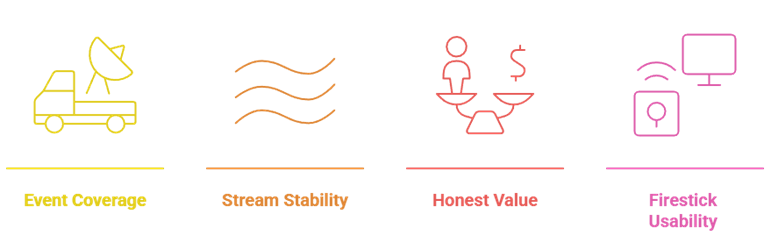
Sports apps live or die on one question: does the stream hold up when it matters? I watched real fixtures through each of these on a Fire TV Stick rather than trusting feature lists, and ranked them on what actually affects your matchday rather than what looks good on a marketing page.
- Event Coverage: An app must actually carry the sports you follow, because the slickest interface is worthless when your league simply is not listed.
- Stream Stability: I rewarded apps that held a steady HD stream through a full live event, since buffering during the closing minutes is unforgivable.
- Honest Value: Paid apps had to justify their cost against rivals, while free apps had to deliver genuinely watchable sport rather than empty promises.
- Firestick Usability: Apps that reach a live game in a few remote clicks scored highest, because nobody wants to navigate menus while the whistle blows.
Beating Blackouts and Regional Restrictions
Blackouts are the single most frustrating part of streaming sport legally, and they catch out almost everyone at some point. Your local game gets hidden precisely because you live nearby. A VPN is the standard workaround, and it also unlocks regional catalogs on DAZN and ESPN. For subscription routes, see our best IPTV for sports guide.
- Why Blackouts Happen: Broadcasters sell local rights separately, so streaming services deliberately hide games in the market where a local channel owns them.
- Switching Your Region: Connecting a VPN to another region often restores the fixture, since the service then treats you as an out-of-market viewer.
- Unlocking DAZN Content: DAZN’s lineup differs enormously by country, so a VPN can reveal boxing cards or football simply unavailable in your own region.
- Pick a Fast Server: Choose a nearby, high-speed VPN server, because live sport is far less tolerant of latency and throttling than on-demand video.
Free vs Paid Sports Apps: What You Actually Lose
Free sports apps are better than people expect, but they have a hard ceiling. Pluto TV, Plex, Red Bull TV, and Tubi give you channels, replays, and action sports for nothing, yet none of them can show a live Premier League match. That is what the subscription actually buys. Our best Kodi addons for sports guide covers the addon route.
- What Free Apps Give You: Free apps cover sports news, fight replays, classic games, motorsport, and extreme sports, which is far more than most people realise.
- What Free Apps Cannot Do: No free legal app carries live premium league fixtures, because those rights cost broadcasters enormous sums that advertising cannot cover.
- When Paying Makes Sense: If you follow one sport seriously, a single subscription like ESPN or DAZN is cheaper and far more reliable than chasing free streams.
- The Sensible Mix: Pair one paid app for your main sport with Pluto TV and Red Bull TV for everything else, and you cover almost every viewing occasion.
Are Free Sports Streaming Apps Legal?
The apps in this guide are all fully licensed, which is deliberate. The free sports sites people usually reach for restream copyrighted broadcasts without permission, and that is where the malware and legal grey area come from. Choosing licensed apps costs you a little coverage but removes the risk entirely.
- These Apps Are Licensed: ESPN, Fubo, DAZN, Pluto TV, Plex, Red Bull TV, and Tubi all pay for their rights, so watching them is completely legal.
- Unofficial Sites Are Not: Free sports streaming sites restream broadcasts without permission, sitting in a legal grey area that varies considerably from country to country.
- The Real Danger: The bigger practical risk with unofficial streams is malicious pop-ups and fake buttons, which is why an ad-blocker matters so much there.
- Kodi Sits In Between: Kodi itself is legal, but third-party sports addons often are not, so run a VPN whenever you stream sport through them.
Verdict:
After watching real fixtures through all eight on a Fire TV Stick, the best sports app depends entirely on which sport you follow. For most fans wanting reliable live coverage without cable, these three consistently deliver the strongest streams.
- ESPN: The best all-round value, with official UFC pay-per-views and broad league coverage in reliable HD.
- Fubo: The fullest channel lineup, with cloud DVR and multi-view for fans who watch sport seriously.
- DAZN: The undisputed home of legal boxing, with most fight cards included rather than charged as premium access.
FAQs
What is the best sports app for Firestick in 2026?
ESPN is the best overall sports app for Firestick because it combines official UFC pay-per-views with broad league coverage at a reasonable price. Fubo is better if you want full live sports channels.
Are there free sports apps for Firestick?
Yes. Pluto TV, Plex, Red Bull TV, and Tubi all stream sport free and legally with ads. They cover replays, motorsport, and action sports, though not live premium league fixtures.
Can I watch live sports free on Firestick legally?
You can watch plenty of sport free and legally through Pluto TV, Red Bull TV, Plex, and Tubi. However, no free legal app carries live top-flight football or major league games.
Do I need a VPN for sports apps on Firestick?
A VPN is not required for these legal apps, but it helps considerably. It bypasses local blackouts, unlocks regional DAZN and ESPN content, and keeps your streaming private.
Which sports app has the best picture quality?
Fubo offers the best quality overall with reliable HD and select 4K events, while ESPN and DAZN both deliver consistently stable HD streams on a Firestick.