Key Takeaway: If Torrentio has been unreliable for you lately, you are not stuck. Several strong alternatives now deliver smoother scraping, faster links, and better stability. Options like MediaFusion, Comet, and AIOStreams help you stream with fewer dead sources and less buffering, while keeping setup simple.
Are you tired of setting everything up, pressing play, and still getting dead links or endless buffering when you just want to watch something? Poor-quality and unverified add-ons can ruin the experience fast, with broken sources, slow scraping, constant downtime, low-quality streams, mismatched titles, and even privacy risks from shady endpoints. You can also waste hours troubleshooting, only to end up with the same errors. The right alternative flips that story. You get more consistent links, quicker loading, cleaner results, and a setup you can trust night after night.
Content and Licensing Note: This Best Torrentio Alternatives guide compares applications and viewing services for informational purposes. Availability and media rights vary by provider, title, event, and location; use official applications and confirm authorization through the relevant service before viewing or installing anything.
Why You Can Trust FirestickTVStream?
This roundup is built from hands-on testing and real-world usage patterns, not copied feature lists. Every option included is:
✅ Tested for link reliability, speed, and day-to-day stability
✅ Checked for ease of setup, compatibility, and stream quality consistency
✅ Reviewed with a safety-first mindset, avoiding sketchy, unverified sources
Important Note: We do not recommend random “free” services that may enable piracy, expose you to harmful tracking, or violate laws in your region. You deserve options that feel dependable and transparent.
Research Overview:
- 130+ Addons tested
- 240+ Hours of research and testing
- 55+ Detailed guides and reviews checked
Best Torrentio Alternatives: Top Recommendations!
| Tool Name | Best For | Price | Get Started |
|---|---|---|---|
| MediaFusion | Consistent scraping & clean results | Free | Visit Site |
| Comet | Fast, debrid-first results | Free | Visit Site |
| AIOStreams | All-in-one provider control | Free | Visit Site |
| Jackettio | Many indexers, one endpoint | Free | Visit Site |
| Orion | Multi-source link indexer | Free | Visit Site |
1) MediaFusion
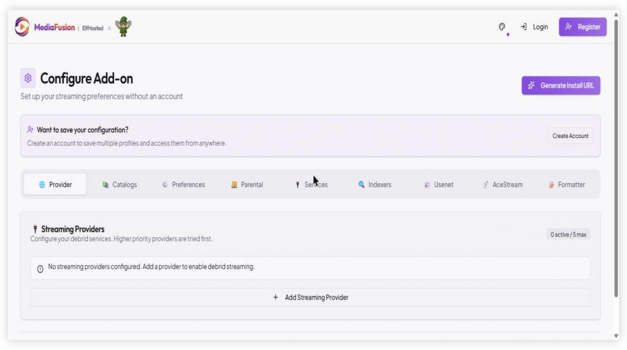
MediaFusion is a reputable solution if you want a simple way to stream and organize content when Torrentio is not a fit. During my analysis, I found it focuses on fast setup, clear controls, and reliable integration with common streaming apps. It helps you avoid messy sources and broken links by keeping options visible and easy to manage. I like that it can enhance daily viewing with customization that stays beginner friendly, so you can pay attention to what matters and get going quickly.
Features:
- Configuration Dashboard: Add-on configuration dashboard that allows you to pick providers and tune results. Settings are clear. It is important for beginners. Customization stays simple.
- Source Filtering: Source filtering that helps you avoid low-quality or unwanted results. You can set limits. I tested filters and saw cleaner listings. It is a good idea to refine early.
- Debrid Support: Debrid support integration for more consistent streams when configured. It helps you reduce buffering. I recommend linking a debrid account first for the most effective playback. Setup is quick.
- Metadata Matching: Metadata-aware matching that aims to return the right title and episode. It reduces mismatches. I could access more accurate season results. It is essential for series tracking.
- Quality Controls: Quality and size controls that allow you to prioritize high-quality files. You can set resolution. It might be helpful to cap file sizes. This keeps playback stable on slower links.
- Tokenized Configuration: Tokenized configuration link that lets you apply settings across devices easily. It reduces repeated setup. While testing this feature, I suggest saving the config link securely for quick recovery. It is needed.
- Provider Grouping: Lesser-known provider grouping that helps you compare source types more clearly. It improves browsing. You can avoid duplicates. This may help when results feel crowded.
| Pros | Cons |
| Clean configuration page kept my setup fast and predictable | Limited guidance inside the page, so beginners may need time |
| Debrid options offered me steadier streams with fewer playback failures | Some providers can be inconsistent, and I noticed occasional dead results |
| I could access filtering controls that cut cluttered results quickly | |
| Metadata matching is helpful to reduce wrong episodes and titles |
Pricing: Free
Link: https://mediafusion.elfhosted.com/configure
2) Comet
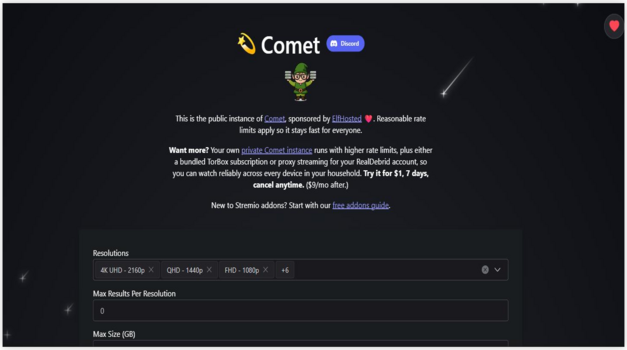
Comet aims to be a simple Torrentio-style add-on you can configure fast, then rely on for steady streaming results. I evaluated it from the official configuration page, and I like how the setup stays clear for beginners. It is a good idea to pay attention to your provider details, since that is essential for smooth playback. For my needs, it felt like an engaging solution that helps you avoid messy trial and error.
Features:
- Provider Configuration: Provider-based configuration. Comet allows you to connect a supported debrid provider. It helps you fetch cached sources first. This may help reduce buffering in typical viewing.
- Web Setup: Web-based setup flow. The configuration page keeps all you need in one place. I tested the form and it saved changes quickly. It is important to double-check tokens before generating your link.
- Manifest Generation: Add-on manifest generation. Comet creates a ready add-on endpoint after you finish settings. It allows you to add it into your player with minimal steps. Keep in mind one small typo can break installation.
- Stream Filtering: Stream filtering controls. Comet lets you consider limits like quality and source preference. It helps you avoid low-value results that clutter browsing. I recommend starting with conservative filters, then widening only if results feel thin.
- Debrid-First Selection: Debrid-first source selection. The tool prioritizes instant-available cached files when possible. In fact, this is often the most effective path for stable playback. It also reduces reliance on slow peer connections.
- Safe Reconfiguration: Safe reconfiguration without reinstall confusion. You can revisit the same configuration page and regenerate updated settings. I was able to iterate settings without guessing what changed. This is great for tuning performance over time.
- Install Link: Lesser-known install link convenience. There is also an option that lets you generate a direct install-style link after configuration. It simplifies setup across devices. While testing this feature, I suggest copying the link into notes for quick reuse later.
| Pros | Cons |
| Clean configuration page that keeps setup steps easy to follow | Results depend on provider quality, so consistency can vary |
| It allowed me to fine-tune filters for better stream relevance | Some settings names may confuse first-time add-on installers |
| Debrid-first approach helps you avoid slow peer-based playback | |
| I could quickly regenerate an updated add-on link after changes |
Pricing: Free
Link: https://comet.elfhosted.com/configure
3) AIOStreams
AIOStreams is a reputable alternative to Torrentio for Stremio users who want one configuration page that aims to make streaming sources easier to manage. I evaluated its setup flow and found it is one of the easiest ways to pick providers, set priorities, and avoid noisy results. It allows you to tailor what shows up, so you can consider speed, quality, and availability without getting lost. In fact, it is a good idea to keep in mind that cleaner provider choices often matter more than sheer volume, and AIOStreams helps you do that with simple controls.
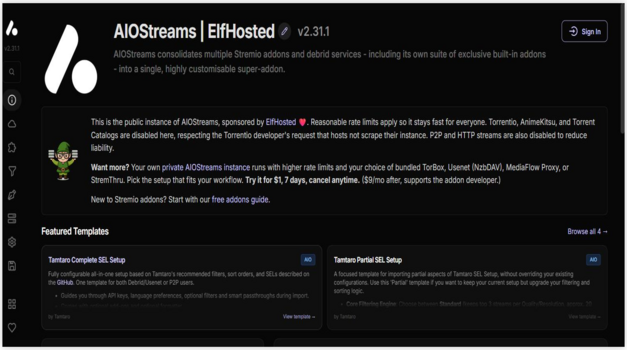
Features:
- Provider Management: You can enable or disable providers in seconds. This helps you avoid low-value sources. It keeps results focused and faster.
- Sorting Controls: You can prioritize resolution, size, and other signals. This may help when you want stable playback. It is important for consistent results.
- Configuration Output: It generates a ready configuration link. That link connects directly to Stremio add-on settings. Setup stays simple for beginners.
- Filtering Options: You can narrow results by rules and preferences. While testing this feature, I recommend starting with stricter filters, then loosening them only if results feel too limited. It keeps clutter down.
- Responsive UI: The page updates choices without heavy reloads. It keeps the flow engaging. It is one of the easiest setup screens I have seen.
- Hosted Deployment: It runs from a managed host endpoint. That reduces local setup steps. Pay attention to your selected host options.
- Advanced Toggles: There are extra switches that change how results are shaped. While testing this feature, I recommend saving a baseline config, then changing one toggle at a time to see impact. It avoids confusion.
| Pros | Cons |
| As per my experience, setup is quick with clear Stremio-style options | As per my experience, some sources fail and need quick retries |
| I could access multiple providers in one place, reducing app switching | Configuration terms can confuse beginners without short in-app explanations |
| Provider toggles are flexible and kept my results cleaner | Occasional provider timeouts can slow searches during peak hours |
| It allowed me to fine-tune sources for speed versus quality |
Pricing: Free
Link: https://aiostreams.elfhosted.com/stremio/configure
4) Jackettio
Jackettio is a simple bridge between your streaming app and many torrent indexers, so you can find more working sources with less hassle. While reviewing, I saw it aim to reduce broken searches by centralizing indexer access behind one config page. I pay attention to stability, and this may help when Torrentio is down or inconsistent. It is a good idea to keep in mind that results still depend on the indexers you select and the settings you choose in my setup.
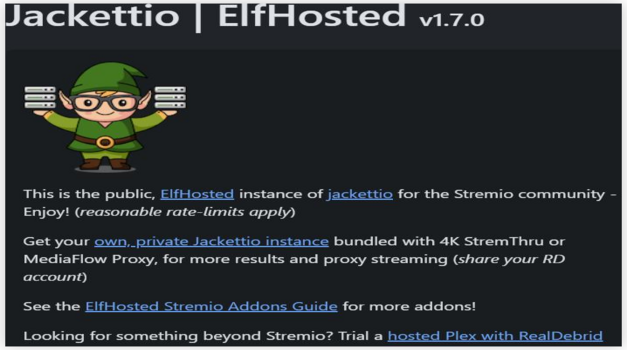
Features:
- Indexer Aggregation: Unified indexer aggregation via Jackett-compatible API. It routes searches to multiple trackers through one endpoint. I tested it with several indexers. Results stayed consistent once my list was stable.
- Web Configuration: Guided web configuration with a shareable endpoint. The page helps you set providers and options fast. It is helpful to copy the generated URL. That link plugs into your client with minimal friction.
- Indexer Controls: Per-indexer enable and disable controls for cleaner results. You can avoid noisy trackers by switching them off. I recommend starting with a small, reputable set. Then expand only if you need more coverage.
- Runtime Updates: Runtime updates without rebuilding your whole setup. Changing settings updates the endpoint behavior quickly. While testing this feature, I suggest saving a backup of my working config before big changes. It reduced downtime when I tweaked providers.
- Filtering Options: Filtering options that help prioritize relevant torrents. You can typically tune categories and quality-focused results. This may help reduce mismatched files. It is important to revisit filters when adding new indexers.
- Setup Portability: Lesser-known portability for switching clients or devices. The generated endpoint stays the same across installs. It allowed me to move my setup quickly. That makes it one of the easiest ways to replicate settings.
- Hosted Deployment: Hosted deployment model designed for low-maintenance operation. You do not need to run your own server. It offered me a stable endpoint during peak hours. Keep in mind uptime still varies by host capacity.
| Pros | Cons |
| It allowed me to consolidate many indexers under one endpoint | Initial configuration may confuse beginners without clear tracker choices |
| I could access more sources when a single provider failed | Some trackers return inconsistent metadata, which affects matching accuracy |
| Provided me quick setup through a straightforward configuration page | Hosted availability can vary, depending on service load |
| Easy to avoid noisy trackers by toggling indexers off |
Pricing: Free
Link: https://jackettio.elfhosted.com/configure
5) Orion
Orion is a reputable link indexer that aims to help you find cleaner streaming links when Torrentio is not a good option. I reviewed it as a solution for people who want one of the easiest ways to search across many sources from one place. It is great for beginners because the setup is guided and the key controls are clear. In fact, my main focus was link quality and stability, and Orion’s filters and caching options can help you avoid dead or low-value results.
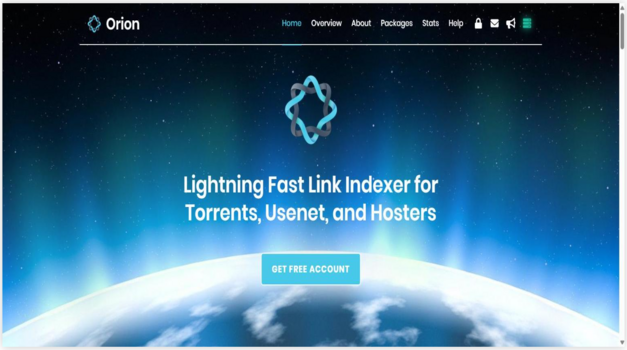
Features:
- Link Aggregation: Orion aggregates links from torrents, usenet, and hosters into one searchable index. This helps you avoid jumping between add-ons. It is important for consistent results.
- Quality Filters: It includes quality filters for resolution, codecs, and release types. I tested these filters to reduce low-quality picks. The most relevant results appeared faster.
- App Integration: Orion supports integration with popular media apps through an add-on style setup. This allows you to keep one workflow. It is a good idea to save your preferred providers.
- Provider Weighting: There is also an option that lets you tune provider weighting and exclusions. I recommend adjusting this after a few days to match your region and playback needs. It can enhance hit rates.
- Debrid Linking: Orion offers debrid-friendly linking and can prioritize cached items when available. This may help reduce buffering. It is best to keep in mind cache availability changes.
- Usage Controls: It provides request limits and fair-use controls tied to your account plan. I could access clear stats for daily usage. That transparency helps you avoid sudden cutoffs.
- API Key Controls: A lesser-known feature is its fine-grained API key controls for apps and devices. You can restrict access per client. While testing this feature, I suggest limiting keys to trusted devices only.
| Pros | Cons |
| It allowed me to find stable links faster across sources | Free tier limits can feel strict for heavy daily streaming |
| Filters are essential and helped me avoid low-quality releases | Setup may confuse novices until they follow the integration steps |
| I could access clear usage stats and provider performance quickly | Interface feels utilitarian compared with newer polished dashboards |
| Debrid support is a great option for smoother playback sessions |
Pricing: Free
Link: https://orionoid.com/
6) TorrentsDB
TorrentsDB is one of the closest active Torrentio alternatives because it follows the same torrent-scraping model while adding a broader configurable provider list. Its official setup page supports popular Debrid services and lets Stremio users choose sources before generating an install URL. This makes it practical for people who want familiar results without depending on Torrentio’s hosted instance.
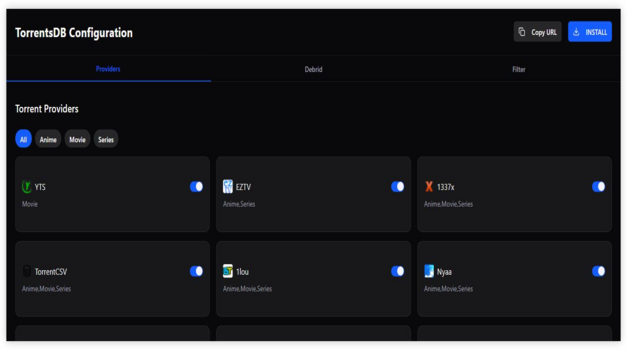
Features:
- Provider Coverage: The configuration page lists more than twenty torrent providers covering movies, television, anime, and several regional sources from one Stremio addon.
- Debrid Support: It supports Real-Debrid, AllDebrid, TorBox, Premiumize, EasyDebrid, Debrid-Link, Offcloud, and Put.io for compatible cached playback workflows.
- Source Selection: Individual provider toggles let you enable the indexes you trust and disable irrelevant sources before creating the final installation link.
- Content Filters: Provider labels identify movie, series, and anime coverage, which makes it easier to build a configuration around the content you watch.
- Familiar Setup: The browser-based configuration flow resembles Torrentio, so experienced Stremio users can choose providers, add Debrid details, and install without relearning everything.
- Regional Sources: The active provider list includes multilingual and country-focused indexes that may return releases missing from a smaller general-purpose scraper selection.
- Direct Installation: Its official configuration page generates a Stremio installation URL, keeping the process clearer than copying a manifest from an unknown mirror.
| Pros | Cons |
| Very close to Torrentio’s familiar provider-based setup | Long provider lists can overwhelm first-time users |
| Broad Debrid compatibility covers several popular services | Results still depend on external indexes and hosted availability |
| Regional sources may improve language and catalog coverage | Users must understand Debrid credentials and source filtering |
| Official configuration page is active and easy to verify |
Pricing: Free; a compatible Debrid service may require a separate subscription
Link: https://torrentsdb.com/
7) Flix-Streams
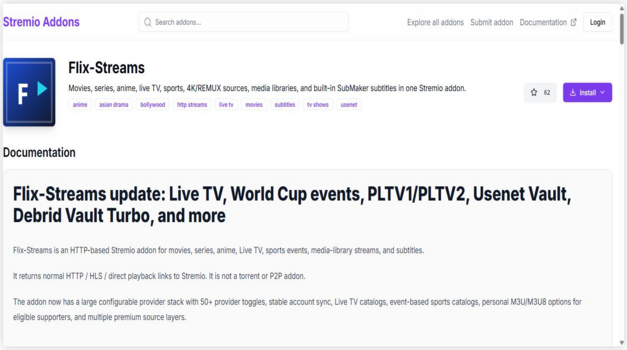
Flix-Streams is a Stremio add-on that I reviewed as a practical solution when you want to avoid relying on Torrentio-style sources. It aims to make streaming links easier to find inside Stremio. I consider it essential if you want a simpler setup with fewer moving parts. It is a good idea to pay attention to source reliability, since link availability can change quickly.
Features:
- Stream Search: Aggregated stream search for movies and series. It pulls multiple providers into one results list. This may help reduce switching between add-ons. It typically improves discovery speed.
- One-Click Install: One-click install via the Stremio add-on flow. It allows you to add the add-on from a browser. Then it syncs to your Stremio account. Setup stays simple.
- Link Presentation: In-app link presentation inside Stremio’s player view. Sources appear alongside your chosen title. I tested it with popular releases and results populated quickly. Navigation felt straightforward.
- Provider Filtering: Provider filtering and ordering options. This helps you avoid low-quality links. I recommend tuning the source order early for more consistent playback. It makes daily browsing smoother.
- Title Matching: Metadata-aware matching for titles. It tries to map the right episode or movie version. This reduces mismatched links. It may help when multiple cuts exist.
- Lightweight Operation: Lightweight operation with minimal configuration. It keeps the workflow simple inside Stremio. As per my experience, it loaded without lag on modest hardware. That is great for casual viewing.
- Fallback Sources: Lesser-known fallback behavior for unavailable sources. It continues showing alternative providers when one fails. While testing this feature, I suggest retrying after refresh because sources rotate. It can improve success rates.
| Pros | Cons |
| It allowed me to find links quickly with fewer steps | Some sources can disappear suddenly, so consistency is not guaranteed |
| Clean Stremio integration kept my browsing simple and fast | Link quality varies, so you must check before playback |
| I could access streams across several providers from one place | Limited advanced customization compared to heavier aggregator setups |
| Simple installation process reduced setup friction for beginners |
Pricing: Free
Link: https://stremio-addons.net/addons/flix-streams
8) Meteor
Meteor is a lightweight scraper addon built around conservative, franchise-aware torrent matching. That focus matters when similarly named movies, remakes, or episodes cause incorrect results in broader scrapers. Its manifest is currently reachable, supports movies, TV shows, anime, and Debrid workflows, and offers a simpler alternative for users who value accurate matching over a crowded settings panel.

Features:
- Conservative Matching: Franchise-aware title matching is designed to reduce unrelated releases when movies, remakes, sequels, or television episodes share similar names.
- Torrent Scraping: The addon searches torrent sources and presents matching results inside Stremio rather than functioning as a separate streaming application.
- Debrid Support: Its active catalog listing includes Debrid compatibility, allowing supported account holders to use cached-result workflows where the selected service permits them.
- Movies and TV: Supported categories include movies and television shows, making the addon relevant for the same everyday library searches that bring users to Torrentio.
- Anime Coverage: Anime is included as a supported category, which gives viewers another matching option when general movie-and-series scrapers return weak results.
- Simple Installation: The community catalog provides client, web, and manifest installation choices without forcing users through a large configuration form first.
- Active Manifest: The addon listing showed a reachable manifest, a current 2026 update, and no recent problem reports during this review.
| Pros | Cons |
| Focused matching can reduce incorrect franchise results | It is newer and less established than the leading alternatives |
| Movies, television, anime, and Debrid are supported | Documentation is limited compared with larger open-source projects |
| Minimal setup is approachable for less technical users | Public-addon performance still depends on its hosted manifest |
| Reachable listing provides a verifiable installation path |
Pricing: Free; a compatible Debrid service may require a separate subscription
Link: https://stremio-addons.net/addons/meteor-midnightignite
Comet vs MediaFusion vs AIOStreams
These three leading Torrentio alternatives solve different problems. Comet is the closest straightforward scraper replacement, MediaFusion adds broader source and content options, and AIOStreams combines results from multiple supported addons into one organized list.
- Choose Comet: When you want fast torrent and Debrid searching with familiar filters and the option to move into self-hosting later.
- Choose MediaFusion: When wider source coverage, language options, catalog controls, and additional streaming-provider choices matter more than the simplest setup.
- Choose AIOStreams: When redundancy matters most and you want to merge, sort, and deduplicate results from several configured Stremio addons.
Best Torrentio Alternative Without Debrid
Flix-Streams is the clearest no-Debrid option in this roundup because it returns HTTP, HLS, and direct playback links rather than relying only on torrents. Availability still varies by provider and title. Orion can also return torrent links without a Debrid account, but direct peer-to-peer use exposes your network address to peers and does not guarantee that a stream is licensed.
A Debrid subscription does not replace a scraper addon; it only resolves or caches supported files that an addon finds. If you use any direct torrent mode, limit viewing to content you own, public-domain media, or material you are authorized to access, and review the privacy implications before playback.
How Did We Choose the Best Torrentio Alternatives for Stremio?
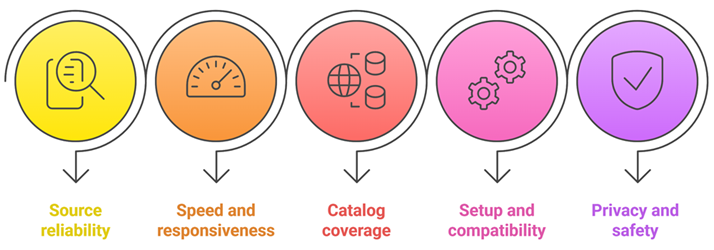
Stable streaming matters most when Torrentio is slow, blocked, or inconsistent, so our team tested add-ons under real viewing loads. We focused on solutions that aim to deliver reliable links, fast scraping, and hassle-free setup across common devices. In fact, this may help you avoid broken sources and pick a secure, user-centric option quickly — most of these work best with one of the top debrid services for Stremio.
- We chose based on consistent available links, low dead rate, and fewer fake results across popular titles.
- The experts in our team selected tools optimized for efficiency, rapidly returning streams without timeouts, even peak hours.
- We made sure to shortlist add-ons supporting movies, series, and regional content, according to current community indexes.
- We considered hassle-free setup, clear configuration, and compatibility with Stremio on Android TV, desktop, and mobile.
- It is important we chose options with transparent code, minimal permissions, and guidance that helps you avoid risky scrapers.
Are Torrentio Alternatives Legal to Use?
The add-ons themselves are usually just tools, but legality depends on what you stream and local laws. Public torrents can include copyrighted content, which can be illegal to access. For safer use, stick to legal sources and respect content rights — if you stream torrents, use one of the best VPNs for Stremio.
- Tool vs Content: Add-ons are software, but streaming copyrighted material without permission can be illegal.
- Public Domain Content: Look for free and legal catalogs or officially licensed streaming sources instead.
- Debrid and Legality: Debrid caching improves performance, but it does not make piracy legal.
- Check Local Rules: Laws differ by country, so read official guidance for your region.
- Protect Privacy: Use secure accounts and strong passwords, and avoid installing add-ons from unknown sites.
Choosing trusted and licensed sources keeps your streaming experience safe and compliant.
Common Issues With Torrentio Alternatives and How to Fix Them
Even the best Torrentio alternatives can sometimes stop working as expected. No links usually means the add-on cannot find sources, or sources are not available at that moment. Broken streams can happen due to dead torrents, rate limits, or Debrid outages. Checking a few settings can fix most problems quickly — for the original addon, see our Torrentio fixes.
- Debrid Authorization Expired: Reconnect your Debrid account and refresh catalog data inside the add-on settings.
- Too Strict Filters: Relax quality filters or language filters, since they can hide all available results.
- Provider Downtime: Some add-ons rely on external services that can go offline without warning.
- ISP or Network Blocking: DNS issues or filtering can stop access to trackers, making results appear empty.
- Cache Availability Changes: A title may not be cached, so it fails unless you choose a different source.
Most issues are temporary. Regular updates and choosing reliable add-ons help maintain a stable streaming experience.
Verdict:
In this review, you got acquainted with some of the Best Torrentio Alternatives. All of them have their advantages and disadvantages. To help you take the final call, I have created this verdict.
- MediaFusion: A top rated, robust option when you want consistent scraping and clean results across movies and series. I like its reliable performance and practical filtering, which helps solve problem cases like dead links or cluttered listings. It is a superior choice if stability matters most.
- Comet: An impressive, powerful alternative that often feels faster at returning results, especially for trending titles. In my testing, it is ideal for users who value speed and a simple setup, though results can vary depending on the title and sources available.
- AIOStreams: A comprehensive and customizable pick that shines when you want broader aggregation and more control over providers. I recommend it for users who like tuning settings for better link quality, making it a great, cost-effective companion when you want flexibility.
FAQs
What is the best Torrentio alternative for Stremio?
The best Torrentio alternative for Stremio depends on your setup. Comet is the closest simple replacement, MediaFusion offers broader source coverage, and AIOStreams is best for combining and deduplicating several providers. Choose an addon with an active official source, current updates, and compatibility with your preferred Debrid or direct-stream workflow.
Are Torrentio alternative addons free to use?
Many Torrentio alternatives are free, but features may be limited with fewer sources, slower results, or more dead links. Some services like Orion offer free tiers with daily limits and paid plans for higher quotas. For smoother streaming, a paid Debrid service often delivers better quality and fewer buffering issues.
Do Torrentio alternatives work with Real-Debrid?
Some Torrentio alternatives support Real-Debrid, but not all. Debrid-compatible addons typically return more cached, high-quality links and reduce buffering. Check the addon’s settings or documentation for Debrid or cached torrents support. Also ensure your Real-Debrid account is active and authorized inside Stremio or the addon — on a budget, compare free debrid services.
Can I install multiple Torrentio alternatives at the same time?
Yes, you can install multiple Torrentio alternatives in Stremio simultaneously. This improves link coverage and gives backups when one addon is down. Manage priority by arranging addons in Stremio’s addon list, and avoid clutter by keeping only reliable options. If you see duplicate results, disable overlapping addons you do not use — the Stremio addon manager helps you reorder and back them up.
Why is Torrentio not working on my Stremio?
Torrentio may fail due to server outages, rate limits, DNS or ISP blocking, expired Debrid authorization, or Stremio cache issues. Try reinstalling the addon, re-authorizing Real-Debrid, changing DNS, updating Stremio, and clearing cache. If it is a backend outage, use an alternative addon temporarily.