Key Takeaway: Fubo is the best broad FootyBite replacement, YouTube TV offers the smoothest all-around experience, and Sling TV keeps channel costs flexible. Choose by competition and country because sports rights, blackouts, and local stations differ between services.
FootyBite is attractive because it puts live fixtures in one place, but the name now appears across changing mirror domains with unclear operators, aggressive advertising, and no reliable way to confirm broadcast rights. I researched official alternatives that work on Firestick and other mainstream devices, publish their pricing, provide customer support, and make it easier to find the correct match before kickoff.
This guide does not pretend one subscription carries every sport. Instead, it separates broad live-TV bundles from competition-specific apps, explains the rights gaps that cause blackouts, and shows how to build a smaller seasonal stack. Prices and US rights were checked on August 7, 2026; readers elsewhere should confirm the local catalog before paying.
Best FootyBite Alternatives: Top Recommendations!
| Sports Service | Best For | Coverage Focus | Get Started |
|---|---|---|---|
| Fubo | Broad live-sports coverage | Local networks, soccer, US leagues | Visit Site |
| YouTube TV | Best all-around US experience | Sports Plan, locals, multiview | Visit Site |
| Sling TV | Flexible lower-cost channel packs | ESPN, FOX, sports add-ons | Visit Site |
| Hulu + Live TV | Sports and entertainment bundle | 100+ channels, Disney+, ESPN | Visit Site |
| Peacock | Premier League and NBC sports | Premier League, NFL, NBA, WNBA | Visit Site |
1) Fubo
Fubo is a sports-first live TV bundle with national networks, local stations in supported markets, cloud DVR, and extensive soccer coverage. I rank it first for households wanting one polished replacement rather than separate league apps. Confirm the ZIP-code lineup before paying, because regional sports networks, channel counts, fees, and blackout rules differ by location.
Features:
- Sports Lineup: Plans combine major broadcast stations, ESPN Unlimited, soccer networks, college coverage, and selected regional sports channels according to the subscriber’s market.
- Soccer Depth: The service carries a strong mix of international and domestic football networks, although no single plan owns every league or tournament right.
- Cloud DVR: Unlimited recording lets households save overlapping matches, begin late, and replay events without relying on unstable third-party links or mirror pages.
- Home Streaming: Supported plans allow numerous simultaneous home streams, making Fubo practical when several family members want different games, news, or entertainment.
- Editorial Note: I value its channel guide and recordings most during crowded weekends, when several matches start together and a browser-based fixture directory becomes frustrating.
- Market Limits: Regional sports channels, local affiliates, taxes, and extra fees depend on location, so the advertised national channel total never tells the full story.
- Best Fit: Choose Fubo when broad sports coverage, local channels, and DVR matter more than securing the lowest possible monthly streaming bill.
| Pros | Cons |
|---|---|
| Excellent sports-first channel mix | Regional fees can increase cost |
| Strong soccer and local coverage | Lineups vary by ZIP code |
| Unlimited cloud DVR included | Some leagues need separate services |
| Generous home-stream allowance |
Pricing:
- Sports + News: $64.99/month regular price after the introductory offer
- Pro: $88.99/month regular price after the introductory offer
- Trial and Fees: A five-day trial was shown; regional fees, taxes, and eligibility vary
Link: https://www.fubo.tv/
2) YouTube TV
YouTube TV combines local affiliates, national sports networks, unlimited DVR, household profiles, and a purpose-built Sports Plan launched in 2026. I place it second for its clean search, multiview tools, and reliable cross-device experience. The main limitations are US-only availability, a substantial monthly price, regional channel gaps, and separate charges for premium league packages.
Features:
- Sports Plan: The 2026 Sports Plan packages more than thirty sports and local channels for viewers who do not need the full entertainment lineup.
- Multiview: Compatible events can appear together on one screen, reducing channel switching during simultaneous football, basketball, baseball, or college matchups.
- Unlimited DVR: Recordings have no fixed storage cap, helping fans keep full matches, condensed replays, analysis shows, and events that overlap.
- Household Profiles: Six household accounts receive personalized libraries and recommendations, while the service normally supports three concurrent streams under the chosen plan.
- Editorial Note: I find its search and key-plays tools easier to navigate than a link directory when locating a replay after kickoff.
- League Add-ons: NFL Sunday Ticket and certain premium networks cost extra, while regional sports coverage remains narrower than some cable-style competitors.
- Best Fit: Choose YouTube TV for a refined US sports interface, strong local coverage, and DVR features that work consistently across household devices.
| Pros | Cons |
|---|---|
| Excellent search and interface | Available only in the US |
| Useful sports multiview feature | Premium packages cost extra |
| Unlimited cloud DVR | Regional network gaps remain |
| Dedicated 2026 Sports Plan |
Pricing:
- Sports Plan: $64.99/month regular price
- Base Plan: $82.99/month regular price
- Promotions: New-user discounts and trial eligibility change by account and date
Link: https://tv.youtube.com/
3) Sling TV
Sling TV sells smaller live-channel packages instead of forcing every household into a large cable replacement. I recommend it to budget-conscious US viewers willing to map each required network before subscribing. Orange carries ESPN-focused channels, Blue emphasizes FOX and NBC markets, and the combined plan broadens access, but local stations and sports rights remain market-dependent.
Features:
- Modular Plans: Orange, Blue, combined packages, and focused extras let subscribers pay for a narrower channel mix than comprehensive live television bundles.
- ESPN Access: Sling Orange includes core ESPN channels, making it a practical entry point for college sports, selected soccer, basketball, and studio coverage.
- Short Passes: One-day, three-day, and seven-day passes may suit occasional events without creating a full monthly commitment, subject to current availability.
- Sports Extra: Optional Sports Extra packages add league and specialist networks, although the channel list differs between Orange and Blue base subscriptions.
- Editorial Note: I would list every must-have channel before checkout because choosing by package name alone can leave a crucial broadcaster missing.
- Local Coverage: FOX and NBC availability varies by market, while ABC and CBS access may require another service or an over-the-air antenna.
- Best Fit: Choose Sling when price control and customizable channel packs matter more than receiving every local station through one application.
| Pros | Cons |
|---|---|
| Lower starting price than full bundles | Package selection is complicated |
| Flexible Orange and Blue choices | Local channels vary widely |
| Short-term passes available | DVR and streams depend on plan |
| Strong selection of add-ons |
Pricing:
- Orange: $45.99/month
- Blue: From $45.99/month, depending on market
- Orange & Blue: From $60.99/month
Link: https://www.sling.com/
4) Hulu + Live TV
Hulu + Live TV combines more than one hundred live channels with Hulu’s on-demand library, Disney+, and ESPN access under the current US bundle. I prefer it for families balancing sports with general entertainment instead of buying several unrelated subscriptions. Location checks, advertisements, blackout rules, and add-ons still affect the real experience and final monthly cost.
Features:
- Channel Bundle: The lineup includes major broadcast affiliates and national sports networks, with exact local channels determined by the household’s supported location.
- ESPN Included: Current eligible Live TV plans include additional ESPN Unlimited access through the separate ESPN application after the subscriber activates entitlement.
- Entertainment Library: Hulu and Disney+ libraries add films, series, originals, and family viewing, creating more household value between live sporting events.
- Cloud DVR: Unlimited DVR supports recordings of live channels, allowing fans to save overlapping games and resume events around work or travel.
- Editorial Note: I favor this bundle when non-sports viewers share the bill because its included libraries reduce the need for separate entertainment subscriptions.
- Location Rules: Home-location checks, local channel rights, live-event blackouts, and travel restrictions can affect playback even when a network appears advertised.
- Best Fit: Choose Hulu + Live TV when sports channels, local television, and major on-demand catalogs must coexist inside one household subscription.
| Pros | Cons |
|---|---|
| Large live-channel lineup | High monthly subscription price |
| Hulu and Disney+ included | Live television still contains ads |
| ESPN Unlimited access included | Location restrictions can interrupt travel |
| Unlimited DVR storage |
Pricing:
- Hulu (With Ads) + Live TV: $89.99/month
- Free Trial: Three days for eligible new subscribers
- Included Services: Disney+ with ads and additional ESPN Unlimited access
Link: https://www.hulu.com/live-tv
5) Peacock
Peacock is NBCUniversal’s streaming home for Premier League matches, Sunday Night Football, NBA, WNBA, golf, and other NBC sports in the United States. I recommend it as the clearest FootyBite replacement for Premier League followers who already know their competition. It is affordable beside live-TV bundles, but it does not replace every NBC cable channel or league service.
Features:
- Premier League: Peacock streams a substantial Premier League schedule live and supplies replays, although selected matches appear on NBC or USA Network instead.
- NBC Sports: The service includes Sunday Night Football, NBA, WNBA, golf, motorsports, and selected international events according to current NBC rights.
- Replay Access: Full-event replays and highlights help viewers recover from missed kickoffs without searching mirror sites or trusting misleading play buttons.
- Device Support: Official applications cover Fire TV, Roku, Apple TV, Google TV, smart televisions, game consoles, mobile devices, and web browsers.
- Editorial Note: I would pair Peacock with a channel guide because Premier League rights split between the app, NBC, and USA Network.
- Advertisement Limits: Premium includes ads, while Premium Plus reduces them but cannot remove commercials from live sports, channels, and certain sponsored programming.
- Best Fit: Choose Peacock for Premier League and NBC-owned sports at a lower price than a comprehensive live television package.
| Pros | Cons |
|---|---|
| Strong Premier League coverage | Not every match stays in-app |
| Affordable monthly plans | Live sports contain advertisements |
| Broad NBC sports calendar | US availability and rights limits |
| Replays and entertainment included |
Pricing:
- Premium: $10.99/month or $109.99/year
- Premium Plus: $16.99/month or $169.99/year
- Cancellation: Plans can be canceled without a long-term television contract
Link: https://www.peacocktv.com/
6) Paramount+
Paramount+ is the strongest US subscription for UEFA club football, streaming every Champions League match plus Europa League, Serie A, English Football League, NFL on CBS, and UFC programming. I rank it above broader bundles for football-specific value. Essential covers key streaming rights, while Premium adds the local CBS feed, downloads, Showtime, and selected higher-quality playback.
Features:
- UEFA Coverage: Every Champions League match streams live, alongside Europa League programming and match replays that remain easier to locate than unofficial embeds.
- Football Range: Serie A, English Football League, studio shows, highlights, and other CBS soccer properties broaden coverage beyond one European competition.
- US Sports: NFL on CBS, UFC events, selected college sports, and live PGA Tour coverage supplement the platform’s football-first appeal.
- Concurrent Viewing: Accounts support up to three simultaneous streams, helping households watch different live events or entertainment without constant sign-outs.
- Editorial Note: I consider Essential the better sports purchase unless a local CBS stream, downloads, Showtime, or premium video features are essential.
- Plan Difference: Essential includes major streaming sports but excludes the full local CBS station, which remains a notable distinction during broadcast events.
- Best Fit: Choose Paramount+ for UEFA competitions, Serie A, NFL on CBS, and UFC inside a comparatively inexpensive official subscription.
| Pros | Cons |
|---|---|
| Every Champions League match | Local CBS requires Premium |
| Affordable Essential tier | US catalog differs abroad |
| NFL and UFC included | Live broadcasts still show ads |
| Three simultaneous streams |
Pricing:
- Essential: $8.99/month
- Premium: $13.99/month
- Premium Annual: $139.99/year
Link: https://www.paramountplus.com/
7) ESPN
ESPN now offers two direct subscriptions: Select for ESPN+ content and Unlimited for the complete ESPN network family plus ESPN+. I chose it for viewers following college sports, NHL, soccer, tennis, golf, and major US leagues across ESPN properties. Check the event page carefully, because Select does not include the linear ESPN channels supplied by Unlimited.
Features:
- Select Plan: ESPN Select contains ESPN+ programming, including selected soccer, NHL, college sports, golf, tennis, combat events, originals, and extensive archives.
- Unlimited Plan: Unlimited adds ESPN, ESPN2, ESPNU, ESPNEWS, ESPN Deportes, SEC Network, ACC Network, ESPN on ABC, and ESPN+ content.
- Three Streams: Most subscription content supports three simultaneous devices, providing reasonable flexibility for households following different events at the same time.
- Bundle Access: Eligible Hulu + Live TV, Fubo, DIRECTV streaming, Spectrum, and Disney bundle customers may already receive an ESPN entitlement.
- Editorial Note: I would verify whether an event says ESPN+ or a linear network because that label determines whether Select is sufficient.
- Blackout Rules: Professional and college events can remain subject to regional, league, or local restrictions even when the broader sport appears in marketing.
- Best Fit: Choose ESPN when the events you follow sit primarily across ESPN networks, ESPN+, college conferences, and its direct sports portfolio.
| Pros | Cons |
|---|---|
| Two clearly separated plan levels | Select excludes linear networks |
| Deep college sports coverage | Blackouts still apply |
| Large soccer and NHL catalog | Not every major league is complete |
| Up to three simultaneous devices |
Pricing:
- ESPN Select: $12.99/month or $129.99/year
- ESPN Unlimited: $29.99/month
- ESPN Unlimited Annual: $299.99/year
Link: https://www.espn.com/watch/
8) DAZN
DAZN specializes in boxing, combat sports, documentaries, and market-specific football or league rights, with applications built around live schedules and replays. I favor it for fight fans who need official start times, archives, and support instead of changing match links. Standard subscriptions do not automatically include every pay-per-view, and pricing or rights vary substantially between countries.
Features:
- Fight Calendar: DAZN schedules numerous boxing cards, combat events, shoulder programming, archives, and selected pay-per-views across its supported regional services.
- Regional Sports: Football, basketball, motorsport, women’s sports, and league packages vary by country, so the US catalog cannot represent another market.
- Replay Library: Full replays, highlights, interviews, and documentaries remain attached to official event pages instead of disappearing with temporary streaming mirrors.
- Device Limits: Monthly and annual plans differ in supported devices, concurrent streams, household rules, and cancellation timing under current US terms.
- Editorial Note: I recommend checking the event tile before subscribing because a standard membership can still leave a marquee fight behind pay-per-view.
- Contract Choice: Annual pay-monthly pricing requires a twelve-month commitment, while flexible monthly service costs more but allows earlier cancellation under published terms.
- Best Fit: Choose DAZN for boxing and combat sports, then confirm the exact event, region, plan, and pay-per-view requirement before checkout.
| Pros | Cons |
|---|---|
| Excellent boxing event calendar | Some events cost extra |
| Strong replay and archive tools | Annual monthly plan is a contract |
| Official apps across major devices | Rights differ sharply by country |
| Several billing choices |
Pricing:
- Monthly: $34.99/month
- Annual, Paid Monthly: $24.99/month for twelve months
- Annual, Paid Upfront: $249.99/year
Link: https://www.dazn.com/
9) Apple TV
Apple TV changed in 2026: the standalone MLS Season Pass ended, and every MLS match now comes with the regular subscription at no extra charge. I include it for football fans wanting one worldwide schedule without local blackouts. The service also carries Friday Night Baseball and US Formula 1, but its sports catalog remains narrower than live-TV bundles.
Features:
- MLS Included: Every 2026 Major League Soccer regular-season match, Leagues Cup, All-Star Game, playoffs, and MLS Cup comes with the standard subscription.
- No Blackouts: Apple states that MLS coverage is available without blackout restrictions across more than one hundred supported countries and regions.
- Formula 1: US subscribers receive Formula 1 coverage within Apple TV’s expanding live-sports portfolio, subject to the current regional rights arrangement.
- Friday Baseball: Friday Night Baseball adds weekly Major League Baseball games, production features, and related programming during the supported season.
- Editorial Note: I would ignore older MLS Season Pass price guides because Apple ended that standalone product after the 2025 season.
- Device Reach: The Apple TV application supports Fire TV, Roku, smart televisions, game consoles, Apple hardware, Android devices, and web viewing.
- Best Fit: Choose Apple TV for complete MLS coverage without blackouts, especially when its entertainment catalog and other live sports also appeal.
| Pros | Cons |
|---|---|
| Every MLS match included | Narrower overall sports catalog |
| No MLS blackouts | Some sports remain US-only |
| Works on Fire TV and Roku | No replacement for cable networks |
| Includes entertainment and other sports |
Pricing:
- Monthly: $12.99/month
- Free Trial: Seven days for eligible new subscribers
- MLS in 2026: Included at no additional cost; standalone Season Pass has ended
Link: https://tv.apple.com/
Build Your Sports Stack Around Rights, Not Brand Names
The best FootyBite alternative is determined by the competition, country, and broadcaster—not by one universal ranking. In the United States, Premier League, Champions League, college sports, MLS, and boxing sit on different platforms. Start with the three events you watch most, confirm their 2026 rights, and subscribe only to services covering that core schedule.
- Premier League: Peacock handles a substantial US schedule, while selected matches still require NBC or USA Network through a compatible television provider.
- UEFA Club Football: Paramount+ streams every Champions League match in the United States, plus Europa League, Serie A, and English Football League programming.
- MLS: Apple TV includes every 2026 MLS match without blackouts, replacing the separate MLS Season Pass product that ended after 2025.
- US Leagues: Fubo, YouTube TV, Hulu, Sling, and ESPN divide national networks, local affiliates, regional channels, and national league-specific packages.
- Combat Sports: DAZN supplies a deep fight calendar, but subscribers must distinguish standard events from separately charged pay-per-view cards before buying.
| Competition or Need | Best Starting Point | Important Check |
|---|---|---|
| Premier League in the US | Peacock | NBC and USA Network splits |
| Champions League in the US | Paramount+ | Current US rights only |
| Every 2026 MLS match | Apple TV | Country availability |
| Broad cable-style coverage | Fubo or YouTube TV | ZIP-code lineup and fees |
| Boxing and fight nights | DAZN | PPV and contract terms |
How I Scored a Fixture-First FootyBite Replacement
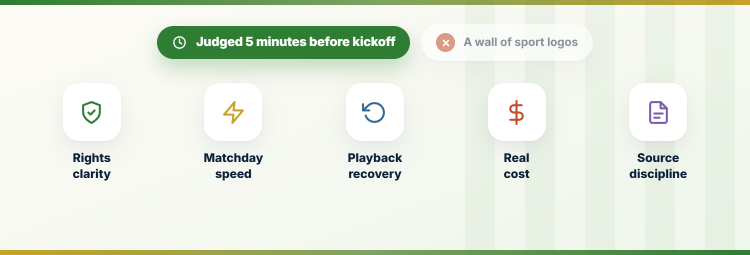
FootyBite’s appeal is immediacy: choose a fixture, open a link, and watch. A responsible replacement must preserve that simplicity while adding verified rights, stable applications, clear pricing, account support, and useful replay controls. I scored services by what happens five minutes before kickoff, not by the number of sports logos displayed on a marketing page.
- Rights Clarity: Each recommendation identifies the broadcaster or subscription owner, letting viewers verify whether a specific competition is genuinely included in their region.
- Matchday Speed: Schedules, search, favorites, alerts, and channel guides were judged by how quickly a fan can reach the correct live event.
- Playback Recovery: DVR, restart, replay, highlight, and multi-game tools earned weight because live viewing often begins late or overlaps another fixture.
- Real Cost: Base price, add-ons, regional fees, annual commitments, pay-per-view charges, and included bundles were checked together before assigning value.
- Source Discipline: I used official pricing, support, rights, and device pages rather than mirror claims, old comparison charts, or unsupported streaming promises.
Free Trials, Season Passes, and the True Monthly Cost
A FootyBite link appears free, but interruptions, failed streams, privacy exposure, and last-minute searching carry their own hidden cost. Legal services become affordable when you rotate subscriptions around seasons instead of keeping all nine active. The important detail is commitment: a promotional month, annual installment plan, and cancellable monthly subscription are three different financial decisions.
- Rotate by Season: Keep only the services carrying active competitions, then cancel after the final rather than paying through quiet off-season months.
- Read Promotion Terms: Introductory prices normally rise automatically, so record the regular renewal amount and date before entering payment information.
- Check Commitments: DAZN annual installments create a twelve-month contract, while many television bundles remain monthly despite advertising discounted opening periods.
- Use Existing Entitlements: Hulu + Live TV, Fubo, selected television providers, and Disney bundles may already unlock ESPN access after account activation.
- Avoid Duplicate Rights: I compare channel lineups before stacking services because two expensive bundles often repeat ESPN, local stations, and general entertainment.
Why FootyBite Mirrors Change or Vanish Without Warning
Search results now surface several unrelated domains claiming the FootyBite name, each presenting similar free-stream language. That fragmentation makes bookmarks, ownership claims, privacy promises, and support difficult to verify. A site saying it merely indexes third-party streams does not prove those streams carry broadcast permission, nor does a familiar logo establish that a mirror is trustworthy.
- Rights Pressure: Sports broadcasts attract rapid blocking and enforcement because live events lose most commercial value immediately after the final whistle.
- Copycat Domains: A familiar brand can reappear on unrelated addresses, leaving viewers unable to identify the original operator or meaningful privacy practices.
- Advertising Risk: A recent measurement study of free sports-streaming sites found pervasive privacy and security concerns across the wider unofficial streaming ecosystem.
- No Support Path: Broken players, fake buttons, billing traps, and account prompts rarely provide accountable customer service or reliable cancellation procedures.
- Safer Decision: I recommend official applications whose company, rights, support, plan terms, and device permissions can be checked before matchday.
A Firestick Matchday Setup That Prevents Last-Minute Failure
Install official apps and sign in well before kickoff; do not make the first launch part of matchday pressure. Fire TV users should also review our best sports apps for Firestick for additional legitimate choices. Test the exact event page, update the device, confirm the home location, and keep one authorized backup broadcaster when rights permit.
- Install Officially: Use the Amazon Appstore or the provider’s verified device page, avoiding APK listings that imitate a recognized service name or icon.
- Test Before Kickoff: Open the scheduled event early, confirm entitlement, complete any activation code, and verify that audio, captions, and video start correctly.
- Protect Bandwidth: Use Ethernet where possible, pause large downloads, restart a congested router, and keep the Firestick within strong Wi-Fi coverage.
- Respect Location Rules: A VPN can protect traffic on public networks, but it cannot grant streaming rights or guarantee access outside a licensed region.
- Keep a Legal Backup: I save the official broadcaster schedule and an antenna option where available, preventing frantic searches when an application experiences an outage.
Verdict:
The right FootyBite replacement is not the service with the longest sports list; it is the one holding the rights to your competitions in your country. Start with one broad bundle or one league-focused app, verify the schedule and blackout rules, then add another subscription only when a real coverage gap appears.
- Fubo: Best for sports-first households needing local channels, a broad network lineup, extensive soccer coverage, unlimited DVR, and numerous home streams.
- YouTube TV: Best for viewers wanting a refined US interface, dedicated Sports Plan, unlimited recordings, household profiles, multiview, and strong local coverage.
- Sling TV: Best for budget-conscious fans who will map required networks carefully and prefer smaller packages, temporary passes, and optional sports add-ons.
FAQs
What is the best overall FootyBite alternative?
Fubo is the strongest broad replacement for sports-heavy households, while YouTube TV offers the cleanest all-around US experience. Sling is better when a carefully chosen, lower-cost channel package covers every network you need.
Is FootyBite legal and safe to use?
Legality depends on whether each linked stream has permission in your country. Multiple FootyBite-branded mirrors and third-party players make ownership, rights, data handling, and advertising behavior difficult to verify, so official services are safer choices.
Which FootyBite alternative is best for football?
Use Peacock for much of the US Premier League schedule, Paramount+ for US Champions League coverage, and Apple TV for every 2026 MLS match. Rights differ by country, so verify your competition locally.
Can I watch live sports free on Firestick?
Yes, but free legal availability is event-specific. Broadcasters, FAST channels, league apps, and over-the-air networks sometimes offer selected matches. Avoid any app demanding unusual permissions, unknown APK downloads, or payment details for a supposed free stream.
Do I need a VPN with these FootyBite alternatives?
A VPN is useful for privacy on public Wi-Fi, but it does not create viewing rights or remove contractual blackouts. Read our guide to VPNs for IPTV and streaming before choosing a provider.