Key Takeaway: If TiviMate is not the right fit, you still have plenty of strong IPTV players to choose from. Options like IPTV Smarters Pro, OTT Navigator IPTV, and iMPlayer cover different needs, from cleaner interfaces to advanced playlist control. This review breaks down the best TiviMate alternatives that balance stability, EPG accuracy, and customization for smoother daily streaming.
Are you tired of IPTV apps that look great in screenshots but fall apart the moment you try to watch something? If you have dealt with constant buffering, random crashes, broken EPG data, messy playlist management, and features locked behind shady paywalls, you know how frustrating it gets. Worse, unverified apps can expose you to privacy risks, malware, unstable streams, and accounts that suddenly stop working with no support.
The right player changes everything. You get smoother playback, better organization, reliable guide data, and a setup you can actually enjoy daily. Choose wisely and IPTV viewing becomes effortless, stable, and stress-free.
Content and Licensing Note: This Best TiviMate Alternatives guide compares applications and viewing services for informational purposes. Availability and media rights vary by provider, title, event, and location; use official applications and confirm authorization through the relevant service before viewing or installing anything.
Why You Can Trust FirestickTVStream?
This ranking includes popular TiviMate alternatives that have been tested firsthand. Every IPTV player here is:
✅ Verified for smooth playback, stability, and real-world usability
✅ Reviewed for EPG handling, playlist support, and device compatibility
✅ Checked through updated community feedback, changelogs, and ongoing adoption
✅ Regularly updated and actively maintained across Android TV, Fire TV, and iOS
Important Note: We do not recommend completely free or unverified IPTV apps that may expose you to malware, legal risk, or unstable streaming quality. Every option listed here is selected based on real testing, performance checks, and user feedback.
Research Overview:
- 25+ IPTV players tested
- 245+ Hours of research and testing
- 55+ Detailed IPTV guides and reviews checked
Best TiviMate Alternatives: Top Recommendations!
1) IPTV Smarters Pro
IPTV Smarters Pro is one of the most popular TiviMate alternatives that I evaluated, and I found that it delivers a simple and effective solution for watching IPTV on different devices. As I carried out my evaluation, I noticed that its layout is clear, key controls are easy to find, and setup remains beginner friendly. It is one of the easiest players to configure, and all you need is your provider URL or Xtream Codes login before you start watching. I particularly liked that it allows you to organize Live TV, movies, and series in one place, which is essential for a smoother daily routine. In my experience, it is important to pay attention to settings like external player selection and parental controls in order to enhance stability and create a safer family setup. IPTV Smarters Pro is a great option for users who want a familiar and well-known player that aims to make IPTV simple while still giving enough customization to fit different streaming preferences.
Features:
- Multi-Screen Viewing: It allows you to watch more than one channel at once, which may help when sports overlap. I tested it with two streams and performance stayed steady. Multi-screen behavior depends on your device and provider.
- EPG Support: The app pulls in an Electronic Program Guide when your service provides it. Channel schedules become easier to follow. It helps you avoid random channel hopping during prime time.
- Xtream Codes Login: It supports logging in with Xtream Codes details or M3U playlists, which makes onboarding fast. I was able to add a provider in minutes. Keep in mind that your provider quality affects buffering.
- Parental Controls: It includes parental control options to restrict categories and content. This is essential for shared TVs. I recommend enabling a PIN before adding playlists on a family device.
- External Player: It supports choosing an external player for playback, which can help with codec issues. While testing this feature, I suggest trying VLC or MX Player on older Firesticks.
- Catch-Up Support: Some services expose catch-up data that the app can show. It helps you avoid missing earlier programs. Availability depends on your IPTV provider.
- Hidden Categories: A lesser-known option lets you hide categories from the main view. It helps you keep the interface focused. This is one many beginners miss when first setting up.
| Pros | Cons |
| Multi-screen viewing offered me a great way to follow live sports | Some streams buffer when providers themselves are unstable |
| Clean layout is one of the easiest for beginners to learn | Advanced customization options feel limited compared with TiviMate |
| It allowed me to add playlists quickly with Xtream Codes login | Interface translations can feel inconsistent across different menus |
| Parental controls are essential for families sharing one screen |
Pricing: Free to download and use. The app is supported by ads and does not charge for installation, though some forks and resellers may bundle it with paid IPTV subscriptions.
Link: https://www.iptvsmarters.com/
2) OTT Navigator IPTV
OTT Navigator IPTV is a flexible TiviMate alternative that I evaluated for users who want more control over channel organization and EPG handling. As I carried out my analysis, I focused on what a beginner needs first, and all you need is your provider details to get started with playlists, EPG, and daily playback. It allows you to fine tune sorting, filtering, and grouping, which is essential if you want a tidy home screen with large channel lists. In my experience, it is important to pay attention to EPG mapping and player selection in order to enhance stability and reduce stutter on weaker devices. OTT Navigator IPTV is a great option for users who consider deep customization a priority and want one of the most flexible ways to create a refined IPTV setup that feels closer to a real TV experience.
Features:
- Playlist Support: It allows you to add IPTV sources in common formats like M3U links or local files. It can also handle Xtream-style portals depending on setup. Onboarding stays simple even for first-time IPTV users.
- EPG Integration: It helps you connect XMLTV guides to your playlists, and the grid guide is clear and reliable. I tested EPG mapping and it stayed consistent across restarts. This is needed for daily live viewing.
- Channel Organization: It allows you to sort, filter, and group channels fast. You can hide categories you do not need. Custom favorites make it one of the easiest ways to keep things tidy.
- Player Selection: It lets you pick the internal player or external players. This may help on devices with codec limits. I recommend trying an external player if you notice stutter on live streams.
- Catch-Up Mode: It supports catch-up when your provider includes it, and there is also an option that lets you jump back inside a program. I noticed it is great for sports rewinds and missed starts.
- Multi-View Mode: It can show more than one channel view on supported devices, which is helpful to compare live events. While testing this feature, I suggest starting with two streams to avoid overload.
- Remote-Friendly UI: It offers deep UI customization for TV remotes, including channel list density and preview behavior. A lesser-known touch is fine control over button actions per screen.
| Pros | Cons |
| Customization controls are extensive yet still approachable | Setup can feel confusing for complete beginners |
| EPG mapping tools reduced guide mismatches in my testing | Some advanced options are buried and need time to find |
| It allowed me to organize favorites quickly with smart filters | Multi-view stability depends on device power and stream quality |
| Remote-friendly navigation feels engaging on Android TV devices |
Pricing: Free version available. Premium upgrade costs $0.99 per month or $19.99 for a lifetime subscription, purchased through the OttNav Companion app on the Google Play Store.
Link: https://ottnav.github.io/faq.html
3) iMPlayer
iMPlayer is a strong TiviMate alternative that I tested for everyday viewing on Android TV, Firestick, and Apple devices. As I carried out my evaluation, I noticed that it aims to keep things simple for new users while still allowing you to fine tune playback and layout when needed. It is one of the easiest players to install, and all you need is your IPTV service details before you start watching. I particularly liked that it focuses on stability and an engaging TV-style interface, which is essential for a polished living-room setup. In my experience, it is important to pay attention to favorites and EPG settings in order to enhance daily navigation and avoid clutter. iMPlayer is a great option for users who consider a clean, customizable, multi-platform player important and want one of the most refined ways to create a TiviMate-like viewing routine without the same restrictions.
Features:
- Multi-Playlist Support: You can add more than one playlist source in iMPlayer, which keeps libraries organized. This may help separate family profiles or backup providers. It is important for switching fast between accounts.
- EPG Guide: Electronic Program Guide support adds schedule clarity and typically works with common EPG formats. I could quickly scan what was on next during testing. It helps you plan viewing without guessing.
- TV-Friendly Layout: Its layout options improve navigation, and you can customize rows and categories. This is a good idea to reduce clutter on big screens. Menus stay easy to read with a remote.
- Favorites Filtering: Favorites and filtering tools speed up channel access. You can sort by groups or tags. I recommend building a small favorites list first to make daily viewing smoother.
- Catch-Up Replay: Catch-up support is available when your provider offers it, letting you replay earlier shows. I tested it with a supported playlist and it was reliable.
- External Player: External player integration gives extra control by routing streams to another player app. This may help with tricky codecs or older devices. It is best when tuning playback on legacy hardware.
- Backup Restore: Backup and restore helps preserve settings, and you can export your configuration. This is a lesser-known time saver. It avoids rebuilding profiles after device resets.
| Pros | Cons |
| Clean TV interface let me access channels with fewer clicks | Some advanced settings can feel dense for a first setup |
| Multi-playlist support kept my categories separated and easy to manage | Occasional EPG mismatches may require manual refresh steps |
| EPG view is engaging and helped me access schedules quickly | Provider-dependent features like catch-up may not always work |
| Backup tools provided peace of mind during device migrations |
Pricing: Free to download and use. Lifetime premium plans are: 2 devices for $20, 3 devices for $25, 4 devices for $28, and 5 devices for $35. Extra devices can be added at $7 per device with no upper limit.
Link: https://implayer.tv/
4) IPEXO IPTV Player
IPEXO IPTV Player is a straightforward TiviMate alternative that I evaluated for anyone who wants a clean, reliable way to watch live channels and on-demand content without extra clutter. As I carried out my analysis, I found the layout easy to follow and the controls felt consistent, which matters when you are comparing options and want something that just works. It aims to keep setup simple, so beginners can get going fast with all you need for everyday streaming. It allows you to manage playlists and viewing in one place, which is essential to stay organized when you are replacing a familiar player. In my experience, it is important to pay attention to EPG refresh and parental controls in order to enhance daily navigation and protect family viewing. IPEXO IPTV Player is a great option for users who consider simplicity important and want one of the easiest ways to create a no-fuss IPTV setup with reliable basics.
Features:
- Playlist Login: M3U and Xtream-style logins keep setup beginner friendly. You add provider details and the app loads categories automatically. Navigation stays simple and consistent throughout.
- EPG Refresh: Electronic Program Guide support helps you track what is on now and next. The guide can be refreshed to pull updated schedules. It is important for planning evening viewing.
- Favorites Filter: Favorites and category filtering reduce scrolling and confusion. I tested this with a large playlist and it stayed manageable. I recommend starring key channels first for quicker daily access.
- Audio Subtitle: Built-in player controls include audio track and subtitle selection when streams provide them. It helps you adapt playback for different sources. This may help multilingual homes.
- VOD Library: Sections for movies and series group items cleanly with posters and lists. Browsing feels easier and less repetitive. It may help you avoid endless searching.
- Global Search: A global search speeds up finding streams across channels and VOD. Results show matching channel names and titles. It is one of the easiest ways to locate content fast.
- Parental Lock: You can restrict adult sections with a PIN. This keeps browsing safer for families sharing one device. I suggest enabling a PIN before sharing the app with children.
| Pros | Cons |
| It allowed me to add playlists quickly with minimal steps | Some streams depend on provider quality, so playback can vary |
| EPG layout feels clean and helped me plan viewing faster | Fewer advanced tuner-style controls than some rivals |
| Favorites and categories provided me quicker daily navigation | Interface customization options are limited compared to premium players |
| Subtitle and audio selection offered me better control per stream |
Pricing: 3 Months: ₹597 (~$7.20). 12 Months: ₹1,299 (~$15.65). A free tier is available with limited features for first-time testing.
Link: https://ipexoplayer.com/
5) ORA IPTV Player
ORA IPTV Player is a reputable iOS IPTV playlist player that I evaluated as a great TiviMate alternative for iPhone and iPad users who want a simple, modern setup. As I carried out my analysis, I noticed that it aims to keep streaming feel clean and uncluttered for beginners. It is important to keep in mind that it is a player only, so you bring your own IPTV playlist and EPG. It allows you to manage channels and keep viewing organized, which is essential for a smooth daily routine on Apple devices. In my experience, it is important to pay attention to playlist URL accuracy and Wi-Fi stability in order to enhance playback and avoid buffering. ORA IPTV Player is a great option for iOS users who consider native design and minimal clutter important and want one of the easiest ways to create a tidy IPTV setup without complex menus.
Features:
- Playlist Import: ORA IPTV Player allows you to add IPTV playlists with common URL-based methods. It keeps setup simple for first-time users. I recommend double-checking your provider link before saving.
- Quick Favorites: It helps you pin favorite channels for faster switching. This may help reduce time spent scrolling long lists. The layout stays easy to read across iPhone and iPad.
- EPG Schedules: ORA supports EPG data so you can see what is on now and next. It is best for planning viewing without guessing. I found the guide view helpful during evening testing.
- Format Compatibility: The player is built to handle typical IPTV stream formats providers deliver. It aims to avoid playback hiccups on supported links. While testing, I suggest trying a backup stream URL if one fails.
- Recents Tracking: ORA keeps recents and favorites easy to reach, which reduces repetitive searching. I could jump back to my last channel in seconds. This is useful for quick zapping at night.
- Clean Controls: Playback controls are minimal and readable. It is important for beginners learning IPTV for the first time. The interface avoids clutter during viewing sessions.
- Native Design: The app feels native on iPhone and iPad, with menus that respond quickly. A lesser-known benefit is the calm layout that reduces mis-taps on small screens.
| Pros | Cons |
| Clean interface helped me avoid confusion while browsing channels | No built-in content, so beginners may feel setup is required |
| I could access favorites fast for daily viewing routines | Limited guidance if your playlist URL turns out invalid |
| EPG view is engaging and makes schedules easier to follow | Some streams depend on provider quality, which the app cannot control |
| Quick navigation feels essential when channel lists get very long |
Pricing: Free to download from the Apple App Store. The app may include optional in-app purchases for advanced features, but the core IPTV player remains free for everyday use.
Link: https://apps.apple.com/us/app/ora-iptv-player/id6744371383
6) GSE Smart IPTV
GSE Smart IPTV is a reputable TiviMate alternative that I checked as a strong option when you want a flexible player for both Android and iOS. As I carried out my analysis, I noticed that it covers the essential basics like playlist support, EPG, and casting, while keeping the layout clear for beginners. It aims to keep setup simple, so you can avoid messy steps and focus on watching. It allows you to load M3U and JSON playlists, which is essential for users juggling multiple sources. In my experience, it is important to pay attention to external player options and backup tools in order to enhance stability and protect your settings. GSE Smart IPTV is a great option for users who already have an IPTV subscription and consider casting and broad device support important when looking for one of the most versatile TiviMate-style replacements.
Features:
- Playlist Support: It supports M3U and JSON playlists for quick setup. You can add links or local files, and it allows you to organize channels into groups. This may help reduce scrolling.
- EPG Sync: It supports EPG formats so schedules appear beside channels. It helps you plan what to watch. I tested EPG syncing and it updated reliably.
- Player Options: It includes a built-in player for common stream types, plus an external player option. I recommend trying an external player if you see buffering or codec errors. This is a good idea to improve stability.
- Chromecast Streaming: It supports Chromecast for big-screen viewing. It allows you to send streams from your phone to a television. While using this feature, I noticed faster starts on strong Wi-Fi.
- Parental Controls: It offers parental control settings for safer browsing, and you can restrict adult categories. This may help if children share the device. Make sure you set a strong PIN.
- Subtitle Tracks: It supports subtitles and multiple audio tracks when streams provide them. I could switch language tracks during playback. It helps you fix audio mismatch fast.
- Backup Restore: It includes backup and restore for playlists and settings, which is a lesser-known time saver. I suggest running a backup before major updates or device resets.
| Pros | Cons |
| M3U and JSON support let me import playlists quickly | Some interface areas feel dated compared with newer players |
| EPG integration is solid and helped me access schedules | EPG accuracy depends on provider, so results can vary |
| Chromecast works well and I could cast streams easily | Occasional ads can interrupt navigation on the free version |
| Backup and restore offered me easier migration between devices |
Pricing: 1 Month: $4.99. 3 Months: $9.99. 12 Months: $14.99. A free version with ads and limited playlists is also available on iOS, with most users only needing the entry tier.
Link: https://gse-iptv.com/
7) Plex
Plex is a reputable TiviMate alternative that I evaluated as a great option when you want an all-in-one hub combining live TV, free streaming, and your own personal library. As I carried out my analysis, I liked that it aims to keep things simple even for beginners, while still offering serious power-user tools when needed. If you want to avoid juggling many apps, Plex can help you create a cleaner viewing setup with less switching. It allows you to connect a Plex Media Server to stream personal files anywhere, which is essential for people who already maintain a movie or series collection. In my experience, it is important to pay attention to remote streaming settings and bandwidth limits in order to enhance mobile playback. Plex is a great option for users who consider a unified library important and want one of the most polished ways to combine live channels, on-demand content, and personal media in a single app.
Features:
- Live Guide: Plex combines free live TV channels with a familiar grid guide. It helps you browse by category fast. I suggest starting with Favorites to avoid endless scrolling.
- Free Catalog: Plex includes a large ad-supported on-demand catalog of movies and shows. It is a good idea to check trending rows first. This may help you find something quickly without setup.
- Personal Library: Plex lets you stream your own movies, shows, and music from a Plex Media Server. It helps you keep one library across devices. I could access my collection smoothly at home.
- Watchlist Discovery: Plex offers discovery tools to track titles and build a watchlist. It is important to consider if you forget what to watch. I recommend adding shows early to keep your queue organized.
- DVR Recording: Plex supports DVR recording when paired with an antenna and compatible tuner. It helps you avoid missing live broadcasts. I suggest scheduling recordings from the guide to keep it simple.
- Resume Sync: Plex syncs watch progress across devices for supported content. It is a great way to switch from TV to phone. Typically, it resumes within seconds.
- User Profiles: Plex offers profiles so families can separate watch history and recommendations. It helps you keep kids content controlled. It is best to set PINs for mature profiles.
| Pros | Cons |
| It allowed me to unify live TV and library playback easily | Live TV channel selection feels limited versus IPTV playlists |
| Watchlist and discovery tools are engaging and helpful to browse | Ads on free content may annoy some viewers |
| I could access my media on many devices without reloading | Some advanced features require a paid Plex Pass subscription |
| It offered me reliable resume playback across profiles |
Pricing: Plex itself is free to use. Plex Pass subscriptions are: Monthly $6.99, Yearly $69.99, and Lifetime $249.99. A separate Remote Watch Pass is available at $1.99/month or $19.99/year for users who only need remote streaming.
Link: https://watch.plex.tv/
8) PotPlayer
PotPlayer is a well-known TiviMate alternative that many people consider when they want a smooth playback engine for IPTV streams and local files on Windows. As I carried out my evaluation, I noticed it is one of the easiest ways to get high-quality playback with strong customization, so you can match controls, subtitles, and rendering to your screen. It is important to keep in mind that it is best on Windows and works best when you have the right codecs and source links. It allows you to open URLs fast and tweak nearly every playback option, which is essential for power users with diverse stream sources. In my experience, it is important to pay attention to renderer selection and hardware acceleration in order to enhance smoothness and reduce stutter. PotPlayer is a great option for users who consider deep playback control important and want one of the most flexible solutions for combining IPTV streams with their existing video library.
Features:
- Format Coverage: PotPlayer plays a wide range of formats with minimal setup. It helps you avoid extra codec packs. I tested MKV and HEVC files and playback stayed smooth.
- Network Streams: It supports HTTP, RTSP, and some playlist sources, allowing you to open URLs fast. I recommend saving available stream links as presets for quick access.
- Subtitle Controls: Advanced subtitle options cover timing, styling, and multiple tracks. It is important for foreign content and dual-language households. I was able to sync subtitles in seconds.
- Deep Customization: Hotkeys, skins, and video rendering can be tuned in detail. This may help on low-end PCs. A lesser-known option lets you fine-tune audio normalization per profile.
- Screen Capture: Built-in screen capture and recording let you grab clips and frames. It helps you save moments quickly. I used it to capture scenes for comparisons.
- Hardware Acceleration: Performance controls cover deinterlacing, hardware acceleration, and renderer selection. It is best when video stutters. While testing, I suggest trying different renderers to stabilize playback.
- Playlist Tools: Playlist and library tools support sorting, bookmarks, and resume playback. It is a good idea to keep TV series organized. It typically resumes where you stopped.
| Pros | Cons |
| It allowed me to play almost any file format easily | Windows-only, so it is not ideal for Android TV setups |
| Customization options are extensive and feel very flexible | Interface can feel busy until you adjust the layout |
| Hardware acceleration delivered smooth playback on my PC | Built-in streaming discovery is limited compared with IPTV apps |
| Screen capture and recording offered me quick clip creation |
Pricing: Free for personal use across all features. There are no monthly, yearly, or lifetime subscriptions, and the player has no premium tier locking advanced functions.
Link: https://potplayer.tv/
9) IPTVX
IPTVX is a sleek TiviMate alternative for Apple users that I evaluated for iPhone, iPad, Apple TV, and Mac setups. As I carried out my analysis, I noticed it aims to keep navigation clean and engaging, so even a first-time IPTV viewer can follow along easily. It is one of the most polished iOS-first players, and all you need is a valid playlist or Xtream Codes login to get started. It allows you to manage playlists, EPG, and viewing preferences without extra clutter, which is essential for a tidy living-room experience on tvOS. In my experience, it is important to pay attention to EPG mapping and channel grouping in order to enhance daily browsing. IPTVX is a great option for Apple-focused users who consider native design and smooth remote control important and want one of the most refined ways to create a TiviMate-style routine inside the Apple ecosystem.
Features:
- Multi-Playlist Support: IPTVX allows you to add and manage multiple IPTV playlists in one place. I tested switching between providers and it stayed fast. This may help if you separate family and personal lists.
- EPG Views: It supports Electronic Program Guide data so channels display with schedules. It is helpful to browse what is on now. I recommend checking your EPG mapping early to avoid missing listings.
- tvOS Interface: IPTVX is designed to feel native on tvOS with smooth remote navigation. Menus typically load quickly. I found it easier than many players for living-room viewing.
- Channel Favorites: You can sort channels, group them, and set favorites for quick access. There is also an option to hide unwanted categories. This keeps your list clean and easier to browse.
- EPG Search: Title-based EPG search helps you find programs even if you do not know the channel. It is essential when you want to follow a specific show. The match is fast on supported playlists.
- Cross-Device Sync: Settings and favorites sync across iPhone, iPad, and Apple TV. It is best when you switch between rooms. I could pick up channels right where I left off.
- AI Companion: A lesser-known panel inside the player offers recaps, context, and answers while watching live TV or VOD. It is a modern touch on tvOS. I suggest trying it during a show you barely remember.
| Pros | Cons |
| Clean Apple-style layout I could learn within minutes | Some IPTV providers send messy EPG data that needs fixing |
| It allowed me to manage multiple playlists without confusion | Advanced settings can feel dense for first-time IPTV viewers |
| Smooth Apple TV navigation feels responsive in long sessions | Certain streams may buffer based on provider quality, not the app |
| Good EPG presentation makes finding live programs much easier |
Pricing: Free version with watermarks and pop-ups. Premium subscriptions start at $3.99/month, with a $44.99 lifetime PRO TV license and a $56/year Family Sharing plan available through the App Store.
Link: https://apps.apple.com/us/app/iptvx/id1451470024
How to Install TiviMate Alternatives?
Installing a TiviMate alternative is simple, but doing it the right way makes a big difference in performance and safety. As someone who has worked with streaming devices for years, I always suggest starting from official sources first. This keeps your IPTV setup smooth and reduces risks. Most modern players have improved their onboarding flows, so the process is now more beginner friendly. If you follow the correct steps, you can get a new player running in just a few minutes.
Here is how you can install a TiviMate alternative properly:
- Choose Player: Pick a player that fits your device, such as IPTV Smarters Pro for Android or IPTVX for Apple TV. Make sure it supports your playlist format.
- Open Store: Launch the Google Play Store, Amazon Appstore, or Apple App Store on your device, depending on what you use.
- Sideload Apps: If a player is not in your store, use the Downloader app on Firestick or APK files from the official site to install it safely.
- Add Playlist: Open the app and add your M3U URL or Xtream Codes login from your IPTV provider. The app will load categories and EPG.
- Test Streams: Play a few channels and check EPG data. I always double check this step before saving favorites or hiding categories.
After installation, restart the app if streams do not appear right away. This ensures the player loads playlists and EPG correctly without leftover errors.
How Did We Choose the Best TiviMate Alternatives?
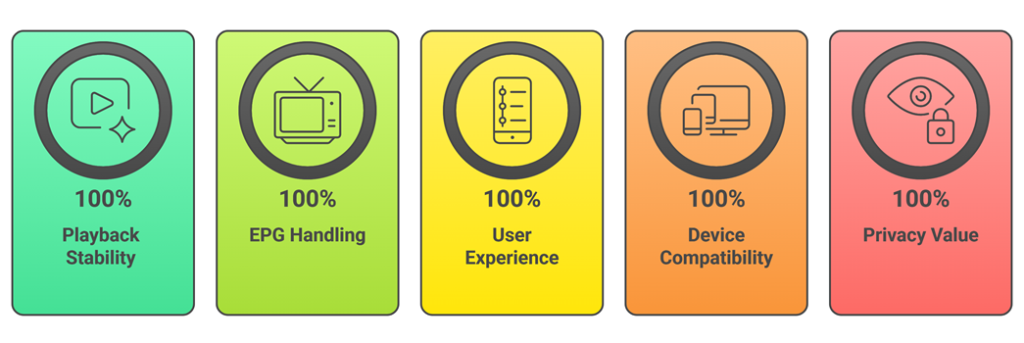
Reliable TiviMate alternatives can greatly improve playback quality, EPG accuracy, and overall daily IPTV use across Android TV, Fire TV, and tablets. Our team compared leading apps according to real user needs, aiming for stable streaming and hassle-free setup. This approach focuses on secure, reliable features that help resolve patterns like buffering, EPG gaps, and playlist errors.
- Playback Stability: We chose players based on consistent decoding, rapid channel switching, and fewer crashes during long sessions across devices.
- EPG Handling: We made sure to shortlist tools that parse M3U and XMLTV precisely and update guide data smoothly.
- User Experience: Our experts selected apps with responsive navigation, useful search, and clear favorites that work well with TV remotes.
- Device Compatibility: Our team chose options that allow you to use Android TV, Fire TV, iOS, and Chromecast reliably without missing features.
- Privacy Value: We shortlisted apps that avoid aggressive ads, support local profiles, and offer fair pricing for premium upgrades.
The experts in our team selected players that consistently maintain stable playback and provide flexible IPTV options across different households today.
Are TiviMate Alternatives Legal?
When people search for the best TiviMate alternatives, one common question comes up: are these IPTV players legal? The answer depends on the player and the source of the streams. Most IPTV players are legal media tools. They organize playlists and play streams, but they do not host content themselves. The real concern is the IPTV subscription you connect to. In my experience, understanding this difference is very important before installing anything.
Here are the key points you should know:
- Players Legal: Apps like IPTV Smarters Pro, Plex, and IPTVX are legal media players available on official stores.
- Provider Matters: Streaming licensed IPTV services is legal. Streaming pirated channels through any player is not, regardless of the app.
- No Hosting: These players do not host content. They only play whatever streams you load through M3U or Xtream Codes.
- Local Laws: IPTV laws differ by country. I always advise users to understand local regulations before subscribing to any IPTV service.
Choosing trusted, licensed IPTV providers keeps your viewing experience safe, stable, and compliant with copyright laws.
Common Issues With TiviMate Alternatives & How to Fix Them
Even the best TiviMate alternatives can sometimes stop working as expected. IPTV players depend on servers, internet speed, and your provider, so when one part fails, channels may not load. Over the years, I have seen that most issues are technical and can be fixed easily. The key is to identify the root cause instead of reinstalling everything at once. A clear approach saves time and avoids frustration.
Here are common problems and practical fixes:
- No Streams: This usually means your provider is down or your playlist URL has expired. Renew your subscription or refresh your M3U link.
- Heavy Buffering: Check internet speed first, lower stream quality if needed, and try an external player. I also recommend closing background apps.
- EPG Missing: Refresh the EPG, reload your XMLTV URL, or set a time offset. Many players need a manual refresh after long idle periods.
- App Crashing: Update the player to the latest version. Clearing cache often fixes minor crashes on Firestick and Android TV.
- Login Errors: Recheck your Xtream Codes credentials and confirm with your provider. Expired or shared accounts often trigger sudden login failures.
Most issues are temporary. Regular updates and choosing reliable IPTV providers help maintain a stable viewing experience over time.
Should You Use a VPN With TiviMate Alternatives?
When discussing TiviMate alternatives, many users ask whether a VPN is necessary. The answer depends on how you use IPTV and which provider you subscribe to. The players themselves are legal tools, but streams come from third-party sources. This can raise privacy and security concerns. In my experience, online streaming always involves data sharing with servers. A VPN can add a layer of privacy, but it is not a magic solution. It should be used with clear understanding, not fear.
Here are key points to consider:
- Privacy Protection: A VPN hides your IP from external servers, which helps protect your IPTV activity from being easily tracked.
- Public WiFi: If you stream on public networks, a VPN encrypts your connection and reduces risk of snooping.
- Geo Restrictions: Some legal services restrict content by region. A VPN may help access content available in other locations, depending on service rules.
- ISP Throttling: A VPN can reduce ISP throttling on heavy IPTV traffic. This may help users with high stream counts each month.
- Speed Impact: Some VPNs slow down streaming. Choose a reliable provider with nearby servers if you decide to use one.
A VPN can improve privacy, but safe IPTV starts with choosing trusted, licensed providers and verified players from official stores.
Verdict:
In this review, you got acquainted with some of the best TiviMate alternatives for reliable IPTV playback and channel control. Each player delivers different strengths, whether it is stability, customization, or platform reach. To help you take the final call, I have created this verdict.
- IPTV Smarters Pro: A top-rated and user-friendly player that balances broad format support with multi-screen viewing and quick onboarding. Its parental controls and clean layout make it a superior choice for households who want consistent daily IPTV without complicated setup.
- OTT Navigator IPTV: A remarkable and customizable player known for deep EPG handling and powerful channel organization. With smart filters and reliable performance, it is an excellent option if you are deciding on a flexible TiviMate alternative for large playlists.
- iMPlayer: A phenomenal multi-platform player that brings a clean TV-style interface to Android TV, Firestick, and Apple devices. With reliable playback, lifetime pricing, and refined customization, I recommend it as a top choice for users wanting a polished, future-proof IPTV setup.
FAQs
Can IPTV apps replace traditional cable TV?
Yes, many IPTV apps can replace cable in the USA if you have reliable internet and access to legal live TV sources. The best TiviMate alternatives support live channels, EPG guides, favorites, and DVR-style features. Confirm the app supports your provider’s format (M3U or Xtream Codes) and that your content is licensed before fully replacing your cable subscription.
Are IPTV apps compatible with multiple devices?
Most top TiviMate alternatives work across multiple devices, but compatibility varies. Common support includes Android TV, Google TV, Fire TV, Android phones, tablets, and sometimes iOS, Smart TVs, or web players. Check whether the app offers cloud sync, multi-device profiles, and separate licenses per device for households sharing one IPTV subscription.
Do IPTV apps require a fast internet connection?
A stable connection matters more than raw speed. Plan for roughly 10 to 20 Mbps for HD per stream and 25 Mbps or more for 4K, plus extra capacity for multiple devices at once. Use Ethernet or strong Wi-Fi, and choose apps with adaptive streaming, buffering controls, and player options to reduce interruptions.
Is IPTV suitable for users with limited technical knowledge?
Yes, if you pick a beginner-friendly TiviMate alternative with a clean interface and guided setup. Look for apps that auto-load EPG, offer simple playlist onboarding, and include clear error messages. Many users only need a provider URL and login, then can manage channels with favorites, categories, and basic settings without advanced steps.
Do I have to configure playlists manually in IPTV apps?
Not always. Many alternatives support quick setup via Xtream Codes or portal logins, which auto-import playlists and EPG. Manual M3U uploads are still common for custom sources. Choose an app that supports both methods, offers playlist management tools, and allows backup or restore so you can save time when changing devices or providers.