Key Takeaway: The best Kodi PVR client for most people is IPTV Simple Client, because it is free, needs no server, and turns any legal M3U playlist into a full Kodi TV guide. For real recording, Tvheadend HTSP Client and NextPVR PVR Client are the strongest backends, while HDHomeRun Client is the easiest route to free antenna TV.
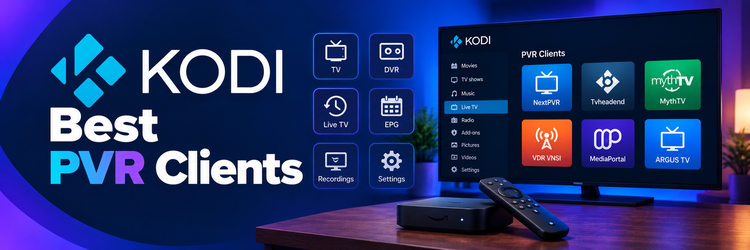
A Kodi PVR client is the bridge between Kodi and a live TV source. The client handles channels, the guide, and timers inside Kodi, while the source can be a playlist, a tuner, a satellite receiver, or a full recording server. Choosing the right client mostly means matching it to the backend already in the house.
This list covers nine PVR clients that are published in the official Kodi 21 Omega repository and maintained on GitHub with Piers branches for Kodi 22. Each entry lists what the client connects to, what it can and cannot do, and the real cost of the backend, since the addons themselves are all free.
Important Note: PVR clients play only the sources you point them at. Use playlists, portals, and broadcasts you have the right to watch, and follow local law. This guide does not promote unlicensed IPTV services.
Best Kodi PVR Clients: Top Picks
| PVR Client | Best For | Cost Model | Get Started |
|---|---|---|---|
| IPTV Simple Client | M3U playlists with XMLTV guide data | Free | Visit Site |
| Tvheadend HTSP Client | Linux tuner servers with full DVR | Free (tuner hardware extra) | Visit Site |
| NextPVR PVR Client | Easy all-platform DVR server | Free for personal use | Visit Site |
| Enigma2 Client | Vu+, Dreambox, and other Enigma2 receivers | Free (receiver required) | Visit Site |
| HDHomeRun Client | Antenna TV from an HDHomeRun tuner | Free (tuner from $109.99) | Visit Site |
1) IPTV Simple Client
IPTV Simple Client is the default answer for anyone who already has a legal M3U playlist and an XMLTV guide. It needs no server at all: point the addon at a local file or URL, and Kodi builds a full Live TV and Radio section with a channel guide. Our IPTV Simple Client setup guide covers configuration.
Features
- No Backend Needed: Kodi reads the M3U playlist directly, so there is no separate server, database, or tuner to install or maintain on the network.
- Local or Remote Playlists: Load the playlist from a file on the device or from an HTTP URL, with a refresh interval so channel changes arrive automatically.
- XMLTV Guide Support: Attach an XMLTV file or URL to fill the Kodi TV guide, with time-shift offsets for feeds published in a different time zone.
- Multicast and Unicast: The official addon description lists multicast and unicast sources, which covers both home IPTV gateways and ordinary HTTP streams.
- Radio Channels: Entries flagged as radio land in the separate Kodi Radio section instead of cluttering the TV channel list.
- Catchup Support: Playlists that carry catchup attributes can expose past programmes from the guide when the source supports replay.
- Multiple Instances: Recent Kodi versions let several IPTV Simple instances run side by side, so separate playlists stay in separate channel groups.
| Pros | Cons |
|---|---|
| Free and installed from the official Kodi repository | No server-side recording of its own |
| Works on Firestick, Android TV, Windows, and Linux | Quality depends entirely on the playlist source |
| No server or tuner hardware required | Large playlists can slow guide loading on low-power sticks |
| Mature documentation on GitHub |
Price:
- Addon: Free in the official Kodi repository
- Backend: none required
- Content: any legal playlist service you subscribe to is billed separately
Link: https://kodi.tv/addons/omega/pvr.iptvsimple/
2) Tvheadend HTSP Client
Tvheadend HTSP Client connects Kodi to a Tvheadend server, the open-source TV backend popular on Linux boxes and NAS units. Tvheadend handles tuners, scanning, and recording, while the Kodi addon delivers live TV, recordings, the guide, and timers. It suits households that want one always-on recorder serving every screen in the house.
Features
- HTSP Protocol: The addon talks to Tvheadend over its native HTSP protocol, which carries channel lists, guide data, and streams in one efficient connection.
- Live TV and Recordings: Watch live channels and play back finished recordings from the server inside the standard Kodi PVR menus.
- Timers From Kodi: Schedule single recordings and series timers from the Kodi guide, and Tvheadend executes them even when Kodi is closed.
- Server-Side Timeshift: When timeshift is enabled on the server, pause and rewind work without filling storage on the playback device.
- Wide Tuner Support: Tvheadend supports DVB-T, DVB-C, DVB-S, ATSC, SAT>IP, and IPTV inputs, so one backend can mix several sources.
- Multi-Room Streaming: Several Kodi devices can connect to the same server at once, limited mainly by tuner count and network capacity.
- Active Development: The kodi-pvr GitHub repository maintains Omega and Piers branches, with frequent tagged releases through 2026.
| Pros | Cons |
|---|---|
| Free and open source end to end | Server setup is Linux-centric |
| Very strong recording and series timers | Needs tuner hardware or an IPTV source |
| Huge download base and active forum | Initial channel scanning takes patience |
| Handles many tuner types at once |
Price:
- Addon: Free
- Tvheadend server: Free and open source
- Hardware: a tuner and an always-on box are bought separately
Link: https://kodi.tv/addons/omega/pvr.hts/
3) NextPVR PVR Client
NextPVR PVR Client is the Kodi frontend for NextPVR, a personal video recorder server that runs on Windows, Linux, macOS, and Docker. Its web setup is friendlier than most Linux backends, and it accepts IPTV, HDHomeRun, SAT>IP, DVB, and ATSC sources. That mix makes it a strong pick for first-time DVR builders.
Features
- Cross-Platform Server: NextPVR runs on Windows, Linux, macOS, and Docker, so the backend fits whatever machine already stays on at home.
- Many Source Types: The project lists IPTV, HDHomeRun, SAT>IP, DVB, and ATSC tuners as sources, depending on the server platform.
- Live TV and Recordings: The Kodi addon streams live TV and recordings and also handles radio channels and the full programme guide.
- Web Administration: Channel setup, recording rules, and storage live in a browser interface on port 8866 rather than in config files.
- Series Recording: Season and series rules, padding, and keep limits are managed on the server and reflected in Kodi timers.
- Guide Options: Broadcast EPG, XMLTV, or Schedules Direct can feed the guide, which matters in regions with weak over-the-air data.
- Same-Server Apps: Beyond Kodi, the same NextPVR server feeds its own web app and mobile clients, so recordings follow the household.
| Pros | Cons |
|---|---|
| Free for personal, non-commercial use | Server is closed source |
| Friendly browser-based setup | Commercial use requires a license |
| Docker image for NAS and mini PCs | Schedules Direct guide data is a separate paid service |
| Works well with HDHomeRun tuners |
Price:
- Addon: Free
- NextPVR server: Free for personal, non-commercial use
- Optional guide data: Schedules Direct is a separate subscription
Link: https://kodi.tv/addons/omega/pvr.nextpvr/
4) Enigma2 Client
Enigma2 Client, listed in Kodi under the addon ID pvr.vuplus, turns Kodi into a frontend for Enigma2 satellite and cable receivers such as Vu+ and Dreambox models. The receiver keeps tuning and recording, while Kodi provides a cleaner interface on other TVs. It has one of the largest download counts of any PVR client.
Features
- Receiver as Backend: Any Enigma2 box running OpenWebif becomes the server, so no extra PC or NAS is needed for tuning.
- Live TV and Recordings: Stream live channels and recordings stored on the receiver hard drive straight into Kodi.
- EPG and Timers: The guide comes from the receiver, and timers created in Kodi are written back to the box.
- Autotimer Support: The addon description lists Autotimers, so rule-based recordings set on the receiver remain manageable from Kodi.
- Bouquet Mapping: Receiver bouquets become Kodi channel groups, keeping the same favourites layout across both interfaces.
- Multi-Room Viewing: Other Kodi devices on the network can watch from the receiver, subject to its free tuner count.
- Long-Running Project: Maintained on GitHub with Omega and Piers branches, and documented in the repository README.
| Pros | Cons |
|---|---|
| Reuses satellite or cable receivers you already own | Requires an Enigma2 receiver with OpenWebif |
| Full timer and autotimer support | Not useful without that hardware |
| Very large user base | Receiver firmware differences can affect features |
| No extra server software |
Price:
- Addon: Free
- Backend: your existing Enigma2 receiver
- Hardware: new receivers are sold separately by their makers
Link: https://kodi.tv/addons/omega/pvr.vuplus/
5) HDHomeRun Client
HDHomeRun Client connects Kodi directly to SiliconDust HDHomeRun network tuners, which share antenna channels across the home network. It is the simplest route to free over-the-air TV in Kodi because the tuner itself does the work and no separate server is required for live viewing. Pair it with NextPVR or Tvheadend when recording matters.
Features
- Direct Tuner Access: Kodi finds HDHomeRun tuners on the local network and lists their channels without any middle server.
- Free Antenna Channels: Watch local over-the-air broadcasts that the antenna can receive, with no subscription required for live TV.
- Network Sharing: One tuner serves several Kodi devices, with the number of simultaneous channels set by the tuner model.
- Guide Data: Channel guide information appears in the standard Kodi TV guide view for supported devices.
- Lightweight Setup: Install the addon from the official repository, let it discover the tuner, and channels appear in a few steps.
- Backend Friendly: The same tuner also works as a source for NextPVR and Tvheadend when full DVR features are needed.
- Current Builds: Version 21.0.4 is listed in the Omega repository, with Piers branch tags maintained on GitHub.
| Pros | Cons |
|---|---|
| Very easy setup for antenna TV | Requires buying HDHomeRun hardware |
| No monthly fee for live channels | Recording is better handled by a separate backend |
| Same tuner works with other backends | Channel lineup depends on antenna reception |
| Shared across the whole house |
Price:
- Addon: Free
- FLEX DUO: $109.99 (2 tuners)
- FLEX QUATRO: $149.99; FLEX 4K: $199.99 (official SiliconDust prices)
Link: https://kodi.tv/addons/omega/pvr.hdhomerun/
6) MythTV PVR Client
MythTV PVR Client links Kodi to a MythTV backend, one of the oldest open-source DVR projects on Linux. The addon is now maintained by Jean-Luc Barriere in his own GitHub repository and supports MythTV up to version 36. It streams live TV and recordings, handles radio, and manages the guide and timers.
Features
- MythTV 36 Support: The official addon page states support up to MythTV 36, so current backends work without falling back to old builds.
- Live TV and Recordings: Stream live channels and recordings from the MythTV backend through the standard Kodi PVR screens.
- Radio Channels: Radio services configured on the backend appear in the Kodi Radio section.
- Guide and Timers: Browse the MythTV guide and create or edit recording rules directly from Kodi.
- Recording Rules: MythTV rule types such as series and priority recordings carry through to the Kodi timer list.
- Recent Release: Version 21.3.20 was published in the Omega repository on September 25, 2026, with Piers tags also available.
- Independent Maintainer: Development moved to the janbar/pvr.mythtv repository after the old kodi-pvr copy was archived.
| Pros | Cons |
|---|---|
| Free and open source | MythTV backend setup is complex |
| Recently updated for current MythTV | Smaller current user base |
| Strong recording-rule engine | Linux knowledge expected |
| Good for long-time MythTV users |
Price:
- Addon: Free
- MythTV backend: Free and open source
- Hardware: tuners and a server are bought separately
Link: https://kodi.tv/addons/omega/pvr.mythtv/
7) DVBViewer Client
DVBViewer Client connects Kodi to the DVBViewer Media Server, a Windows backend built around DVB cards, USB tuners, and SAT>IP servers. It is popular in Europe, where satellite and DVB-T2 reception dominate. The Kodi side is free, but the server requires paid DVBViewer licenses, so it fits users already invested in that Windows setup.
Features
- Media Server Backend: Kodi connects to DVBViewer Media Server, which runs as a Windows service and records without a user logged in.
- Live TV and Recordings: Stream live channels and stored recordings from the Windows PC to Kodi devices on the network.
- EPG and Timers: Guide data and recording timers sync between the Media Server and the Kodi TV guide.
- SAT>IP Support: DVBViewer can use SAT>IP servers as tuners, which suits satellite setups without cards in the PC.
- Parallel Tuners: The software is built to use several DVB devices at once, allowing multiple channels to record together.
- Web Interface: The Media Server includes a browser interface for timers and EPG search alongside the Kodi client.
- Kept Current: Omega and Piers branches are maintained in the kodi-pvr GitHub organization.
| Pros | Cons |
|---|---|
| Strong European DVB and SAT>IP support | Backend requires paid licenses |
| Records as a background Windows service | Windows-only server |
| Mature, long-running software | Overkill for simple IPTV playlists |
| Large Kodi download count |
Price:
- Addon: Free
- DVBViewer Pro: EUR 22 (one-time)
- DVBViewer Media Server add-on: EUR 21 (requires DVBViewer Pro)
Link: https://kodi.tv/addons/omega/pvr.dvbviewer/
8) Stalker Client
Stalker Client connects Kodi to Stalker Middleware portals, the same portal system used by many MAG-style set-top boxes. A provider supplies the portal address, and the addon authenticates with a MAC address to load channels and the guide. It has more than 22 million downloads for its current version, but it only makes sense with a licensed provider.
Features
- Portal Login: Enter the portal URL and MAC address supplied by the provider, and Kodi loads the channel list from the middleware.
- Channel Groups: Genres defined on the portal become Kodi channel groups for faster browsing with a remote.
- Guide From Portal: Programme data comes from the middleware, with an XMLTV option when the portal guide is thin.
- Live TV Playback: Streams play through the standard Kodi player, so subtitles, audio tracks, and display settings stay familiar.
- Multiple Instances: Kodi 21 and later can run more than one Stalker instance for separate portals.
- Lightweight Client: There is no local server or database, which keeps it practical on low-power streaming sticks.
- Maintained Code: The kodi-pvr repository keeps Omega and Piers branches with tagged releases.
| Pros | Cons |
|---|---|
| Free addon in the official repository | Useless without a provider portal |
| Familiar MAG-style portal workflow | Quality and legality depend on the provider |
| No backend to run | No local recording |
| Very large install base |
Price:
- Addon: Free
- Portal access: billed by your provider, not by Kodi
- Only use licensed services and follow local law
Link: https://kodi.tv/addons/omega/pvr.stalker/
9) VBox TV Gateway PVR Client
VBox TV Gateway PVR Client links Kodi to VBox Communications network tuners, standalone boxes that take an antenna, cable, or satellite feed and share it on the home network. The addon supports watching, recording, and timeshifting, and it can enrich over-the-air guide data with external XMLTV. It works without a separate PC.
Features
- Gateway as Server: The VBox gateway tunes channels and serves them on the network, so Kodi needs no extra backend software.
- Watch and Record: The official description lists watching, recording, and timeshifting as supported functions.
- XMLTV Enrichment: Over-the-air guide data can be supplemented with an external XMLTV source for richer listings.
- Several Signal Types: VBox sells models for DVB-T/T2, DVB-C, DVB-S/S2, and ATSC, covering most regional broadcast standards.
- Multiple Viewers: Quad-tuner models let up to four channels be watched or recorded at the same time.
- Plex Compatible Hardware: The same gateways also work with other media servers, so the investment is not tied to Kodi alone.
- Active Branches: The kodi-pvr repository maintains Omega and Piers versions of the addon.
| Pros | Cons |
|---|---|
| Recording and timeshift without a PC | Requires VBox hardware |
| Supports XMLTV guide enrichment | Smaller community than Tvheadend or NextPVR |
| Models for several broadcast standards | Availability varies by region |
| Simple network setup |
Price:
- Addon: Free
- VBox TV Gateway (2 tuners): EUR 105
- VBox Android TV Gateway (4 tuners): EUR 179.10 (official VBox prices)
Link: https://kodi.tv/addons/omega/pvr.vbox/
How We Ranked Kodi PVR Clients
Each client was ranked on what it delivers inside Kodi and what it demands outside Kodi. A free addon that needs expensive hardware ranks below one that works with sources most readers already have, unless its recording features clearly justify the extra cost.
- Official Availability: Listed in the official Kodi 21 Omega repository, not a third-party zip.
- Kodi 22 Readiness: A maintained Piers branch with tagged builds on GitHub.
- Backend Effort: How much server, tuner, or receiver setup the client needs before the first channel plays.
- Recording Depth: Support for timers, series rules, and timeshift through the backend.
- Guide Quality: How well EPG data reaches the Kodi TV guide, including XMLTV options.
- Total Cost: Addon, backend software, and hardware costs taken from official vendor pages.
- Community Signal: Download counts, forum activity, and recent releases.
How to Set Up a Kodi PVR Client
The steps are the same for every client on this list. Only the details entered on the configuration screen change, such as a playlist URL, a server address, or a portal MAC. On Fire TV devices, install Kodi first with our Kodi on Firestick guide.
- Open Add-ons: From the Kodi home screen, open Add-ons and choose Install from repository.
- Pick PVR Clients: Open the Kodi Add-on repository, then the PVR clients category.
- Install One Client: Select the client that matches the backend and press Install.
- Configure It: Open Configure and enter the playlist, server IP and port, or portal details.
- Load the Guide: Return to the TV section and wait for channels and EPG data to import.
- Test Before Adding More: Confirm live playback and one test recording before enabling a second client.
Building a playlist for IPTV Simple Client from your own legal sources is covered in how to create an M3U playlist.
Playlist Client vs Tuner Server vs Receiver
Most confusion about PVR clients comes from mixing up three different backend types. Knowing which one is in the house narrows the choice to one or two clients.
- Playlist Clients: IPTV Simple Client and Stalker Client read a playlist or portal and need no local server.
- Tuner Servers: Tvheadend, NextPVR, MythTV, and DVBViewer run on an always-on machine and handle recording.
- Network Tuners: HDHomeRun and VBox gateways put the tuner on the network, with VBox also recording on its own.
- Receivers: Enigma2 Client reuses a satellite or cable receiver as the backend.
- Best Pairing: One network tuner plus one server backend beats installing every client at once.
For licensed IPTV services that work well with these clients, see our best IPTV for Kodi list, and for addon-based options compare the best Kodi addons for live TV.
Verdict
The right Kodi PVR client depends on the source. For a playlist, start with IPTV Simple Client. For a recording server, choose Tvheadend or NextPVR. For antenna TV with minimal setup, HDHomeRun is the cleanest option.
- IPTV Simple Client: best overall Kodi PVR client for M3U playlists and XMLTV guides.
- Tvheadend HTSP Client: best free open-source recording backend.
- NextPVR PVR Client: best easy DVR server on Windows, Linux, macOS, or Docker.
FAQs
What is the best Kodi PVR client?
For most people the best Kodi PVR client is IPTV Simple Client, because it is free, needs no server, and works with any legal M3U playlist. Pick Tvheadend HTSP Client or NextPVR PVR Client when you want full recording with tuners.
Are Kodi PVR clients free?
Yes. Every PVR client in the official Kodi repository is free. Costs come from the backend side, such as an HDHomeRun or VBox tuner, DVBViewer licenses, or a provider subscription.
Which Kodi PVR client can record TV?
Recording is handled by the backend. Tvheadend, NextPVR, MythTV, Enigma2 receivers, DVBViewer Media Server, and VBox gateways can all record and expose timers in Kodi.
Do Kodi PVR clients work on Firestick?
Yes. PVR clients install from the official Kodi repository inside Kodi on Fire OS devices. Server software such as Tvheadend or NextPVR should run on another always-on device.
How do I install a PVR client in Kodi?
Open Add-ons, choose Install from repository, open PVR clients, select the client, and press Install. Then open its Configure screen to enter the playlist, server address, or portal details.
Can I use more than one PVR client at once?
Yes. Recent Kodi versions support multiple active PVR clients and multiple instances of some clients, so channels from different sources can sit in one TV guide.
Is IPTV Simple Client legal?
The addon itself is legal and is distributed in the official Kodi repository. Legality depends on the playlist, so use only services that hold rights to the channels they provide.
Do these PVR clients work with Kodi 21 and Kodi 22?
All nine clients on this list are published in the Kodi 21 Omega repository, and each maintains a Piers branch with tagged builds for Kodi 22 on GitHub.