Key Takeaway: YouTube is the best all-around free Kodi app, DailyMotion has the freshest broad video package, and Vimeo is strongest for curated creator films. Every choice below works without Real-Debrid or another premium link resolver, although regional catalogs and optional service accounts can still apply.
Kodi uses the word addon, while many Firestick owners search for Kodi apps. This guide covers free Kodi video addons that connect to recognizable services, public media, personal libraries, or official broadcaster catalogs. It no longer treats a free ZIP file as free viewing when reliable playback actually depends on a paid debrid account.
The list also separates addon cost from content access. Plex is free for local server use but requires your own library, while YouTube, Vimeo, DailyMotion, NASA, PBS Kids, and other service-backed choices depend on the provider’s current catalog. None of the recommendations promises premium movies or television without permission.
Best Kodi Apps in 2026: My Top Picks
| Kodi App | Best For | Account Needed | Install Source |
|---|---|---|---|
| YouTube | Broad free video | Optional; API setup may apply | View Source |
| DailyMotion | Clips and livestreams | No for basic use | View Source |
| Vimeo | Creator films | Optional | View Source |
| Twitch | Gaming and esports | Optional | View Source |
| Internet Archive | Public and historical media | No | View Source |
1) YouTube
YouTube is the official-repository addon I recommend to every Firestick Kodi setup. Version 7.4.4 reached the Omega repository in June 2026, making it one of the freshest entries here. I like it for trailers, creator channels, live streams, and music videos, although account sign-in and personal API configuration can require more work than the native Fire TV app.
Features:
- Official Kodi Repository: You can install YouTube directly from Kodi Add-on Repository without enabling unknown sources, reducing the risk of cloned ZIP files and abandoned repositories.
- Fresh Omega Release: Kodi lists version 7.4.4 from June 26, 2026, which is a clearer current-maintenance signal than addons whose last package predates Omega.
- Subscriptions and History: After authorization, you can open subscriptions, playlists, history, and recommendations from Kodi, keeping familiar account features inside a television-friendly interface across supported devices.
- Trailer Dependency: Many Kodi skins and movie addons call the YouTube plugin for trailers, so installing it can improve features outside its own main menu.
- Quality Controls: Stream quality and MPEG-DASH settings help balance picture clarity against Firestick Wi-Fi limits, while InputStream Adaptive handles available format changes across changing network conditions.
- Setup Tradeoff: Basic playback is straightforward, but full signed-in functionality may require Google authorization or personal API keys depending on current quota and account behavior.
- Verified Listing: I checked Kodi’s official Omega listing on August 7, 2026; the addon page, source link, package details, and installation route were all available.
| Pros | Cons |
| Official repository install | Sign-in can be fiddly |
| Very recent Omega update | Personal API setup may be needed |
| Huge legal catalog | Native Fire TV app is simpler |
| Useful for trailers |
Pricing:
- Cost: Free
- Access: YouTube Premium is separate
Link: https://kodi.tv/addons/omega/plugin.video.youtube/
2) DailyMotion
DailyMotion earns a place because it is both official-repository friendly and genuinely current. Kodi lists version 2.4.5 from July 13, 2026, newer than most legal video plugins in the present article. I recommend it for searchable creator clips, music, news, and available live streams. It will not replace a full movie service, but it is simple and lightweight.
Features:
- Recent Omega Update: Version 2.4.5 arrived in July 2026, giving DailyMotion one of the newest official package dates among the legal video addons checked here.
- Official Repository Install: Installation happens through Kodi Add-on Repository, so you do not need unknown sources, a manual ZIP, or a separate third-party update channel.
- Searchable Video Catalog: Keyword search surfaces creators, clips, music, news, and other hosted videos in a clean list that remains manageable with a Firestick remote.
- Channels and Livestreams: Where publishers make them available, you can open user channels and live broadcasts alongside ordinary videos without switching to a separate application.
- Kodi Player Controls: Playback uses Kodi’s familiar controls for pausing, seeking, audio, and subtitles when supplied, keeping behavior consistent with the rest of your setup.
- Lightweight Footprint: The official package is small compared with feature-heavy scraper addons, which helps reduce installation time and storage pressure on entry-level Fire TV hardware.
- Verified Listing: I checked the Kodi page on August 7, 2026; the addon, current version, source repository, screenshots, and download route were all available for current installs.
| Pros | Cons |
| Very recent official update | Limited long-form catalog |
| No separate repository | Availability changes by uploader |
| Small package | Discovery filters are basic |
| Free searchable content |
Pricing:
- Cost: Free
- Access: Not required
Link: https://kodi.tv/addons/omega/plugin.video.dailymotion_com/
3) Vimeo
Vimeo’s Omega addon brings creator films, staff picks, documentaries, tutorials, and account-based discovery into Kodi through the official repository route. I recommend it for viewers who prefer curated independent video over a general television catalog. Version 6.0.4 was published in February 2026, providing a much stronger maintenance signal than abandoned free-streaming plugins.
Features:
- Current Omega Release: I favor Vimeo because its February 2026 package is recent, platform-independent, openly licensed, and distributed through Kodi’s normal addon interface.
- Creator Catalog: Browse films, documentaries, animation, tutorials, music, events, and other uploads from professional creators without relying on scraper-style movie sources.
- Search and Discovery: Kodi navigation exposes Vimeo search and discovery functions in a remote-friendly list, although website recommendations can remain more sophisticated.
- Account Use: Signing in can surface personal follows, likes, and saved content when supported, while anonymous browsing remains useful for general discovery.
- Official Installation: Kodi recommends finding the addon through Get More in the Add-ons menu, avoiding unknown repository ZIP files and imitation download pages.
- Platform Support: The Omega listing marks all platforms, so the same addon package can serve Fire TV, Android TV, Windows, Linux, and other Kodi devices.
- Important Limit: Vimeo supplies creator-hosted videos rather than premium television libraries, and individual upload availability, region limits, or account requirements can change.
| Pros | Cons |
| Recent 2026 Omega package | Not a movie-subscription replacement |
| Official Kodi repository route | Some features need sign-in |
| Strong creator and documentary catalog | Uploads can vary by region |
| No debrid service required |
Pricing:
- Addon: Free
- Account: Optional for personalized features
Link: https://kodi.tv/addons/omega/plugin.video.vimeo/
4) Twitch
Twitch’s Kodi video plugin focuses on live gaming channels, esports broadcasts, creative streams, and saved videos through a television-friendly interface. I recommend it for viewers who want Twitch inside Kodi without installing a third-party movie repository. The current Omega listing remains available for all platforms, though its April 2024 package is older than Vimeo or YouTube.
Features:
- Live Channel Browsing: I recommend Twitch for browsing followed or discoverable live creators with a remote, especially when gaming and esports dominate viewing.
- Recorded Videos: Supported channel pages can expose archived broadcasts and other saved material, helping viewers catch streams after the original live window.
- Account Integration: Signing in can connect followed channels and preferences, while authentication changes at Twitch may occasionally require an addon update or renewed token.
- Category Discovery: Browse games and stream categories instead of entering every creator name, which is more practical on a television remote than repeated typing.
- Official Kodi Route: The Omega package is listed by Kodi with its source repository, license, platform support, and support forum available for verification.
- Free Viewing: Most Twitch streams can be watched without a paid plan, although advertisements, subscriptions, restricted broadcasts, and account rules remain service-controlled.
- Maintenance Caveat: The listed version dates to April 2024, so treat sign-in or API failures as possible compatibility issues rather than Firestick faults.
| Pros | Cons |
| Free live gaming and esports | Older listed package |
| Official Omega listing | Account login may need maintenance |
| Works across Kodi platforms | Twitch controls advertisements |
| No debrid required |
Pricing:
- Addon: Free
- Viewing: Free channels; optional Twitch purchases remain separate
Link: https://kodi.tv/addons/omega/plugin.video.twitch/
5) Internet Archive
Internet Archive is my pick for classic films, historic recordings, old television, concerts, and other openly accessible collections. It installs from Kodi’s official repository and needs no account. The current Omega listing shows version 1.0.0 from February 2025. Metadata and video quality vary by uploader, yet the legal catalog is far broader than most niche official addons.
Features:
- Public-Domain Discovery: The addon opens films, television, audio, and other collections hosted by Internet Archive, including substantial material that is public domain or openly licensed.
- Official Kodi Source: You can install it from Kodi Add-on Repository without enabling unknown sources, which keeps updates and dependency handling inside Kodi’s normal workflow.
- No Account Requirement: Browsing and playback usually work without registration, making the addon useful on guest devices or family Firesticks where account setup is unnecessary.
- Collection Search: Targeted keywords and curated collections produce better results than broad browsing because archive metadata, titles, dates, and descriptions vary widely between uploads during browsing.
- Variable Source Quality: Some items offer several encodes while others are low resolution or incomplete, so checking alternate files before watching can improve playback and picture quality.
- Small Firestick Burden: Streaming directly from the archive avoids local library storage, while the addon’s focused interface places less menu load on Firestick than large aggregators.
- Official Status Check: I opened the Omega listing on August 7, 2026; its page and package were available, though the February 2025 release date is not especially recent.
| Pros | Cons |
| Large legal archive | Inconsistent metadata |
| Official repository | Picture quality varies |
| No account needed | Search works better than browsing |
| Includes video and audio |
Pricing:
- Cost: Free
- Access: Not required
Link: https://kodi.tv/addons/omega/plugin.video.archive.org/
6) Plex
Plex remains the safest choice when your priority is your own movie, television, music, and photo library. The official Kodi addon connects a Firestick to Plex Media Server and uses the server for organization or transcoding. I verified its Omega page still works, but the package itself has not changed since April 2024, so it ranks below fresher addons.
Features:
- Official Plex Integration: The addon signs into a Plex account and displays libraries from your Plex Media Server inside Kodi, keeping personal media separate from scraper sources.
- Server-Side Transcoding: When a file exceeds Firestick codec or bitrate limits, a capable Plex server can transcode it into a format the device handles more reliably.
- Remote Library Access: Correctly configured remote access lets you reach home media while traveling, although upload speed and server power determine the quality you can sustain.
- Profiles and Watch State: Plex accounts can preserve watched status, continue-watching rows, and shared access, which helps households keep separate histories across televisions and devices.
- Direct Play Controls: Direct play avoids unnecessary conversion when files already match Firestick capabilities, reducing server load and often improving seeking, subtitles, and playback stability.
- Older Addon Package: Kodi still lists the official addon, but version 0.3.5 dates to April 2024, so users wanting newer features may prefer maintained alternatives.
- Listing Check: I opened the official Omega page on August 7, 2026; downloads and source details were present, but the older package date keeps Plex outside the top five.
| Pros | Cons |
| Excellent for owned media | Requires a Plex server |
| Official Kodi repository | Addon package is older |
| Supports transcoding | Some features need Plex Pass |
| Reliable watch-state sync |
Pricing:
- Cost: Free
- Access: Plex Pass sold separately
Link: https://kodi.tv/addons/omega/script.plex/
7) Samsung TV Plus
Samsung TV Plus gives this roundup the free live-TV option competitors often mention without explaining. The SlyGuy addon offers region and genre browsing, search, bookmarks, and IPTV Merge support without a Samsung account. I confirmed the developer page, repository instructions, and GitHub mirror remain online. Channel availability changes by region, but installation and viewing cost nothing.
Features:
- Free Live Channels: The addon exposes Samsung TV Plus linear channels without a subscription, covering news, entertainment, outdoor and event programming highlights, food, kids programming, and themed streams.
- No Login Required: You can browse and play supported channels without creating a Samsung account, which makes setup quick on shared or newly reset Firestick devices.
- Region and Genre Browsing: Channel lists can be explored by country and category, helping you avoid one enormous unsorted list when navigating with a simple Fire TV remote.
- Kodi TV Integration: IPTV Merge and IPTV Simple Client can place channels and guide data inside Kodi’s main TV section for a more familiar grid experience.
- Search and Bookmarks: Search helps locate a particular station quickly, while bookmarks keep frequently watched channels reachable without repeating region and genre navigation every session.
- Geo-Availability Limits: The developer notes that some channels remain geographically restricted, so a missing station may reflect Samsung’s regional catalog rather than a broken addon.
- Source Verification: I checked the developer guide and SlyGuy GitHub mirror on August 7, 2026; both were available, and the Samsung TV Plus package remained listed.
| Pros | Cons |
| Free and account-free | No on-demand library |
| Legal live channel source | Channels vary by region |
| Optional EPG integration | Requires third-party SlyGuy repository |
| Good Firestick remote navigation |
Pricing:
- Cost: Free
- Access: Not required
Link: https://www.matthuisman.nz/2021/06/samsung-tv-plus-kodi-add-on.html
8) Nasa
The Nasa video addon provides a free path to NASA videos, vodcasts, mission coverage, educational programs, and NASA TV livestreams from inside Kodi. I recommend it for science households and classrooms wanting a focused, service-backed library rather than anonymous movie links. Kodi’s Omega page lists version 3.0.3+matrix.1 for all platforms and identifies the public source code.
Features:
- NASA TV Streams: I recommend the addon for official mission coverage and channel livestreams when viewers want a simple television interface around NASA’s public programming.
- Large Video Library: Kodi’s description states that the plugin exposes more than 1,800 videos alongside vodcasts and multiple NASA TV livestreams.
- Educational Value: Spaceflight, astronomy, Earth science, engineering, interviews, and mission explainers make this a useful family or classroom addition to Kodi.
- Dynamic Catalog: Content is drawn from NASA’s service so listings can update without rebuilding the entire addon package for every newly published video.
- Official Omega Listing: Installation through Kodi’s repository reveals the maintainer, license, source code, supported platforms, screenshots, and package details before use.
- No Account Needed: Core public programming does not require a debrid provider or paid television subscription, although availability can change with NASA’s feeds.
- Important Limit: The package date is April 2024, so a future service change may temporarily affect menus or streams until maintainers release compatibility fixes.
| Pros | Cons |
| Official NASA programming | Specialist content only |
| Free live and on-demand videos | Package is not recent |
| Useful educational catalog | Live schedules can change |
| No debrid or subscription |
Pricing:
- Addon: Free
- Account: Not required
Link: https://kodi.tv/addons/omega/plugin.video.nasa/
9) Red Bull TV
Red Bull TV’s Kodi addon organizes free live events, action outdoor and event programming, adventure films, music, and entertainment from the service’s published catalog. I recommend it for outdoor and event programming and outdoor viewers who want legitimate event coverage without a cable bundle or debrid account. The official Omega listing supports all platforms, but the listed package still carries an April 2024 date.
Features:
- Action outdoor and event programming: I recommend Red Bull TV for surfing, mountain biking, motorsport, snow, skate, and adventure programming that rarely appears in general free-video addons.
- Live Events: Scheduled competitions and special broadcasts can appear alongside on-demand programs, with actual availability determined by Red Bull TV and the viewer’s region.
- On-Demand Library: Documentaries, athlete profiles, series, music, and event replays provide useful viewing outside the limited window of a live competition.
- No Debrid Requirement: The addon connects to a legitimate service catalog instead of premium link resolvers, torrent peers, or anonymous scraper sources.
- Kodi Repository Install: Its Omega page provides the addon source, MIT-compatible licensing details, screenshots, support forum, and platform information before installation.
- Television Navigation: Category rows and artwork make a remote easier to use than browsing the same service through a Firestick web browser.
- Maintenance Caveat: The older listed version means service-side changes may cause temporary failures even when Kodi, the Firestick, and the home network work normally.
| Pros | Cons |
| Free action-outdoor and event programming catalog | Older package date |
| Live and on-demand programs | Regional catalog differences |
| Official Omega listing | Narrower than general video apps |
| No account for most viewing |
Pricing:
- Addon: Free
- Viewing: Free; region availability varies
Link: https://kodi.tv/addons/omega/plugin.video.redbull.tv/
10) PBS Kids
PBS Kids adds free educational children’s programs to Kodi through a simple television interface and an official Omega repository listing. I recommend it for US families who want familiar learning shows without installing an unknown streaming repository. The package is free and platform-independent, but the catalog depends on PBS availability and may be restricted outside supported regions.
Features:
- Children’s Programs: I recommend PBS Kids for age-appropriate educational series, short videos, and familiar characters presented without a scraper-style movie interface.
- Simple Navigation: Large artwork and show-based browsing reduce typing, making the addon easier for families using a Firestick remote from the sofa.
- Official Omega Package: Kodi lists the current maintainer, source repository, open-source license, platform support, package size, and installation guidance.
- No Debrid Account: Playback uses PBS-provided media rather than torrent peers or premium link resolvers, keeping setup simpler for family devices.
- Free Access: The addon itself and supported PBS Kids videos are free, though individual programs and regional distribution rules can change over time.
- Family Use: A dedicated children’s catalog prevents young viewers from browsing unrelated unverified sources, but Kodi profiles and device controls still deserve attention.
- Regional Limit: PBS content primarily targets the United States, so viewers elsewhere may see fewer titles, playback errors, or unavailable streams.
| Pros | Cons |
| Free educational programming | Primarily US availability |
| Official Kodi listing | Package dates to 2024 |
| Remote-friendly show browsing | Catalog can rotate |
| No debrid required |
Pricing:
- Addon: Free
- Account: Not required for supported videos
Link: https://kodi.tv/addons/omega/plugin.video.pbskids/
How to Install a Kodi App on Firestick
All choices except Samsung TV Plus can be located through Kodi’s official addon catalog. From Kodi, open Add-ons, choose the package-box icon, select Install from repository, open Kodi Add-on Repository, then choose Video add-ons. Find the exact app name, review its dependencies, and select Install. Restart Kodi only when a dependency or menu does not appear normally.
- Use the Exact Name: Similar names and copied ZIP files can point to unrelated packages, so match the official listing and maintainer.
- Check Kodi Version: These selections target Kodi 21 Omega; older installations may show different versions or missing dependencies.
- Keep Storage Free: Leave space for packages, thumbnails, logs, and updates because a nearly full Firestick can make a healthy addon fail.
- Limit Unknown Sources: Enable third-party installation only for a developer-controlled repository you have verified, then avoid bundling unrelated wizards.
- Review Repositories: Our best Kodi repositories guide explains how source ownership, updates, and duplicate packages affect reliability.
How Did I Evaluate These Kodi Apps?
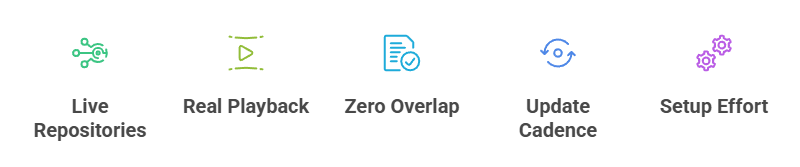
A genuine free recommendation must work for its stated purpose without a debrid subscription. I compared install source, current Kodi Omega listing, service legitimacy, platform support, account needs, catalog value, regional limits, Firestick navigation, and evidence of ongoing maintenance. Older packages remain listed only when their service-backed use case is still clear and their limitations are disclosed.
- Free Means Usable: The core use case cannot require a premium resolver, torrent cloud, or paid hoster account.
- Source Transparency: Kodi repository pages or developer-controlled sources must identify the package, maintainer, license, and support path.
- Catalog Legitimacy: The addon connects to a known service, public archive, broadcaster, or personal media server rather than promising unexplained premium streams.
- Firestick Fit: Remote navigation, storage use, architecture, sign-in steps, and the effect of older Fire TV hardware were considered.
- Maintenance Honesty: Recent 2026 releases rank higher, while older packages carry explicit warnings about possible API or authentication breakage.
Free vs Debrid Kodi Apps: Which Should You Pick?
Every addon here is free to install, but the viewing model differs. YouTube and DailyMotion can show advertisements. Plex expects a personal server and media library for its strongest free use case. PBS Kids and NHK can be region-limited. Twitch offers optional purchases. A service may also require a free account, device code, API configuration, or acceptance of changing terms.
- No Debrid Requirement: None of the stated use cases depends on Real-Debrid, TorBox, Premiumize, or another paid resolver.
- Optional Accounts: Sign-in can add subscriptions, watchlists, follows, or personal libraries without turning the addon itself into paid software.
- Regional Catalogs: Broadcasters and services decide where streams can play, so a free title in one country may be unavailable elsewhere.
- Advertisements: Free service-backed video may include advertising that Kodi users cannot remove through legitimate addon settings.
- Personal Media: Plex is free for supported local use, but users supply the server, storage, files, network, and any optional premium features.
Why a Free Kodi App Stops Working
A blank menu does not automatically mean the addon is dead. Service APIs, authentication methods, expired account tokens, region rules, Kodi dependencies, and low Firestick storage can all cause identical symptoms. Start by checking the official listing and pending updates, then test another app from the same service before deleting Kodi data or installing an unknown replacement.
- Update First: Install pending Kodi repository updates and restart the application before changing advanced settings or clearing all data.
- Reauthorize Accounts: Sign out and reconnect when watchlists or personal libraries disappear while public menus continue working.
- Check Service Status: If the provider’s official app or website also fails, wait for the service rather than repeatedly reinstalling Kodi.
- Clear Only Addon Cache: Remove the affected addon’s temporary data before wiping the complete Kodi profile and losing every working setting.
- Inspect the Log: Missing dependencies, HTTP errors, authentication failures, and storage problems appear more clearly in Kodi’s event or debug log.
Are These Kodi Apps Legal and Safe to Use?
Kodi and its official repository are legal software tools. Safety and legality depend on the addon source and the media it accesses. An official Kodi listing improves package transparency, but it does not override a broadcaster’s account rules or regional rights. Avoid any supposed free app that requests an unrelated Android APK, payment card, browser extension, or anonymous Downloader code.
- Use Known Sources: Install from Kodi or the maintainer’s documented domain instead of search-result mirrors and copied repository files.
- Respect Rights: Watch service-backed catalogs, public media, subscriptions, and personal files you are entitled to access.
- Review Permissions: A normal Kodi video addon should not require unrelated device administration or accessibility control on Fire TV.
- Keep Kodi Updated: Current point releases include dependency and platform fixes that older builds may lack.
- Understand VPN Limits: A VPN protects traffic on untrusted networks but cannot create viewing rights or guarantee access to another region.
Why You Need a VPN for Kodi
Because most third-party add-ons stream from unverified sources, a good VPN is essential Kodi kit. It encrypts traffic and keeps your viewing private.
- Hide Activity: a VPN encrypts your connection so your internet provider cannot see which add-ons you open or what you stream.
- Stop Throttling: providers often slow streaming traffic, and routing Kodi through a VPN frequently restores full speed and reduces evening buffering.
- Unblock Content: some add-ons and repositories are geo-restricted, and connecting through another country can make regional catalogues and sources visible again.
- Torrent Safety: apps like Jacktook expose your IP to peers, so a VPN is especially important when streaming torrent-based sources.
- My Setup: I keep a VPN running on my Firestick whenever I open any unverified add-on, and never stream grey-area content without it.
Verdict:
The best free Kodi setup uses a few reliable, clearly sourced apps rather than ten movie scrapers competing for the same links. Begin with one broad video service, add a specialist that matches your household, and keep Plex only when you maintain personal media. That smaller mix is easier to update, safer to explain, and less likely to overload a Firestick.
- YouTube: Best overall for a broad free catalog, subscriptions, live channels, trailers, tutorials, music, and creator videos.
- DailyMotion: Best recent alternative for searchable clips, channels, and livestreams without a debrid account.
- Vimeo: Best for curated films, documentaries, animation, tutorials, and professional creator work.
FAQs
What is the best free Kodi app in 2026?
YouTube is the strongest all-around choice because its Omega package is recent and its catalog covers creators, tutorials, music, news, trailers, and live video. DailyMotion and Vimeo are useful backups with different catalogs.
Which free Kodi apps work without Real-Debrid?
Every recommendation in this guide works for its stated use case without Real-Debrid. Plex needs your own server for personal media, while service-backed choices can still require an optional account or have regional restrictions.
Can I watch free movies legally on Kodi?
Yes, when a broadcaster, public archive, ad-supported service, or rights holder makes the movie available in your region. Internet Archive and service-backed catalogs can contain legitimate films, but availability and rights differ by title.
Why did the old free Kodi apps disappear from this list?
The page now prioritizes apps that remain useful without paid resolvers and whose source or service can be verified. For broader movie and television choices, compare our Kodi builds guide and review each source carefully.
Do I need a VPN for these free Kodi apps?
No. A VPN is optional for privacy on shared networks, but it does not fix an outdated addon, grant regional rights, remove service advertisements, or replace a required account.