Key Takeaway: The real GoMovies is long gone, so my top picks are Tubi for the biggest free legal library, YesMovies for a familiar huge catalog, and Xumo Play for free live channels. All three run smoothly on Firestick. Pair any grey site with a VPN and pick the highest-quality stream available.
The GoMovies you remember was shut down years ago, and every site using that name today is just a rotating clone that gets blocked or vanishes without warning.
So I spent a couple of weeks loading replacement after replacement onto my Fire TV Stick, timing how fast each one played, counting the ads, and checking which apps actually stayed online. Below are the nine that earned a permanent spot on my home screen.
Best GoMovies Alternatives in 2026: My Top Picks
| App / Site | Best For | Content Focus | Get Started |
|---|---|---|---|
| Tubi | Best overall free replacement | Movies, TV, some anime | Visit Site |
| YesMovies | Veteran huge-library alternative | Movies & TV series | Visit Site |
| Xumo Play | Free live + on-demand | Movies, TV, FAST channels | Visit Site |
| BMovies | Quality options up to 4K | Movies & TV series | Visit Site |
| Cinezone | Clean HD/4K catalog | Movies & TV series | Visit Site |
1) Tubi
Tubi is the free replacement I recommend to almost everyone, because it is fully legal, owned by Fox, and stuffed with roughly 300,000 movies and TV episodes. No account is required to start watching, the Firestick app is polished and fast, and the ad breaks stay short enough to sit through easily during a film.
Features:
- Massive library: Tubi carries around 300,000 titles spanning Hollywood movies, network TV, cult classics, and a surprisingly deep back catalog, all completely free.
- Fully legal: Because Fox owns and operates Tubi, everything streams from licensed sources, so you never need a VPN or worry about shady redirects here.
- No signup: You can open the Firestick app and start a movie within seconds, since Tubi requires no registration, email, or payment details whatsoever.
- Native app: I installed Tubi straight from the Amazon Appstore, and the remote-friendly interface felt far smoother than loading any clone through a browser.
- Short ad breaks: Tubi runs commercials to stay free, but the breaks are brief and spaced out, roughly mirroring a normal broadcast television experience.
- Anime and originals: Beyond mainstream films, Tubi stocks a solid anime section plus its own Tubi Originals, giving you content you will not find on rivals.
- Steady streams: Playback stays consistently reliable on Firestick, loading in full HD quickly and rarely buffering, even when your home connection is only moderately fast.
| Pros | Cons |
| Completely free and fully legal | Ads interrupt every title |
| Roughly 300,000 titles available | US-only content library |
| No account or signup needed | No brand-new theatrical releases |
| Polished native Firestick app | Catalog rotates titles out |
Pricing:
- Free forever, funded entirely by short advertising breaks.
- No subscription tiers, trials, or hidden premium upgrades exist.
- Works on Firestick, mobile, web, and smart TVs at no cost.
Link: https://tubitv.com/
2) YesMovies
YesMovies is the veteran grey-area site that feels closest to the old GoMovies experience, offering a sprawling catalog of movies and TV series you can stream for free. It has survived countless takedowns over the years and keeps resurfacing on new mirror domains, so I always browse it with a VPN switched on.
Features:
- Enormous catalog: YesMovies indexes a vast collection of movies and complete TV series, easily rivaling the depth that made the original GoMovies so popular.
- Full TV seasons: Unlike some rivals, it organizes shows by season and episode neatly, making it easy to binge a whole series without hunting for links.
- Proven survivor: This brand has outlasted numerous shutdowns and legal pressure, repeatedly reappearing under fresh mirrors while most competitors disappeared for good years ago.
- Backup servers: Every title I opened offered several alternate streaming servers, so when one link stalled I simply switched to another and playback resumed.
- No registration: You never create an account or hand over an email, which keeps things anonymous but also means bookmarking mirrors yourself to find it again.
- Genre filtering: Built-in filters for genre, country, and release year help you dig through the massive library quickly instead of scrolling endlessly for something watchable.
- Ad-supported: Free access comes with aggressive pop-ups and redirect ads, so an ad-blocker and a cautious clicking habit are genuinely essential on this site.
| Pros | Cons |
| Massive movie and TV library | Aggressive pop-up ads |
| Multiple backup streaming servers | Domain keeps changing |
| Long track record online | Legally grey streaming source |
| No account required | VPN strongly recommended |
Pricing:
- Completely free, with all costs covered by on-site advertising.
- No paid plans exist, but expect frequent ads and pop-ups.
- Access it through the Firestick Silk browser at zero cost.
Link: https://yesmovies.ag/
3) Xumo Play
Xumo Play is a legal, free service backed by Comcast and Charter that blends more than 300 live FAST channels with a solid on-demand library of movies and shows. It scratches the lean-back, channel-surfing itch GoMovies never did, and I love leaving a themed channel running quietly in the background all evening.
Features:
- Live channels: Xumo Play streams over 300 free ad-supported channels covering news, movies, sports, and reality, giving you a cable-style grid without any monthly bill.
- On-demand movies: Alongside live TV, a growing on-demand section lets you pick specific films and episodes whenever you would rather choose than channel-surf through the guide.
- Legitimate backing: Owned jointly by Comcast and Charter, Xumo Play is fully licensed and safe, so there are no dodgy redirects or malware risks to dodge.
- Firestick app: I grabbed the dedicated Xumo app from the Amazon Appstore, and it launched fast with a clean grid that my remote navigated effortlessly.
- No login: You can start watching immediately without creating an account, although making one optionally saves your favorite channels and syncs them across other devices.
- Themed variety: Dedicated channels cover everything from classic westerns to true crime and cooking, so there is almost always something fitting your mood already playing.
- Stable streaming: Because it runs on major cable-company infrastructure, streams start quickly and hold their quality reliably, feeling far more stable than any grey clone site.
| Pros | Cons |
| Over 300 free channels | Ads on every channel |
| Fully legal and safe | On-demand library is smaller |
| Live plus on-demand mix | No latest theatrical releases |
| Reliable native Firestick app | Limited control over live channels |
Pricing:
- Free forever, supported by advertising across live and on-demand content.
- No subscription, trial, or premium tier is offered at all.
- Available as a free Firestick app and on many smart TVs.
Link: https://play.xumo.com/
4) BMovies
BMovies is a grey-area streaming site worth keeping in your rotation for its quality options, since many titles offer resolutions climbing all the way to 4K. It hosts both movies and full TV series for free, though the operators shift domains often, so any mirror I bookmark today may quietly stop working next month.
Features:
- Up to 4K: Many BMovies listings provide multiple resolution choices, and the best ones stream in crisp 4K, noticeably sharper than the standard quality most clones offer.
- Movies and series: The catalog balances big movies with full television series, so you can jump between a blockbuster and a binge-worthy show inside one familiar interface.
- Server options: Each title lists several playback servers, which matters on a grey site because a dead or slow link can usually be swapped instantly.
- Quality tested: When I picked the 4K option on a recent release, it loaded within seconds and held that resolution on my Firestick without stuttering.
- No account: BMovies asks for no registration or payment, letting you stream instantly, though that anonymity also means the site funds itself entirely through intrusive advertising.
- Rotating domains: The operators frequently move to fresh addresses to dodge blocks, so you must verify you have reached a genuine mirror rather than a copycat.
- Subtitle support: Most streams include selectable subtitles in several languages, a genuinely handy touch for foreign films and for anyone who prefers watching with captions on.
| Pros | Cons |
| Streams up to 4K | Domains change frequently |
| Movies and TV series | Intrusive ads and popups |
| Multiple servers per title | Grey-area legal status |
| Built-in subtitle options | VPN strongly advised |
Pricing:
- Free to use, monetized entirely through on-site ads and pop-ups.
- No paid or premium version is available anywhere on the site.
- Load it in the Firestick browser without paying anything.
Link: https://bmovies.to/
5) Cinezone
Cinezone earns its spot with one of the cleaner interfaces in the grey-area world, pairing an HD and 4K catalog of movies and TV series with fewer aggressive pop-ups than most rivals. Streaming is free and ad-supported, and while its mirrors rotate like every clone, the layout made browsing feel almost mainstream when I tested it.
Features:
- Clean design: Cinezone stands out for a tidy, poster-driven layout that feels closer to a legitimate app than the cluttered walls of links many clones throw up.
- HD and 4K: The catalog leans toward high-resolution streams, with plenty of titles available in sharp HD and select releases pushing up into full 4K quality.
- Films and TV: You get both a movie catalog and organized television series in one place, covering recent hits alongside a decent spread of older favorites.
- Fewer pop-ups: During my testing I hit noticeably fewer redirect ads here than on other grey sites, though I still kept my ad-blocker active throughout.
- Quick loading: Streams generally start within a few seconds and the pages themselves load briskly, which keeps browsing the catalog from feeling like a chore.
- No signup: Cinezone requires no account or personal details, so you can start a film immediately, but you also carry the usual grey-site security responsibility yourself.
- Rotating mirrors: Like all clones, its working address changes periodically to evade blocks, so confirming you have landed on the real Cinezone remains an ongoing task.
| Pros | Cons |
| Clean, uncluttered interface | Mirrors rotate often |
| HD and 4K streams | Still shows some ads |
| Fewer pop-ups than rivals | Legally grey status |
| Fast page and stream loading | Smaller library than veterans |
Pricing:
- Free, ad-supported streaming with no subscription of any kind.
- No premium upgrade exists; ads fund the entire operation.
- Open it through the Firestick Silk browser at no charge.
Link: https://cinezone.to/
6) Kanopy
Kanopy is my favorite legal, completely ad-free option, and it costs nothing if your public library or university partners with it. Instead of Hollywood blockbusters, it specializes in indie films, arthouse classics, Criterion titles, and documentaries. Access runs on a monthly credit or ticket system, so you watch a set number of titles free each month.
Features:
- Zero ads: Kanopy plays every film without a single advertisement or interruption, a genuinely refreshing change from the pop-up chaos of free grey streaming sites.
- Library-card access: As long as your local library or university has partnered with Kanopy, you unlock the entire service free using only your membership card.
- Curated catalog: The library focuses on independent cinema, world films, Criterion classics, and acclaimed documentaries, making it ideal when you want substance over mainstream blockbuster noise.
- Firestick app: I installed the official Kanopy app from the Amazon Appstore, signed in with my library card, and was streaming a documentary within minutes.
- Credit system: Your library allocates a set number of monthly play credits or tickets, which caps binge-watching but keeps the whole service completely free to you.
- Kanopy Kids: A dedicated Kids section offers wholesome, educational titles that never consume your credits, so family viewing stays unlimited alongside the credit-based adult catalog.
- Extras included: Many titles arrive in crisp HD with bonus interviews or director commentary, reflecting Kanopy’s arthouse focus and rewarding viewers who care about film craft.
| Pros | Cons |
| Completely ad-free streaming | Requires partner library membership |
| Free with library card | Monthly credit limit applies |
| Great indie and documentary catalog | Few mainstream blockbusters |
| Official Firestick app available | No recent theatrical releases |
Pricing:
- Free with a partner library card, so you pay nothing directly.
- Access depends on monthly credits set by your local library.
- No personal subscription fee applies when your library participates.
Link: https://www.kanopy.com/
7) WatchSeriesHD
WatchSeriesHD is a grey-area all-rounder that covers movies, television, and a respectable anime selection, with many streams available in HD and even 4K. It is free and ad-supported, and its mirrors rotate the same way every clone’s do. When I tested it, the show-focused layout made tracking episodes across long series noticeably easier than on movie-first rivals.
Features:
- HD and 4K: Despite being a free clone, many WatchSeriesHD streams offer genuine HD and occasional 4K quality, comfortably beating the fuzzy playback some rivals settle for.
- Series-friendly layout: As the name suggests, it organizes television neatly by season and episode, making it one of the easier grey sites for binge-watching long shows.
- Anime included: Alongside Western films and shows, a dedicated anime library covers popular series and films, giving fans a single destination for mixed viewing habits.
- Backup links: Whenever a stream failed during my testing, I switched to one of the alternate servers listed under the player and playback usually recovered quickly.
- No registration: The site requires no signup or payment, so streaming begins instantly, but that convenience comes bundled with the heavy advertising typical of grey platforms.
- Subtitle options: Most titles carry selectable subtitles in multiple languages, a practical bonus for anime dubs, foreign films, and anyone who simply prefers reading along.
- Rotating mirrors: Its working domain shifts regularly to sidestep blocks, so you should locate a currently active mirror and always keep a VPN switched on.
| Pros | Cons |
| HD and 4K streams | Heavy advertising and popups |
| Strong TV series organization | Mirrors rotate frequently |
| Includes an anime library | Grey-area legal status |
| Multiple backup servers | VPN essential for safety |
Pricing:
- Free, ad-supported access with no subscription anywhere on the site.
- No premium tier exists; expect pop-ups funding the platform.
- Stream through the Firestick browser without paying a cent.
Link: https://watchserieshd.to/
8) Hoopla
Hoopla is another legal, library-powered service, and it often surprises me by carrying newer releases than Kanopy alongside movies, TV, audiobooks, comics, and music. Everything is free with a participating library card, but you borrow against a monthly limit of titles, so it rewards planning your viewing rather than endless spur-of-the-moment binging.
Features:
- Newer releases: Hoopla frequently stocks more recent movies than other library services, so you can often borrow a near-new film months before it reaches free ad-supported apps.
- No ads: Because it is funded by libraries rather than advertisers, every Hoopla title plays cleanly with no commercials, pop-ups, or redirects interrupting your movie.
- Beyond movies: The same card also unlocks audiobooks, e-books, comics, and full music albums, turning Hoopla into a broad entertainment hub rather than only a video service.
- Firestick app: I added the official Hoopla app from the Amazon Appstore, logged in with my library card, and borrowed a recent movie in under a minute.
- Monthly borrows: Your library grants a fixed number of monthly borrows, which limits heavy binging but guarantees the entire catalog stays completely free to use.
- Fully legitimate: Hoopla partners directly with public libraries and rights holders, so streaming is entirely legal and safe, with no VPN or security worries at all.
- Cross-device sync: A borrowed title syncs across your Firestick, phone, and tablet, letting you pause on one screen and resume seamlessly on another without losing progress.
| Pros | Cons |
| Newer releases than Kanopy | Monthly borrow limit applies |
| Completely ad-free and legal | Requires participating library card |
| Includes books, comics, music | Smaller than mainstream catalogs |
| Official Firestick app | Availability varies by library |
Pricing:
- Free with a participating library card, with no direct cost.
- Monthly borrow limits are set by your local library system.
- No personal subscription fee when your library offers Hoopla.
Link: https://www.hoopladigital.com/
9) PelisPlus
PelisPlus is the grey-area pick I point Spanish-speaking viewers toward, since it centers on Latino and Spanish-language movies and shows, with plenty of titles dubbed or subtitled in Spanish. Streaming is free and ad-supported, and its mirrors rotate like every clone, but for Latino content it consistently outclasses the thin foreign sections on English-first sites.
Features:
- Spanish-language focus: PelisPlus specializes in Latino and Spanish-language cinema, offering a depth of regional films and telenovela-style series that mainstream English platforms simply never bother stocking.
- Dubs and subs: Many international titles come dubbed into Spanish or carry Spanish subtitles, so bilingual households and learners enjoy Hollywood hits and regional productions alike.
- Films and series: The catalog blends feature films with ongoing series, covering Latin American, Spanish, and dubbed international content in one place aimed squarely at Spanish speakers.
- Server choices: When I tested a few Spanish dubs, each listing gave me several server options, so a stalling stream was easy to swap and restart.
- No signup: PelisPlus needs no account or payment details, letting you stream immediately, though free access naturally arrives packaged with the pop-up ads typical of grey sites.
- Frequent updates: The catalog refreshes regularly with new Latino releases and recently dubbed titles, keeping it relevant for viewers who want current Spanish-language entertainment rather than reruns.
- Rotating mirrors: Like all clones, PelisPlus changes domains periodically to evade blocking, so confirming an active mirror and running a VPN remain necessary habits before watching.
| Pros | Cons |
| Strong Spanish-language catalog | Mostly Spanish-language content |
| Dubbed and subtitled options | Pop-up ads throughout |
| Regularly updated with new titles | Mirrors rotate regularly |
| Multiple servers per title | VPN strongly recommended |
Pricing:
- Free, ad-supported streaming with no subscription required at all.
- No premium plan exists; pop-up ads fund the site.
- Open it in the Firestick browser at no charge.
Link: https://pelisplus.to/
Is GoMovies Gone for Good?
The original GoMovies was shut down by legal action years ago, and it is never returning in any official form. What you find today are unrelated clone sites borrowing the name to attract its old audience. These copies rotate domains constantly, get blocked in many countries, and are down almost as often as up.
- Original shut down: The real GoMovies was taken offline by copyright authorities several years ago.
- Only clones remain: Every current GoMovies site is an unofficial copy run by unknown operators.
- Constant downtime: These mirrors vanish, get blocked, or change domains without any warning, frustrating regular viewers.
- No official app: There is no legitimate GoMovies Firestick app, only risky browser mirrors and imposters.
- Better options exist: Dependable legal and grey alternatives now outperform every surviving GoMovies clone for reliability.
How We Picked These GoMovies Alternatives
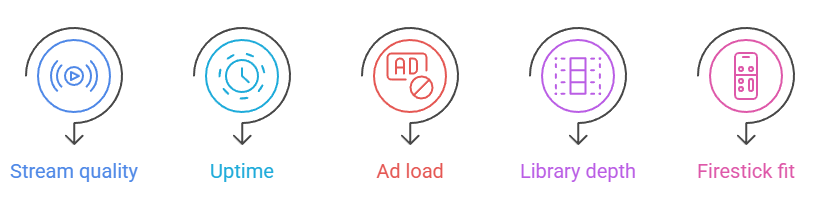
I judged every GoMovies alternative the same way, using my own Firestick rather than a phone or laptop, because a stream that stutters on the big screen fails the only test that matters.
- Stream quality: I checked how quickly video loaded and whether it held HD without buffering.
- Uptime: I revisited each site over several days to see if it stayed reachable.
- Ad load: I counted pop-ups and redirects, penalizing anything that hijacked my Firestick browser.
- Library depth: I searched for new releases and older films to gauge real catalog size.
- Firestick fit: I confirmed each one runs cleanly through the Silk browser or a native app.
Do These Movie Sites Work on Firestick?
Yes, and I confirmed every pick on my own Fire TV Stick first. The legal services here, including Tubi, Xumo Play, Kanopy, and Hoopla, all offer native Firestick apps you install straight from the Amazon Appstore. The grey-area sites run through the built-in Silk browser instead, which works but demands more care.
- Native apps: Tubi, Xumo Play, Kanopy, and Hoopla install directly from the Amazon Appstore.
- Silk browser: Grey-area sites load through the free Silk browser you download from Amazon.
- Downloader app: Some users sideload streaming APKs using the popular Downloader app for extra choices.
- Remote friendly: Native apps navigate perfectly with the Firestick remote, while browsers need more patient scrolling.
- VPN compatible: A Firestick VPN app runs quietly in the background across every option here.
Are GoMovies Alternatives Legal to Stream?
It depends entirely on which type you choose. Tubi, Xumo Play, Kanopy, and Hoopla are fully legal, licensing their content or partnering with libraries, so you stream them with zero worry. The grey-area sites like YesMovies and BMovies occupy a legal gap, streaming content they do not license, which is where caution genuinely matters. For more picks, see our guide to the best Putlocker alternatives.
- Fully legal: Tubi, Xumo Play, Kanopy, and Hoopla license everything they stream to you.
- Grey-area sites: Clone platforms stream unlicensed content, sitting in a murky legal middle ground.
- Viewing versus hosting: Watching a stream carries far less risk than uploading or hosting files.
- Laws vary: Streaming rules differ by country, so always check the regulations where you live.
- Safest route: Stick with the legal apps if you want zero legal or ethical doubt.
How to Stay Safe on Free Streaming Sites
Free grey-area sites earn their money through advertising, and some of those ads are genuinely dangerous. Over years of testing them, I have settled on a simple safety routine that keeps my Firestick clean. A VPN, an ad-blocker, and healthy skepticism toward flashing download buttons neutralize the overwhelming majority of real risks here.
- Use a VPN: A VPN hides your streaming activity and unblocks mirrors your ISP restricts.
- Install an ad-blocker: A good ad-blocker stops most pop-ups, redirects, and the malicious ads behind them.
- Never download prompts: Legitimate streams play in the browser, so ignore any player demanding a download.
- Verify the mirror: Confirm you are on a genuine mirror before trusting any grey streaming site.
- Skip account requests: Never enter card details or passwords, since real free sites never require them.
Verdict:
After weeks of testing, my recommendation splits by priority. If you want the safest, easiest experience, choose a legal app. If you crave the biggest possible catalog and accept some risk, a grey-area veteran will serve you best.
- Tubi: The best all-around pick: free, fully legal, enormous, and effortless to run through its native Firestick app.
- YesMovies: The closest feel to old GoMovies, with a huge catalog and multiple servers, if you use a VPN.
- Xumo Play: The pick for lean-back viewing, blending 300-plus free live channels with on-demand movies, all completely legal and stable.
FAQs
What is the best GoMovies alternative in 2026?
Tubi is my top overall pick, because it is completely free, fully legal, and stocked with roughly 300,000 titles. For a catalog closer to the old GoMovies feel, YesMovies remains the strongest grey-area choice.
Is GoMovies safe to use in 2026?
The old GoMovies is gone, and today’s clones can be risky, serving pop-ups and malicious ads. Stick with legal apps like Tubi or Xumo Play, or always pair any grey clone with a VPN.
Which GoMovies alternatives are completely free and legal?
Tubi, Xumo Play, Kanopy, and Hoopla are all free and fully legal. Tubi and Xumo Play run on advertising, while Kanopy and Hoopla stay ad-free but require a participating library card to unlock them.
Do I need a VPN for GoMovies alternatives?
For legal apps like Tubi and Hoopla, no VPN is required. For grey-area clones such as YesMovies or BMovies, I strongly recommend one to hide your activity and safely reach rotating mirror domains.
Can I watch these GoMovies alternatives on Firestick?
Yes. Tubi, Xumo Play, Kanopy, and Hoopla have native Firestick apps in the Amazon Appstore. The grey-area sites work through the Silk browser, and I tested every option on my own Fire TV Stick. You may also like our best Soap2Day alternatives guide.