Key Takeaway: The best M4UFree alternatives are Tubi for broad free movies, The Roku Channel for a huge mixed catalog, and Plex for discovery across services. Use licensed apps, library access, and occasional rentals instead of trusting copied M4UFree mirrors.
M4UFree attracted viewers with free movies, television series, quick search, and little registration friction. The brand now appears across unrelated domains making conflicting claims about which address is official. That uncertainty matters: a familiar logo cannot tell you who controls the player, whether the title is licensed, what browser permissions are collected, or whether an advertised download is actually safe.
I compared nine accountable replacements through current official service, device, pricing, library, and support pages. The ranking covers broad ad-supported catalogs, live channel guides, no-login playback, new-release rentals, curated cinema, and protected library downloads. Each recommendation explains the real tradeoff—commercials, region limits, tickets, account requirements, or individual prices—before you install it on Firestick.
Best M4UFree Alternatives for Movies, TV, and Firestick
| Platform | Best For | Free Access | Get Started |
|---|---|---|---|
| Tubi | Broad free movies and series | Free with ads | Visit Site |
| The Roku Channel | Huge free library and originals | Free with ads | Visit Site |
| Plex | Discovery plus free viewing | Free with ads | Visit Site |
| Pluto TV | Cable-style channel surfing | Free with ads | Visit Site |
| Sling Freestream | Free channels with optional DVR | Free; no card required | Visit Site |
1) Tubi
Tubi most closely recreates M4UFree’s open-a-page-and-watch simplicity while operating through documented studio agreements and advertising. Its Fire TV catalog mixes films, series, originals, and linear channels without asking for a card. I put Tubi first because registration stays optional: create a profile only when synchronized queues, history, and resume points justify supplying an email address.
Features:
- Browse First: Visitors can inspect genres and start eligible videos before registration, keeping the low-friction behavior people valued while avoiding payment verification and mysterious player redirects.
- Amazon-Native Install: Fire TV owners obtain Tubi from Amazon’s normal store, so updates, developer identity, permissions, and removal stay inside the device’s established application system.
- Profile Upgrade: Creating a free profile adds queues, recommendations, viewing history, and synchronized resume points across compatible televisions, phones, consoles, tablets, and web browsers smoothly.
- Programming Range: Feature films sit beside full series, documentaries, anime, family shelves, Spanish-language choices, creator programs, Tubi Originals, and curated live streams for variety readily.
- Household Tools: Content ratings, captions, audio-described collections, children’s viewing, search, and parental settings make the platform easier to supervise than an anonymous browser player consistently.
- Evidence Check: I reviewed Tubi’s welcome, device, setup, and advertising documentation to confirm free access, optional signup, Amazon compatibility, studio relationships, and unavoidable commercials directly.
- What You Give Up: Ad breaks fund every video and cannot be removed; geographic licensing also changes titles, channels, languages, captions, and available picture quality between regions.
| Pros | Cons |
|---|---|
| Watch before creating a profile | Commercials cannot be removed |
| Broad film and series selection | Licenses expire |
| Amazon-managed television installation | Regional libraries differ |
| Queues sync after free signup |
Pricing:
- Viewing Cost: Nothing; advertisements fund playback
- Card Requirement: No payment method requested
- Verification Date: Tubi documentation checked August 20, 2026
Link: https://tubitv.com/
2) The Roku Channel
The Roku Channel is an excellent M4UFree replacement for viewers wanting movies, complete shows, Roku Originals, and more than 500 live channels together. Roku reports over 80,000 free movies and television programs. I place it second for library scale and Fire TV support, while noting that country and device availability remain more limited than the familiar Roku name suggests.
Features:
- Library Scale: Roku says its channel contains more than 80,000 free movies and television shows alongside Roku Originals, licensed series, children’s programming, and documentaries today.
- Live Guide: More than 500 FAST channels add scheduled news, movies, sports, cooking, music, lifestyle, and entertainment when viewers prefer channel surfing over searching manually.
- Fire TV Route: A compatible Amazon Fire TV device can install The Roku Channel directly in the United States without requiring a Roku streaming player.
- Free Account: A Roku account costs nothing and enables synchronized progress, personalized recommendations, parental controls, subscription management, and cross-device access where those features are supported.
- Original Programs: Roku Originals give the service identifiable exclusive programming instead of merely aggregating the same rotating catalog found across several competing advertising-supported television platforms.
- Source Review: I verified the current catalog figures, live-channel count, free-account status, Fire TV instructions, supported territories, and device restrictions through Roku’s official pages directly.
- Main Limitation: The Roku Channel currently serves the United States, Canada, and Britain broadly, while Fire TV access and premium subscriptions carry additional country or device restrictions.
| Pros | Cons |
|---|---|
| Very large free library | Territory restrictions |
| More than 500 live channels | Premium options vary by device |
| Roku Originals included | Free catalog rotates |
| Compatible Fire TV application |
Pricing:
- Free Library: Advertising-supported movies, shows, and channels
- Roku Account: Free to create and maintain
- Checked: Official Roku resources reviewed August 20, 2026
Link: https://therokuchannel.roku.com/
3) Plex
Plex works best as an M4UFree alternative for people who search widely and want one watchlist across several services. Its own catalog provides licensed free movies and live channels, while Discover points toward other legal providers. I rank Plex third because the Fire TV app can also organize personal videos that a household owns through a separate Plex Media Server.
Features:
- Free Movies: Plex supplies advertising-supported films, documentaries, television seasons, and specialist programming across many countries, although individual distributor agreements still determine each territory’s available catalog.
- Live Television: Free live channels cover movies, classic television, reality, news, sports, music, children’s programs, and global categories without needing antenna hardware or tuner equipment.
- Discovery Tools: Universal search and Watchlist help locate where titles stream, rent, or sell across selected services instead of pretending one free library contains everything.
- Amazon Client: Plex publishes its television client through Amazon’s Appstore, combining sponsored movies, linear channels, availability results, rental eligibility, and household libraries within one interface.
- Home Server Option: A separate Plex server feature catalogs videos, music, photographs, and home recordings a household controls, without mixing those files into sponsored online shelves.
- Source Review: I confirmed free on-demand access, geographic limitations, advertising, Fire TV support, live-channel availability, and server independence using current official Plex support documentation carefully.
- Main Limitation: Plex-supplied free titles include commercials and no offline downloads; exact libraries, rentals, channels, resolutions, and search providers vary significantly by viewing country today.
| Pros | Cons |
|---|---|
| Works across many territories | Sponsored videos show commercials |
| Cross-service title finder | Streaming catalog lacks downloads |
| Free channels and movies | Rights vary geographically |
| Optional household server |
Pricing:
- Free Streaming: Advertising-supported movies and live channels
- Personal Server: Core server functions remain available free
- Checked: Official Plex pages reviewed August 20, 2026
Link: https://watch.plex.tv/
4) Pluto TV
Pluto TV is the most natural M4UFree alternative when viewers want television running immediately rather than building a queue. It combines hundreds of live channels with thousands of on-demand movies and shows at no cost. I rank Pluto fourth for its polished Fire TV guide, optional profile, recognizable content partners, and simple browser playback, subject to local programming rights.
Features:
- Live Channels: Hundreds of scheduled channels span movies, classic television, crime, comedy, news, sports, westerns, science fiction, reality, music, and children’s programming throughout each day.
- On-Demand Shelf: Thousands of full movies and bingeable shows can be selected outside the live guide, giving viewers control when a scheduled channel is inconvenient.
- No Payment: Pluto TV charges no subscription and requires no credit card, using short commercial breaks to fund its licensed channels and on-demand catalog legally.
- Optional Profile: A free profile synchronizes favorite channels, watchlists, and resume progress across compatible devices, while basic streaming can begin without creating an account first.
- Fire TV App: The official Fire TV application supports remote-friendly browsing, live guide navigation, on-demand shelves, captions, profiles, and regular updates through Amazon’s Appstore automatically.
- Source Review: I verified free access, catalog scale, optional profile benefits, Fire TV availability, device coverage, and advertising through Pluto TV’s official product pages directly.
- Main Limitation: Commercials remain unavoidable, country lineups differ, live channels follow schedules, and individual titles can leave unexpectedly whenever distribution agreements or programming strategies change.
| Pros | Cons |
|---|---|
| Excellent live channel guide | Advertising is unavoidable |
| Large on-demand library | Lineups differ by region |
| No payment card required | Live programs follow schedules |
| Official Fire TV application |
Pricing:
- Access: Free with commercial breaks
- Profile: Optional and free
- Checked: Official Pluto TV pages reviewed August 20, 2026
Link: https://pluto.tv/
5) Sling Freestream
Sling Freestream is the best M4UFree alternative for households wanting free live television plus useful account features. Sling currently advertises more than 600 channels and over 40,000 on-demand movies and shows without a credit card. I place it fifth because an optional free account adds profiles, parental controls, favorites, watchlists, and ten hours of cloud DVR on eligible programming.
Features:
- Channel Count: More than 600 free channels cover movies, dramas, game shows, news, reality, classics, documentaries, family programming, international content, sports discussion, and music daily.
- On-Demand Depth: Over 40,000 movies and shows supplement the live schedule, making Freestream useful when viewers want a specific episode instead of continuous channel surfing.
- No Login Start: Anyone can begin streaming without an account, subscription, or credit card, while registering remains optional for personalization and useful cloud features online.
- Free DVR: Signed-in Freestream users receive ten hours of cloud recording for selected channels, a rare capability among free advertising-supported television and movie services today.
- Account Controls: Profiles, favorites, watchlists, resume history, parental locks, and rewards become available after free registration, keeping shared household viewing considerably more organized for families.
- Source Review: I checked Sling’s current channel and catalog figures, no-account policy, free DVR allowance, rental distinction, device route, and official internet recommendations carefully today.
- Main Limitation: The service emphasizes scheduled channels, DVR coverage is not universal, rentals require an account and payment method, and content availability changes frequently worldwide.
| Pros | Cons |
|---|---|
| More than 600 free channels | DVR excludes some programs |
| Large on-demand catalog | Channel-heavy interface |
| Optional ten-hour DVR | Rentals cost extra |
| No card required |
Pricing:
- Freestream: Free with advertising
- Account: Optional; no payment card required
- Movie Rentals: Individually priced for signed-in users when offered
Link: https://www.sling.com/freestream
6) Xumo Play
Xumo Play suits M4UFree users who prefer pressing play before surrendering an email address. Its lineup mixes 350-plus linear streams with 15,000 catalog choices covering films, shows, news, and in-house programming. I value the normal Fire TV installation and account-free start, although viewers outside America usually encounter partner-hardware rules or complete geographic blocking.
Features:
- Anonymous Start: Opening a supported app or browser is enough for playback; Xumo asks for neither credentials nor billing details before serving its advertisement-funded programming.
- Two Libraries: The lineup pairs 350-plus scheduled streams with 15,000 selectable programs spanning cinema, series, news, children’s entertainment, documentaries, lifestyle shows, exclusives, originals, and sports.
- Movie Hubs: Curated shelves cover action, horror, science fiction, comedy, Black cinema, Asian films, Bollywood, Spanish-language movies, classics, documentaries, romance, and broad family viewing together.
- Fire TV Route: Amazon Fire TV and Fire Stick users can install Xumo Play normally without Downloader, unknown-source permissions, browser warnings, or third-party packages online.
- Many Screens: Supported households may watch simultaneously across television, mobile, and web devices, which makes moving between rooms practical without managing profiles or shared passwords.
- Source Review: I confirmed the current catalog figures, no-login model, Fire TV route, simultaneous playback, geographic restrictions, and advertising through official Xumo support resources today.
- Main Limitation: Direct access remains territory-limited, no ad-free plan exists, parental controls are unavailable, and a profile-free design offers fewer watchlist or resume conveniences overall.
| Pros | Cons |
|---|---|
| No account or card | Direct access is region-limited |
| Hundreds of channels | No ad-free option |
| Large on-demand catalog | No parental controls |
| Official Fire TV support |
Pricing:
- Access: Free with advertising
- Account: No registration required
- Checked: Official Xumo pages reviewed August 20, 2026
Link: https://play.xumo.com/
7) Fandango at Home
Fandango at Home is the practical M4UFree alternative when the desired film is too new for a licensed free catalog. Its United States storefront combines advertising-supported movies with rentals and permanent purchases, including eligible 4K editions. I recommend it for transparent release-window choices, strong search filters, parental controls, and official Fire TV playback rather than chasing suspicious theatrical uploads.
Features:
- Three Access Modes: Clearly separated free, rental, and purchase listings let viewers decide whether price or immediacy matters without assuming every movie belongs inside one subscription.
- Recent Releases: Premium rentals and purchases provide an accountable route for newer films before they reach subscription or free advertising-supported services under later licensing windows.
- Free Movies: An advertising-supported filter surfaces no-cost films and television, allowing viewers to browse most-watched, release-date, or recently added shelves without paying individually upfront today.
- Search Detail: Title, actor, director, genre, critic score, rating, release date, format, and studio filters make the storefront especially useful for precise movie discovery today.
- Fire TV Quality: Supported Amazon Fire TV hardware can play eligible purchases and rentals up to 4K, with actual quality depending on title rights, device, and connection.
- Source Review: I verified current free shelves, rental and purchase sections, United States restriction, Fire TV support, 4K routes, and parental controls on Fandango’s pages.
- Main Limitation: An account is necessary for transactions, new films cost extra, free titles include advertising, browsers have quality limits, and streaming remains United States-only.
| Pros | Cons |
|---|---|
| Free and premium choices | United States only |
| Recent release rentals | New titles cost extra |
| Detailed movie filters | Account needed for transactions |
| 4K Fire TV support |
Pricing:
- Free Catalog: Advertising-supported titles cost nothing
- Rentals: Prices displayed per title and format
- Purchases: Prices vary by title, edition, resolution, and promotion
Link: https://athome.fandango.com/
8) Kanopy
Kanopy is the strongest M4UFree alternative for classic, independent, international, and documentary films through a participating library or university. Public-library members use monthly tickets set by their institution, while some titles remain unlimited. I include Kanopy for ad-free viewing, thoughtful curation, reliable subtitles, Kanopy Kids, and an official Fire TV application supporting FireOS 6 or newer.
Features:
- Institutional Access: A participating public library or university funds viewing, so eligible members authenticate through library credentials rather than buying a personal monthly entertainment subscription.
- Curated Films: Classic cinema, documentaries, international films, independent productions, educational programs, festival selections, and thoughtful collections distinguish Kanopy from broad commercial advertising-led recommendation rows today.
- Ticket System: Libraries issue monthly tickets, each title shows its requirement and access period, unused tickets do not roll over, and allowances vary by institution.
- Unlimited Options: Kanopy Kids never uses tickets, while each library may also offer selected unlimited-viewing titles that remain available after ordinary monthly tickets are exhausted.
- Fire TV Support: The official Kanopy television app supports Fire TV devices running FireOS 6 or newer, alongside current Roku, Apple TV, Google TV, and Samsung platforms.
- Source Review: I checked public-library signup, tickets, series access periods, unlimited titles, FireOS requirements, catalog variation, and temporary institutional limits through Kanopy’s official help center.
- Main Limitation: Access requires a participating institution, ticket allowances differ, displayed collections vary by library, and budget controls can temporarily restrict otherwise available streaming access.
| Pros | Cons |
|---|---|
| Ad-free curated cinema | Participating institution required |
| Strong documentary library | Monthly tickets vary |
| Kanopy Kids uses no tickets | Libraries may limit access |
| Official Fire TV application |
Pricing:
- Patron Access: No direct charge with participating library or university
- Tickets: Monthly allowance determined by each institution
- Checked: Official Kanopy help pages reviewed August 20, 2026
Link: https://www.kanopy.com/
9) Hoopla
Hoopla is the best M4UFree alternative for legitimate offline movie access. A participating public-library card unlocks instant digital borrows, while supported mobile apps download eligible videos during the lending period. I place it ninth because monthly limits and catalogs vary locally, yet ad-free playback, Fire TV support, television, audiobooks, music, comics, and ebooks create exceptional household value.
Features:
- Library Funded: Participating public libraries cover eligible access, so patrons use a valid card instead of entering payment information for a personal monthly streaming subscription.
- Offline Viewing: Supported mobile apps download eligible borrowed movies for the lending period, keeping protected playback inside Hoopla rather than providing unrestricted files from unknown hosts.
- No Commercials: Borrowed movies and television play without ordinary advertising interruptions, creating calmer viewing for patrons whose local library already participates in the service today.
- Fire TV App: Hoopla’s official Fire TV application supports comfortable remote browsing and account access without Downloader, mirror APK files, unknown-source settings, or browser redirects.
- Instant Borrowing: Many titles become available immediately without holds, although each library controls monthly allowances, catalog participation, lending periods, BingePass availability, and seasonal bonus programs.
- Source Review: I verified library funding, movie downloads, Fire TV support, instant availability, content categories, registration needs, and local borrowing limits through official Hoopla materials.
- Main Limitation: A participating library card is required, borrowing allowances differ, titles depend on institutional choices, and downloads stay protected inside supported mobile applications securely.
| Pros | Cons |
|---|---|
| Protected mobile downloads | Library participation required |
| No ordinary commercials | Monthly limits vary |
| Official Fire TV application | Catalog differs by institution |
| Movies plus other media |
Pricing:
- Patron Access: No direct charge with participating library card
- Borrowing Limit: Allowance determined by each library
- Checked: Official Hoopla pages reviewed August 20, 2026
Link: https://www.hoopladigital.com/
Use a Two-App Search Instead of Hunting for a New M4UFree Domain
The safest replacement is often a small system rather than one supposedly perfect site. Keep one broad free catalog for casual viewing and one discovery tool for titles it lacks. Tubi or Pluto TV can handle spontaneous movie nights, while Plex search, a library catalog, or a transactional storefront reveals whether the missing title is free elsewhere, rentable now, or simply unavailable in your country.
- Start Broad: Search Tubi, The Roku Channel, Plex, Pluto TV, Sling Freestream, and Xumo first because their advertising-supported libraries cover different rotating licensing deals.
- Check Libraries: Try Kanopy and Hoopla next; local funding can unlock documentaries, classics, independent films, or television programs absent from mass-market free applications.
- Find the Window: Use Plex discovery or an official store to determine whether a missing film currently sits in rental, purchase, subscription, or free release windows.
- Save Titles Elsewhere: Maintain a neutral watchlist or personal note so domain changes, catalog rotation, account closures, and service redesigns cannot erase every planned movie.
- Avoid Clone Search: Search engines may rank copied M4UFree domains using aggressive release claims; an indexed result does not prove common ownership, licensing, security, or reliable playback.
How I Scored M4UFree Replacements Without Trusting Mirror Claims
M4UFree’s appeal was straightforward: search a movie, avoid a monthly bill, and start watching quickly. A responsible replacement should preserve that convenience without hiding who runs the service or how content is funded. I ranked each option by verifiable access, real television support, catalog usefulness, account friction, discovery quality, and the limitations most copied streaming-site lists leave unexplained.
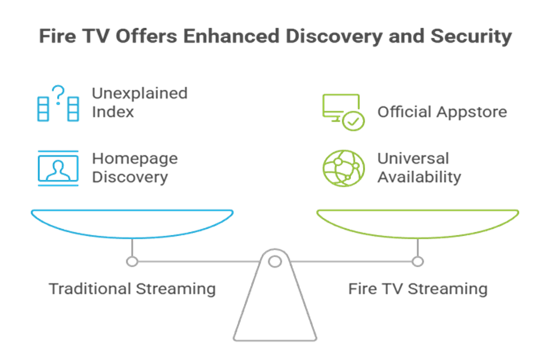
- Ownership Check: Every recommendation needed an identifiable operator, documented storefront, or participating library relationship instead of an unexplained index of third-party embedded players.
- Access Check: Free advertising, library funding, rentals, and purchases remain labeled separately because each model changes commercials, release timing, accounts, and viewing periods.
- Fire TV Check: Official Amazon Appstore availability earned priority, reducing exposure to unknown APK files, fake codecs, copied installers, unsupported browsers, and abandoned television interfaces.
- Discovery Check: Search, genres, channels, watchlists, cast information, curated shelves, or universal availability tools had to help viewers find something beyond the homepage.
- Limit Check: I recorded regional blocks, rotating catalogs, ticket allowances, advertisement rules, account requirements, downloads, and new-release costs before assigning each platform’s audience.
Why New Theater Releases Are the Hardest M4UFree Feature to Replace
A new film normally moves from theaters into premium rental or purchase, subscription streaming, and later advertising-supported or library access. Anonymous sites collapse those windows by promising everything immediately, often without disclosing rights or source quality. Fandango at Home provides the clearest legitimate early route, while the free services become useful once distributors license a later, lower-cost viewing window.
- Premium Window: Rent or buy from an accountable storefront when immediacy matters, checking resolution, edition, rental period, price, refund terms, and supported playback devices first.
- Subscription Window: A studio or general subscription may receive the film next, but exclusivity periods, country rights, and bundled plans can change before release day.
- Free Window: Advertising-supported services often license movies later, exchanging immediate access for patience and commercial breaks rather than providing every current theatrical title instantly.
- Library Window: Kanopy and Hoopla can surface films through institutional agreements, though participating libraries, monthly allowances, access periods, and exact catalogs remain locally controlled.
- Quality Warning: Treat a free cam copy, codec request, notification demand, browser extension, or refundable-card verification as a warning, not a legitimate release shortcut.
Install M4UFree Alternatives on Firestick Without Unknown Sources
Every recommendation has a documented television route, and each can be used without obtaining an APK from a mirror. Search Amazon’s Appstore for the exact service name, inspect the developer and support link, then play one free title before creating an account or purchasing anything. A licensed service should never require a codec, cleaner, certificate, or notification permission merely to open its catalog.
- Appstore First: Use Fire TV search for the exact brand, then inspect the developer, screenshots, age rating, permissions, update history, reviews, and support address.
- Territory Matters: An official application may still be unavailable where the service lacks rights, so do not substitute a similarly named third-party listing or modified package.
- Pair Safely: When a television displays an activation code, enter it only on the exact official domain shown inside the genuine application using a trusted phone.
- Test Playback: Check captions, seeking, audio tracks, resume behavior, commercial breaks, and picture quality before relying on an app for accessibility or a planned movie night.
- Keep Fire TV Clean: Remove abandoned clone applications and review our Dodgy Firestick risks and legal alternatives guide before enabling installations outside Amazon’s store.
Retire Old M4UFree Browser Permissions Before You Switch
Changing services does not automatically remove permissions granted to an old streaming page. Revoke notifications, clear stored site data, delete unfamiliar downloads, and inspect browser extensions or sideloaded applications before signing into a replacement. The FTC warns that pirate streaming apps can spread malware, expose credentials, generate pop-ups, and threaten other devices sharing the network.
- Notifications: Block old streaming domains from sending alerts because deceptive warnings, prize messages, fake updates, and renamed mirror notices can continue after the tab closes.
- Downloads: Delete unrequested player installers, codecs, browser packages, profiles, and mobile applications, then run the operating system’s current security scan before signing in elsewhere.
- Passwords: Change any password reused on a questionable site, choose a unique replacement, and enable multifactor authentication for the email account connected to streaming profiles.
- Payment Details: Review card statements if a supposed free player requested verification, and contact the issuer immediately about unfamiliar holds, subscriptions, or recurring entertainment charges.
- Network Check: Update Fire OS, browsers, routers, and security software, then investigate unexplained redirects, sluggish performance, new extensions, altered search settings, or persistent pop-ups.
Verdict
Tubi is the best all-around replacement for licensed on-demand movies, The Roku Channel delivers the largest combined free catalog and live guide, and Plex provides the most useful discovery layer. No accountable service promises every current theatrical release without cost. Combine one broad free app, a library service, and occasional rentals instead of following copied M4UFree domains.
- Tubi: Best overall for a broad licensed library, official Fire TV support, optional account sync, transparent advertising, and no payment-card requirement.
- The Roku Channel: Best for viewers wanting tens of thousands of free programs, Roku Originals, more than 500 live channels, and compatible Fire TV access.
- Plex: Best for cross-service discovery, broad geographic reach, free movies, live channels, a universal watchlist, and optional personal-media organization.
FAQs
What is the best free M4UFree alternative?
Tubi is the strongest general choice in supported countries because it combines a large licensed catalog, native Fire TV application, optional profiles, and ordinary playback without a subscription or payment card.
Do I need an account to use these M4UFree alternatives?
Tubi, Pluto TV, Sling Freestream, and Xumo Play allow some viewing without registration. Roku and Plex profiles improve synchronization, while Fandango transactions, Kanopy, and Hoopla require appropriate accounts.
Are brand-new cinema releases free on these services?
Not reliably. New films normally enter rental or purchase windows first. Fandango at Home offers that premium route, while licensed free services may receive the same movie later.
Which M4UFree alternative lets me download movies?
Hoopla can download eligible library borrows inside supported mobile applications for the lending period. Other services apply their own protected download rules or emphasize streaming instead.
Where can I compare more free movie-site alternatives?
Our best free FMovies alternatives guide compares another set of legal viewing choices. Recheck country, ads, account rules, device support, and title availability before deciding.