Key Takeaway: After weeks of testing on my Fire TV Stick 4K Max, HBO Max earns my top spot for prestige TV and Warner blockbusters, Disney+ wins for families chasing Marvel and Star Wars, and Hulu leads for next-day network episodes. Each one gave me a genuine reason to stop missing Netflix.
Netflix isn’t the easy default it used to be. Prices have crept up year after year, the password-sharing crackdown means the account you split with family now costs extra, and the ad-free tiers keep climbing. I finally asked myself what I was actually paying for, and whether cheaper, better-focused services could cover the same ground.
Catalog Note: Netflix licensing expirations can move a title to the studio that owns it, but availability still differs by country and plan. Check the exact series or film in each official catalog before switching subscriptions.
Content and Licensing Note: This Best Netflix Alternatives guide compares applications and viewing services for informational purposes. Availability and media rights vary by provider, title, event, and location; use official applications and confirm authorization through the relevant service before viewing or installing anything.
Best Netflix Alternatives in 2026: My Top Picks
| Site/App | Best For | Content Focus | Get Started |
|---|---|---|---|
| HBO Max | Prestige TV & Warner films | HBO, Warner Bros, Max originals | Visit Site |
| Disney+ | Families & franchises | Disney, Marvel, Star Wars, Pixar | Visit Site |
| Hulu | Next-day network TV | Broadcast TV, FX, movies | Visit Site |
| Peacock | Live live-event programming & Bravo | NBC, Bravo, live live-event programming | Visit Site |
| Paramount+ | Star Trek & UFC | CBS, SHOWTIME, Star Trek | Visit Site |
1) HBO Max
HBO Max is my pick for anyone who misses Netflix’s prestige dramas, pairing the full HBO library with Warner Bros blockbusters and Max originals. New Warner theatrical films land roughly 45 days after cinemas. I streamed The Last of Us in 4K on my Fire TV Stick 4K Max, and the picture and Atmos sound were flawless.
Features:
- HBO originals: The full slate of HBO prestige series and films anchors the service, from flagship dramas to buzzy limited series that regularly dominate awards season conversation.
- Warner Bros films: New Warner theatrical releases arrive on the service around 45 days after their cinema debut, giving you recent blockbusters without a separate rental fee.
- Max originals: Beyond HBO, a growing library of Max original series and movies broadens the catalog into comedy, documentary, and genre territory that keeps the lineup fresh.
- 4K and Atmos: On my Fire TV Stick 4K Max, the Premium tier delivered crisp 4K UHD with Dolby Atmos across four simultaneous screens without any noticeable buffering.
- Reality catalog: The absorbed Discovery+ library adds a deep well of reality and lifestyle programming, from home renovation to food and true-crime, alongside the prestige scripted content.
- Live live-event programming: Bleacher Report live live-event programming are folded into the service, so certain games and events stream alongside the on-demand catalog without needing a separate live-event programming subscription.
- Brand history: Warner rebranded Max back to HBO Max in July 2025, a nod to the HBO name that still signals premium, grown-up television for most subscribers.
| Pros | Cons |
| Unmatched prestige TV library | Premium tier is pricey |
| Recent Warner blockbusters included | Ads on basic plan |
| True 4K with Atmos | Interface can feel cluttered |
| Deep reality catalog added | Frequent rebrands confuse users |
| Some live live-event programming included | |
| Four simultaneous screens |
Pricing:
- $10.99/mo (checked Jul 2026) for Basic With Ads, or $109.99/yr if you pay annually and skip a monthly bill.
- Standard ad-free runs $18.49/mo (checked Jul 2026) or $184.99/yr, removing ads and adding offline downloads.
- Premium ad-free with 4K on four screens costs $22.99/mo (checked Jul 2026) or $229.99/yr.
Link: https://www.hbomax.com/
2) Disney+
Disney+ is the obvious Netflix replacement for families, bundling Disney, Pixar, Marvel, Star Wars, and National Geographic under one roof. Hulu now lives inside the same app, so grown-up shows sit beside the kids’ catalog. Testing on my Fire TV Stick 4K Max, I found the app quick to load and easy for my kids to navigate alone.
Features:
- Disney and Pixar: The complete Disney and Pixar animated libraries anchor the service, giving families decades of classics and new releases that hold up to endless repeat viewing.
- Marvel and Star Wars: The full Marvel Cinematic Universe and Star Wars saga stream here, including exclusive series that expand both franchises well beyond their theatrical release schedules.
- Nat Geo: National Geographic’s documentary catalog adds nature, science, and exploration programming, giving the service educational weight that works well for curious kids and adults alike.
- Hulu integration: Hulu now sits inside the Disney+ app, so mature dramas and next-day network TV live one tab away from the family-friendly Disney content without app-switching.
- 4K and downloads: On my Fire TV Stick 4K Max, the Premium tier streamed 4K UHD with Dolby Atmos cleanly and let me download titles for offline trips.
- Bundle savings: Disney sells discounted bundles combining Disney+, Hulu, and ESPN, which lowers the effective cost if you want live-event programming and general entertainment alongside the family catalog.
- Kid profiles: Dedicated kids’ profiles lock the interface to age-appropriate titles, giving parents peace of mind when younger viewers browse and press play on their own.
| Pros | Cons |
| Unbeatable for families | Recent October price hike |
| Marvel and Star Wars exclusives | Thin on mature drama |
| Hulu built right in | Ads on basic tier |
| True 4K with Atmos | Catalog leans heavily franchise |
| Discounted ESPN bundles available | |
| Strong kids’ profile controls |
Pricing:
- $11.99/mo (checked Jul 2026) for the Basic plan with ads, the cheapest way into the full Disney catalog.
- Premium ad-free with 4K costs $18.99/mo (checked Jul 2026) or $189.99/yr for the annual commitment.
- A recent October 2025 price hike pushed these figures up, so confirm the current rate at checkout.
Link: https://www.disneyplus.com/
3) Hulu
Hulu is where I go for current-season network television, with next-day episodes from ABC, NBC, and Fox landing the morning after they air. FX originals like The Bear and Shogun are exclusive here too. On my Fire TV Stick 4K Max, the standalone app stayed responsive, though Hulu now also lives as a hub inside Disney+.
Features:
- Next-day network TV: Episodes from ABC, NBC, and Fox arrive the day after broadcast, so you can keep up with current-season shows without a cable subscription or DVR.
- FX originals: Hulu is the exclusive streaming home of FX hits like The Bear and Shogun, giving it a prestige-drama edge most broadcast-focused services simply cannot match.
- Movie selection: A rotating film library rounds out the TV catalog, mixing recent theatrical releases with older favorites so there’s usually something worth queuing on a quiet night.
- Disney+ hub: While still sold on its own, Hulu also appears as a hub inside the Disney+ app, letting subscribers reach both catalogs from a single interface.
- App performance: On my Fire TV Stick 4K Max, the standalone Hulu app loaded quickly and handled search smoothly, though switching profiles occasionally took a beat longer than expected.
- Disney ownership: Hulu is now wholly owned by Disney, which has tightened the integration with Disney+ and signals long-term investment in keeping the content library growing.
- Ad flexibility: Two tiers let you choose between a cheaper ad-supported plan and a pricier ad-free option, so you can trade a few commercials for a lower monthly bill.
| Pros | Cons |
| Next-day network episodes | No 4K on Hulu |
| Exclusive FX originals | Ad-free tier costs more |
| Deep TV back catalog | Movie library rotates out |
| Works inside Disney+ too | No annual ad-free option |
| Affordable ad-supported tier | |
| Solid rotating movie library |
Pricing:
- $11.99/mo (checked Jul 2026) for the With Ads plan, or $119.99/yr if you commit annually.
- The No Ads plan costs $18.99/mo (checked Jul 2026) and is sold only as a monthly subscription.
- Bundling with Disney+ and ESPN through Disney lowers the effective monthly cost of all three.
Link: https://www.hulu.com/
4) Peacock
Peacock is my value pick for live live-event programming and NBCUniversal television, streaming live professional football, regional football programming soccer, and exclusive professional basketball games alongside the full Bravo reality catalog and next-day NBC episodes. I watched Sunday Night Football on my Fire TV Stick 4K Max and the live feed held steady with no drops throughout the game.
Features:
- Live live-event programming: Peacock carries live professional football games, regional football programming soccer, and exclusive professional basketball matchups, making it one of the strongest live-event programming options among mainstream streaming services right now.
- Bravo catalog: The complete Bravo library lives here, so reality fans get every franchise on demand, plus next-day access to new episodes as they air on the network.
- Next-day NBC: New NBC broadcast episodes hit Peacock the day after airing, covering current-season network shows without the need for a cable box or separate DVR setup.
- Live feed quality: On my Fire TV Stick 4K Max, live live-event programming streams stayed sharp and stable, holding their feed through full games without the stutter I feared.
- Movie library: A rotating slate of Universal films fills out the catalog, mixing recent theatrical releases with older favorites for nights when you’d rather watch a movie.
- Tier trade-offs: The cheap Select plan leaves out live-event programming, movies, and originals, so most viewers will want Premium or Premium Plus to unlock everything Peacock actually offers.
- Recent changes: Peacock raised prices in July 2025 and dropped its free trial, so there’s no longer a no-cost way to sample the service before committing.
| Pros | Cons |
| Strong live live-event programming lineup | Select tier heavily limited |
| Full Bravo reality catalog | July 2025 price hike |
| Next-day NBC episodes | No more free trial |
| Cheapest tier under $8 | Ads on cheaper plans |
| Stable live live-event programming streams | |
| Universal movie library |
Pricing:
- $7.99/mo (checked Jul 2026) for Select, or $79.99/yr, though this tier drops live-event programming, movies, and originals.
- Premium runs $10.99/mo (checked Jul 2026) or $109.99/yr and unlocks live live-event programming plus the full catalog.
- Premium Plus removes ads at $16.99/mo (checked Jul 2026) or $169.99/yr with local channel access.
Link: https://www.peacocktv.com/
5) Paramount+
Paramount+ is my pick for CBS fans, Star Trek loyalists, and combat-live-event programming viewers, combining the CBS catalog, Paramount films, and the entire Star Trek universe. The Premium tier folds in SHOWTIME and live local CBS. On my Fire TV Stick 4K Max, Premium streamed in crisp 4K, and UFC events came through clean as the exclusive US home.
Features:
- CBS library: The deep CBS catalog anchors the service, from long-running procedurals to daytime and late-night staples, giving broadcast fans an enormous back library to work through.
- Star Trek universe: Paramount+ is the exclusive streaming home of the entire Star Trek franchise, spanning classic series and new originals that fans cannot legally stream anywhere else.
- UFC home: A seven-year deal makes Paramount+ the exclusive US home of UFC, so fight fans get every card without hunting down a separate live-special access purchase.
- SHOWTIME bundle: The Premium tier folds in the full SHOWTIME catalog and live local CBS, effectively combining two subscriptions into one bill for prestige drama and broadcast fans.
- 4K playback: On my Fire TV Stick 4K Max, the Premium tier streamed in crisp 4K with offline downloads, while the Essential plan capped out at 1080p with ads.
- Paramount films: The Paramount Pictures film library adds recent blockbusters and older classics, giving the service a movie side that complements its television and live-event programming offerings nicely.
- Tier differences: Essential is cheaper but streams 1080p with ads and no local CBS, while Premium adds 4K, SHOWTIME, downloads, and live local stations for the higher price.
| Pros | Cons |
| Entire Star Trek universe | Essential tier lacks 4K |
| Exclusive US UFC home | January 2026 price hike |
| SHOWTIME bundled on Premium | Ads on Essential plan |
| Deep CBS back catalog | Interface feels dated occasionally |
| 4K on Premium tier | |
| Live local CBS included |
Pricing:
- $8.99/mo (checked Jul 2026) for Essential, or $89.99/yr, streaming 1080p with ads and no local CBS.
- Premium with SHOWTIME costs $13.99/mo (checked Jul 2026) or $139.99/yr, adding 4K, downloads, and live CBS.
- A January 2026 price increase raised both tiers, so verify the latest figure before you subscribe.
Link: https://www.paramountplus.com/
6) Starz
Starz is my pick for mature, character-driven drama and recent movies, home to originals like Outlander, Power, and BMF plus an exclusive first-run window for new Sony films. There’s one simple ad-free plan. On my Fire TV Stick 4K Max, Starz streamed in 4K across four screens, and downloads worked smoothly for offline viewing on the road.
Features:
- Flagship originals: Starz built its reputation on originals like Outlander, Power, and BMF, character-driven dramas that reward viewers who want mature, serialized storytelling over franchise spectacle.
- First-run Sony films: An exclusive first-run window brings new Sony theatrical releases to Starz before other subscription services, giving movie fans fresh blockbusters as part of the plan.
- 4K streaming: On my Fire TV Stick 4K Max, Starz delivered clean 4K playback across four simultaneous streams, with downloads that let me save episodes for offline flights.
- Single plan simplicity: Starz skips confusing tiers with one straightforward ad-free plan, so you never have to weigh which features you lose by choosing a cheaper option.
- Mature drama focus: The catalog leans hard into mature-audience storytelling, favoring gritty crime sagas and steamy period pieces over the family or franchise content dominating bigger services.
- Ad-free viewing: The single plan is entirely ad-free, so every episode and film plays without interruptions, a welcome contrast to the ad-supported base tiers most rivals now push.
- Standalone company: Starz spun off from Lionsgate into an independent company in 2025, a move that has sharpened its focus on premium originals and its first-run film pipeline.
| Pros | Cons |
| Strong mature original dramas | Smaller overall catalog |
| First-run Sony movies | Niche mature-drama focus |
| Simple single ad-free plan | No cheaper ad tier |
| 4K across four screens | Fewer family options |
| Cheap annual price | |
| Downloads for offline viewing |
Pricing:
- $11.99/mo (checked Jul 2026) for the single ad-free plan, or $69.99/yr, which is a strong annual discount.
- The annual option delivers a significant saving over paying month to month, making it the obvious choice if you plan to stay.
- Every plan includes 4K, downloads, and four simultaneous streams with no ads at any tier.
Link: https://www.starz.com/
7) MUBI
MUBI is my pick for cinephiles who want curation over an endless scroll, hand-picking arthouse, indie, international, and classic films into a tight rotating catalog. It also distributes films theatrically, including The Substance, and produces originals. On my Fire TV Stick 4K Max, the minimalist app made discovering a new film feel refreshingly deliberate rather than overwhelming.
Features:
- Hand-curated catalog: MUBI’s team hand-picks every title into a rotating library, so instead of endless scrolling you get a small, thoughtful selection that changes regularly to stay fresh.
- Arthouse focus: The library centers on arthouse, indie, international, and classic cinema, making it the natural home for viewers who want festival films rather than mainstream studio blockbusters.
- MUBI GO ticket: The MUBI GO plan adds a weekly cinema ticket, letting subscribers see a hand-selected film in an actual theater every week as part of the subscription.
- Theatrical distributor: MUBI is also a film distributor, releasing titles like The Substance in cinemas, which means its streaming catalog often features acclaimed films it backed itself.
- App experience: On my Fire TV Stick 4K Max, MUBI’s stripped-back interface loaded fast and made browsing the curated slate feel calm and intentional rather than algorithm-driven and cluttered.
- Original productions: Beyond curation, MUBI produces its own original films, adding exclusives to the catalog that you cannot find on the larger, mainstream streaming platforms elsewhere.
- Student discount: A discounted student plan lowers the monthly price for those enrolled, making MUBI’s curated cinema more accessible to film students working with a tight monthly budget.
| Pros | Cons |
| Expertly curated film selection | Small rotating catalog |
| Weekly cinema ticket option | No mainstream blockbusters |
| Clean, minimalist interface | Titles leave regularly |
| Rare international and arthouse titles | MUBI GO is pricey |
| Discounted student plan | |
| Exclusive MUBI originals |
Pricing:
- $14.99/mo (checked Jul 2026) for the Standard plan, or $119.88/yr, unlocking the full curated streaming catalog.
- Students pay a reduced $9.99/mo (checked Jul 2026) with valid enrollment, one of the cheaper cinephile options available.
- MUBI GO costs $19.99/mo (checked Jul 2026) and adds a weekly cinema ticket to the streaming plan.
Link: https://mubi.com/
8) Shudder
Shudder is my pick for horror and thriller devotees, curating cult classics, modern frights, and exclusives like Late Night with the Devil into one focused catalog. There’s even a live Shudder TV channel. On my Fire TV Stick 4K Max, the ad-free tier played every film cleanly and let me download titles for a weekend away.
Features:
- Curated horror: Shudder hand-picks horror, thrillers, and cult titles into a tightly focused catalog, so genre fans get a deep, specialized library instead of a thin horror row buried elsewhere.
- Exclusive originals: Shudder produces genre originals like Late Night with the Devil, giving subscribers buzzy horror exclusives they cannot stream on any of the larger mainstream services.
- Shudder TV: An ad-free live Shudder TV channel streams a curated horror feed around the clock, perfect for when you want something playing without picking a specific title yourself.
- Offline downloads: On my Fire TV Stick 4K Max, the ad-free tier let me download horror films for offline viewing, and playback stayed smooth with no interruptions throughout.
- Bundle option: A direct Shudder subscription can bundle AMC+, Sundance Now, and IFC Films Unlimited, broadening the catalog well beyond horror for a modest step up in price.
- Budget pricing: With an ad-supported tier at just $4.99 a month, Shudder is one of the cheapest specialized streaming services, making a horror habit remarkably easy to justify.
- Cult depth: Beyond new releases, Shudder digs deep into obscure cult and international horror, surfacing hard-to-find titles that even dedicated genre fans may have never seen before.
| Pros | Cons |
| Deep, curated horror catalog | Horror-only niche appeal |
| Exclusive genre originals | Ads on cheapest tier |
| Live Shudder TV channel | No 4K streaming |
| Cheapest tier under $5 | Small non-horror selection |
| Bundles with AMC+ available | |
| Rare cult titles |
Pricing:
- $4.99/mo (checked Jul 2026) for the With Ads tier, the cheapest way into the full horror catalog.
- Ad-official free-to-view programminging costs $8.99/mo (checked Jul 2026), removing commercials and unlocking the live Shudder TV channel.
- An annual plan runs $83.88/yr (checked Jul 2026), the best value for committed horror fans.
Link: https://www.shudder.com/
9) BritBox
BritBox is my pick for British-TV fans, holding the largest US collection of BBC and ITV programming, from classic mysteries to current dramas and panel shows. Both tiers stream ad-free. On my Fire TV Stick 4K Max, the Premier tier added 4K and downloads, and the archive ran deep enough to keep me busy for months.
Features:
- Largest British collection: BritBox holds the biggest library of British television in the US, pulling deep from the BBC and ITV archives across every genre and decade imaginable.
- BBC and ITV archives: Decades of classic and current BBC and ITV programming stream here, from beloved mysteries and period dramas to comedy panel shows and long-running soaps.
- Ad-free everywhere: Both the Standard and Premier tiers stream entirely ad-free, so you never sit through commercials regardless of which plan fits your budget best each month.
- Premier 4K: On my Fire TV Stick 4K Max, the annual Premier tier unlocked 4K playback, offline downloads, and BBC Select, noticeably sharpening the picture over the Standard plan.
- BBC Studios owned: BritBox is now wholly owned by BBC Studios, which secures a steady pipeline of British programming and signals long-term commitment to the US service’s catalog.
- Mystery and drama depth: Fans of British crime and period drama get an enormous back catalog, from cozy village whodunits to gritty modern thrillers spanning many decades of television.
- Annual savings: Paying yearly on either tier trims the effective monthly cost, and the Premier annual plan is the only way to unlock 4K, downloads, and BBC Select together.
| Pros | Cons |
| Largest US British library | Niche British-only focus |
| Ad-free on both tiers | September 2025 price hike |
| Deep BBC and ITV archives | 4K needs annual Premier |
| Premier adds 4K downloads | No monthly Premier option |
| Backed by BBC Studios | |
| Strong mystery selection |
Pricing:
- $10.99/mo (checked Jul 2026) for the Standard ad-free plan, or $109.99/yr for the annual commitment.
- Premier costs $149.99/yr (checked Jul 2026), adding 4K, offline downloads, and BBC Select to the catalog.
- Both tiers stream ad-free, and a September 2025 hike raised prices, so confirm the latest rate.
Link: https://www.britbox.com/us/
10) AMC+
AMC+ is my pick for fans of AMC drama, horror, and indie film, bundling AMC, BBC America, IFC, Sundance Now, and Shudder into a single subscription. You get early access to new AMC series too. On my Fire TV Stick 4K Max, I dove into the deep Walking Dead universe and Anne Rice adaptations without a single hiccup.
Features:
- Bundled networks: A single AMC+ subscription folds in AMC, BBC America, IFC, Sundance Now, and Shudder, effectively combining five content libraries into one bill for a broad, genre-spanning catalog.
- Walking Dead universe: AMC+ is the definitive home of the sprawling Walking Dead universe, collecting the flagship series and every spinoff in one place for marathon-friendly binge sessions.
- Early access: Subscribers get early access to new AMC series, often streaming fresh episodes ahead of their cable broadcast, which rewards fans who want to stay ahead of spoilers.
- Anne Rice adaptations: On my Fire TV Stick 4K Max, I streamed the acclaimed Anne Rice adaptations back to back, and the app handled the long binge without buffering.
- Shudder horror: Because Shudder is bundled in, AMC+ carries a deep well of curated horror alongside its dramas, giving genre fans two libraries’ worth of frights in one place.
- Indie film: The IFC and Sundance Now libraries bring independent films and festival darlings into the mix, broadening AMC+ well beyond television for viewers who love smaller cinema.
- Flexible tiers: An ad-supported plan keeps the entry price low, while the ad-free Premium tier removes commercials and can be paid monthly or annually for a modest saving.
| Pros | Cons |
| Five networks bundled together | February 2026 price increase |
| Complete Walking Dead universe | Ads on cheaper tier |
| Early access to AMC series | Catalog can feel scattered |
| Shudder horror included | Overlaps with standalone Shudder |
| Indie film libraries | |
| Affordable ad-supported tier |
Pricing:
- $7.99/mo (checked Jul 2026) for the With Ads plan, the cheapest entry into the full bundle.
- Premium ad-free costs $10.99/mo (checked Jul 2026) or $109.99/yr, removing commercials across every bundled network.
- A February 2026 price increase nudged these figures up, so verify the current rate at checkout.
Link: https://www.amcplus.com/
Setting Up a Netflix Alternative on Your Firestick
Switching services on a Firestick is quick, but a few steps save headaches. Every app below is available in the Amazon Appstore, so you rarely need workarounds. Here’s how I install, sign in, and optimize a new streaming app on my Fire TV Stick.
- Search the Appstore: From the Firestick home screen, use the search icon to find your service by name, then select Download or Get to install the official app free.
- Sign in on the web: Most apps show a code and a website URL; entering that code from your phone or laptop beats typing a password with the remote.
- Check your internet speed: For smooth 4K on services like HBO Max or Disney+, aim for at least 25 Mbps; run a quick speed test before you complain about buffering.
- Set up profiles first: Create individual profiles right away so recommendations stay accurate and kids land in a locked, age-appropriate view instead of your mature-drama watchlist by accident.
- Add it to Favorites: Long-press the app on your home screen and move it up front, so your new service sits beside the apps you actually open daily.
That’s the entire setup: install once, sign in on the web, and the app keeps itself updated from there.
How I Ranked These Netflix Alternatives
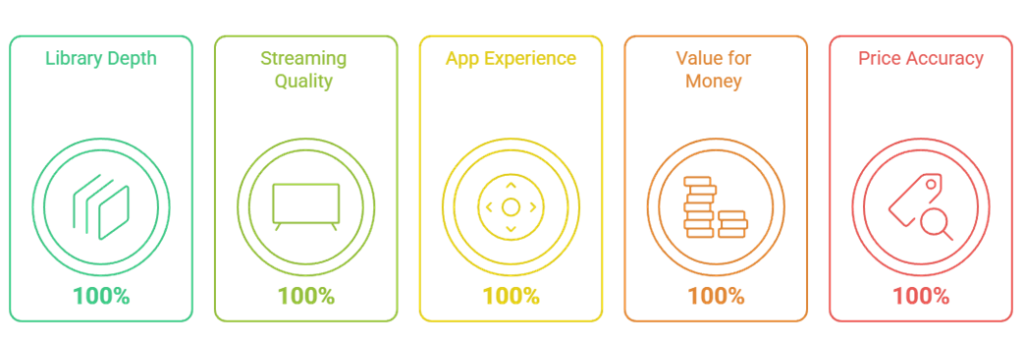
I judged each alternative the way I actually watch television at home, weighing library depth, streaming quality, ease of use on the Firestick remote, and whether the monthly price felt fair.
- Library depth: I looked past the marketing at how many shows and films I would realistically watch, and whether the catalog had staying power beyond one hit series.
- Streaming quality: I tested playback resolution, HDR, and audio on my 4K Max, checking whether the advertised 4K and Dolby Atmos actually kicked in during real viewing.
- App experience: I navigated each Fire TV app with the standard remote, timing how fast it loaded, how cleanly search worked, and how often profiles or downloads misbehaved.
- Value for money: I weighed each plan’s monthly and annual cost against what you get, factoring in ads, screen counts, 4K access, and any bundle discounts on offer.
- Price accuracy: I confirmed every figure on the provider’s official US site in July 2026, then flagged the most recent price hikes so nothing here catches you off guard.
Bundles and Tricks That Shrink Your Monthly Bill
Stacking individual subscriptions adds up fast, but a few habits kept my monthly streaming bill well below what Netflix now charges. Bundles, annual plans, and rotating services are the three levers I lean on hardest to keep the total genuinely manageable.
- Chase the Disney bundle: Combining Disney+, Hulu, and ESPN through Disney’s bundle costs noticeably less than buying all three separately, and everything lives inside a single, tidy app.
- Pay annually when sure: Services like HBO Max, Peacock, and Starz shave real money off an annual plan versus twelve monthly payments, so commit yearly to the ones you’ll keep.
- Rotate instead of stacking: Rather than paying for five services at once, I subscribe to one, binge its originals, cancel, and move to the next, keeping only one active monthly.
- Use ad-supported tiers: If a few commercials don’t bother you, the With Ads plans on Hulu, Peacock, and Shudder cut several dollars off each month for the same catalog.
- Lean on stacked bundles: AMC+ folds in Shudder, Sundance Now, and IFC, while a Shudder subscription can bundle AMC+, so pick the single package that covers the most watchlist.
Rotating one service at a time, I rarely pay for more than two subscriptions in any given month.
What You Give Up When You Cancel Netflix
Cutting Netflix isn’t entirely painless, and I want to be honest about the trade-offs. No single alternative replicates everything Netflix does well, so before you cancel, it helps to know exactly which strengths you’ll miss and how to cover them elsewhere.
- The single-app convenience: Netflix puts a massive, varied catalog behind one login; replacing it means juggling several apps and passwords, which is the real cost of switching away.
- Netflix originals stay exclusive: Netflix-produced hits live only on Netflix, so canceling means losing access to its ongoing originals unless you resubscribe later to catch up on a season.
- The recommendation engine: Netflix’s algorithm is unusually good at surfacing your next watch; some alternatives, especially curated ones like MUBI, take a very different, more hands-on discovery approach.
- Broad genre coverage: Netflix spans nearly every genre at once; most alternatives specialize, so you trade one do-everything library for several focused ones that each do a niche well.
- Cross-device polish: Netflix’s apps are consistently smooth across every device; some alternatives feel clunkier on the Firestick, though the best ones here match Netflix’s responsiveness closely enough.
None of these are dealbreakers for me, but they’re worth weighing before you hit cancel.
Matching a Streaming Service to Your Watchlist
The smartest way to choose is to start with what you actually watch, not with the biggest catalog. Once I mapped my watchlist against each service’s strengths, the right pick became obvious. Here’s how I’d match common viewing habits to the alternatives above.
- For prestige drama lovers: If you chase award-winning, character-driven series, HBO Max and Starz should top your list, both built around premium originals rather than broad family or franchise catalogs.
- For families with kids: Disney+ is the clear default, packing Disney, Pixar, Marvel, and Star Wars behind strong parental controls, with Hulu built in for the grown-ups after bedtime.
- For live-event programming and live TV: Peacock and Paramount+ cover live professional football, regional football programming, professional basketball, and UFC between them, so pick based on which leagues and networks you follow most closely.
- For genre specialists: Horror fans should grab Shudder, cinephiles MUBI, and British-TV devotees BritBox; each nails one niche far deeper than any general-purpose service ever attempts to.
- For current-season TV: If keeping up with network shows matters, Hulu and Peacock deliver next-day ABC, NBC, and Fox episodes, sparing you a cable box or a costly live-TV package.
Start from your watchlist, and one or two of these will fit far better than Netflix ever did. For more cord-cutting picks, see our guide to the best YouTube TV alternatives.
Verdict:
After a month of testing every service on this list on my Fire TV Stick 4K Max, three rose clearly above the rest. Your ideal pick still depends on what you watch, but if I had to rebuild my streaming lineup from scratch tomorrow, these are the three subscriptions I would sign up for first, without hesitation.
- HBO Max: It offers the deepest, most consistent library of prestige television anywhere, paired with recent Warner blockbusters and true 4K, making it the closest thing to an all-round Netflix replacement.
- Disney+: For any household with children, nothing else comes close; Disney, Pixar, Marvel, and Star Wars sit behind solid parental controls, with Hulu built right in for the adults.
- Hulu: If you still care about current-season network television, Hulu is unbeatable, delivering next-day ABC, NBC, and Fox episodes alongside exclusive FX dramas that rival anything Netflix ever produced.
FAQs
Which Netflix alternative is the best overall?
After testing all ten on my Fire TV Stick 4K Max, HBO Max is my overall winner. It pairs the deepest prestige-TV library with recent Warner blockbusters, true 4K, and Dolby Atmos, making it the single service that most fully replaces what Netflix used to offer me.
What is the cheapest Netflix alternative?
Shudder is the cheapest here, starting at $4.99 a month for its ad-supported tier, though it focuses purely on horror and thrillers. For broader catalogs on a budget, Peacock’s Select plan at $7.99 and AMC+ with ads at $7.99 both undercut what Netflix now charges each month.
Can I run these streaming services on my Firestick?
Yes, every service in this roundup has an official app in the Amazon Appstore, so installation on any Fire TV Stick takes a minute. I installed and tested all ten on my Fire TV Stick 4K Max, and each ran smoothly once I signed in through the on-screen code.
Which alternative is best for families?
Disney+ is my clear pick for families. It packs Disney, Pixar, Marvel, Star Wars, and National Geographic behind strong kids’ profiles and parental controls, and Hulu now sits inside the same app, giving parents mature dramas one tab away once the children have gone to bed.
Do I need to cancel Netflix to use these?
Not at all. Many viewers keep Netflix for its exclusive originals and add one focused alternative alongside it. To save money, I rotate services instead, subscribing to one, bingeing its catalog, then canceling before the next bill and moving on to another. Only pay for what you’re actively watching. You might also like our best Tubi alternatives.