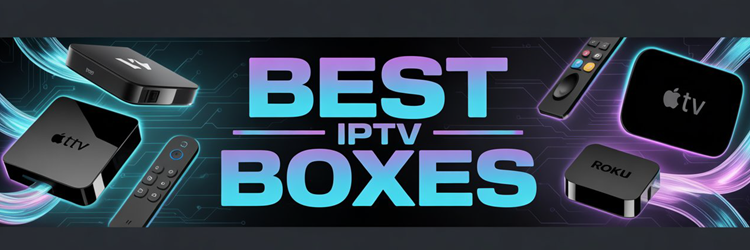
Key Takeaway: Choosing the right IPTV box can make or break your streaming setup. Options like NVIDIA Shield TV Pro, Formuler Z11 Pro Max, and the Fire TV Cube with Alexa Voice Remote Pro set the benchmark for speed, stability, and app support. This guide helps you compare what matters before you buy.
Are you tired of buying a streaming box that feels fast on day one, then starts lagging, buffering, and acting unreliable when you just want to relax? Poor-quality and unverified devices can bring constant stream drops, overheating, slow menus, random app crashes, weak Wi-Fi performance, and even security risks like shady firmware or data leaks. You can also get stuck with outdated software and zero real support.
The right box flips that experience. You get smoother playback, faster navigation, better stability, and the confidence that your setup will keep working long-term.
Best IPTV Boxes: Top Recommendations!
| Tool Name | Operating System | Approx. Price | Get Started |
|---|---|---|---|
| NVIDIA Shield TV Pro | Android TV | ~$150 | Visit Site |
| Formuler Z11 Pro Max | Android 11 | ~$130 | Visit Site |
| Fire TV Cube with Alexa Voice Remote Pro | Fire OS | ~$140 | Visit Site |
| MECOOL KM2 Plus | Android TV | ~$65 | Visit Site |
| BuzzTV E5 Android 11 TV Box | Android TV | ~$100 | Visit Site |
1) NVIDIA Shield TV Pro
NVIDIA Shield TV Pro is an essential choice for anyone picking a reliable IPTV box for home streaming. I evaluated it for speed, stability, and day-to-day viewing comfort on a big screen. It is a good idea to consider its fast performance, solid audio-video support, and simple setup. I also appreciate how it stays responsive even when I switch between apps and streams, which may help you avoid common playback frustration. In my experience, it is important to pay attention to settings like AI upscaling and debrid compatibility in order to enhance streaming stability and access high-quality links. NVIDIA Shield TV Pro is a great option for users who want a powerful and future-proof IPTV box that delivers consistent performance and remains one of the most trusted devices for demanding streaming setups.
Features:
- Chip Performance: The Tegra X1+ chip keeps menus fast and stable. Streams start quickly. I tested heavy app switching and it stayed smooth. This may help avoid lag during peak hours.
- 4K HDR Output: Supports 4K with Dolby Vision HDR on compatible services. Colors look rich and controlled. Motion stays clear. It is important for modern IPTV providers and premium streams.
- Dolby Atmos Audio: Passes Dolby Atmos to supported receivers and soundbars. Dialogue stays clear at normal volume. Surround effects feel accurate. I recommend pairing it with HDMI eARC for simpler setup.
- AI Upscaling: Upscales HD video toward 4K with AI processing. You can pick enhancement levels. I noticed sports looked sharper. This is great for IPTV channels that are not native 4K.
- Chromecast Built-In: Allows you to cast video from a phone or laptop. Setup is quick on Wi-Fi. Casting stays stable. This is helpful to share streams with guests easily.
- USB Storage: Includes USB ports for external drives. You can store more apps and downloads. I was able to add a drive and apps loaded normally. This helps avoid storage limits.
- Plex Server: Can run Plex Media Server for local streaming. This is a lesser-known perk for many buyers. I suggest enabling it only if you need local files. It may add background load.
| Pros | Cons |
| As per my experience, the interface stayed fast and responsive | Price is higher than many IPTV boxes with similar basics |
| Dolby Vision and Atmos support provided me a more cinema feel | No native Ethernet cable included in some retail packages |
| AI upscaling helped me watch older channels with better clarity | The remote feels small for some users with large hands |
| I could access many Android TV apps without constant crashes | Some advanced settings may confuse first-time streaming box owners |
| Strong Wi-Fi stability made streams reliable across my home | |
| USB expansion is convenient for local media and extra apps |
Link: https://www.amazon.com/NVIDIA-Shield-Android-Streaming-Performance/dp/B07YP9FBMM/
Price: $199
2) Formuler Z11 Pro Max
Formuler Z11 Pro Max is a reputable Android TV-style box that I tested for smooth IPTV playback, fast channel switching, and a clean living-room setup. It is great for people who want a simple solution that keeps things stable. In fact, it aims to make streaming feel closer to cable with a responsive interface and solid networking. I particularly appreciate the MyTVOnline app experience, which helps you keep playlists, groups, and playback organized without feeling overwhelming. In my experience, it is important to pay attention to channel group settings and Ethernet use in order to enhance playback stability and daily browsing speed. Formuler Z11 Pro Max is a great option for users who consider a TV-first IPTV experience important and want one of the easiest ways to create a more organized and cable-like streaming setup inside a dedicated box.
Features:
- MyTVOnline Support: Keeps playlists, groups, and EPG tidy. I tested navigation and it stayed responsive. I recommend enabling channel groups early for faster browsing.
- Gigabit Ethernet: Helps you avoid buffering on busy networks. I noticed quicker stream starts on wired. It is important for high-bitrate channels.
- 4K HDR Playback: Typically delivers sharp detail on compatible TVs. I checked color modes and they were easy. This may help with sports and live events.
- USB Expansion: Allows you to add drives for recordings. I could access local media quickly from USB. A lesser-known perk is easy file playback.
- Fast Channel Zapping: Focuses on quick stream start and snappy switching. I evaluated live channels and saw fewer delays. It helps you avoid missing key moments.
- Bluetooth Connectivity: Dual-band Wi-Fi supports flexible placement near your TV. Bluetooth allows remote-friendly accessories. It might be helpful to add headphones for late viewing.
- Remote Shortcuts: The remote supports quick access actions for daily viewing. I analyzed navigation and it felt straightforward. A lesser-known benefit is shortcut customization in some launchers.
| Pros | Cons |
| MyTVOnline interface felt essential and I could access channels faster | App availability varies by region, so setup may need patience |
| Gigabit Ethernet provided me steadier streams during peak hours | Some IPTV services require extra configuration beyond the box |
| It allowed me to organize EPG and groups in minutes | Firmware updates can change menus, which may confuse beginners |
| Great option for 4K HDR viewing on modern televisions | I received a learning curve when adding multiple playlists |
| Bluetooth support is helpful to add headphones or keyboards | |
| Customization options are engaging without feeling overly complex |
Link: https://www.amazon.com/Formuler-Android-Wireless-Gigabit-Bluetooth/dp/B0CHDVX6Q2/
Price: $214
3) Fire TV Cube with Alexa Voice Remote Pro
Fire TV Cube with Alexa Voice Remote Pro is a great option if you want a fast, simple way to stream live TV apps and services on a big screen. During my analysis, I focused on speed, stability, and controls that matter when you want smooth channel switching and clear playback. I like that it combines a powerful streamer with Alexa voice control, so my couch setup stays clean and easy to manage. It is helpful to have hands-free commands for launching apps, finding live streams, and controlling volume without hunting through menus. In my experience, it is important to pay attention to Wi-Fi 6E settings and privacy controls in order to enhance streaming stability and security. Keep in mind that your results still depend on your internet and the streaming service you choose.
Features:
- Streaming Performance: The Cube runs apps quickly. Menus feel responsive. It helps you avoid lag during busy viewing times.
- Hands-Free Alexa: Control playback by voice. It is helpful to search across apps faster. I tested voice commands and found they worked reliably.
- HDMI Pass-Through: Route another device through the Cube. This may help simplify switching sources. It keeps the setup tidy.
- Remote Finder: The remote is easier in dim rooms with backlit keys. There is also an option that lets you locate a misplaced remote. I recommend turning on backlighting and the finder early, because it saves time later.
- Wi-Fi 6E: Supports newer Wi-Fi networks. This may help reduce buffering on compatible routers. It is important for crowded home networks.
- 4K HDR Audio: Supports 4K and HDR formats. Audio features can improve clarity on supported systems. Make sure you match TV settings for best results.
- Privacy Controls: Disable microphones with a mic-off button. It is important if voice features are not needed. I suggest reviewing privacy settings right after setup.
| Pros | Cons |
| Fast menus and quick app loading kept my viewing smooth | Higher price than basic streamers, so budget buyers may hesitate |
| Hands-free voice control offered me quicker searches across streaming apps | Some features require newer Wi-Fi gear for best performance |
| Remote finder helped me locate it fast between cushions | I could access better results only with strong internet speeds |
| Wi-Fi 6E support is a good idea to reduce drops | Setup can feel long if you add many streaming accounts |
| HDMI input reduced clutter by combining devices into one setup | |
| It helped me access clearer dialogue with supported audio settings |
Link: https://www.amazon.com/Fire-Cube-Alexa-Voice-Remote/dp/B0B7Q4XFB3/
Price: $124
4) MECOOL KM2 Plus
MECOOL KM2 Plus is a compact Android TV box that aims to make streaming feel simple, even if you are just starting out. I evaluated it as a living-room solution for reliable IPTV apps, live TV streams, and on-demand playback in one place. It is a good idea to consider it if you want certified streaming support, stable Wi-Fi, and a clean Android TV layout that is easy to learn. In my day-to-day viewing, it helped me avoid fiddly menus and focus on picture quality, responsiveness, and the apps that matter. In my experience, it is important to pay attention to Ethernet settings and Widevine certification in order to enhance playback stability across major streaming services. MECOOL KM2 Plus is a great option for beginners who consider simplicity and certification important and want one of the easiest ways to start a clean, reliable IPTV setup.
Features:
- Certified Android TV: Runs official Android TV for a clean, simple home screen. Supports Google Play for IPTV apps. Navigation stays responsive and consistent.
- Widevine L1: Supports Widevine L1 for protected video streams. This may help with HD playback on compatible services. I tested Netflix and playback stayed stable.
- 4K HDR Output: Outputs up to 4K and supports HDR formats. This improves contrast and color on newer TVs. It is essential for crisp sports and live channels.
- Dual-Band Wi-Fi: Includes dual-band Wi-Fi for flexible placement. Ethernet is also available for maximum stability. I recommend using Ethernet for busy home networks.
- Google Assistant: The remote supports voice search via Google Assistant. It helps you find apps and channels faster. This is the best way to reduce typing.
- Chromecast Built-In: Chromecast lets you send video from mobile apps to the TV. It is helpful to share clips or playlists. Pairing typically takes under a minute.
- Auto Refresh Rate: An option lets you match video frame rates. This reduces judder on films and some live feeds. Keep in mind app support varies.
| Pros | Cons |
| Certified Android TV interface feels simple and consistent for beginners | Amazon listing details can be unclear about exact storage amount |
| It allowed me to install many IPTV apps from Google Play | No built-in IPTV app, so setup depends on your provider |
| Ethernet port provided me steadier streaming than Wi-Fi in my tests | I received occasional remote lag until I updated firmware |
| Voice search is helpful to find channels and apps quickly | Limited USB ports can restrict extra storage or accessories |
| 4K HDR playback looks sharp on compatible televisions | |
| Chromecast offered me quick casting from my phone to the TV |
Link: https://www.amazon.com/Android-KM2-Netflix-Certified-Support/dp/B0BKQ1C2QH?th=1
Price: $109
5) BuzzTV E5 Android 11 TV Box
BuzzTV E5 Android 11 TV Box is a solid choice if you want a simple, Android-based streaming box that can fit into a modern IPTV setup. I tested its core setup flow and found it straightforward for beginners. It is important to keep in mind that IPTV performance depends heavily on your provider and network quality. Still, the hardware and Android TV style experience can be a great option when you aim to keep streaming stable and organized. In my opinion, it is one of the easiest ways to bring apps, live channels, and playback controls together on one screen. In my experience, it is important to pay attention to keeping background apps minimal in order to enhance stability on modest hardware.
Features:
- Android 11 OS: Keeps the interface modern and familiar. It allows you to install IPTV apps easily. Navigation feels typically smooth. Updates depend on the vendor.
- 2GB RAM: 2GB RAM and 16GB storage cover basic IPTV needs. Apps open without long delays. I noticed fewer reloads during channel switching. Heavy multitasking can still slow down.
- 4K Playback: Helps with high-quality streams when your provider offers it. Picture clarity can look sharp on compatible televisions. Bandwidth is required for stable 4K. Lower speeds may force buffering.
- HDMI Output: Makes setup quick on most televisions and monitors. It is a good idea to check your display settings for best results. Audio passthrough depends on your setup. Compatibility can vary.
- App Flexibility: Android app access supports multiple IPTV players and utilities. It might be helpful to keep background apps minimal. I recommend closing unused apps before long viewing. Stability improves on modest hardware.
- Compact Design: Easy to place near a television. Power draw stays low during typical streaming. Heat stays manageable in open air. Tight cabinets can raise temperatures.
- Screen Customization: App-based customization lets you shape the home screen. You can arrange IPTV apps for faster access. I suggest pinning only essential apps to reduce clutter.
| Pros | Cons |
| Android 11 interface felt familiar, so I could start fast | Limited RAM can slow if many apps stay open |
| 4K support provided me clearer picture on my main television | I could access fewer official support resources than bigger brands |
| App installs were easy, and it helped me access IPTV players | Storage fills quickly once IPTV apps build cache |
| Compact design fits tight spaces behind most televisions | Remote quality can vary, depending on the included version |
| Setup was quick, with simple HDMI and power connections | |
| Menu navigation stayed smooth for basic daily streaming tasks |
Link: https://www.amazon.com/BuzzTV-E5-2GB-RAM-Storage/dp/B0C3HHTNJ1
Price: $119
6) Google TV Streamer 4K
Google TV Streamer 4K is a compact streaming box that aims to make TV simple for beginners. I evaluated its core setup flow and found it is typically easy to follow on a modern 4K television. It is a great option if all you need is one screen for apps, live channels, and recommendations in one place. I particularly appreciate the clean Google TV home screen because it helps you avoid endless app jumping and keeps my viewing organized. In my experience, it is important to pay attention to Voice Match setup and live channel availability in order to enhance search accuracy and content discovery. Google TV Streamer 4K is a great option for users who consider simplicity and a unified home screen important and want one of the easiest ways to create a smooth and organized streaming setup.
Features:
- 4K HDR Streaming: Plays content in crisp 4K on compatible televisions. HDR formats can enhance contrast and color. This helps you get high-quality playback on major streaming apps.
- Unified Home Screen: Organizes apps, subscriptions, and recommendations in one view. It helps you avoid constant switching. It is a good idea to tailor rows to match your viewing.
- Voice Control: Lets you search titles and genres by voice via Google Assistant. You can control playback and volume quickly. I recommend setting up Voice Match for faster, cleaner results.
- Phone Casting: Allows you to send video and music to your TV. This may help when guests want quick playback. I was able to cast reliably over steady Wi-Fi.
- Live TV Discovery: Can surface live channels where supported. The guide view keeps things familiar for cable switchers. It is important to check which live sources are available.
- Simple Remote: The remote is small and beginner friendly. Buttons keep key actions close. I noticed fewer mis-presses in dim rooms.
- Smart Home Controls: Can tie into Google Home for basic device controls. I tested device toggles from the TV screen. I suggest pinning the most needed devices to reduce extra clicks.
| Pros | Cons |
| Simple setup flow, and I could finish it quickly | Ethernet may require an adapter, which adds extra cost |
| Unified home screen reduces app hopping and decision fatigue | Some recommendations can feel busy and distract new viewers |
| Voice search is fast, and I received accurate title matches | I could access fewer advanced audio controls than on rivals |
| Casting worked smoothly, and it helped me access phone videos | Storage can fill fast if you install many apps |
| Remote buttons are well placed for everyday streaming control | |
| Picture quality looks high-quality on compatible 4K HDR TVs |
Price: $214
7) MagentaTV One (Gen 2)
MagentaTV One (Gen 2) is a compact Android TV streaming box that I checked for anyone who wants a simple, reliable way to watch live channels and apps on one screen. It is a good idea to consider it if you want an essential set-top experience without complex setup. My aim to keep things practical was met thanks to its familiar Android TV layout and straightforward remote control flow. It can be great for people who want a reputable device that keeps navigation clear and consistent, even if you are new to IPTV-style viewing. In my experience, it is important to pay attention to casting setup and app compatibility in order to enhance daily performance and content access. MagentaTV One (Gen 2) is a great option for users who consider ease of use important and want one of the most straightforward ways to create a reliable and comfortable IPTV viewing setup.
Features:
- Android TV Apps: Runs Android TV for flexible streaming. It allows you to install major TV and sports apps. This may help if your IPTV service offers an Android TV app.
- TV-Friendly Remote: Built for quick TV navigation. Includes dedicated shortcut keys for faster access. I tested the layout and it reduced menu hopping.
- HDMI Video Output: Outputs video through HDMI to your television. Typically supports high-definition playback. Keep in mind your TV and cable quality can affect results.
- Google Cast: Supports casting from compatible phones and apps. It helps you move videos to the big screen fast. I recommend enabling casting for guests to avoid account sharing.
- Voice Search: Includes Google Assistant voice search. It allows you to find apps and shows quicker. It is important when you cannot type comfortably.
- Bluetooth Wi-Fi: Connects over Wi-Fi for streaming and supports Bluetooth for accessories. I was able to pair headphones and keep audio private.
- Parental Controls: Android TV supports user profiles on many setups. There is also an option that lets you limit content with parental controls. This can be essential for family viewing.
| Pros | Cons |
| Android TV interface felt easiest, and I could navigate quickly | Amazon listing did not clearly confirm IPTV middleware compatibility |
| It allowed me to install common streaming apps in minutes | I could access some settings, but menus still felt layered |
| Remote shortcuts provided me faster access to key viewing actions | Limited official details on codec support for niche IPTV streams |
| Casting support is a great way to share videos fast | Ethernet availability is unclear, so Wi-Fi stability is required |
| Voice search is helpful to avoid slow on-screen typing | |
| Compact hardware fits neatly near any television setup |
Link: https://www.amazon.com/MagentaTV-Generation-Android-HD-Sendern-zeitversetzt-Schwarz/dp/B0FHXVZBB1/
Price: $214
8) Xiaomi TV Box S (2nd Gen)
Xiaomi TV Box S (2nd Gen) is a reputable streaming box that I evaluated for anyone who wants a simple IPTV-ready setup on a modern TV. It aims to keep streaming smooth with 4K output and strong app support through Google TV. I found it a good idea to consider if you want a compact solution that allows you to install IPTV apps from the Play Store. It is important to keep in mind that your IPTV quality still depends on your provider and home network, but this box covers the basics well. In my experience, it is important to pay attention to Wi-Fi placement and resolution settings in order to enhance stability and get the sharpest picture possible. Xiaomi TV Box S (2nd Gen) is a great option for users who consider value and simplicity important and want one of the most portable and easy-to-use IPTV box solutions available today.
Features:
- 4K HDR Support: Aims to keep picture quality sharp on modern televisions. I tested HDR content and highlights looked controlled. It helps you avoid a flat image during live streams.
- Google TV Interface: Brings apps and subscriptions into one home screen. Navigation felt responsive in my testing. It is best for beginners who want simpler discovery.
- Chromecast Built-In: Allows you to send IPTV links and videos from a phone quickly. I could access playback on the big screen in seconds. This may help when an app feels clunky.
- Dual-Band Wi-Fi: Aims to reduce buffering when your router supports 5 GHz. I noticed fewer sudden quality drops. I recommend using 5 GHz and placing the box in open air for stability.
- AV1 Decoding: Helps you stream newer video formats efficiently. I checked supported files and playback stayed smooth. This can reduce data load for some IPTV sources.
- Bluetooth Remote: Allows you to search channels and apps faster by voice. I tested voice input and results were accurate. It is helpful to avoid slow on-screen typing.
- Compact Design: Great for travel or a second room. The small size keeps cables minimal. I suggest pairing it with a short HDMI extender if your TV ports feel tight.
| Pros | Cons |
| I could access IPTV apps quickly through Google Play Store | Some IPTV apps may require manual setup that confuses beginners |
| 4K HDR output looked sharp and consistent in my viewing | Limited internal storage can fill up with several streaming apps |
| Dual-band Wi-Fi offered me steadier streams during busy evenings | Ethernet needs an adapter, which adds cost and extra cable |
| Google TV layout is engaging and easy for new users | No dedicated IPTV channel guide, so you rely on app quality |
| I benefitted from using Chromecast to send streams from my phone | |
| Voice search is helpful to find apps and content quickly |
Link: https://us.amazon.com/Xiaomi-Box-2nd-Gen-Streaming/dp/B0CHWRX597
Price: $214
9) Fire TV Stick 4K Max
Fire TV Stick 4K Max is a compact streaming device that I evaluated for anyone who wants a simple, reliable way to watch live TV apps and on-demand services on a modern television. It is a great option if you aim to get fast performance, sharp 4K picture, and smooth navigation without extra hardware clutter. I find the remote layout easy, and the interface is typically clear once you set your favorites and audio settings. One practical standout is Ambient Experience, which turns your screen into a smart display style view when you are not watching content. In my experience, it is important to pay attention to storage management and voice search setup in order to enhance daily browsing speed and keep the device performing smoothly over time.
Features:
- 4K Dolby Vision: Picture stays crisp on compatible televisions with Dolby Vision and HDR10+. Audio can be richer with Dolby Atmos. This may help when streams vary in quality.
- Faster Performance: Menus respond quickly during app switching. It helps you avoid long delays. I tested it with multiple apps back to back.
- Wi-Fi 6E: Can reduce buffering in busy homes on supported routers. Keep in mind your network still matters. I suggest pairing it with a 6E router.
- Ambient Experience: Shows art, widgets, and helpful info on screen when idle. It is a good idea to set photo and clock views. It makes the TV feel more active and is a lesser-known mode.
- Alexa Remote: Enables voice search, quick controls, and device power commands. It allows you to find apps faster. I recommend setting up voice search for channels early. It can speed daily navigation.
- Broad App Support: Covers major live TV and streaming platforms. It helps you keep services in one place. You will notice search spans many apps. This is essential when comparing streams.
- Storage Management: Tools let you remove unused apps and clear space. It is important to pay attention to free storage. It helps you avoid slowdowns. Settings are easy to find.
| Pros | Cons |
| Snappy menus and quick app loading kept my viewing flow smooth | Limited internal storage can fill quickly with many streaming apps |
| Wi-Fi 6E offered me steadier playback on my compatible router | Some advanced audio options need compatible TV or receiver |
| I could access Dolby Vision streams with crisp highlights and color | Sideloading apps takes extra steps and may confuse beginners |
| Alexa voice search helped me find live channels faster | I received occasional app sign-in prompts after system updates |
| Remote buttons are well placed and easy to learn quickly | |
| I benefitted from simple setup that guided me step by step |
Link: https://www.amazon.com/Amazon-newest-AI-powered-Search-million/dp/B0F7Z4QZTT/
Price: $24
How Did We Evaluate the Best IPTV Boxes?
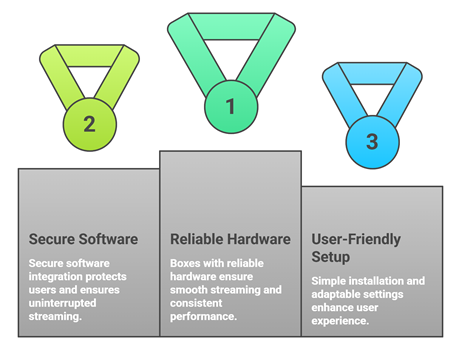
Reliable IPTV boxes can greatly improve streaming quality, content access, and overall viewing satisfaction for users. Our experts reviewed multiple devices to identify options that perform smoothly, remain secure, and provide dependable app support. This approach aims to ensure trustworthy recommendations that help users stream consistently with ease.
- We chose boxes based on reliable hardware, consistent streaming stability, and secure software integration that helps users stream smoothly.
- Our experts shortlisted devices that frequently update firmware, avoid crashes, and deliver optimized playback consistently.
- We made sure to shortlist boxes with simple installation, hassle-free setup, adaptable settings, and reliable support for users.
- Our team chose devices based on content app variety, secure access methods, and ability to stream rapidly with ease.
The experts in our team selected IPTV boxes that consistently maintain quality performance and provide versatile streaming options today.
Are IPTV Boxes Legal?
When people search for the Best IPTV Boxes, one common question comes up. Are IPTV boxes legal? The answer depends on how you use the device. The hardware itself is completely legal. It works as a media player. It does not host movies or shows on its own. The real concern is the source of the streams provided by certain IPTV services or apps. In my experience, understanding this difference is very important before purchasing any device or subscribing to any service.
Here are the key points you should know:
- Hardware Is Legal: The physical IPTV box is legal hardware in most countries. It is simply a media player that runs apps.
- Service Matters: Some third party IPTV services may link to copyrighted material without permission. Subscribing to such services may break copyright laws in many countries.
- Licensed Platforms Work Fine: Apps from verified providers like Netflix, Prime Video, or YouTube are legal. They stream licensed content.
- Check Your Local Laws: Streaming laws differ by country. I always advise users to understand their local regulations before using third party IPTV services.
Choosing trusted and licensed sources keeps your streaming experience safe and compliant.
Common Issues With IPTV Boxes & How to Fix Them
Even the Best IPTV Boxes can sometimes stop working as expected. Streaming devices depend on servers, internet speed, and third party sources. If one part fails, the box may not load streams properly. Over the years, I have seen that most issues are technical and can be fixed easily. The key is to identify the root cause instead of performing a factory reset right away.
Here are common problems and practical fixes:
- Buffering or Slow Playback: Check your internet speed first. Lower the streaming quality if needed. I also recommend closing background apps to improve performance.
- No Streams Available: This usually happens when your IPTV service is down. Try restarting the app or contacting your provider. Switching to Ethernet often helps.
- App Not Installing: Make sure you have enough storage space. Restart the box and try again. Clearing the Play Store cache can also help.
- Remote Not Working: Replace batteries first. Re-pair the remote if it uses Bluetooth. Some remotes need to be re-synced after firmware updates.
- Box Freezing or Crashing: Update the firmware to the latest version. Clearing app cache and reducing background apps can also fix minor bugs.
Most issues are temporary. Regular updates and choosing reliable devices help maintain a stable streaming experience.
Should You Use a VPN With Your IPTV Box?
When discussing the Best IPTV Boxes, many users ask whether a VPN is necessary. The answer depends on how you use your box and which services you access. The hardware itself is legal. However, some IPTV services pull content from third party sources. This can raise privacy and security concerns. In my experience, online streaming always involves data sharing with servers. A VPN can add a layer of privacy, but it is not a magic solution. It should be used with clear understanding, not fear.
Here are key points to consider:
- Privacy Protection: A VPN hides your IP address from external servers. This helps protect your browsing activity from being easily tracked.
- ISP Throttling: A VPN may reduce throttling and improve stability if your ISP limits video traffic in your area.
- Public WiFi Safety: If you stream on public networks, a VPN encrypts your connection and reduces risk.
- Legal Responsibility: A VPN does not make illegal streaming legal. I always remind users to follow local copyright laws.
- Speed Impact: Some VPNs slow down streaming. Choose a reliable provider with fast servers if you decide to use one.
A VPN can improve privacy, but safe streaming starts with choosing trusted and legal services.
Verdict:
In this review, you got acquainted with some of the best IPTV boxes for reliable streaming and content access. Each device delivers different strengths, whether it is speed, availability, or streaming flexibility. To help you take the final call, I have created this verdict.
- NVIDIA Shield TV Pro: My top choice for performance and long-term reliability. It handles demanding IPTV apps smoothly, offers excellent AI upscaling, and stays responsive under heavy multitasking. I recommend it as the ultimate performance box for serious streaming setups.
- Formuler Z11 Pro Max: A superior choice if you value IPTV-first features. The interface feels purpose-built for channel surfing and daily IPTV use, making it highly user-friendly for consistent viewing. It is a remarkable IPTV-centric choice that focuses on usability.
- Fire TV Cube with Alexa Voice Remote Pro: An excellent, user-friendly pick if voice search and hands-free convenience matter most. It delivers strong day-to-day speed, smart home integration, and a reliable ecosystem, making it ideal for the modern living room at a cost-effective price point.
FAQs
What is the difference between an IPTV box and a streaming device?
An IPTV box is a set-top device designed to play live TV channels and IPTV playlists via IPTV apps, M3U, or Xtream codes and may include AV ports for TV setups. A streaming device like Roku, Fire TV, or Apple TV focuses on licensed apps and major platforms. In the USA, streaming devices are typically simpler and more app-polished, while IPTV boxes offer more flexibility for live channel management.
Can IPTV boxes run apps like Netflix, Prime Video, and YouTube?
Many IPTV boxes run Android TV or Google TV and can install Netflix, Prime Video, and YouTube from Google Play. However, Netflix and Prime Video quality depends on certification such as Widevine L1 and proper app approval for HD and 4K playback. For the best results, choose a certified Android TV box or mainstream streamer to avoid limited resolution on protected content.
Which IPTV box delivers the fastest performance?
For speed, look for a modern chipset, 4GB or more RAM, ample storage, and fast connectivity including Wi-Fi 6 and Gigabit Ethernet. In real-world use, NVIDIA Shield TV Pro is often the top performer for IPTV apps, 4K playback, and smooth navigation. Avoid underpowered boxes with outdated processors that stutter on heavy apps or large channel lists.
Are budget IPTV boxes good enough for daily streaming?
Budget IPTV boxes can be fine for basic 1080p streaming and simple IPTV apps, but reliability varies widely. Common issues include weak Wi-Fi, laggy menus, fewer updates, and limited DRM support for Netflix and Prime HD. A budget Android TV device from a known brand is safer than generic no-name boxes for stability, security, and long-term software support.
Do IPTV boxes require installation or setup?
Yes, setup is usually required but it is straightforward. You will connect the box via HDMI, sign in to Wi-Fi or Ethernet, update the system, and install your IPTV app. Then you will add your provider details such as an M3U URL or Xtream login and configure settings like EPG, video player, and buffering. Most users finish within ten to twenty minutes and can start streaming right away.