Key Takeaway: After weeks of uploading and streaming across nine platforms on my Fire TV Stick 4K Max, three stood out as the best YouTube alternatives in 2026: Vimeo for polished ad-free hosting, Rumble for news and free-speech creators, and Odysee for censorship-resistant, crypto-native publishing. Each fixes a different YouTube frustration.
YouTube still rules online video, but in 2026 more creators and viewers keep eyeing the exit. Relentless ads, aggressive demonetization, constant algorithm shifts, and heavy-handed moderation have left plenty of people wanting a platform they can actually rely on, or even own a piece of.
The good news is the alternatives have grown up fast. Whether you want a clean professional showcase, an audience that welcomes news and commentary, a decentralized network no company can quietly deplatform, or simply an ad-free place to watch, there is now a real YouTube alternative built for exactly that.
Content and Licensing Note: This Best YouTube Alternatives guide compares applications and viewing services for informational purposes. Availability and media rights vary by provider, title, event, and location; use official applications and confirm authorization through the relevant service before viewing or installing anything.
Best YouTube Alternatives in 2026: My Top Picks
| Site/App | Best For | Content Focus | Get Started |
|---|---|---|---|
| Vimeo | Pro ad-free hosting | Filmmaking, business, tutorials | Visit Site |
| Rumble | News & free speech | News, politics, commentary | Visit Site |
| Odysee | Censorship-resistant hosting | Independent, crypto, UGC | Visit Site |
| Nebula | Educational long-form | Documentary, video essays | Visit Site |
| PeerTube | Decentralized self-hosting | Open-source, niche UGC | Visit Site |
1) Vimeo
Vimeo is the polished, ad-free home for professional video, built for filmmakers, businesses, and educators who want work shown cleanly. Instead of chasing a public algorithm, it works as a hosting and portfolio tool with a fully customizable player. I opened the Vimeo app on my Fire TV Stick 4K Max and streamed 4K showcase films without ads.
Features:
- Ad-free experience: Vimeo shows no advertising to you or your viewers, keeping every video clean, distraction-free, and focused entirely on the content and its presentation quality.
- Customizable player: The embeddable player is fully customizable, letting you match colors, hide branding, and drop professional video directly into your own website or client portfolio.
- High-resolution support: Vimeo handles 4K and even 8K uploads, so filmmakers and studios can showcase their footage at the full quality their cameras actually captured.
- Privacy controls: You get password protection and domain-level privacy, meaning you decide exactly who sees each video and which websites are allowed to embed it.
- Playback quality: I streamed several high-resolution showcase films on my Fire TV Stick 4K Max, and the picture stayed sharp and smooth with no buffering or ad breaks.
- OTT monetization: Advanced and Professional plans unlock Vimeo OTT, letting you build a branded subscription service and sell, rent, or offer buy-access to your own video library.
- Collaboration tools: Built-in review and collaboration features let teams leave time-coded notes on drafts, streamlining feedback and approvals for agencies, studios, and busy production workflows.
| Pros | Cons |
| Completely ad-free playback | No discovery algorithm |
| Fully customizable player | Limited free storage |
| 4K and 8K support | Higher plans pricey |
| Strong privacy controls | Not for virality |
| Built-in review tools | |
| OTT monetization option |
Pricing:
- Free tier includes 5GB of storage; paid plans start around Starter $12/mo and Standard $25/mo (checked Jul 2026).
- Advanced runs about $75/mo, with Creator around $10/mo and Professional near $70/mo unlocking OTT selling (checked Jul 2026).
- Enterprise pricing is custom-quoted; plans were restructured in 2026, so confirm current tiers directly with Vimeo before subscribing.
Link: https://vimeo.com/
2) Rumble
Rumble has become a go-to home for news, political commentary, and free-speech-leaning creators who felt boxed in by YouTube’s rules. With roughly 78 million monthly active users in 2026, mostly in the US and Canada, it pairs open uploads with instant monetization. I browsed trending news channels via the Rumble app on my Fire TV Stick 4K Max.
Features:
- Instant monetization: Rumble lets eligible creators start earning immediately on a 60/40 ad-revenue split that can climb as high as 90 percent for its top performers.
- Free to use: Watching and uploading are completely free, so creators can build an audience and start monetizing without paying any upfront platform or hosting fee.
- Rumble Rants: The platform includes Rumble Rants, a paid live-chat feature that lets viewers pay to highlight messages during streams, giving creators another direct revenue stream.
- Firestick app: I found the dedicated Rumble app on my Fire TV Stick 4K Max, and browsing trending news and commentary channels felt quick and comfortable on the big screen.
- News and commentary focus: Rumble leans heavily into news, politics, and general commentary, attracting free-speech-minded creators who wanted looser moderation than mainstream video platforms typically allow.
- Own infrastructure: Beyond video, Rumble runs its own cloud and infrastructure business, giving the platform more independence from big-tech hosting providers and greater control over its operations.
- Publicly traded: Rumble trades on the NASDAQ under ticker RUM, giving it public-company transparency and the financial backing to keep expanding its platform and creator programs.
| Pros | Cons |
| Instant creator monetization | Skews political content |
| Free to watch | Smaller than YouTube |
| Strong news library | Premium for ad-free |
| Free-speech friendly | US/Canada heavy audience |
| Dedicated Firestick app | |
| Runs own infrastructure |
Pricing:
- Free to watch and upload, with no cost to start monetizing your channel.
- Rumble Premium removes ads for $9.99/mo (checked Jul 2026).
- Annual Premium runs $99/yr, a small saving over monthly (checked Jul 2026); creators keep earning on the free tier.
Link: https://rumble.com/
3) Odysee
Odysee is built for creators who want censorship-resistant, crypto-native hosting that is genuinely hard to deplatform. Running on the decentralized LBRY blockchain, it appeals to independent, alt-tech, and free-speech voices. After LBRY Inc. shut down, Forward Research acquired Odysee in June 2024. I opened Odysee in the Silk browser on my Fire TV Stick 4K Max.
Features:
- Blockchain hosting: Odysee runs on the decentralized LBRY blockchain, which stores content across a distributed network and makes videos far harder for any single authority to remove.
- Crypto tipping: Creators earn through crypto tips paid in LBC, letting supporters send direct micro-payments without relying on advertising or a traditional platform payout system.
- Paid memberships: Beyond tips, Odysee offers Patreon-style paid memberships, so creators can charge recurring support fees and build predictable income directly from their most loyal viewers.
- Free to use: Both uploading and watching are free, with no viewer subscription required, so anyone can publish or browse independent content without paying an entry fee.
- Firestick access: I opened Odysee in the Silk browser on my Fire TV Stick 4K Max, since there is no polished native app, and playback worked fine after sign-in.
- New ownership: Forward Research acquired Odysee in June 2024 after LBRY Inc. closed, giving the platform fresh backing to keep the decentralized network running and evolving.
- Rebuilt payments: Odysee rebuilt its payment system in mid-2026, leaning on crypto tips plus membership support to give creators more reliable ways to earn from their audience.
| Pros | Cons |
| Censorship-resistant hosting | No native Firestick app |
| Free to watch | Crypto learning curve |
| Direct crypto tipping | Smaller creator base |
| Patreon-style memberships | Uneven content moderation |
| Hard to deplatform | |
| No viewer subscription |
Pricing:
- Free to upload and watch, with no viewer subscription required at any point.
- Creators earn through crypto tips in LBC, plus Patreon-style paid memberships and direct support.
- Payment system was rebuilt in mid-2026; there is no paid viewer tier, so all earnings flow from supporters.
Link: https://odysee.com/
4) Nebula
Nebula is the ad-free, creator-owned streaming service beloved by fans of educational and documentary-style long-form. Instead of chasing trends, its participating creators hold equity and share revenue, producing thoughtful originals, extended cuts, and podcasts you will not find on YouTube. I opened the Nebula app on my Fire TV Stick 4K Max and queued several video-essay originals.
Features:
- Ad-free viewing: Nebula is entirely ad-free, so every documentary, video essay, and podcast plays start to finish without a single interruption or mid-roll advertisement breaking your focus.
- Creator-owned model: Participating creators actually hold equity in Nebula and share its revenue, aligning the platform’s success directly with the people making its educational and documentary content.
- Exclusive originals: Members get exclusive Nebula originals, extended cuts of familiar videos, and early access, rewarding subscribers with content the creators cannot publish anywhere else online.
- Firestick playback: I queued several video-essay originals through the Nebula app on my Fire TV Stick 4K Max, and the long-form content streamed smoothly with clean, ad-free playback throughout.
- Educational focus: The library centers on educational programming, documentaries, video essays, and podcasts, making it ideal for viewers who prefer substance and depth over viral short clips.
- Lifetime option: Nebula offers a rare lifetime membership, letting committed viewers pay once for permanent access instead of renewing a subscription every month or year.
- Creator codes: Signing up through a creator’s referral code often drops the yearly price significantly, directly supporting the specific creator whose work brought you to the platform.
| Pros | Cons |
| Completely ad-free | Subscription required |
| Creators own equity | No open uploads |
| Exclusive original content | Niche content library |
| Rare lifetime membership | Not for creators broadly |
| High-quality educational focus | |
| Cheap with creator codes |
Pricing:
- Subscription costs $6/mo or $60/yr (checked Jul 2026), dropping to roughly $36/yr with a creator code.
- A lifetime membership is available for a one-time $300 (checked Jul 2026).
- There is no free viewing tier; Nebula is entirely subscription-funded, which is what keeps it fully ad-free.
Link: https://nebula.tv/
5) PeerTube
PeerTube is the open-source, decentralized answer to YouTube, built by French non-profit Framasoft for people wanting to self-host video without ads or corporate control. Anyone can run an instance, and ActivityPub federates them into one network linked to Mastodon and the Fediverse. I opened a PeerTube instance in the Silk browser on my Fire TV Stick 4K Max.
Features:
- Open-source software: PeerTube is free, open-source software from French non-profit Framasoft, meaning anyone can inspect, run, or modify it without paying licensing fees to a corporation.
- Self-hosting freedom: Anyone can spin up their own PeerTube instance and set their own rules, giving communities full control over hosting, moderation, and how their video is served.
- Fediverse federation: Using ActivityPub, PeerTube federates independent instances into one connected network and integrates with Mastodon and the wider Fediverse, so audiences follow creators across platforms.
- Peer-to-peer streaming: PeerTube uses peer-to-peer WebTorrent streaming, so viewers help share the bandwidth load, easing hosting costs for small instances during unexpected traffic spikes and viral moments.
- Firestick access: I opened a PeerTube instance in the Silk browser on my Fire TV Stick 4K Max, since there is no official app, and video played back without trouble.
- No platform fees: Because PeerTube is self-hosted and open-source, there are no platform fees at all, and your only real costs are running your own server.
- Mature and stable: PeerTube reached its stable 8.x version in 2026, reflecting years of steady development and making self-hosted, decentralized video more polished and reliable than ever before.
| Pros | Cons |
| Free and open-source | Requires technical setup |
| No ads ever | No native app |
| Full self-hosting control | Fragmented across instances |
| Fediverse integration | Self-hosting costs money |
| No platform fees | |
| Peer-to-peer bandwidth savings |
Pricing:
- Free and open-source, with no platform fees; your only costs are self-hosting your own server.
- There are no paid tiers or subscriptions built into the software itself.
- Running a public instance means paying for hosting and bandwidth, which varies with your audience size and storage.
Link: https://joinpeertube.org/
6) Floatplane
Floatplane is the ad-free, subscription-only home built and owned by Linus Media Group for paying fans of specific tech and maker creators. Rather than one platform fee, each creator sets their own tiers, and the focus is exclusive, early-access, behind-the-scenes shows. I signed into Floatplane through the Silk browser on my Fire TV Stick 4K Max.
Features:
- Ad-free content: Floatplane is entirely ad-free and subscription-only, so paying fans watch their favorite tech and maker shows without any advertising interrupting the exclusive videos they came for.
- Creator-set tiers: There is no single platform price; each creator sets their own subscription tiers and pricing, so you pay directly for exactly the channels you want to support.
- Linus Media ownership: Floatplane is built and owned by Linus Media Group, the team behind Linus Tech Tips, giving it deep roots in and credibility with the tech-creator community.
- Exclusive early access: The platform centers on exclusive, early-access, and behind-the-scenes content, rewarding subscribers with videos and extended footage that never appear on the creators’ free YouTube channels.
- Firestick viewing: I signed into Floatplane using the Silk browser on my Fire TV Stick 4K Max, as there is no dedicated app, and my subscribed tech shows played fine.
- Tech and maker focus: Floatplane is heavily tech-focused, gathering reviews, maker projects, and exclusive creator shows in one place for fans who want deeper access to their favorite channels.
- Direct creator support: Because you subscribe to individual creators rather than the platform, your money goes directly toward supporting the specific channels whose work you value most highly.
| Pros | Cons |
| Completely ad-free | Paywalled behind subscriptions |
| Exclusive early-access content | Narrow tech focus |
| Direct creator support | No native app |
| Trusted Linus ownership | Limited creator roster |
| Quality tech shows | |
| Flexible per-creator tiers |
Pricing:
- No platform-wide price; each creator sets their own subscription tiers and monthly pricing individually.
- Flagship Linus Tech Tips runs about $8/mo for new subscribers (checked Jul 2026).
- Because pricing is per creator, your total cost depends entirely on how many channels you choose to support.
Link: https://www.floatplane.com/
7) Kick
Kick is the fast-rising live-streaming alternative to Twitch, built for streamers who want the biggest possible cut of their revenue. Focused on live gaming, IRL, and talk streams, it reached about 100 million users by early 2026 with over 500 million hours watched monthly. I opened Kick in the Silk browser on my Fire TV Stick 4K Max.
Features:
- Industry-leading revenue split: Kick offers a remarkable 95/5 subscription split in the creator’s favor, letting streamers keep far more of their subscription income than rival live-streaming platforms allow.
- Free to watch: Watching streams on Kick is completely free, so viewers can follow their favorite gaming, IRL, and talk-show streamers without paying anything to browse the platform.
- Rapid growth: Kick reached roughly 100 million users by early 2026 and racks up more than 500 million hours watched every month, proving its momentum as a Twitch challenger.
- Creator incentives: Since 2024, Kick has paid out over $400 million through its creator incentive program, actively investing in streamers to lure talent away from established competitors.
- Firestick access: I opened Kick in the Silk browser on my Fire TV Stick 4K Max, since it lacks a polished native app, and live streams played back smoothly.
- Live-streaming focus: Kick is built primarily for live content, from gaming marathons to IRL adventures and talk streams, positioning it as the direct live-streaming alternative rather than an on-demand library.
- Simple subscriptions: A single flat channel subscription keeps things straightforward for viewers, while that generous 95/5 split ensures the streamer receives the vast majority of every subscription dollar.
| Pros | Cons |
| Best-in-class 95/5 split | Mainly live streaming |
| Free to watch | No native app |
| Massive creator payouts | Content moderation concerns |
| Fast-growing audience | Limited on-demand library |
| Cheap flat subscription | |
| Streamer-friendly platform |
Pricing:
- Free to watch, with a single flat channel subscription priced at $4.99/mo (checked Jul 2026).
- The 95/5 revenue split means streamers keep nearly all of that subscription fee.
- There is no platform-wide paid tier for viewers beyond subscribing to individual channels you want to support.
Link: https://kick.com/
8) TikTok
TikTok is the definitive short-form and Shorts alternative, where a famously accurate For You feed turns vertical videos into viral trends. In January 2026, its US operations were restructured under a new joint venture, with Oracle, Silver Lake, and MGX holding the majority. I scrolled trending clips via the TikTok app on my Fire TV Stick 4K Max.
Features:
- Benchmark algorithm: TikTok’s algorithm-driven For You feed is the industry benchmark for short-form discovery, surfacing eerily relevant videos that keep viewers scrolling and help unknown creators go viral fast.
- Free to use: TikTok is free to download and use, with optional in-app coins and LIVE gifts letting fans tip creators during live broadcasts if they choose.
- Creator Rewards: TikTok monetizes creators through its Creator Rewards program, paying eligible accounts for qualifying longer videos that attract strong views and engagement across the platform.
- Shopping integration: Through TikTok Shop affiliate commissions, creators earn by promoting products directly inside their videos, turning entertaining short clips into a genuine shoppable revenue channel.
- Firestick app: I scrolled trending clips through the TikTok app on my Fire TV Stick 4K Max, and the short vertical videos played instantly with no noticeable loading delay.
- New US structure: Following a January 2026 restructuring, TikTok’s US operations run under a joint venture majority-owned by Oracle, Silver Lake, and MGX, with ByteDance holding a 19.9 percent minority.
- Short-form king: With unmatched scale and trend-setting culture, TikTok remains the go-to short-form platform, making it the natural alternative for anyone chasing the reach that YouTube Shorts promises.
| Pros | Cons |
| Best-in-class discovery algorithm | Short-form only |
| Free to use | Ongoing ownership questions |
| Massive viral reach | Unpredictable algorithm reach |
| Multiple monetization paths | Data privacy concerns |
| Shoppable video commerce | |
| Fast Firestick playback |
Pricing:
- Free to download and use, with no subscription required to watch or post.
- Optional in-app coins and LIVE gifts let viewers tip creators during live streams.
- Creators monetize through Creator Rewards payouts and TikTok Shop affiliate commissions rather than a paid viewer tier.
Link: https://www.tiktok.com/
9) Vevo
Vevo is the dedicated music-video alternative, serving official, licensed clips from major record labels rather than general uploads. With a catalog of more than 50,000 titles, artists get channels through distributors instead of posting directly, reaching viewers via YouTube, its own apps, and connected-TV channels. I opened the Vevo app on my Fire TV Stick 4K Max.
Features:
- Official music videos: Vevo is dedicated entirely to official, licensed music videos from major record labels, so you watch high-quality, rights-cleared clips instead of unverified re-uploads or fan edits.
- Huge catalog: The service hosts a library of more than 50,000 official titles, spanning decades of music across genres and giving fans a deep, reliable video archive to explore.
- Free and ad-supported: Vevo is completely free to watch, funded entirely by advertising, with no paid subscription tier required to access its full catalog of official music videos.
- Label-only uploads: Vevo does not accept general user uploads; artists receive channels through official distributors, ensuring everything on the platform is legitimate, licensed, and properly credited to rights holders.
- Firestick app: I opened the Vevo app on my Fire TV Stick 4K Max and played several official music videos in crisp quality, making it a comfortable big-screen music experience.
- Multi-platform reach: Vevo reaches audiences mainly through YouTube, its own dedicated apps, and connected-TV channels, so you can watch official music videos on whichever screen you happen to prefer.
- Music-focused experience: By concentrating solely on official music videos, Vevo delivers a focused, clutter-free destination for fans who simply want to watch their favorite artists’ videos without distractions.
| Pros | Cons |
| Official licensed videos | Music videos only |
| Completely free | Ad-supported viewing |
| Huge music catalog | No user uploads |
| Dedicated Firestick app | No paid ad-free tier |
| High-quality playback | |
| Clutter-free experience |
Pricing:
- Completely free and ad-supported, with no paid subscription tier available or required.
- There is no way to remove ads, since Vevo has no premium option.
- Artists do not pay to upload; they receive official channels through their music distributors instead.
Link: https://www.vevo.com/
Getting These Video Apps Running on Firestick
Not every YouTube alternative ships with a polished Fire TV app, but almost all of them are still watchable on your Firestick. Here is how I actually got each platform running on my Fire TV Stick 4K Max during testing.
- Native apps first: Vimeo, Rumble, TikTok, Nebula, and Vevo all offer Fire TV apps you can install straight from the Amazon Appstore, so start there for the smoothest playback.
- Silk browser fallback: For Odysee, PeerTube, Floatplane, and Kick, I opened each site in the Silk browser, signed in, and streamed video without needing any dedicated Firestick application.
- Search the Appstore: From the Firestick home screen, use the search icon to find an app by name; if nothing appears, the platform likely has no native Fire TV app.
- A Bluetooth pointer helps: Browser-based platforms are easier to navigate with a Bluetooth mouse or the Fire TV remote app, since site menus are not built for a directional remote.
- Keep apps updated: Whichever route you use, update apps and the Silk browser regularly, since streaming platforms push fixes that improve playback stability and sign-in reliability on Fire TV devices.
Between native apps and the Silk browser, every platform here is Firestick-friendly.
How I Evaluated These YouTube Alternatives
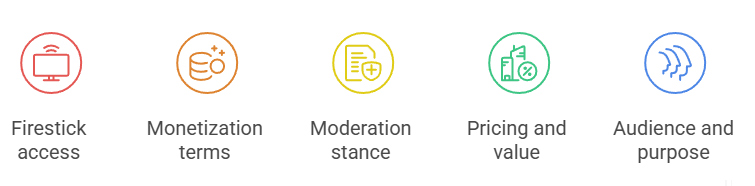
To rank these YouTube alternatives fairly, I judged each one against the things creators and viewers actually care about, then tested them hands-on rather than trusting the marketing claims on their homepages.
- Firestick access: I checked whether each platform offered a native Fire TV app or needed the Silk browser, since smooth living-room playback matters as much as the content itself.
- Monetization terms: I compared revenue splits, subscription models, tipping, and payout thresholds, because how creators actually get paid is often the deciding factor when leaving YouTube behind.
- Moderation stance: I looked at each platform’s content rules and free-speech posture, from strict professional hosting to deliberately censorship-resistant networks, so you know what you can safely post.
- Pricing and value: I verified free tiers, paid plans, and creator costs in July 2026, weighing what you get against what similar platforms charge for the same features.
- Audience and purpose: I matched each platform to the audience it serves best, since the right YouTube alternative depends heavily on whether you create, watch, or both.
How Creators Actually Get Paid Off YouTube
One of the biggest reasons creators leave YouTube is money, and these platforms take wildly different approaches to it. From instant ad splits to crypto tips and equity ownership, here is how creators actually earn on each alternative I tested.
- Ad revenue splits: Rumble pays a 60/40 split rising toward 90 percent for top creators, letting eligible channels monetize instantly rather than waiting to clear a subscriber threshold first.
- Subscription splits: Kick’s industry-leading 95/5 subscription split hands streamers almost every dollar, while Floatplane lets creators set their own subscription tiers and keep a direct paying relationship with fans.
- Tips and memberships: Odysee leans on crypto tips in LBC plus Patreon-style memberships, while TikTok mixes LIVE gifting, Creator Rewards payouts, and TikTok Shop affiliate commissions into several income streams.
- Ownership and equity: Nebula’s creator-owned model gives participating creators equity and shared revenue, a rare arrangement that ties long-term platform success directly to the people producing its content.
- Self-hosted independence: With PeerTube, there is no platform taking a cut at all; creators keep everything but shoulder their own hosting costs, trading convenience for complete financial and editorial control.
Creator Rights Note: Before uploading elsewhere, confirm the platform’s music licenses, reuse policy, exclusivity terms, takedown process, and rules for exporting your original files.
Moderation, Free Speech, and What You Can Post
Content rules vary enormously across these platforms, and picking the wrong one can get your videos removed or your account limited. Before you commit, it helps to understand where each alternative sits on the spectrum from tightly moderated to deliberately censorship-resistant.
- Professional and curated: Vimeo and Nebula sit at the strict end, curating professional or creator-vetted content, so they suit polished work but are not built for controversial or edgy uploads.
- Free-speech leaning: Rumble and Kick position themselves around looser moderation, attracting news, commentary, and live streamers who felt mainstream platforms removed or demonetized their content too aggressively in recent years.
- Censorship-resistant by design: Odysee and PeerTube go furthest, using blockchain and decentralized hosting so no single company can easily deplatform you, though that freedom also allows content some viewers dislike.
- Subscriber-gated spaces: Floatplane keeps things civil by design, since content sits behind paid subscriptions to specific creators, creating smaller, self-selecting communities rather than an open, anonymous public comment free-for-all.
- Licensed-only libraries: TikTok enforces community guidelines on short clips, while Vevo sidesteps user moderation entirely by hosting only official, licensed music videos rather than accepting any general public uploads.
Match the platform’s moderation stance to the kind of content you plan to post.
Choosing the Right YouTube Alternative for You
With nine very different platforms on the table, the best choice comes down to what you actually want to do. Whether you are a professional creator, a live streamer, or just a viewer seeking cleaner content, here is how to narrow it down.
- For professionals: Choose Vimeo if you need clean, ad-free hosting, a customizable player, and privacy controls for filmmaking, business, portfolios, or client work rather than chasing viral public reach.
- For news and commentary: Pick Rumble if you want looser moderation, instant monetization, and an audience that actively seeks out news, politics, and free-speech-leaning commentary over polished corporate content.
- For independence: Go with Odysee or PeerTube if being hard to deplatform matters most; both trade mainstream polish for decentralized, censorship-resistant hosting you ultimately control yourself.
- For live streaming: Kick is the clear pick for live gaming, IRL, and talk streams, thanks to its 95/5 revenue split and rapidly growing, highly engaged live audience.
- For viewers: If you mainly watch, Nebula suits educational deep-dives, Vevo covers official music videos, and TikTok delivers endless short-form discovery, so match the platform to your viewing mood.
Start with your goal, and the right YouTube alternative usually picks itself. For more cord-cutting picks, see our guide to the best YouTube TV alternatives.
Verdict:
After weeks of hands-on testing across all nine platforms, three rose clearly above the rest. No single service replaces YouTube entirely, but the right pick depends on whether you prioritize polish, free speech, or true independence. These three delivered the most consistent experience on my Fire TV Stick 4K Max and the strongest overall value in 2026.
- Vimeo: Vimeo earns my top spot for its flawless, ad-free playback, fully customizable player, and professional privacy tools, making it the best home for polished filmmaking, business, and portfolio video.
- Rumble: Rumble takes second for its huge news and commentary audience, instant monetization, and free-speech-friendly stance, backed by a dedicated Firestick app that made browsing trending channels genuinely comfortable.
- Odysee: Odysee rounds out my top three as the strongest choice for censorship-resistant, crypto-native publishing, using the LBRY blockchain to keep independent creators genuinely difficult for any authority to deplatform.
FAQs
What is the best overall YouTube alternative in 2026?
It depends on your goal, but Vimeo is my overall winner for professional, ad-free hosting. If you want news and free speech, Rumble leads, while Odysee is best for censorship-resistant publishing. Each solves a different YouTube frustration, so match the platform to what you actually need most.
Can I watch these YouTube alternatives on a Firestick?
Yes. Vimeo, Rumble, TikTok, Nebula, and Vevo have native Fire TV apps you can install from the Amazon Appstore. For Odysee, PeerTube, Floatplane, and Kick, I opened each site in the Silk browser on my Fire TV Stick 4K Max, signed in, and streamed without a dedicated app.
Which YouTube alternative pays creators the most?
It varies by content type. Kick offers an industry-leading 95/5 subscription split for live streamers, while Rumble provides instant ad monetization rising toward 90 percent for top creators. Nebula uniquely gives participating creators equity, and Odysee relies on crypto tips and memberships, so the best payer depends on your format.
Are there free YouTube alternatives?
Plenty. Rumble, Odysee, PeerTube, TikTok, and Vevo are all free to watch, and most let creators upload for free too. Vimeo offers a free 5GB tier, while Nebula and Floatplane are subscription-only. Kick is free to watch, charging only if you subscribe to a specific channel.
Which YouTube alternative is best for free speech?
For maximum resistance to censorship, Odysee and PeerTube lead, since both use decentralized hosting that makes content genuinely hard to remove. Rumble is the most popular free-speech-leaning option with looser moderation for news and commentary. Choose based on whether you value decentralization or a larger, more mainstream audience. You might also like our best Tubi alternatives.