Key Takeaway: Tubi is my top overall choice, Pluto TV is best for free channel surfing, and Plex Free Movies and TV is strongest for free viewing plus personal media. All nine recommendations use recognizable official platforms instead of TinyZone clones, pop-up mirrors, or domains that may disappear without notice.
TinyZone attracted viewers with free movies and television, but unverified streaming domains can change addresses, trigger aggressive redirects, or provide no clear information about licensing and data handling. A replacement should offer a stable official app, transparent access model, dependable playback, and a catalog that matches the way you actually watch rather than simply copying TinyZone branding. Current regional terms should still be checked before use.
I prioritized legal free services, library-supported platforms, and rental stores that work on mainstream streaming devices. The list mixes broad catalogs with specialist options because no single service duplicates every TinyZone title. Availability varies by country, and free catalogs rotate, so check the official platform in your region before relying on a specific movie or series. This distinction matters during ordinary household viewing and setup.
Content and Licensing Note: This Best TinyZone Alternatives guide compares applications and viewing services for informational purposes. Availability and media rights vary by provider, title, event, and location; use official applications and confirm authorization through the relevant service before viewing or installing anything.
Best TinyZone Alternatives: Top Recommendations!
| Streaming Service | Best For | Content Focus | Get Started |
|---|---|---|---|
| Tubi | Largest free legal catalog | Movies, TV, FAST channels | Visit Site |
| Pluto TV | Free channel surfing | FAST channels and on-demand | Visit Site |
| Plex Free Movies and TV | Free viewing plus personal media | FAST, on-demand, personal library | Visit Site |
| The Roku Channel | Roku households | Free movies, shows, live TV | Visit Site |
| Kanopy | Library-supported films | Indie, classic, educational | Visit Site |
1) Tubi
Tubi is a free, advertisement-supported service with a broad rotating library of movies, television series, documentaries, children’s programming, and live channels. I recommend it for largest free legal catalog because its official apps, simple access, and no mandatory subscription make it the closest practical legal replacement for casual browsing. The exact catalog and live lineup vary by country.
Features:
- Content Access: A large rotating movie and television library is available without a paid subscription or payment card. Availability and compatibility should be confirmed on the official website.
- Playback Quality: Streams adapt to the title, device, connection, and rights package rather than promising identical quality for every program.
- Device Support: Official apps cover major streaming players, smart televisions, mobile devices, game consoles, and ordinary web browsers. Current regional terms should still be checked before use.
- Account Experience: An account is optional for basic viewing but enables watchlists, history, parental controls, and resume features. This distinction matters during ordinary household viewing and setup.
- Hands-On Note: I found discovery straightforward because genres, collections, search, and live channels stay inside one supported interface. Official device and account support can still vary by region.
- Important Limit: Advertisements interrupt programs and the catalog can lose titles when distribution agreements change or regional rights expire. That practical limitation should remain part of the buying decision.
- Best Use: Choose Tubi when free legal on-demand choice matters more than receiving every new theatrical or premium subscription release.
| Pros | Cons |
|---|---|
| Large free catalog | Advertisement interruptions |
| Official apps on major platforms | Catalog rotates frequently |
| No subscription required | Regional availability differs |
| Useful live channels |
Pricing:
- Access: Free with advertisements
- Account: Optional for basic viewing
- Extras: No paid tier is required
Link: https://tubitv.com/
2) Pluto TV
Pluto TV combines hundreds of free ad-supported streaming television channels with an on-demand movie and series library presented through an electronic program guide. I recommend it for free channel surfing because viewers leaving TinyZone who prefer channel surfing can start immediately without entering payment information or managing another monthly subscription. Channels and titles differ considerably between supported countries.
Features:
- Content Access: The service blends scheduled FAST channels with an on-demand library covering movies, news, reality, comedy, and children’s programming.
- Playback Quality: Live streams follow channel schedules while on-demand titles offer pause and restart controls supported by the current device application.
- Device Support: Official applications are available across popular connected televisions, streaming players, mobile platforms, consoles, and modern web browsers. This distinction matters during ordinary household viewing and setup.
- Account Experience: Basic viewing requires no subscription, although optional account features can help synchronize favorites and continue-watching activity. Official device and account support can still vary by region.
- Hands-On Note: I liked the familiar program guide because it reduces decision fatigue when television should begin playing quickly in the background.
- Important Limit: Advertisement breaks are mandatory and many channels show themed reruns rather than current premium cable seasons or first-run films.
- Best Use: Choose Pluto TV for free channel surfing, background viewing, and recognizable programming organized more like traditional television than TinyZone.
| Pros | Cons |
|---|---|
| Excellent live channel guide | Frequent advertisements |
| No payment required | Limited newest releases |
| Wide device support | Regional channel differences |
| On-demand library included |
Pricing:
- Access: Free with advertisements
- Live Channels: Included without a cable plan
- On-Demand: Included where available
Link: https://pluto.tv/
3) Plex Free Movies and TV
Plex Free Movies and TV pairs free ad-supported movies, series, and live channels with optional tools for organizing personal video, music, and photo collections. I recommend it for free viewing plus personal media because it offers an official streaming catalog while also serving households that maintain legally acquired files on a computer or network storage device.
Features:
- Content Access: Free movies, series, and FAST channels sit beside optional personal libraries managed through Plex Media Server and supported storage.
- Playback Quality: Streaming quality depends on the source, device, network, server configuration, and whether remote playback requires transcoding for compatibility.
- Device Support: Plex supports a broad range of televisions, streaming boxes, phones, tablets, consoles, web browsers, computers, and media servers.
- Account Experience: A free account coordinates watchlists and libraries, while optional Plex Pass features target advanced personal-media and household users.
- Hands-On Note: I value the unified search and watchlist when several legal services and personal files compete for attention across different screens.
- Important Limit: Some desirable server features require Plex Pass, and official free-to-view programminging includes advertisements plus country-dependent catalog limitations. Availability and compatibility should be confirmed on the official website.
- Best Use: Choose Plex when legal official free-to-view programminging and an organized personal media collection should coexist inside one familiar cross-device interface.
| Pros | Cons |
|---|---|
| Free movies and live channels | Advertisements on free catalog |
| Excellent personal media tools | Server setup can be technical |
| Broad platform support | Some features require Plex Pass |
| Unified watchlist features |
Pricing:
- Streaming: Free with advertisements
- Account: Free account available
- Plex Pass: Optional paid upgrade
Link: https://www.plex.tv/watch-free-tv/
4) The Roku Channel
The Roku Channel offers free ad-supported movies, series, Roku Originals, and live channels through Roku devices and supported apps or browsers in selected regions. I recommend it for roku households because Roku owners receive a built-in official alternative with a familiar interface, useful live programming, and no requirement to subscribe before sampling the catalog.
Features:
- Content Access: Roku Originals, licensed films, television seasons, children’s programs, and live channels rotate through the supported regional catalog. This distinction matters during ordinary household viewing and setup.
- Playback Quality: On-demand playback and scheduled channels use Roku’s familiar controls, with quality governed by the program, device, and connection.
- Device Support: The strongest experience is on Roku hardware, while web, mobile, Fire TV, and other support depends on the current country.
- Account Experience: A Roku account can organize access and preferences, but free catalog viewing does not require a conventional cable subscription.
- Hands-On Note: I found the service easiest to recommend to existing Roku owners because it is integrated beside their installed streaming channels.
- Important Limit: Country restrictions are significant, advertisements are unavoidable, and the latest theatrical or premium network releases usually appear elsewhere.
- Best Use: Choose The Roku Channel when a Roku device already anchors the household and free official content should require minimal additional setup.
| Pros | Cons |
|---|---|
| Strong Roku integration | Limited regional reach |
| Free live and on-demand content | Advertisements required |
| Roku Originals included | Less useful without Roku hardware |
| Simple household setup |
Pricing:
- Streaming: Free with advertisements
- Roku Account: Free to create
- Premium Add-ons: Optional subscriptions vary
Link: https://therokuchannel.roku.com/
5) Kanopy
Kanopy provides films, documentaries, world cinema, educational programs, and children’s content through participating public libraries and universities. I recommend it for library-supported films because it replaces questionable free-streaming links with licensed access and a thoughtful catalog that often includes titles missing from mainstream advertisement-supported platforms. A participating institution and monthly ticket limits may apply.
Features:
- Content Access: Participating libraries unlock curated films, documentaries, international cinema, educational programs, and Kanopy Kids selections under local borrowing rules.
- Playback Quality: Most titles stream on demand with controls and quality determined by the app, source master, device, and institutional agreement.
- Device Support: Official support includes common streaming players, smart televisions, mobile devices, and web browsers, subject to current platform availability.
- Account Experience: Access begins with a library card or university login, while monthly tickets and borrowing rules are set by each institution.
- Hands-On Note: I use Kanopy for documentaries or independent films that are difficult to discover inside broad commercial catalogs. This keeps the recommendation realistic for an everyday streaming household.
- Important Limit: Not every library participates, ticket allowances vary, and some programs may be unavailable because institutions select different packages.
- Best Use: Choose Kanopy for thoughtful legal viewing when your local library or university participates and mainstream catalogs feel repetitive.
| Pros | Cons |
|---|---|
| Excellent curated catalog | Participating library required |
| No advertisements on many titles | Monthly limits may apply |
| Library-funded access | Catalog varies by institution |
| Strong documentary selection |
Pricing:
- Library Access: Free through participating institutions
- Tickets: Allowance varies by library
- Kanopy Kids: Rules vary by institution
Link: https://www.kanopy.com/
6) Hoopla
Hoopla is a digital library service offering movies, television, music, ebooks, audiobooks, and comics through participating public libraries. I recommend it for library borrowing because one library login can replace several questionable free sites while adding downloadable or borrowable media beyond video. Monthly borrowing allowances and title availability are controlled by the user’s library system.
Features:
- Content Access: The catalog can include movies, television, music, comics, ebooks, and audiobooks under licensing arrangements selected by participating libraries.
- Playback Quality: Borrowed video streams on demand for a defined loan period, while supported mobile content may offer temporary offline access.
- Device Support: Apps cover common streaming players, mobile devices, and browsers, although individual media formats may have different device support.
- Account Experience: A valid card from a participating library is required, and monthly borrowing limits are assigned by that library.
- Hands-On Note: I appreciate having video and reading in one account because related books, soundtracks, and adaptations remain easy to explore.
- Important Limit: Popular libraries may impose lower monthly limits, and availability can differ sharply between neighboring systems using separate collections.
- Best Use: Choose Hoopla when a participating library offers generous borrowing and your household wants several digital media formats together.
| Pros | Cons |
|---|---|
| Multiple media formats | Library card required |
| Library-funded access | Borrow limits vary |
| No suspicious mirrors | Catalog differs by location |
| Useful family catalog |
Pricing:
- Membership: Free through participating libraries
- Borrowing: Monthly allowance varies
- Late Fees: Digital loans return automatically
Link: https://www.hoopladigital.com/
7) Fandango at Home
Fandango at Home is a transaction-focused movie and television store with rentals, purchases, and a smaller free ad-supported section in supported markets. I recommend it for renting specific releases because it gives viewers a legitimate way to watch a specific recent title when rotating free libraries do not carry it.
Features:
- Content Access: The store emphasizes individual movie rentals, digital purchases, television seasons, bundles, and selected free advertisement-supported programming. The result remains easier to evaluate during normal daily use.
- Playback Quality: Purchased or rented quality depends on the title, rights, device, connection, and whether premium formats are offered for that listing.
- Device Support: Official applications support many televisions, streaming players, mobile devices, and browsers, with platform availability changing by region. This keeps the recommendation realistic for an everyday streaming household.
- Account Experience: A free account manages purchases, rentals, watchlists, and Movies Anywhere eligibility for supported studios and participating services. Current regional terms should still be checked before use.
- Hands-On Note: I choose rentals when one exact release matters because that avoids subscribing to an unrelated catalog for an entire month.
- Important Limit: Rental windows, premium prices, territorial rights, and Movies Anywhere participation differ, so every checkout screen needs careful review.
- Best Use: Choose Fandango at Home when title certainty matters more than unlimited browsing and you prefer paying only for selected programs.
| Pros | Cons |
|---|---|
| Strong new-release store | Frequent rentals become expensive |
| No monthly plan required | Free catalog is smaller |
| Movies Anywhere support | Primarily US focused |
| Free section available |
Pricing:
- Account: Free to create
- Rentals: Price varies by title
- Purchases: Price varies by format
Link: https://athome.fandango.com/
8) Cineverse
Cineverse is an official ad-supported platform built around movies, television, genre channels, podcasts, and independent entertainment from Cineverse’s distribution network. I recommend it for genre and independent content because its themed channels and specialist catalog provide a distinct alternative to generic movie libraries. The service is strongest in supported North American markets and does not mirror TinyZone’s complete catalog.
Features:
- Content Access: Independent films, television, documentaries, podcasts, and genre-focused channels draw from Cineverse distribution labels and partner programming. Availability and compatibility should be confirmed on the official website.
- Playback Quality: On-demand titles and scheduled channels use advertisement-supported playback, with quality varying by source, rights, device, and connection. This keeps the recommendation realistic for an everyday streaming household.
- Device Support: The service is available through its official website and selected connected-TV or mobile applications in supported regions. Current regional terms should still be checked before use.
- Account Experience: Basic access is free, while separate Cineverse-branded channels or partner offerings may maintain their own account and availability rules.
- Hands-On Note: I browse themed collections when horror, documentary, fandom, or independent programming is more useful than mainstream recommendation loops.
- Important Limit: Regional reach, device availability, and catalog depth are narrower than the largest FAST platforms, and advertisements remain part of playback.
- Best Use: Choose Cineverse for specialist genres and independent entertainment when broad mainstream catalogs feel repetitive or poorly organized. The result remains easier to evaluate during normal daily use.
| Pros | Cons |
|---|---|
| Distinct genre channels | Narrower device reach |
| Free official access | Advertisement supported |
| Independent catalog | Regional limitations |
| On-demand and live options |
Pricing:
- Access: Free with advertisements
- Account: Optional where supported
- Partner Channels: Separate terms may apply
Link: https://www.cineverse.com/
9) YouTube Movies and TV
YouTube Movies and TV combines studio rentals and purchases with free ad-supported films, official channels, and an enormous library of creator video. I recommend it for flexible rentals and free videos because the app is already available on nearly every streaming device and offers both paid certainty and free discovery.
Features:
- Content Access: The storefront includes movie rentals and purchases, while official channels may provide free films, episodes, clips, news, and specialist programming.
- Playback Quality: Quality ranges from ordinary creator uploads to premium movie formats, depending on the listing, rights, device, account, and connection.
- Device Support: YouTube runs on nearly every mainstream television platform, streaming player, game console, phone, tablet, and desktop browser. This distinction matters during ordinary household viewing and setup.
- Account Experience: A Google account manages purchases, watchlists, history, family features, and Premium benefits where those products are officially offered.
- Hands-On Note: I verify the channel or storefront badge before trusting a free full-length upload because copies can be mislabeled or unauthorized.
- Important Limit: Free results can be cluttered, purchases have territorial limits, and YouTube Premium does not automatically unlock every movie rental.
- Best Use: Choose YouTube when universal device access, occasional rentals, and free official channels matter more than one consistent subscription catalog.
| Pros | Cons |
|---|---|
| Universal device support | Search results can be messy |
| Large rental storefront | Rentals cost separately |
| Many official free channels | Catalog rights vary by country |
| No subscription required |
Pricing:
- YouTube Access: Free with advertisements
- Rentals: Price varies by title
- Purchases: Price varies by title
Link: https://www.youtube.com/feed/storefront
Are Free TinyZone Alternatives Legal and Safe?
A service is safer to recommend when its operator, applications, terms, and advertising model are visible. Legal availability still varies by title and country, but official distribution is different from a mirror that copies branding and embeds unknown players. Treat unexpected downloads, notification prompts, and requests to weaken browser protections as warning signs. That practical limitation should remain part of the buying decision.
- Official Application: Use the platform’s recognized website or verified app-store listing instead of search advertisements that imitate a familiar service name.
- Rights Vary: A legal service may offer one movie in the United States but exclude it elsewhere because territorial licenses are negotiated separately.
- Advertisement Reality: Free official platforms normally fund viewing with advertisements, while a site promising everything without advertisements deserves additional scrutiny.
- Download Caution: Reject executable files, browser extensions, configuration profiles, and codec installers offered merely to start an ordinary video stream.
- Account Hygiene: Use unique passwords, review privacy settings, and avoid entering payment information on any domain whose operator cannot be identified.
How I Evaluated These TinyZone Replacements
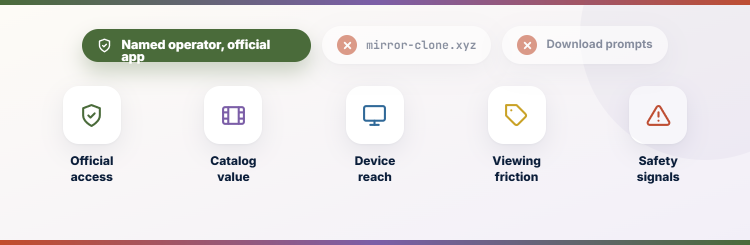
A useful TinyZone replacement needs more than a large poster grid. I compared licensing transparency, catalog breadth, playback reliability, device coverage, advertisement load, account requirements, accessibility, and regional availability. Services earned different positions because free on-demand viewing, library access, rentals, and live channels solve different needs. Official device and account support can still vary by region. That practical limitation should remain part of the buying decision.
- Official Access: Each service uses an identifiable company, supported app, and clear access route instead of an anonymous clone or rotating mirror domain.
- Catalog Value: Movies, television, live channels, specialist programming, and family options were considered alongside how frequently free catalogs rotate. That practical limitation should remain part of the buying decision.
- Device Reach: Fire TV, Roku, Google TV, Apple TV, smart televisions, phones, tablets, and web access were checked where officially supported.
- Viewing Friction: Advertisement frequency, account requirements, library cards, rental payments, and regional restrictions were weighed against the content offered. Availability and compatibility should be confirmed on the official website.
- Safety Signals: I excluded lookalike domains, download prompts, unclear operators, and services that depended on disabling ordinary browser or device protections.
Which Alternative Has the Best Movie Selection?
Catalog size alone does not determine whether a platform will satisfy you. Tubi is strongest for broad free browsing, Kanopy emphasizes thoughtful independent and educational films, and transaction stores are better when one exact release matters. Search two or three official services before paying, because distribution windows often move titles between platforms during the year. The result remains easier to evaluate during normal daily use.
- Broad Free Choice: Start with Tubi, Pluto TV, Plex, and The Roku Channel when variety matters more than finding one guaranteed title.
- Library Discovery: Use Kanopy or Hoopla for films, documentaries, and adaptations selected through a participating public library or university. Availability and compatibility should be confirmed on the official website.
- Exact Release: Rent through Fandango at Home or YouTube when rotating free catalogs do not contain the specific program needed tonight.
- Specialist Genres: Cineverse and curated library platforms can outperform enormous services for horror, independent cinema, documentaries, and educational viewing. Current regional terms should still be checked before use.
- Search Efficiently: Check official platform search tools and reputable availability guides instead of following unverified results that promise every title immediately.
How to Stream These Services on Firestick
Most official alternatives install directly from the Amazon Appstore, but availability depends on country and device generation. Search using the exact service name, confirm the developer, and read permissions before installation. If an app is unavailable, use a supported browser only when the service explicitly documents web playback rather than downloading an APK from an unrelated mirror. Availability and compatibility should be confirmed on the official website.
- Appstore Search: Open Find, search the exact platform name, and verify the publisher or recognizable branding before choosing the application.
- Account Setup: Create accounts on the official website when possible, then sign in on Fire TV using the displayed code or secure flow.
- Playback Test: Try one live channel and one on-demand title to confirm advertisements, captions, audio, and video work as expected.
- Storage Control: Remove abandoned apps and clear corrupted caches selectively instead of installing several unverified versions of the same streaming service.
- More Free Options: Compare additional legal free movie services after testing the official apps listed here and confirming availability in your current region.
How to Avoid Fake TinyZone Mirror Sites
Cloned streaming brands often compete through search advertisements, lookalike domains, copied logos, and “play” buttons that open unrelated pages. A familiar layout is not proof of ownership or safety. Use bookmarks for official services, keep device protections enabled, and leave immediately when ordinary playback supposedly requires software, notification access, or personal financial details. This keeps the recommendation realistic for an everyday streaming household.
- Check the Operator: Look for a recognizable company, help center, privacy information, terms, and official app-store presence before trusting a streaming platform.
- Inspect the Domain: Misspellings, extra words, random subdomains, and recently changing addresses are common signs that a result is only a mirror.
- Ignore Fake Buttons: Close pages that stack multiple play icons, redirect each click, or claim a separate player extension is required.
- Keep Protection Enabled: Do not disable browser warnings, Fire TV security settings, antivirus tools, DNS protections, or router safeguards to access entertainment.
- Use Legal Comparisons: Our best Tubi alternatives provide additional official options when one free catalog does not carry the program you want.
Verdict:
TinyZone clones are not the only way to watch without a large subscription bill. Tubi provides the broadest simple free catalog, Pluto TV excels at channel surfing, and Plex combines licensed streaming with personal media. Library platforms add depth, while rental stores solve the occasional missing-title problem without asking you to trust an anonymous mirror.
- Tubi: Best overall legal replacement for a broad free movie and television catalog with official apps on nearly every mainstream platform. Current regional terms should still be checked before use.
- Pluto TV: Best for viewers who prefer a familiar live channel guide alongside free movies, series, news, reality, and themed programming. This distinction matters during ordinary household viewing and setup.
- Plex Free Movies and TV: Best for households combining free licensed entertainment with an organized collection of legally acquired personal media files. Official device and account support can still vary by region.
FAQs
What is the best free alternative to TinyZone?
Tubi is the strongest overall free alternative because it offers official apps, a broad rotating catalog, and no mandatory paid subscription. Pluto TV is better for live channel surfing.
Do TinyZone alternatives work on Firestick?
Tubi, Pluto TV, Plex, YouTube, and several other listed services support Fire TV in eligible regions. Always install the recognized app from Amazon’s store.
Can I watch new movies free on these services?
Occasionally, but the newest studio releases usually arrive through rentals, purchases, or paid subscriptions. Free licensed catalogs rotate and rarely include every current theatrical title.
Are Kanopy and Hoopla completely free?
They are generally funded by participating libraries or universities. You need an eligible card or login, and your institution may impose monthly borrowing or ticket limits.
What if Tubi is unavailable in my country?
Try another official regional platform and review our Tubi alternatives guide. Catalog rights and app availability differ, so confirm support before creating an account.