Key Takeaway: Choose Scrubs V2 or Diggz Free99 for free-link browsing, Umbrella or Fen Light for debrid-based playback, and Tubi, Pluto TV, or Xumo Play for licensed, ad-supported streams. Repository activity, Kodi compatibility, and service availability can change, so verify the linked source before installation.
The best Kodi addons for free movies and TV cover different needs: some organize public web links, some require a compatible debrid service, and others connect Kodi to licensed streaming platforms or a personal media library. This guide compares ten current options by content type, setup requirements, source activity, and practical limitations.
Content and Licensing Note: This guide compares addons, repositories, and media tools for informational purposes. Availability and media rights vary by provider, title, event, and location. Use official applications where available and confirm that you are authorized to access the content you select.
Best Kodi Addons for Free Movies & TV: Top Picks!
| Tool Name | Best For | Price | Get Started |
|---|---|---|---|
| Scrubs V2 | Free-link movie and TV browsing | Free | Visit Source |
| The Crew | Movies, TV, and mixed categories | Free; debrid optional | Visit Source |
| Fen Light | Fast debrid-based movie and TV menus | Free; debrid required | Visit Source |
| Diggz Free99 | Free links without debrid | Free | Visit Source |
| ManeFlix | Metadata-led free-link browsing | Free; optional premium features | Visit Source |
| Umbrella | Debrid-first movies and TV | Free; debrid required | Visit Source |
| Xumo Play | Licensed live channels and VOD | Free with ads | View Addon Thread |
| Tubi | Licensed ad-supported movies and TV | Free with ads | Visit Source |
| Pluto TV | Licensed live channels and VOD | Free with ads | View Kodi Listing |
| Plex | Personal Plex server libraries in Kodi | Free; some features paid | View Kodi Listing |
1) Scrubs V2
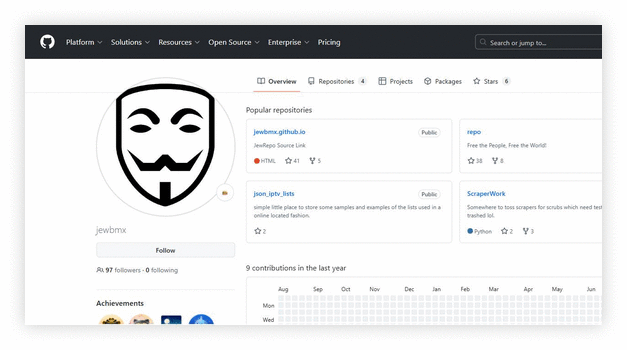
Scrubs V2 is a lightweight third-party Kodi addon for browsing movies and TV shows from public web sources. Its simple categories, Trakt support, subtitles, and provider controls suit viewers who want a free-link option without debrid. Link availability varies because the addon does not host media.
Features:
- Free Link Scraping: Scrubs V2 pulls streaming links from public sources and lists them quickly inside Kodi. It does not host content, which keeps it lightweight. This makes it ideal for casual home viewing without subscriptions.
- Clean VOD Navigation: The interface separates Movies and TV Shows with clear genre, year, and trending filters. It feels close to premium streaming apps.
- TVmaze Calendar Widgets: Scrubs V2 includes TVmaze-powered calendar and episode widgets for tracking new releases. You can view upcoming air dates in one glance. It helps you jump straight to recently aired episodes without digging through folders.
- Trakt Sync Support: You can connect your Trakt account to sync watchlists and playback progress. Scrubs V2 updates watched status automatically across devices. This keeps binge sessions seamless and organized.
- Subtitles Integration: Scrubs V2 works smoothly with popular subtitle services built into Kodi. You can adjust timing and language directly from the player. It improves accessibility without interrupting playback.
- Library Integration Tools: The addon lets you export selected titles into Kodi’s main library. This enables artwork, metadata, and unified browsing with local files. It feels more polished than many basic scraper addons.
- Provider and Resolver Controls: Advanced settings allow you to enable or disable specific providers and resolvers. This gives you better control over link quality. Compared to similar addons, Scrubs V2 offers more granular control for stable playback.
| Pros | Cons |
| Extensive free link scraping provides diverse playback choices | Interface feels dated compared to modern Kodi addons |
| Allows users to stream without premium debrid accounts | Occasional broken links require manual retrying |
| Fast source loading helps access content quickly | |
| Consistent updates keep scrapers working with host changes |
Pricing:
- Free Download
Link: https://jewbmx.github.io/
2) The Crew
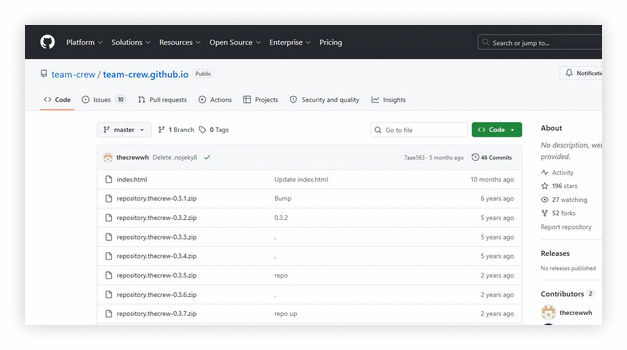
The Crew is a long-running all-in-one Kodi addon with movie, TV, live, sports, kids, and other sections. It can search free sources and also supports compatible premium services such as debrid providers. The official repository is the safest place to confirm the current version.
Features:
- All-in-one content hub: The Crew combines movies, TV shows, kids content, stand-up, and documentaries in one place. You avoid installing multiple addons. It keeps daily browsing simple and organized.
- Well-organized Sports & Live TV: The Sports and Live TV sections are clearly grouped by category and event. Menus load quickly, even on entry-level Fire TV devices. This structure makes finding games less frustrating.
- Debrid & premium service support: The Crew can use free sources or supported premium services. Debrid is optional but can improve the number and quality of cached links.
- Powerful search and filters: The global search tool helps you find titles fast across categories. Filters by year, genre, and trending lists reduce endless scrolling. It keeps your viewing efficient.
- Trakt sync and personal lists: Trakt integration syncs watchlists, collections, and playback progress across devices. You can resume episodes and rate shows without leaving Kodi. It felt seamless across multiple setups.
- Maintenance and troubleshooting tools: The Crew repository includes built-in maintenance options for clearing cache and providers. You also get logging shortcuts for quick diagnostics. This keeps performance steady over time.
| Pros | Cons |
| Allows users to stream movies shows and sports | Some links fail during newly released content searches |
| Real Debrid integration provides consistent HD playback | Free streams occasionally buffer on busy servers |
| Clean menu structure helps access categories quickly | Interface feels slightly outdated versus modern addons |
| Wide content range covers IPTV replays kids anime |
Pricing:
- Free Download
Link: https://github.com/team-crew/team-crew.github.io
3) Fen Light
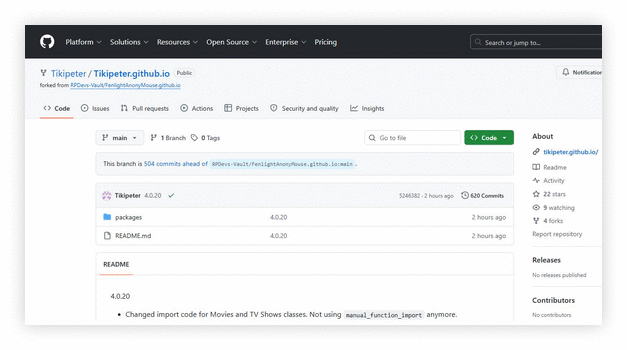
Fen Light is a fast movie and TV addon built around external providers and a compatible debrid account. It is not a free-link addon: playback normally requires a supported debrid service plus the provider package specified by the developer. Trakt integration and source filters provide additional control.
Features:
- Lightweight Movie Browsing: Fen Light strips out the extra menus that slow down bigger addons and focuses on Movies and TV Shows. Pages render almost instantly even on a basic Fire TV Stick. It is the closest a free Kodi addon gets to feeling like a paid app.
- Debrid and Provider Setup: Fen Light requires an external provider package and a supported debrid service for playback. Configure both before a source search.
- Active Maintenance: Tikipeter pushes updates to the repository constantly, often several times a week. That matters because scrapers break whenever hosts change. This is the single biggest reason Fen Light keeps working while older addons quietly die.
- Trakt and Watchlist Sync: Fen Light connects to Trakt so your progress, watchlist, and collections follow you between devices. Set it up once and every Kodi install stays in step. It also powers better recommendations inside the addon.
| Pros | Cons |
| Fast, lightweight movie and TV menus | Requires a compatible paid debrid account |
| Detailed source filters and Trakt support | External provider setup adds installation steps |
| Active repository with frequent updates | Fewer built-in categories than all-in-one addons |
| Clean layout suits lower-powered devices |
Pricing:
- Free Download
Link: https://tikipeter.github.io/
4) Diggz Free99
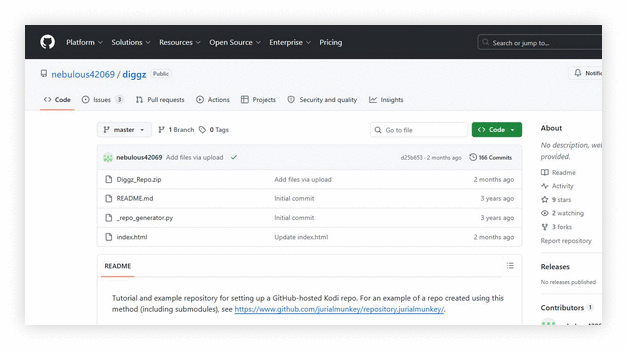
Diggz Free99 is a free-link movie and TV addon from the Diggz repository. It does not require a paid debrid account, although public sources can be less consistent than cached premium links. Its focused menus and scraper-refresh controls make it a practical non-debrid backup.
Features:
- Non-Debrid streaming focus: Free99 focuses on finding playable links without Real-Debrid or premium services. This makes it appealing if you want simple, cost-free viewing. It keeps setup minimal.
- Scrubs-based scraper redesign: Free99 is a modified fork of Scrubs with adjusted scrapers for free links. It aims to surface working sources faster when hosts change. This redesign helps maintain steady availability.
- Clear Movies and TV browsing: The addon separates Browse Movies and Browse TV Shows into clean menus. Subcategories like trending, genres, and years simplify discovery. It feels optimized for lightweight devices.
- Integrated tools section: The built-in Tools area includes cache clearing and provider refresh options. These features help fix common no streams errors. This small step often restores smoother performance.
- Works alongside Diggz ecosystem: Free99 installs from the Diggz Repository and integrates well with Diggz builds like Xenon. It maintained a consistent interface. This keeps your Kodi environment unified and organized.
- Broad device compatibility: Free99 runs on Fire TV, Android TV boxes, Windows, and other Kodi-supported systems. Installation through the repository is straightforward for beginners. It worked reliably across different hardware setups.
| Pros | Cons |
| Allows users to stream without paid debrid services | May return occasional no stream results on new releases |
| Simple layout helps access movies and shows fast | Limited 4K availability compared to premium addons |
| Scraper refresh tools provide quick link recovery | Interface customization options feel quite minimal |
| Regular updates keep free host sources functional |
Pricing:
- Free Download
Link: https://github.com/nebulous42069/diggz
5) ManeFlix
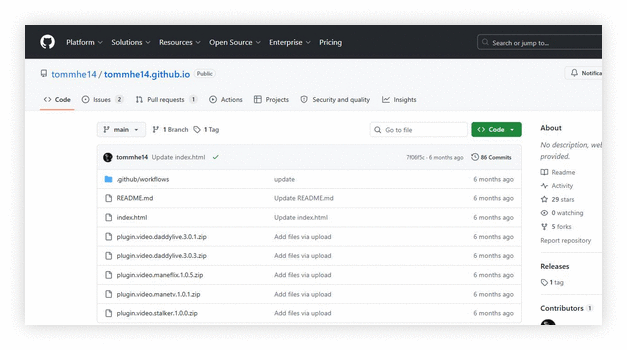
ManeFlix is a metadata-focused movie and TV addon with Trakt and Letterboxd integration, recommendations, trailers, subtitles, and HTTP link aggregation. The developer states that Real-Debrid is not required and that the addon does not use torrent or peer-to-peer searches. Optional paid features may be available separately.
Features:
- ManeFlix Metadata-first browsing: ManeFlix organizes movies and TV shows with rich posters, ratings, and detailed descriptions before you pick a stream. It feels structured and polished. Browsing feels intentional, not rushed.
- Smart Your Next Watch: This feature analyzes your viewing habits to suggest relevant titles. It reduces endless scrolling through categories. It becomes smarter the more consistently you use it.
- Similar titles discovery: ManeFlix displays related movies and series based on what you are currently viewing. This keeps your session flowing smoothly. It feels comparable to mainstream streaming platforms.
- Trakt and Letterboxd integration: You can connect Trakt and Letterboxd accounts for synced watchlists and viewing history. Scrobbling updates progress automatically. This makes your personal library feel consistent across devices.
- Trailers and subtitles built in: ManeFlix allows you to watch official trailers before starting playback. Automatic subtitle matching supports multiple languages. It improves accessibility and helps families choose content confidently.
- Quality-leaning link aggregation: ManeFlix aggregates HTTP streaming links and prioritizes higher-quality results. Developer documentation states that it does not search torrents or use peer-to-peer traffic, and Real-Debrid is not required.
| Pros | Cons |
| Clean Netflix style layout helps access titles quickly | May return fewer available links without premium account |
| Allows users to get personalized recommendations easily | Some regional content restrictions affect catalog variety |
| Fast metadata loading improves browsing experience on Kodi | May require occasional cache clearing for stability |
| Subtitle support enhances accessibility for global viewers |
Pricing:
- Free Download
Link: https://github.com/tommhe14/tommhe14.github.io
6) Umbrella
Umbrella is an actively maintained, debrid-first Kodi addon for movies and TV shows. It supports services such as Real-Debrid, Premiumize, AllDebrid, and TorBox, and uses an external provider package such as CocoScrapers. Current repository folders cover recent Kodi branches, while Trakt tools and detailed source filters provide a configurable setup.
Features:
- On-Demand Library: Movie and TV menus include search, discovery, popular lists, genres, years, and personal sections.
- Debrid-First Playback: Supported debrid services resolve cached sources; the addon is free, but the connected service is paid separately.
- External Providers: A compatible module such as CocoScrapers must be installed and enabled before source searches work.
- Trakt Integration: Trakt can sync watchlists, collections, progress, and watched status.
- Source Filtering: Resolution, file size, language, host, and other filters narrow playback results.
- Current Kodi Branches: The repository includes packages for current releases, including Omega and newer branch directories.
- Troubleshooting Controls: Provider refresh, cache clearing, account reauthorization, and update checks address common no-source errors.
| Pros | Cons |
| Fast, configurable movie and TV browsing | Requires a compatible paid debrid service |
| Detailed source filters improve result control | External provider setup adds installation steps |
| Trakt support keeps lists and progress organized | Playback depends on third-party service availability |
| Active repository supports current Kodi branches |
Pricing:
- Addon: Free and open source
- Compatible debrid service: Paid separately
Link: https://github.com/umbrellaplug/umbrellaplug.github.io
7) Xumo Play
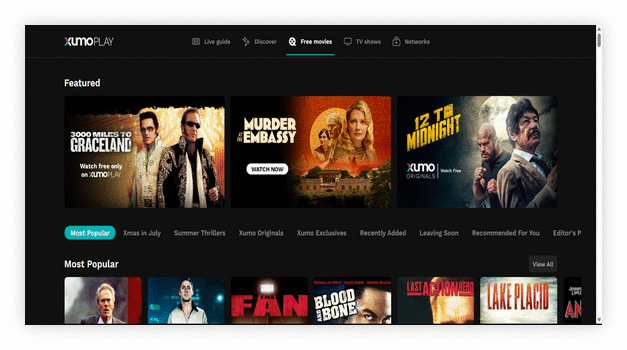
Xumo Play offers licensed, ad-supported live channels and on-demand programs. The Kodi community addon connects to Xumo Play rather than scraping unrelated sources. Availability and channel lineups vary by region, and the linked Kodi forum thread provides compatibility notes.
Features:
- Dedicated Free Movies Section: Xumo Play separates on-demand films into their own tab with rows for Most Popular, Recently Added, and Leaving Soon. The catalogue rotates regularly so there is usually something new. The Leaving Soon row is genuinely useful for planning what to watch first.
- No Account Required: You can open the service and press play immediately, with no sign-up, card details, or subscription of any kind. That makes it the lowest-friction option on this entire list. Creating a free account is optional and only adds a watchlist.
- Live Channels Alongside VOD: As well as films, Xumo Play carries hundreds of free live channels covering news, comedy, crime, and classic TV. It gives you a lean-back option when you cannot decide on a film. Both halves of the service are free and ad-supported.
- Completely Legal and Stable: Because Xumo licenses everything it streams, there are no broken scrapers, no repository outages, and no legal grey area to worry about. This is the practical advantage over addon-based options. It is the safest recommendation on this list.
| Pros | Cons |
| Fully legal and licensed so nothing ever breaks | Ad breaks cannot be skipped |
| No account, card, or debrid subscription needed | Catalogue is smaller than a scraper addon can reach |
| Free movies and live channels in one place | Availability is limited to supported regions |
Pricing:
- Free Download
Link: https://forum.kodi.tv/showthread.php?tid=377310
8) Tubi
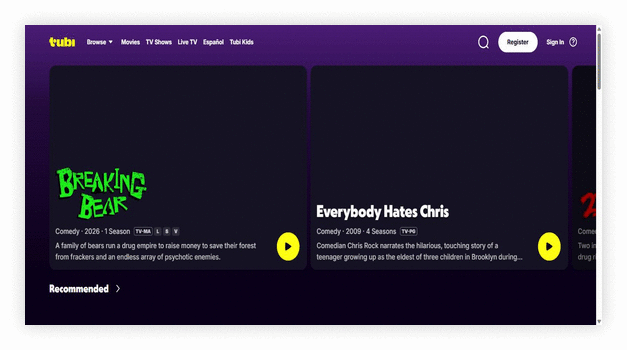
Tubi brings Tubi’s licensed, ad-supported movie and TV catalog into Kodi through a community-maintained addon. It does not require a subscription or debrid service, but availability varies by region and ads are part of playback. Use the current repository release because service changes can affect older versions.
Features:
- Free, legal library: Tubi delivers thousands of ad-supported movies and shows through its official Kodi add-on. You avoid risky third-party sources. It works reliably across multiple devices.
- One-click playback: Streams start quickly because content comes directly from Tubi’s servers. There is no heavy scraping process involved. This makes playback more predictable and stable.
- Curated discovery hubs: Featured, Recommended, Most Popular, and Recently Added sections mirror the official app. You can browse confidently without endless scrolling. It feels structured and easy to explore.
- Search and sorting: The built-in search tool returns results quickly across the catalog. Lists often support alphabetical and newest sorting. It keeps navigation manageable on televisions.
- Account-based personalization: Optional sign-in can provide Continue Watching and My List features when supported by the addon and service.
- Adaptive streaming support: When properly configured, Tubi can use InputStream Adaptive for smoother HLS or DASH playback. This allows dynamic bitrate switching. It handles variable bandwidth well.
- Leaving Soon tracker: The Leaving Soon section highlights titles expiring from the catalog. You can prioritize what to watch before it disappears. It adds practical planning value.
| Pros | Cons |
| Large licensed catalog avoids unknown scraper sources | Ads break immersion more than typical scraper based addons |
| Fast playback provides fewer dead links than aggregators | Regional limits can make some titles unavailable |
| Leaving Soon list helps plan watch time before removals | Limited niche foreign content compared to specialty addons |
| No debrid setup keeps onboarding simple for beginners |
Pricing:
- Free Download
Link: https://github.com/Tallguy58/TubiAddon
9) Pluto TV
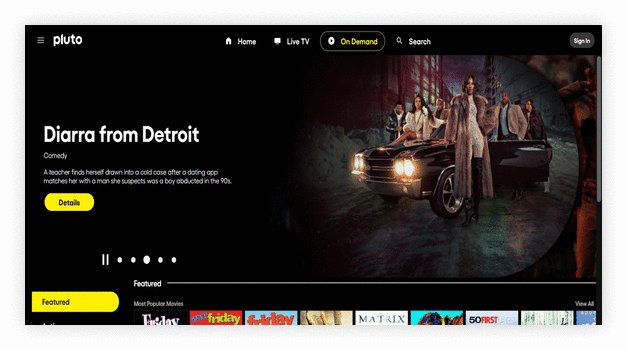
Pluto TV provides free, licensed live channels and on-demand programs supported by advertising. The Kodi addon can integrate Pluto’s channel lineup, while the associated PVR client can add guide data on compatible setups. Regional catalogs and installation options vary.
Features:
- Official IPTV-style integration: Pluto TV’s official Kodi add-on delivers legitimate, ad-supported live and on-demand streaming. It installs directly from the repository. It feels dependable for everyday viewing.
- Extensive live channel lineup: You can access hundreds of curated live channels across news, movies, sports highlights, and niche themes. Channels follow a traditional grid layout. It recreates a cable-like experience inside Kodi.
- On-demand movie library: Pluto TV also offers a rotating on-demand catalog organized by genre and popularity. This gives you flexibility beyond live broadcasts. It works well when you prefer scheduled-free viewing.
- Electronic Program Guide support: The addon integrates with Kodi’s PVR and EPG system for program listings and timelines. This improves channel surfing significantly. It creates a smoother browsing flow.
- Account-free streaming: Most content streams without requiring login credentials. This simplifies installation on new or shared devices. It reduces friction for quick access.
- Adaptive HLS streaming: Pluto TV uses HLS streams compatible with InputStream Adaptive. This allows dynamic bitrate adjustments based on your connection speed. It maintains steadier playback.
- Regional filtering: The addon automatically adjusts channel listings based on your detected country. This ensures localized feeds and compliance. It works quietly in the background to tailor availability.
| Pros | Cons |
| Licensed free live channels support authorized viewing | EPG data sometimes lags behind real programming changes |
| On demand movies provide extra value beyond live streams | Limited DVR style features compared with full PVR setups |
| Fast channel switching feels smooth on decent connections | Can show occasional stream errors during peak hours |
| No login required keeps setup simple for guest devices |
Pricing:
- Free Download
Link: https://kodi.wiki/view/Add-on:Pluto.TV
10) Plex
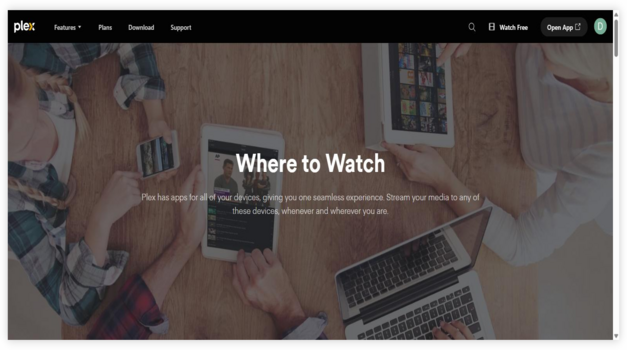
Plex is an official Kodi addon for accessing video, music, and photos stored on a Plex Media Server. It is not a public movie scraper: users need a Plex account and access to their own server or a shared library. Playback depends on the server, network, and transcoding settings.
Features:
- Official Plex integration: Connects Kodi to Plex Media Server to browse and play your personal movies, shows, music, photos, and podcasts with a TV-friendly interface and remote controls, using Plex accounts securely anywhere.
- Skip Intro support: Includes Skip Intro during episode playback, letting you jump past opening credits like official Plex clients, which is especially handy for binge-watching long series on Kodi without fumbling timelines much.
- Collections in library views: Displays Plex Collections directly inside library screens, so curated sets like franchises, director spotlights, or holiday playlists appear as first-class groupings, improving discovery and organization compared with flat folders quickly.
- Quality and version selection: Offers playback choices such as quality selection, transcode decisions, and “Play Version” options when multiple encodes exist, helping match bandwidth, audio needs, and device capability for smoother streaming reliably overall.
- Managed users and hubs: Supports switching between managed users and home hubs like Continue Watching/On Deck, keeping personalized recommendations, play-state indicators, and watch progress separate for each profile on shared Kodi setups easily together.
- Offline mode resilience: Provides an Offline Mode path when internet or server discovery fails, letting you still navigate cached areas and attempt reconnection later, reducing dead-ends compared with many streaming add-ons today gracefully.
| Pros | Cons |
| Plex server integration centralizes personal media libraries | Some features require Plex Pass, adding extra ongoing cost |
| Allows users to resume episodes across devices with On Deck | Can show occasional buffering when server CPU is low |
| Skip Intro support makes binge sessions feel quick and tidy | Interface can feel slower than local Kodi library browsing |
| Multi user profiles keep family watch history neatly separated |
Pricing:
- Free Download
Link: https://kodi.tv/addons/omega/script.plex/
Which Kodi Addon Fits Your Setup?
- Free links without debrid: Start with Scrubs V2 or Diggz Free99, while expecting variable source quality.
- Debrid-based movies and TV: Umbrella and Fen Light provide filterable menus after a compatible debrid service and provider package are configured. See the Umbrella setup guide.
- Licensed, ad-supported viewing: Tubi, Pluto TV, and Xumo Play are the clearest choices where available.
- Live channels: Compare the best Kodi addons for live TV.
- Sports or anime: Use the dedicated Kodi sports addon and Kodi anime addon guides.
- Personal media: Choose Plex to access a Plex server library rather than search public streams.
What Is a Kodi Add-on and How Does It Work?
In the world of Best Kodi Addons, understanding what a Kodi add-on is becomes very important. A Kodi add-on is a small software extension that runs inside the Kodi media player. It adds new features and content options. Kodi by itself is a media player. It plays local files like movies, music, and photos. Add-ons expand its power by connecting it to online sources.
A Kodi add-on works like a bridge. It connects Kodi to websites or streaming services. When you click on a movie or live stream inside the add-on, it pulls data from a source link and plays it through Kodi’s built-in player. The add-on does not usually store content. It only fetches and organizes it in one place.
Common types of Kodi add-ons include:
- Official Add-ons from the Kodi repository that follow platform rules
- Third-Party Add-ons created by independent developers
- Video Add-ons for movies and TV shows
- Music Add-ons for audio streaming
- Program Add-ons for tools and utilities
In the Best Kodi Addons category, well-maintained add-ons load faster, have fewer broken links, and offer better streaming quality.
How We Evaluated the Best Kodi Addons
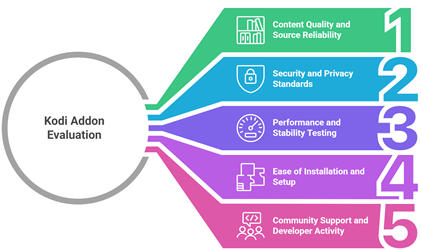
The evaluation prioritizes evidence readers can verify: active repositories or official listings, stated Kodi compatibility, documented account requirements, content type, pricing, and major limitations. Rankings separate free-link addons, debrid-based tools, licensed streaming services, and personal-media clients.
- Source reliability: Developer repositories, official Kodi listings, service documentation, and established support threads were checked.
- Compatibility and maintenance: Current Kodi branches, changelogs, repository activity, and known dependencies were reviewed.
- Setup requirements: Each entry identifies whether debrid, an external provider, a service account, regional access, or a personal media server is needed.
- Content and cost: Movie, TV, live-channel, and personal-library uses are separated, with advertising and paid-service requirements stated.
- Limitations: Variable public links, service outages, geo-restrictions, ads, and third-party dependencies are noted where relevant.
How to Update Addons in Kodi?
Keeping your addons updated is vital if you want the Best Kodi Addons to run smoothly and securely. Regular updates fix bugs, improve performance, and sometimes add new features.
Kodi usually updates addons automatically. Still, it is important to know how to check and update them manually.
Enable Automatic Updates
This is the easiest option for beginners.
- Open Kodi
- Go to Add-ons
- Open My add-ons
- Select any addon
- Choose Versions
- Enable Auto-update
When auto-update is turned on, Kodi installs the latest version whenever it becomes available. This keeps your streaming experience stable.
Are Kodi Addons Legal?
Kodi itself is a legal and open source media player. The real concern is about the addons you install. Kodi addons are small programs that pull content from different online sources. Some of these sources are fully licensed. Others are not.
The legality of a Kodi addon depends on what content it provides and whether that content is licensed. Here is how to understand the difference:
- Official Kodi Addons: Addons found in the official Kodi repository are generally legal. They stream content from authorized services such as YouTube or public domain libraries.
- Third Party Addons: Many third party addons stream movies, shows, or sports without proper rights. Using these can violate copyright laws in many countries.
- Local Laws Matter: Streaming laws vary by country. What may be tolerated in one region can be illegal in another.
- Content Source is Key: If an addon streams copyrighted content for free without permission, it likely raises legal concerns.
This reduces legal risk and ensures better streaming quality and security.
Types of Kodi Streaming Addons
Kodi offers many streaming addons, but not all of them serve the same purpose. When selecting the Best Kodi Addons, it is important to understand the different types available. Each category focuses on a specific type of content and user need.
Here are the main types of Kodi streaming addons:
- Movie and TV Show Addons: These addons focus on films, series, and on demand content. Some connect to legal streaming services. Others pull from open web sources. Quality and reliability vary.
- Live TV Addons: These provide access to live channels such as news, sports, and entertainment. Official addons stream licensed broadcasts. Third party options may not.
- Sports Addons: Designed for live matches, highlights, and sports channels. They are popular but often face copyright issues if not officially licensed.
- Music Addons: These stream songs, albums, and radio stations. Many link to authorized music platforms.
- Niche or Specialty Addons: These focus on documentaries, anime, regional content, or public domain media.
Choosing the right type depends on your viewing habits, internet speed, and local laws.
Verdict:
In this review, you got acquainted with some of the most popular Kodi addons for streaming movies and TV shows. Each option delivers unique strengths in content variety, speed, and interface design.
- Scrubs V2: Scrubs V2 stands out as a top choice for users who want a user-friendly layout with a strong focus on on-demand movies and TV series. Its lightweight structure delivers fast scraping and dependable links, which helps resolve issue of buffering on well-configured devices.
- The Crew: The Crew remains a superior choice due to its comprehensive content library, including movies, shows, live TV, sports, and IPTV sections. Its robust scraper integration and frequent updates make it a powerful and secure addon for diverse entertainment needs.
- Fen Light: Fen Light is a fast, debrid-based choice for movies and TV shows. Its lightweight menus, Trakt support, and source filters suit viewers who already use a compatible debrid service and external provider package.
FAQs
Why are some Kodi addons not working properly?
Kodi addons often fail due to outdated repositories, broken source links, server shutdowns, or incompatible Kodi versions. Sometimes, geo-restrictions, ISP throttling, or cached data conflicts cause issues. Regularly updating addons, clearing cache, using reliable repositories, and ensuring version compatibility can resolve most problems quickly and restore smooth functionality.
How can I improve streaming performance with Kodi addons?
Improve Kodi streaming by using a stable internet connection, adjusting cache settings, and selecting high-quality but realistic stream resolutions. Installing a maintenance tool for clearing cache and thumbnails helps reduce lag. A wired Ethernet connection, updated addons, and optimized device storage significantly enhance playback speed and minimize buffering interruptions.
Can I use Kodi addons on multiple devices?
Yes, Kodi addons can be installed on multiple devices including Android, Windows, macOS, Firestick, and Linux. Since Kodi is open-source, you can replicate the same setup across devices by installing identical repositories and addons. Ensure each device meets system requirements and runs a compatible Kodi version for seamless performance.
Can Kodi addons guarantee buffer-free streaming?
No Kodi addon can guarantee completely buffer-free streaming. Performance depends on internet speed, server reliability, stream source quality, and device capability. Even premium sources may buffer during peak traffic. Optimizing cache settings, using fast connections, and choosing reliable stream links reduces buffering but cannot eliminate it entirely.
Do I need a subscription to use the best Kodi addons?
The addon software on this list is free, but Fen Light and Umbrella require a compatible paid debrid service for playback. The Crew can use debrid optionally, while Tubi, Pluto TV, and Xumo Play are free with advertising. Plex is free for basic use, although some features require Plex Pass.