
Key Takeaway: The strongest Hulu replacements are Sling TV for flexible lower-cost live channels, YouTube TV for the closest full cable-style experience, and Philo for inexpensive entertainment networks. Netflix is better for pure on-demand viewing, while Fubo serves live-event programming-heavy households. Choose by the Hulu feature you use, not by catalog size alone.
Hulu can be difficult to replace because the name covers two different viewing habits: a standard on-demand library with originals and recent television, and an optional live bundle with locals, live-event programming, news, DVR, Disney+, and ESPN access. A cheaper movie app may replace the first habit but fail completely when Sunday football or next-day network episodes are the reason you subscribe.
I compared nine legal services through their current official plan, signup, help, device, and feature pages. The list starts with live-TV substitutes, then adds on-demand specialists for households that never use Hulu’s live guide. Every recommendation works through an official Fire TV route, and the trade-offs explain missing locals, live-event programming rights, advertisements, downloads, streams, regional access, and regular pricing.
Content and Licensing Note: This Best Hulu Alternatives guide compares applications and viewing services for informational purposes. Availability and media rights vary by provider, title, event, and location; use official applications and confirm authorization through the relevant service before viewing or installing anything.
Best Hulu Alternatives for Live TV and On-Demand Streaming
| Service | Best For | Starting Price | Get Started |
|---|---|---|---|
| Sling TV | Lower-cost live TV flexibility | From $45.99 monthly for Orange | Visit Site |
| YouTube TV | Closest full live-TV replacement | $82.99 monthly plus tax | Visit Site |
| Philo | Budget entertainment channels | $25 monthly; free channels available | Visit Site |
| Netflix | On-demand originals and binge viewing | From $8.99 monthly with ads | Visit Site |
| Fubo | live-event programming-first live television | Pro regularly $84.99 monthly | Visit Site |
1) Sling TV
Sling TV is the best Hulu alternative for viewers who want live channels without paying for a full local-channel bundle. Orange and Blue split the lineup, keeping entry prices below Hulu + Live TV. I rank Sling first because its monthly plans, short passes, add-ons, Freestream library, and Fire TV app let households buy only the coverage they need.
Features:
- Plan Choice: Orange emphasizes ESPN, Disney, and family programming, while Blue adds more news, reality, entertainment, and selected local FOX or NBC stations by market.
- Lower Entry: Orange starts at $45.99 monthly and Blue at $49.99 in current listed markets, substantially below many full cable-replacement packages before optional extras are added.
- Short Passes: One-day, three-day, and seven-day Orange passes provide temporary access for a game or event without starting another automatically renewing monthly subscription or long-term billing.
- Free DVR: Monthly base plans include fifty hours of cloud recording, while an optional five-dollar upgrade expands storage for households that save more live-event programming and series.
- Device Streams: Orange permits one stream, Blue allows three, and the combined plan reaches four, although Orange-exclusive channels still retain the single-stream restriction across the household.
- Source Check: I verified current plan prices, pass costs, stream limits, DVR storage, cancellation terms, and the lack of a standard free trial on Sling’s official pages.
- Main Limitation: Local stations vary sharply by ZIP code, CBS is absent from the core plans, regional live-event programming are limited, and building several extras can erase the price advantage.
| Pros | Cons |
|---|---|
| Flexible channel packages | Limited local-channel coverage |
| Lower live-TV starting price | Orange allows one stream |
| Short nonrecurring passes | Extras can raise the bill |
| Free DVR and Freestream |
Pricing:
- Orange: $45.99 per month
- Blue: Starting at $49.99 per month in listed markets
- Orange & Blue: $64.99 per month
Link: https://www.sling.com/
2) YouTube TV
YouTube TV is the closest Hulu + Live TV alternative for households that want one base plan, local stations, more than one hundred channels, and an unlimited cloud DVR. I place it second because its guide, multiview options, family sharing, and reliable Fire TV app reduce setup friction, although the monthly price is closer to cable than Sling or Philo.
Features:
- Broad Base Plan: More than one hundred channels combine national live-event programming, news, entertainment, children’s programming, and local affiliates, with exact availability determined by the home ZIP code.
- Local Networks: ABC, CBS, FOX, NBC, and other broadcast stations are available in many markets, making the service more complete than live-TV packages with patchy locals.
- Unlimited DVR: Cloud recording has no published storage cap, keeps recordings for nine months, and creates separate libraries for eligible members within one household family group.
- Household Sharing: One membership supports up to six household accounts with individual recommendations and recordings, while ordinary simultaneous viewing is securely limited to three devices.
- live-event programming Features: Multiview, key plays, fantasy integrations, optional live-event programming Plus, professional football Sunday Ticket availability, and flexible guide sorting support households that watch several competitions today.
- Source Check: I confirmed the $82.99 base price, trial eligibility, channel count, location requirement, add-on route, and cancellation flexibility through YouTube TV’s official help documentation.
- Main Limitation: The base price is high, regional live-event programming coverage remains incomplete, 4K costs extra, and home-area rules can interrupt travelers who stay away for extended periods.
| Pros | Cons |
|---|---|
| Broad local and cable lineup | Expensive base plan |
| Unlimited cloud DVR | 4K requires an add-on |
| Six household accounts | Regional live-event programming gaps remain |
| Polished Fire TV application |
Pricing:
- Base Plan: $82.99 plus tax per month
- Trial: Available to eligible new subscribers; length varies
- Add-ons: Premium networks, live-event programming Plus, and 4K Plus cost extra
Link: https://tv.youtube.com/
3) Philo
Philo is the strongest low-cost Hulu alternative for viewers who primarily watch lifestyle, reality, drama, documentaries, and classic entertainment rather than live live-event programming or local broadcast news. Its Essential plan currently costs $25 monthly. I rank it third for the year-long DVR, three simultaneous streams, large on-demand library, free channel tier, and straightforward Fire TV experience.
Features:
- Entertainment Focus: More than seventy paid channels emphasize AMC, Discovery, Hallmark, Paramount-owned entertainment, reality, lifestyle, history, and family programming instead of expensive live-event programming rights and locals.
- Free Channels: More than one hundred advertising-supported channels remain available without a paid plan or credit card, with selected recordings saved for up to thirty days.
- Long DVR Window: Paid plans retain unlimited saved programs for one year, letting subscribers skip recorded advertisements where permitted and build a substantial personal television queue.
- Three Streams: Three devices can play simultaneously, while profiles, saved shows, watch history, and recommendations keep separate household preferences organized cleanly under the same subscription.
- Bundle Value: Bundle+ adds HBO Max Basic with Ads, discovery+ with ads, and extra AMC+ content for eight dollars above the standard Essential monthly price.
- Source Check: I verified Essential and Bundle+ prices, channel counts, free access, trial length, DVR retention, and current add-on costs through Philo’s official help center.
- Main Limitation: Philo excludes major live-event programming networks and most local broadcasters, so an antenna or separate service is necessary for live games, breaking news, and network events.
| Pros | Cons |
|---|---|
| Low monthly price | No major live-event programming networks |
| One-year unlimited DVR | Most local channels absent |
| Three simultaneous streams | Limited news selection |
| Useful free channel tier |
Pricing:
- Essential: $25 per month
- Bundle+: $33 per month
- Free Channels: 100+ channels at no cost; no credit card required
Link: https://www.philo.com/
4) Netflix
Netflix is the best regular Hulu alternative when live channels and next-day network episodes do not matter. Its catalog, prolific originals, strong recommendation system, downloads, profiles, and mature Fire TV app make it a dependable on-demand anchor. I place Netflix fourth because it replaces Hulu’s bingeable side extremely well, but viewers lose Hulu’s current-season television rhythm and optional live bundle.
Features:
- Original Library: Netflix releases a steady mix of drama, comedy, documentaries, films, animation, reality, international productions, and licensed titles instead of depending on next-day network episodes.
- Global Reach: The service operates across most countries, although licensing changes each national catalog and can remove familiar programs that remain available in another region.
- Download Support: Supported mobile devices can store eligible titles for offline viewing, with the number of download devices and monthly advertising-plan downloads determined by subscription tier.
- Profile Controls: Separate profiles, maturity ratings, profile locks, children’s experiences, recommendations, watchlists, and continue-watching history make the service practical for shared family accounts securely across devices.
- Picture Quality: Standard tiers provide Full HD on supported titles and connections, while Premium adds 4K, HDR, spatial audio, four streams, and expanded download-device limits.
- Source Check: I rechecked the August 2026 United States prices, plan features, household rule, simultaneous streams, and download limits through Netflix’s current official plan resources.
- Main Limitation: There is no live channel guide, next-day network schedule, annual billing discount, or free trial, and the advertising plan omits a small group of licensed titles.
| Pros | Cons |
|---|---|
| Excellent original programming | No live television |
| Powerful recommendations | No annual discount |
| Broad international availability | Catalog rotates by country |
| Strong profiles and downloads |
Pricing:
- Standard with Ads: The U.S. rate is $8.99 each month
- Standard: $19.99 monthly in the United States
- Premium: U.S. pricing is $26.99 each month
Link: https://www.netflix.com/
5) Fubo
Fubo is the Hulu + Live TV alternative for live-event programming households that prioritize soccer, national networks, and generous simultaneous viewing. Current Pro listings include more than two hundred channels and unlimited cloud DVR. I rank it fifth because the lineup is deep and Fire TV support is strong, but regional live-event programming fees and premium plan prices require careful ZIP-code checking.
Features:
- live-event programming Depth: National leagues, college events, soccer competitions, local affiliates, professional football Network, ESPN Unlimited, and available regional live-event programming networks create one of streaming’s broadest live-event programming packages.
- Large Lineup: The current Pro listing advertises approximately 210 channels, while higher tiers add more entertainment, live-event programming extras, 4K events, premium networks, and international coverage.
- Unlimited DVR: Live-TV plans include unlimited cloud storage, although recordings currently expire after nine months, so long-term archives still require periodic viewing or replacement recordings.
- Many Screens: Eligible home use reaches ten simultaneous screens on leading plans, making Fubo practical for live-event programming families watching different games, news, and entertainment concurrently.
- Free Trial: A short trial is advertised on eligible plans, but duration and availability can change, requiring the checkout page to be checked before entering payment details.
- Source Check: I verified current regular prices, channel counts, trial language, screen limits, DVR expiry, live-event programming inclusions, and regional caveats on Fubo’s official August 2026 pages.
- Main Limitation: Pro pricing rivals YouTube TV, mandatory regional live-event programming charges can raise the checkout total, and certain Warner-owned entertainment channels remain missing from the lineup.
| Pros | Cons |
|---|---|
| Deep live-event programming coverage | High regular price |
| Large channel lineup | Regional live-event programming fees may apply |
| Unlimited cloud DVR | Some entertainment channels missing |
| Up to ten home streams |
Pricing:
- Pro: The regular rate is $84.99 monthly after introductory pricing
- Elite: Returns to $94.99 per month when the introductory offer ends
- Deluxe: Costs $114.99 monthly once the current introductory rate expires
Link: https://www.fubo.tv/
6) Disney+
Disney+ is the clearest Hulu alternative for families who want Disney, Pixar, Marvel, Star Wars, National Geographic, and child-friendly profiles. A limited Hulu hub appears inside Disney+, but full Hulu access still requires the separate service or a bundle. I include Disney+ for reliable Fire TV playback, 4K on supported titles, franchise depth, downloads on Premium, and simple household controls.
Features:
- Franchise Strength: Disney, Pixar, Marvel, Star Wars, National Geographic, classic animation, musicals, documentaries, and originals create a focused catalog with unusually strong worldwide family recognition.
- Limited Hulu Hub: Selected Hulu programs appear inside Disney+, but the complete Hulu catalog, detailed watch history, premium add-ons, and Live TV channels still require Hulu access.
- Premium Downloads: The advertisement-free Premium plan supports downloads on mobile devices, while the advertising plan keeps offline viewing unavailable except where a separate promotion states otherwise.
- Four Streams: Up to four supported devices can stream simultaneously, with profile PINs, junior mode, content ratings, GroupWatch replacements, and account controls supporting family use.
- Fire TV Support: Official Fire TV and Fire tablet applications provide remote-friendly navigation, profiles, subtitles, audio tracks, HDR formats, and 4K playback when hardware and content qualify.
- Source Check: I verified current standalone and bundle prices, limited Hulu integration, annual savings, supported devices, advertising exceptions, and Premium downloads through Disney’s official United States pages.
- Main Limitation: The catalog is narrower for age-restricted general entertainment, standalone pricing has risen, and choosing Disney+ specifically to replace Hulu can create substantial content gaps.
| Pros | Cons |
|---|---|
| Outstanding family catalog | Narrower age-restricted selection |
| Four simultaneous streams | Full Hulu catalog excluded |
| 4K included on eligible titles | Standalone price has increased |
| Premium supports downloads |
Pricing:
- Disney+ with Ads: $11.99 per month
- Disney+ Premium: $18.99 per month
- Premium Annual: $189.99 per year
Link: https://www.disneyplus.com/
7) HBO Max
HBO Max is a Hulu alternative for viewers who favor HBO dramas, Warner Bros. films, DC, documentaries, reality brands, and prestige television over network catch-up. Standard and Premium now include selected live live-event programming. I rank it seventh because its programming quality is excellent, but current prices are high and the advertisement-free Standard tier costs more than several entire competing services.
Features:
- Prestige Catalog: HBO originals, Warner Bros. movies, DC titles, documentaries, age-restricted animation, classic television, Discovery programming, and international originals support focused high-quality viewing for subscribers.
- live-event programming Access: Selected professional baseball, professional hockey, college tournament, cycling, and U.S. Soccer events are included on Standard and Premium, with availability and technical formats changing by event.
- Offline Downloads: Standard permits thirty mobile downloads and Premium allows one hundred, subject to expiration, title eligibility, account limits, travel rules, and supported operating systems.
- Premium Quality: Premium smoothly enables eligible 4K Ultra HD, Dolby Vision, HDR10, Dolby Atmos, four ordinary streams, and a larger download allowance on compatible titles.
- Fire TV Route: The official Amazon Appstore version reliably supports Fire TV devices, profiles, subtitles, accessibility tools, watchlists, continue-watching, downloads on mobile, and provider-billed subscriptions.
- Source Check: I confirmed the current three-tier prices, annual rates, live-live-event programming eligibility, stream limits, download allowances, and Amazon billing route through HBO Max’s official help center.
- Main Limitation: Every plan has become expensive, live channels do not replace a full cable guide, live-event programming are limited, and even advertisement-free plans retain promotions or ads in exceptions.
| Pros | Cons |
|---|---|
| Excellent prestige programming | High monthly prices |
| Strong Warner film library | Limited live live-event programming only |
| Downloads on ad-free plans | No full live-TV replacement |
| Premium 4K and Atmos |
Pricing:
- Basic with Ads: $10.99 monthly, or $109.99 when billed yearly
- Standard: Monthly access is $18.49; the annual option is $184.99
- Premium: Costs $22.99 per month, while yearly billing is $229.99
Link: https://www.hbomax.com/
8) Peacock
Peacock is a lower-cost Hulu alternative for viewers following NBC and Bravo series, Universal movies, Peacock Originals, regional football packages, Sunday Night Football, WWE, and other live events. I recommend Premium rather than the cheaper Select tier because Select excludes live-event programming, movies, and Peacock Originals. Fire TV support is native, but advertisements remain during live programming even on Premium Plus.
Features:
- NBC and Bravo: Current and catalog series from NBC, Bravo, Telemundo, Universal, and related brands make Peacock useful for viewers whose Hulu habits center on network entertainment.
- Live live-event programming: Premium carries selected regional football packages, professional football, college live-event programming, golf, cycling, motor racing, WWE, and special events, with rights and exact schedules changing seasonally.
- Movie Access: Premium adds Universal releases, licensed films, and Peacock Originals that the cheaper Select plan specifically excludes today alongside live live-event programming and original programming.
- Premium Plus: The highest plan removes most on-demand advertisements, enables eligible downloads, and adds features, although live channels, live-event programming, events, and selected programs still carry commercials.
- Fire TV App: Amazon Fire TV devices receive an official application with profiles, captions, watchlists, continue-watching, live-event navigation, and adaptive playback on supported home connections.
- Source Check: I rechecked Select, Premium, and Premium Plus prices, annual discounts, exclusions, download rules, and advertising exceptions on Peacock’s official plan page again today.
- Main Limitation: Select is too restricted for a full replacement, Premium retains ads, Premium Plus has limited exceptions, and no tier supplies Hulu-style multichannel live television.
| Pros | Cons |
|---|---|
| Strong NBC and Bravo catalog | Select excludes major content |
| Valuable live live-event programming | Live events retain ads |
| Universal films and originals | No full cable-style guide |
| Official Fire TV application |
Pricing:
- Select: $8.99 each month or $89.99 for one year
- Premium: Monthly access costs $12.99; annual billing costs $129.99
- Premium Plus: Choose $19.99 monthly or $199.99 under annual billing
Link: https://www.peacocktv.com/
9) Paramount+
Paramount+ is a useful Hulu alternative for CBS shows, Paramount films, Nickelodeon, Comedy Central, MTV, Star Trek, professional football on CBS, UEFA soccer, UFC, and Showtime programming. Essential is the cheaper entry, while Premium adds the local live CBS station and downloads. I place it ninth because the catalog is narrower, but its combined entertainment and live-event programming value fits households well.
Features:
- CBS Library: Current CBS series, reality franchises, procedurals, news programs, catalog seasons, and Paramount+ originals provide a strong network-centered alternative to Hulu’s wider television mix.
- live-event programming Rights: Essential includes professional football on CBS, UEFA competitions, UFC events, and other selected live-event programming, while exact blackouts, replays, live feeds, and markets still vary.
- Premium Benefits: Premium includes the local CBS live station, Showtime programming, downloads, 4K or HDR on eligible titles, and fewer advertisements outside live television too.
- Three Streams: Both current plans advertise three simultaneous streams, which supports shared households better than services that restrict the entry tier to one active device.
- Fire TV Support: A native Fire TV application offers profiles, watchlists, subtitles, live-event rows, local CBS on Premium, and direct billing or Amazon channel alternatives.
- Source Check: I confirmed the 2026 Essential and Premium monthly prices, stream count, live-event programming access, download rules, Showtime inclusion, and live CBS difference through Paramount’s official signup page.
- Main Limitation: Essential includes advertisements and lacks local live CBS, Premium costs substantially more, catalogs remain region-specific, and neither plan recreates a full Hulu + Live TV guide.
| Pros | Cons |
|---|---|
| Strong CBS and Paramount catalog | Essential lacks local CBS |
| professional football, soccer, and UFC access | Premium price has increased |
| Three simultaneous streams | Narrower catalog than Hulu |
| Showtime included with Premium |
Pricing:
- Essential: $8.99 per month
- Premium: $13.99 per month
- Annual Billing: Displayed during signup; verify the current checkout total
Link: https://www.paramountplus.com/
Choose by What You Actually Watch on Hulu
The fastest way to overspend is to replace the Hulu logo instead of replacing a viewing habit. Write down the ten programs, networks, teams, and household features you used during the last month. That list usually reveals whether one service is enough or whether a cheaper live plan plus a rotating on-demand subscription will save more without sacrificing the programs that matter.
- Network Catch-Up: Peacock covers much NBC and Bravo programming, Paramount+ focuses on CBS brands, while Disney+ and HBO Max solve narrower franchise or premium-series needs.
- Live Locals: YouTube TV and Fubo carry major affiliates in many markets; Sling offers selected FOX and NBC stations, while Philo generally excludes local broadcasters.
- live-event programming Priority: Fubo emphasizes broad live-event programming coverage, YouTube TV balances major leagues and locals, Sling lowers entry cost, and Peacock or Paramount+ fill particular rights.
- Family Viewing: Disney+ offers the clearest child-focused library, Netflix supplies diverse profiles and originals, and every live provider should be checked together for simultaneous-stream limits.
- One-Title Rule: When only one exclusive matters, subscribe for a month, finish it, cancel, and rotate instead of stacking several overlapping on-demand plans permanently year-round.
How I Matched Each Hulu Feature to a Real Replacement
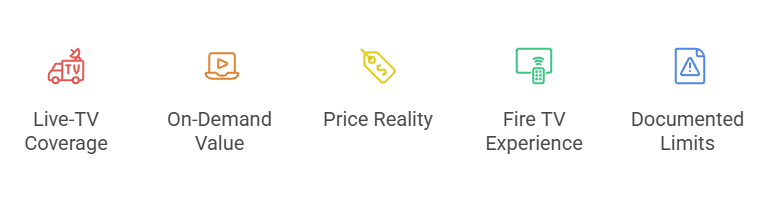
Hulu is really two products: an on-demand service with originals and recent television, plus an optional cable-style live bundle. Ranking every competitor on one generic scale would hide that split. I therefore scored services by the exact Hulu job they replace, then checked price, channels, device support, household rules, DVR, downloads, advertisements, and the cost of filling any remaining gap.
- Live-TV Coverage: Local broadcasters, national news, live-event programming networks, regional coverage, guide quality, simultaneous streams, and cloud DVR determined whether a service could replace Hulu + Live TV.
- On-Demand Value: Original series, recent television, films, children’s programming, discovery, downloads, profiles, picture quality, and advertisements shaped the ranking for ordinary Hulu subscribers and households.
- Price Reality: Regular rates count more than short promotions, and optional add-ons, live-event programming fees, annual billing, free tiers, and advertisement removal remain separated instead of blended for readers.
- Fire TV Experience: Every pick offers an official Fire TV route, avoiding unknown APKs while supporting remote navigation, account sync, captions, updates, and dependable living-room playback.
- Documented Limits: Missing locals, absent live-event programming, regional catalogs, download restrictions, household rules, trial terms, and advertising exceptions are disclosed because those details decide the correct replacement.
Build a Cheaper Hulu Replacement Stack Without Recreating Cable
A replacement stack works when every payment has a separate purpose. Start with an antenna or the cheapest live service that carries must-have channels, add one broad on-demand subscription, and rotate specialist services only during active seasons. Compare the regular monthly total, not the first-month offer, then include internet, regional live-event programming charges, premium add-ons, taxes, and any device costs.
- Budget Live Stack: Combine Sling or Philo with an antenna when local broadcast reception is strong, adding Peacock or Paramount+ only for specific live-event programming and exclusives.
- Full Live Stack: Choose YouTube TV or Fubo when locals, national live-event programming, household streams, and DVR convenience justify a higher single bill with fewer separate applications.
- On-Demand Stack: Use Netflix as a broad anchor, then rotate Disney+, HBO Max, Peacock, or Paramount+ according to current releases rather than keeping all five continuously.
- Annual Caution: Annual billing saves money only when the service remains useful for twelve months; monthly rotation is cheaper when a catalog has just one short season.
- Cancellation Calendar: Record renewal dates, promotional end dates, live-event programming seasons, annual expirations, and free-trial deadlines so a forgotten subscription does not quietly erase the savings.
Check Channels, DVR Rules, and Streams Before Canceling Hulu
Headline channel counts are poor decision tools because every household values a different missing network. Use each provider’s ZIP-code lookup, inspect the actual base-plan list, and confirm DVR retention, advertisement skipping, home-network rules, travel limits, and concurrent streams. Our YouTube TV alternatives guide offers another live-service comparison once you know which networks are essential.
- ZIP-Code Lineup: Enter the home address before checkout because local ABC, CBS, FOX, NBC, CW, regional live-event programming networks, and taxes can differ between neighboring markets.
- DVR Retention: YouTube TV and Fubo keep recordings for nine months, Philo uses a one-year window, and Sling begins with a smaller included storage allowance.
- Stream Limits: Sling Orange allows one stream, YouTube TV normally allows three, Philo allows three, and eligible Fubo home plans advertise substantially more concurrent screens.
- Travel Rules: Local channels, home-area verification, regional live-event programming, downloads, and television-device playback may change unexpectedly outside the household, especially during extended domestic or international travel.
- Trial Test: During any trial, test peak-hour playback, captions, channel changes, recording, fast-forwarding, profiles, Fire TV navigation, and two-device use before the billing date arrives.
Move Watchlists and Protect Your Fire TV Setup
Hulu watch history cannot be transferred directly into most competitors, so migration is a small manual project. Capture active series, episode progress, profiles, and recordings before canceling. Install replacements only from the Amazon Appstore, sign in on the service’s verified domain, remove abandoned applications, and review recurring subscriptions after the new setup has survived at least one normal viewing week.
- Capture Progress: Record the exact series, season, episode, language, and unfinished movie position before cancellation because exported history and direct service-to-service migration are generally unavailable.
- Search Before Paying: Check JustWatch, Fire TV search, or each official catalog for must-have titles, then confirm the season and audio track rather than trusting a generic brand comparison.
- Install Officially: Use the Amazon Appstore listing linked to the verified provider, avoiding Downloader codes, modded packages, free-premium claims, lookalike sign-in pages, or extensions today.
- Review Billing: Cancel through the original billing provider, save confirmation, note the final access date, and inspect Amazon, Apple, Google, Roku, or direct-service subscription settings.
- Keep a Fallback: Retain the old service until locals, recordings, profiles, live-event programming, captions, and simultaneous streams work correctly, then cancel before the next billing cycle.
Best Hulu Alternatives Verdict
Sling TV is the best overall alternative when live channels matter and price flexibility is the reason for leaving Hulu. YouTube TV is the more complete replacement for locals, DVR, and a familiar cable-style lineup, while Philo delivers the strongest budget entertainment package. On-demand viewers should start with Netflix and rotate specialist services rather than paying for an expensive live bundle they never open.
- Sling TV: Best overall for flexible live packages, short passes, free DVR, optional extras, and a lower starting price than full cable-replacement services.
- YouTube TV: Best for households needing broad local coverage, more than one hundred channels, unlimited DVR, family accounts, and a polished Fire TV guide.
- Philo: Best budget choice for entertainment and lifestyle networks, three streams, one-year DVR retention, free channels, and no expensive live-event programming-rights burden.
FAQs
What is the best overall Hulu alternative?
Sling TV is the best overall option when lower-cost live television is the priority. Netflix is better for on-demand viewing, while YouTube TV is the closest complete Hulu + Live TV replacement.
Which Hulu alternative is cheapest?
Philo Essential costs $25 monthly for entertainment channels, while Sling provides more live-event programming and news from $45.99. Peacock, Paramount+, Netflix, and Disney+ cost less but do not replace a full live-TV lineup.
Can I replace Hulu and still watch local channels?
Yes, but availability depends on your ZIP code. YouTube TV and Fubo carry major local affiliates in many markets, Sling has selected FOX and NBC stations, and an antenna can fill gaps.
Which Hulu alternative is best for sports?
Fubo is strongest for a live-event programming-first multichannel lineup, YouTube TV balances major leagues and locals, Sling lowers the entry cost, and Peacock or Paramount+ can cover specific rights.
Where can I compare on-demand alternatives instead of live TV?
Read our best Netflix alternatives guide for a catalog-first comparison. Check current prices, exact titles, advertising, downloads, picture quality, and regional availability before subscribing.