Key Takeaway: Plex is the best all-round MovieBox Pro alternative, Tubi is the simplest free licensed option, and Stremio offers the most flexible multi-device interface. The safest replacement is often a two-app combination matched to how you watch.
MovieBox Pro appealed through a Netflix-like catalog, synchronized history, multiple resolutions, subtitles, downloads, and broad device support. The tradeoff is an invitation-based service absent from leading app stores with unclear rights for the films and series it distributes. A replacement should solve those practical problems without another anonymous APK or reused brand name.
I compared ten current platforms against five priorities: catalog breadth, watchlists, resume playback, Firestick support, and offline access. The winners include licensed free services, configurable media centers, library-funded apps, and paid subscriptions. Each recommendation explains what it provides, what it cannot replace, and what it costs.
10 Best MovieBox Pro Alternatives in 2026: My Top Picks
| Service | Best For | Access Model | Get Started |
|---|---|---|---|
| Plex | One watchlist plus personal media | Free with ads; paid media tools | Visit Site |
| Tubi | Free movies with minimal setup | Free with ads | Visit Site |
| Stremio | Unified discovery and configurable sources | Free app; optional Supporter plan | Visit Site |
| Pluto TV | Live channels plus on-demand movies | Free with ads | Visit Site |
| The Roku Channel | Roku Originals and 500+ channels | Free with ads | Visit Site |
1) Plex
Plex is the MovieBox Pro alternative I rank first because it combines licensed free movies, live channels, cross-service discovery, a universal watchlist, and personal media. Its official Fire TV app avoids sideloading, while saved titles remain useful even when Plex only points you to another legitimate provider. That makes migration practical instead of merely replacing one catalog.
Features:
- Universal Watchlist: Save films and series independently of Plex availability, then see participating services that currently stream, rent, or sell each title in your selected region.
- Free Programming: Licensed on-demand movies, television episodes, and live channels play without a subscription, although advertising and regional distribution agreements determine the available catalog.
- Personal Library: Plex Media Server organizes video files you lawfully own, preserving a permanent collection beside temporary partner catalogs without mixing ownership and streaming rights.
- Fire TV Client: The official Amazon application supports remote navigation, search, watchlists, free programming, Discover results, rentals, and compatible home-server libraries without enabling unknown sources.
- Remote Options: Local personal-video playback stays free; watching a server remotely now requires either a Remote Watch Pass or a server owner maintaining Plex Pass.
- Source Check: I reviewed Plex support for free streaming, supported apps, downloads, rentals, remote access, and plan changes before placing it above single-catalog services.
- Important Limit: Plex Pass does not remove commercials or unlock extra films in the free catalog, and free partner movies cannot be downloaded for offline viewing.
| Pros | Cons |
|---|---|
| Universal watchlist spans providers | Free catalog keeps commercials |
| Free licensed movies and channels | Remote personal video is paid |
| Handles personal media libraries | Catalog differs by country |
| Official Fire TV application |
Pricing:
- Free Streaming: $0 with advertising
- Remote Watch Pass: $2.99 monthly or $29.99 annually
- Plex Pass: $6.99 monthly or $69.99 annually; lifetime $749.99
Link: https://www.plex.tv/
2) Tubi
Tubi is the free MovieBox Pro replacement I recommend when you want to press play without entering a card number. The service licenses its catalog, has an official Fire TV app, and permits guest viewing in supported regions. A free profile adds a queue, history, recommendations, and resume playback, covering the everyday conveniences most people actually miss.
Features:
- Licensed Catalog: Studio and independent agreements supply movies, episodic television, originals, anime, documentaries, reality programs, and family selections through a clearly advertising-supported business model.
- No Card Needed: Ordinary viewing costs nothing and does not require billing details, because commercials compensate participating distributors instead of converting a trial into a subscription.
- Optional Profile: Registering freely can preserve saved titles, recommendations, viewing history, and playback position when moving between compatible televisions, browsers, phones, and tablets.
- Native Fire TV: Install Tubi directly from Amazon Appstore and verify the named developer, avoiding Downloader codes, copied APK pages, browser notification traps, and manual update chores.
- Accessibility Controls: Available captions can be adjusted through supported applications, while language tracks, subtitles, audio descriptions, and display options remain dependent on each supplied title.
- Source Check: I confirmed the zero-cost model, supported-region limitation, profile benefits, application route, and rights-cleared positioning through current official and parent-company resources.
- Important Limit: Advertisements cannot be removed, titles rotate as licenses expire, and availability can change by country, language, device, age rating, or distribution partner.
| Pros | Cons |
|---|---|
| No subscription or payment card | No commercial-free option |
| Large licensed entertainment catalog | Titles rotate regularly |
| Guest viewing in supported regions | Regional access is limited |
| Official Amazon application |
Pricing:
- Streaming: Free with commercials
- Account: Free and optional
- Ad-Free Upgrade: Not offered
Link: https://tubitv.com/
3) Stremio
Stremio is the MovieBox Pro alternative I choose for viewers who want one interface across devices without pretending one app owns every title. It organizes catalogs, watchlists, history, subtitles, and add-ons, but supplies no movies itself. Use official or rights-cleared sources only; third-party add-ons can introduce licensing, privacy, and reliability risks that Stremio does not control.
Features:
- Catalog Framework: The application organizes metadata, watchlists, continue-watching rows, recommendations, subtitles, and selected add-on catalogs while leaving actual content rights with each provider.
- Official Fire OS: Since December 2025, the genuine Stremio release has been available in Amazon Appstore, enabling automatic updates without downloading an Android television APK manually.
- Broad Device Range: Current downloads cover Windows, macOS, Linux, Android, iOS variants, Android TV, Apple TV, Samsung, LG, selected televisions, browsers, and Raspberry Pi.
- Addon Boundary: Official integrations can point toward lawful catalogs and services, but community extensions may index unlicensed material, so source selection determines the legal and safety outcome.
- Supporter Features: Paid supporters receive profiles, child-safe catalogs, download management, intro skipping, catalog organization, stream filtering, and appearance controls across the signed-in account.
- Source Check: I verified current platform versions, Amazon availability, Basic access, Supporter prices, and the statement that Stremio hosts and supplies no copyrighted programming.
- Important Limit: Stremio is not a replacement content subscription; useful playback depends on configured legal sources, regional provider access, compatible formats, and responsible add-on choices.
| Pros | Cons |
|---|---|
| One interface across many devices | Does not include a movie library |
| Official Fire OS Store listing | Third-party addons vary in safety |
| Free core software remains available | Setup requires source decisions |
| Flexible catalogs and subtitle tools |
Pricing:
- Basic: Free forever with current core features
- Supporter: $39.99 annually
- Lifetime Supporter: $199.99 one-time payment
Link: https://www.stremio.com/
4) Pluto TV
Pluto TV is the MovieBox Pro alternative I favor when choosing a title feels like work. It mixes hundreds of scheduled channels with thousands of on-demand movies and shows, all without payment. The official Fire TV app works immediately, while a free profile synchronizes favorite channels, a watchlist, and resume progress across compatible devices.
Features:
- Live Guide: Hundreds of linear channels cover films, crime, comedy, reality, news, sports, children programming, classic television, and single-series marathons in a familiar schedule.
- On-Demand Choice: Thousands of selectable movies and bingeable shows sit outside the live timetable, letting households switch between channel surfing and intentional searching inside one app.
- No Payment: Pluto TV describes the service as completely free, using short commercial breaks instead of subscriptions, card collection, expiring trials, or paid activation codes.
- Device Coverage: Official applications support Fire TV, Roku, Apple TV, mobile devices, consoles, smart televisions, Chromecast, and web browsers, although availability differs regionally.
- Free Profile: Creating an account can synchronize favorite live channels, Watch List entries, and continue-watching progress without adding a recurring charge or mandatory payment method.
- Source Check: I confirmed the current free model, channel scale, on-demand library, Fire TV listing, compatible screens, and profile benefits on Pluto official pages.
- Important Limit: Commercials interrupt programs, live stations follow schedules, and particular channels, movies, shows, apps, or profile capabilities may be unavailable outside supported markets.
| Pros | Cons |
|---|---|
| Combines live and on-demand viewing | Commercial breaks are unavoidable |
| No card or subscription required | Live channels follow fixed schedules |
| Free profile adds useful syncing | Lineups differ by region |
| Official Fire TV application |
Pricing:
- Live Channels: Free with advertising
- On-Demand Library: Free with advertising
- Profile: Free and optional
Link: https://pluto.tv/
5) The Roku Channel
The Roku Channel is a MovieBox Pro substitute I recommend for a polished mix of free movies, television, Roku Originals, children programming, and more than 500 live channels. You do not need Roku hardware: compatible Fire TV devices in the United States have an official app. A free account helps resume viewing across supported screens.
Features:
- Five Hundred Channels: Roku currently advertises more than five hundred free live streams alongside thousands of movies, television episodes, children selections, and exclusive original productions.
- Fire TV Support: The official application installs on compatible US Amazon Fire TV streamers, Fire TV Edition televisions, and eligible soundbars directly through the device application catalog.
- Free Account: Signing in can preserve playback progress and saved choices between supported Roku hardware, mobile applications, browsers, Samsung televisions, and eligible Amazon living-room devices.
- Organized Metadata: Official episodes carry controlled titles, numbering, ratings, artwork, and descriptions, avoiding mystery cuts, mislabeled seasons, duplicate files, and missing language information.
- Premium Addons: Optional channel subscriptions sit beside free programming on supported platforms, but Amazon and Samsung clients do not offer every premium-management feature available on Roku devices.
- Source Check: I used Roku support updated June 2026 to verify channel scale, Amazon compatibility, installation steps, service territories, account behavior, and platform limitations.
- Important Limit: Fire TV support is primarily US-focused, free programming contains commercials, and catalogs, apps, accounts, channels, or premium features are not identical worldwide.
| Pros | Cons |
|---|---|
| More than 500 live channels | Amazon access is US-focused |
| Includes exclusive Roku Originals | Free viewing includes commercials |
| Works on compatible Fire TV devices | Premium controls vary by platform |
| Free account supports progress |
Pricing:
- Core Catalog: Free with commercials
- Roku Account: Free to create
- Premium Channels: Individually priced where supported
Link: https://therokuchannel.roku.com/
6) Kodi
Kodi is the MovieBox Pro alternative I select for people who already own media and want total control over playback, libraries, skins, subtitles, and network storage. Kodi itself contains no films or channels, and Team Kodi rejects piracy. On Firestick, install only the official Android package and use licensed add-ons or files you are entitled to watch.
Features:
- Personal Library: Kodi scans local disks, network shares, and permitted remote locations, then builds artwork-rich libraries for movies, television, music, photographs, podcasts, and home video.
- Ten-Foot Interface: The television-focused interface works with a remote from across the room and supports extensive skins, views, metadata providers, subtitles, audio tracks, and playlists.
- No Included Content: The official download contains no movies, shows, channels, or subscription access; users must provide lawful files or approved plugins serving freely available programming.
- Official Android Package: Fire TV owners should use the current stable ARM build from Kodi own download page, avoiding modified boxes, preloaded piracy editions, and reseller bundles.
- Local-First Privacy: A self-managed library can remain on household storage without uploading a viewing catalog to an unrelated mirror, although installed extensions create separate privacy considerations.
- Source Check: I reviewed Kodi current download notice, supported platforms, stable-release guidance, content disclaimer, open-source status, and official position against consuming pirated programming.
- Important Limit: Initial setup is more technical than MovieBox Pro, Firestick installation is manual, and unofficial repositories can introduce broken dependencies, tracking, malware, or illegal sources.
| Pros | Cons |
|---|---|
| Excellent personal-media organization | No included streaming catalog |
| Free open-source software | Manual Fire TV installation |
| Highly customizable television interface | Unsafe repositories require caution |
| Supports many local formats |
Pricing:
- Application: Free and open source
- Official Addons: Usually free; provider accounts may apply
- Donation: Optional and does not unlock content
Link: https://kodi.tv/download/android/
7) Kanopy
Kanopy is the MovieBox Pro replacement I choose for curated cinema, documentaries, classics, independent films, world titles, educational programs, and Kanopy Kids. Participating libraries and universities pay for access, so viewers avoid advertisements and subscriptions. Fire TV with FireOS 6 or later is supported, but every institution controls eligibility, catalog, and monthly tickets.
Features:
- Institution Login: Users find an eligible library or university, validate a card, PIN, or campus account, and create a personal profile connected to that institution.
- Ticket System: Public libraries choose monthly allowances and ticket costs, with balances resetting on the first day and no rollover for unused viewing credits.
- Unlimited Shelves: Zero-ticket titles remain watchable without reducing the balance, while Kanopy Kids videos provide unlimited viewing wherever the participating library enables that collection.
- Fire TV Minimum: Current support lists FireOS 6 or later, plus documented requirements for Roku, Apple TV, Android TV, Google TV, Samsung, browsers, and mobile devices.
- Curated Strength: The catalog emphasizes documentaries, international filmmaking, independent narratives, historical works, lectures, classics, and thoughtful children programming instead of chasing every current franchise.
- Source Check: I reviewed Kanopy guidance updated July 2026 for supported devices, signup, ticket accounting, unlimited viewing, institution restrictions, DRM behavior, and playback requirements.
- Important Limit: Eligibility and selections depend on your institution, ticket costs can cover entire seasons, temporary library budget controls may pause access, and offline video is unavailable.
| Pros | Cons |
|---|---|
| High-quality curated catalog | Participating institution required |
| Many titles play without ads | Monthly allowances vary |
| Official Fire TV support | No offline film downloads |
| Kanopy Kids can be unlimited |
Pricing:
- Viewer Cost: Free through a participating institution
- Monthly Tickets: Set by the library
- Unlimited Viewing: Included for eligible zero-ticket collections
Link: https://www.kanopy.com/
8) Hoopla
Hoopla is the MovieBox Pro alternative I suggest to library members who want ad-free borrowing and more than video. One account can provide movies, television, ebooks, comics, manga, audiobooks, music, and BingePass collections. Fire TV has an official app, while many borrowed titles can be downloaded to phones or tablets for legitimate offline use.
Features:
- Library Funded: Participating public libraries cover qualified patron use, eliminating consumer subscription bills, payment-card trials, overdue penalties, and advertising inside borrowed movies or television programs.
- Immediate Borrowing: Eligible digital titles become available when borrowed instead of entering a conventional waitlist, then expire automatically at the end of the displayed lending period.
- Wide Media Mix: The same account can include movies, series, ebooks, graphic novels, manga, audiobooks, music, magazines, SeasonPass collections, and seven-day BingePass access.
- Official Television App: Hoopla supports Amazon Fire TV alongside Roku and other screens; activation pairs the television application with the existing library account through a short code.
- Offline Mobile: Many borrowed items can be downloaded to supported phones or tablets for travel, a legitimate offline benefit that free advertising-supported movie services often cannot offer.
- Source Check: I checked current Hoopla pages for library eligibility, free access, synced devices, content types, television support, downloads, BingePass operation, and institution-controlled catalogs.
- Important Limit: Every library chooses its collection and monthly allowance, while daily budget caps can pause new borrowing even when a patron still has checkouts remaining.
| Pros | Cons |
|---|---|
| Ad-free library-funded access | Participating library required |
| Official Amazon application | Borrowing limits vary locally |
| Several media formats in one account | Daily budgets may pause checkout |
| Many mobile items allow downloads |
Pricing:
- Patron Price: Free with an eligible library card
- Subscription and Late Fees: None
- Borrow Allowance: Determined by the local library
Link: https://www.hoopladigital.com/
9) Netflix
Netflix is the paid MovieBox Pro alternative I recommend when reliability, originals, profiles, accurate episode order, subtitle coverage, and offline viewing matter more than a zero-dollar catalog. The official Fire TV app is simple to maintain, and every current US plan supports downloads on compatible devices. Premium adds 4K, HDR, spatial audio, and four simultaneous screens.
Features:
- Stable Licensing: Netflix controls its original releases and licenses partner programming through formal agreements, producing dependable metadata, artwork, age ratings, subtitles, dubs, and episode order.
- Household Profiles: Separate profiles maintain saved titles, recommendations, language preferences, maturity settings, watch history, and resume points for people sharing one eligible household account.
- Official Fire TV App: Installation and automatic updates come through Amazon Appstore, avoiding unknown-source permissions, copied login pages, secondary players, manual manifests, and unsupported television APKs.
- Offline Downloads: All current US plans allow downloads on compatible mobile devices, with the permitted device count increasing from two on Standard tiers to six on Premium.
- Video Quality: Standard plans provide 1080p playback, while Premium adds 4K Ultra HD, HDR, Netflix spatial audio, four concurrent streams, and more download devices.
- Source Check: I confirmed the August 2026 US plan prices, resolution, simultaneous streams, download counts, household rules, extra-member fees, and discontinued Basic tier.
- Important Limit: Every plan is paid, the advertising tier locks some licensed titles, household rules restrict sharing, and available films, languages, quality, or downloads vary.
| Pros | Cons |
|---|---|
| Reliable apps and playback | No free viewing tier |
| Strong originals and global catalog | Ad plan omits some titles |
| Profiles and precise episode order | 4K requires Premium |
| Downloads on every current plan |
Pricing:
- Standard with Ads: $8.99 monthly in the US
- Standard: $19.99 monthly in the US
- Premium: $26.99 monthly in the US
Link: https://www.netflix.com/
10) Prime Video
Prime Video is the MovieBox Pro alternative I choose for people who want subscription titles, rentals, purchases, and optional channel add-ons in one official Fire TV experience. The app is built into many Amazon devices, supports watchlists and downloads, and can bridge catalog gaps by renting a specific new release instead of chasing an unsafe mirror.
Features:
- Mixed Access Model: Prime subscription titles sit beside separately priced rentals, purchases, free advertising-supported selections, and channel subscriptions, with badges distinguishing what each account includes.
- Fire TV Integration: Prime Video is deeply integrated into Amazon devices, supporting Alexa search, watchlists, X-Ray information, profiles, parental controls, automatic updates, and compatible downloads.
- Rent or Buy: Newer films absent from subscription catalogs can often be rented or purchased legitimately, reducing the temptation to install a lookalike app for one title.
- Offline Viewing: Eligible subscription, rental, and purchased videos can be downloaded through supported mobile or tablet applications, subject to title, region, device, and expiration rules.
- Optional Channels: Users can add selected networks through Prime Video without separate apps, but every channel has its own price, trial terms, catalog, cancellation date, and region.
- Source Check: I verified the current standalone US subscription price, Fire TV integration, rental and purchase model, advertising option, downloads, profiles, and channel separation.
- Important Limit: A subscription does not include every displayed title, default programming contains limited advertisements, and rentals, purchases, channels, taxes, or regional catalogs cost extra.
| Pros | Cons |
|---|---|
| Combines several legal access models | Displayed titles may cost extra |
| Excellent Fire TV integration | Default plan includes advertisements |
| Offers rentals for recent releases | Interface mixes several storefronts |
| Supports eligible downloads |
Pricing:
- Prime Video: $8.99 monthly in the US
- Amazon Prime: $14.99 monthly or $139 annually in the US
- Ad-Free Option: $2.99 monthly extra; rentals and channels vary
Link: https://www.primevideo.com/
What MovieBox Pro Features Are Hardest to Replace Legally
The hardest promise to reproduce is not 4K or subtitles; mainstream applications handle those well. It is the claim that one inexpensive account can offer nearly every new film, complete series, anime release, download, and television platform without explaining separate rights. Licensed catalogs are fragmented because different companies own distribution windows. The practical answer is to replace individual functions, not chase a clone.
| MovieBox Pro Feature | Closest Replacement | Important Difference |
|---|---|---|
| One searchable watchlist | Plex | Points to licensed providers instead of supplying every stream |
| Free movies with no card | Tubi | Licensed catalog includes commercials and rotating titles |
| Configurable unified interface | Stremio | Content depends on lawful sources you configure |
| Live channel browsing | Pluto TV | Channels follow schedules and include advertisements |
| Offline downloads | Netflix, Prime Video, or Hoopla | Eligibility, device counts, loans, and expiration rules apply |
- Universal Discovery: Plex can preserve a cross-service watchlist and identify legal destinations, but it cannot make another provider title free or bypass that provider account requirements.
- Free Breadth: Tubi, Pluto TV, and The Roku Channel collectively cover many films, shows, and channels, yet commercial breaks and rotating licenses remain unavoidable.
- Offline Viewing: Netflix, Prime Video, Stremio Supporter sources, and Hoopla offer different download paths, but files remain encrypted, account-bound, temporary, or restricted by rights.
- Personal Ownership: Kodi and Plex best preserve files you lawfully own, though neither automatically supplies current studio releases, subscription catalogs, or a complete commercial metadata service.
- One-App Illusion: A page showing every poster may only embed upstream hosts; catalog size means little when links fail, releases are mislabeled, subtitles disappear, or rights are unclear.
How We Evaluated MovieBox Pro Alternatives
A huge catalog was only one part of MovieBox Pro appeal. I scored each option on accountable ownership, Fire TV access, playback tools, price transparency, and continuity features. Services earned higher positions when they replaced several jobs at once without requiring an invitation, risky sideload, mystery payment page, or unlicensed source.
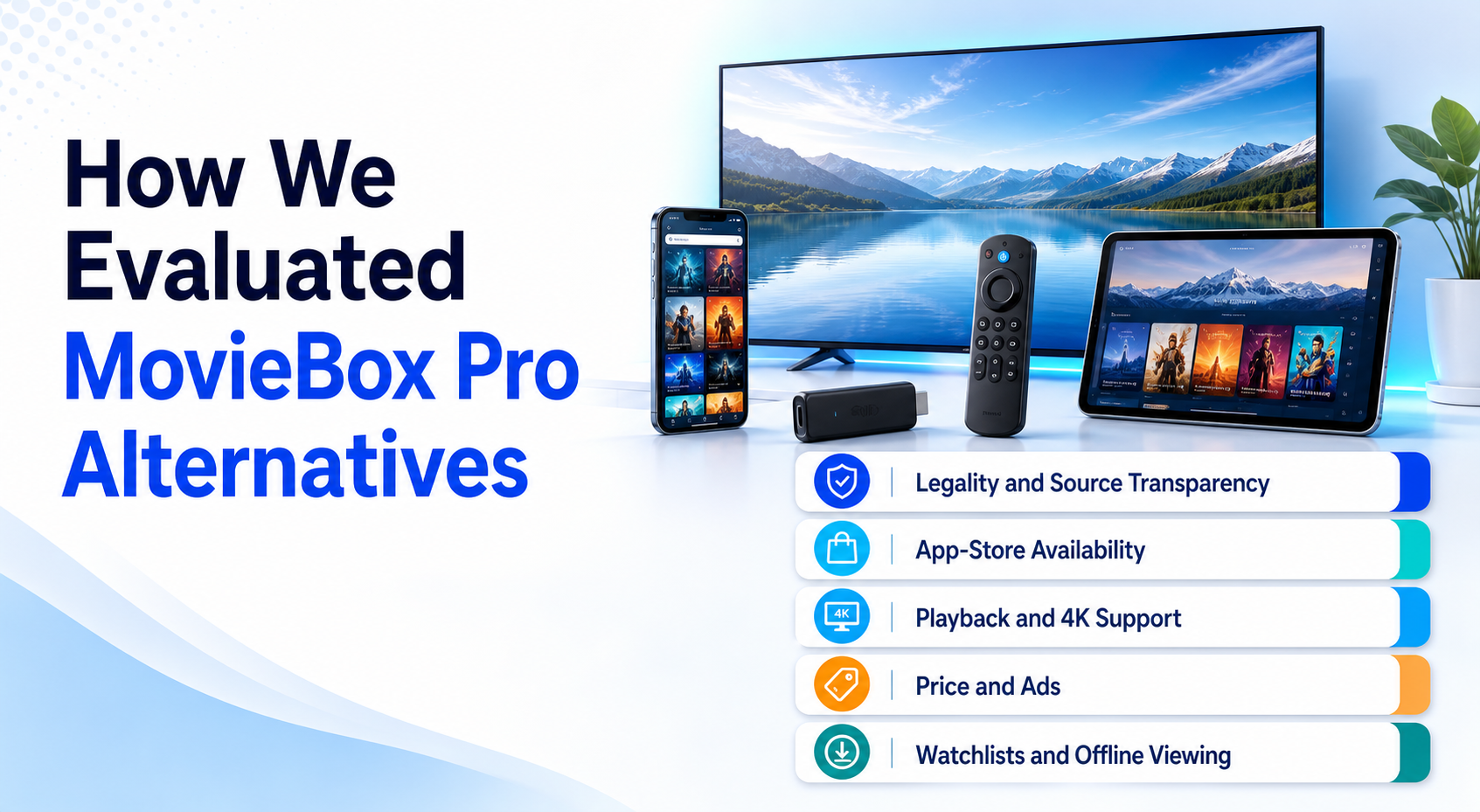
- Source Transparency: Official ownership, help pages, terms, app-store listings, and a declared content model outweighed poster counts, anonymous testimonials, copied logos, and unsupported safety claims.
- Firestick Fit: Native Amazon availability ranked highest, followed by documented official packages; browser wrappers, phone-only interfaces, modified APKs, and unknown Downloader codes ranked poorly.
- Playback Quality: Resolution options, subtitles, audio tracks, episode order, resume behavior, profiles, downloads, and remote-friendly navigation mattered more than claims about having every release.
- Real Cost: Free advertising, library eligibility, subscription levels, rentals, premium channels, device limits, and paid software features were separated so no zero-cost claim hides later charges.
- Migration Value: I favored portable watchlists, lawful personal libraries, recognizable accounts, and stable update channels because they reduce the damage if a single content license disappears.
Build a Two-App Replacement Stack Around Your Viewing Habits
Choosing two focused services usually works better than forcing one platform to imitate every MovieBox Pro feature. Start with a discovery or library hub, then add a catalog matched to what your household watches most. This keeps costs controlled and makes each limitation visible. You can swap the second service without rebuilding the central watchlist or personal collection.
- Mostly Free Movies: Pair Plex Universal Watchlist with Tubi, then add Pluto TV only when live channels or a specific rotating title justifies another application.
- Personal Collection: Use Plex or Kodi for owned files, then add one licensed subscription for new releases, originals, household profiles, and dependable television downloads.
- Library Member: Combine Hoopla for immediate ad-free borrowing with Kanopy for curated documentaries, independent cinema, classics, and unlimited children viewing where available.
- Anime Household: Use Stremio for lawful discovery and personal organization, then Crunchyroll or another licensed specialist for accurate seasons, simulcasts, dubs, subtitles, and downloads.
- Recent Releases: Keep Prime Video available for occasional rentals instead of paying for several overlapping subscriptions solely because one new film is missing from current catalogs.
Move Your Watchlist, Progress, and Downloads Before Switching
MovieBox Pro does not provide a dependable export path that mainstream platforms can import. Treat migration as a small recovery project: capture titles before access disappears, separate saved ideas from completed viewing, and preserve episode details manually. Downloads are normally tied to the original application and cannot be copied into a legal service, so finish or replace them through authorized access.
- Capture the Queue: Take screenshots or copy titles, release years, and seasons, then rebuild the active portion inside Plex rather than moving an enormous forgotten backlog.
- Record Progress: Note the exact season, episode, and approximate timestamp for unfinished programs because a new platform cannot reliably infer history from an unrelated account.
- Separate Ownership: Place lawfully owned files in Plex or Kodi and keep subscription-only titles in a watchlist, preventing temporary access from being mistaken for permanent possession.
- Secure Accounts: Change any password reused with MovieBox Pro, avoid signing into lookalike domains, review recurring charges, and remove payment details from unsupported sellers.
- Replace Downloads: Finish time-sensitive offline items, then download again through Netflix, Prime Video, Hoopla, or another provider that explicitly grants offline access for that title.
Install MovieBox Pro Replacements on Firestick Without Fake APKs
Fire TV search should be the first installation route for Plex, Tubi, Stremio, Pluto TV, The Roku Channel, Kanopy, Hoopla, Netflix, and Prime Video. Kodi is the exception in this list and should come only from its official Android download page. If you need help navigating manual packages, our Downloader App for Firestick guide explains the controls without supplying questionable app codes.
- Search Exact Names: Use Find or Alexa, compare the developer, icon, screenshots, age rating, permissions, reviews, and support link before selecting the installation button.
- Prefer Store Updates: Amazon applications receive managed updates and signature checks, reducing the chance that an abandoned build breaks after a Fire OS or playback-library change.
- Verify Manual Sources: For Kodi, type the official vendor address yourself and reject shortened codes, social-file lockers, cloned landing pages, modified builds, or packages bundled with addons.
- Review Permissions: A streaming app rarely needs contacts, SMS, accessibility control, device administration, microphone access, or broad file privileges merely to display and play licensed video.
- Remove the Old App: After confirming your replacement works, uninstall unused MovieBox Pro packages, clear leftover installers, disable unknown-source permission, and restart the Firestick before signing into services.
Best MovieBox Pro Alternatives: Final Verdict
The best replacement depends on which MovieBox Pro habit matters most. A universal watchlist and personal library favor Plex, a free licensed catalog favors Tubi, and a configurable multi-device interface favors Stremio. None should be described as a free copy of every studio release; their value comes from transparent access, stable applications, and limits you can understand before committing.
- Plex: Choose it for one watchlist, legal availability search, free partner programming, rentals, and a personal-media library that survives catalog rotation.
- Tubi: Choose it for the easiest zero-cost start, broad licensed movies and shows, an official Fire TV app, and optional progress syncing.
- Stremio: Choose it for cross-device organization and flexible lawful sources, while remembering that community addons determine the safety and licensing outcome.
FAQs
What is the best free MovieBox Pro alternative?
Tubi is the easiest free replacement in supported countries because it licenses its catalog, requires no card, and has an official Fire TV app. Plex is better for a portable watchlist or personal media, while Pluto TV is stronger for scheduled channels. Combining two services creates broader coverage than relying on one rotating catalog.
Which MovieBox Pro alternative works best on Firestick?
Plex is the most complete Firestick replacement when watchlists, licensed free content, rentals, and personal libraries all matter. Tubi is simpler for free on-demand viewing, while Pluto TV emphasizes live channels. Stremio has an official Fire OS release, so avoid similarly named packages from unofficial Downloader codes.
Is Stremio a legal alternative to MovieBox Pro?
Stremio software is legal and does not host or supply movies. The important variable is the source: official integrations, subscriptions, public-domain catalogs, and lawfully owned media differ from community addons indexing unlicensed streams. Our Stremio legal and safety guide explains the distinction.
Can I transfer my MovieBox Pro watchlist or downloads?
There is no dependable importer for a MovieBox Pro account. Copy important titles, seasons, episodes, and timestamps, then rebuild the queue in Plex or another service. Existing downloads are normally encrypted and app-bound, so replace them through an authorized offline provider such as Netflix, Prime Video, or Hoopla.
Do I need a VPN for these MovieBox Pro alternatives?
A VPN is not required to make licensed apps legal. Some services block VPN addresses or display the wrong region while connected. A VPN can protect traffic on untrusted networks, but it cannot grant content rights, repair an unsafe APK, or lawfully bypass a provider geographic license.