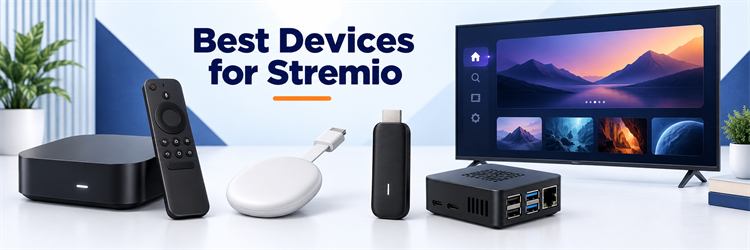
Key Takeaway: The best device for Stremio is NVIDIA Shield TV Pro when playback flexibility, Ethernet, USB expansion, and home-theater audio matter most. Google TV Streamer is the easier value for most homes, while the 2026 onn. 4K Pro is the strongest low-cost US option.
Best Devices for Stremio: Top Recommendations
| Device | Best For | Stremio Route | Check Device |
|---|---|---|---|
| NVIDIA Shield TV Pro | overall Stremio device | Android TV; Play Store install | Visit Site |
| Google TV Streamer (4K) | balanced Google TV box | Google TV; Play Store install | Visit Site |
| Homatics Box R 4K Plus | ports and AV1 support | Android TV; Play Store install | Visit Site |
| Xiaomi TV Box S (3rd Gen) | widely available budget box | Google TV; Play Store install | Visit Site |
| onn. 4K Pro Streaming Device (2026) | value in the United States | Google TV; Play Store install | Visit Site |
Stremio works best on hardware that provides a native television app, enough storage for updates, reliable 4K networking, and video formats your television can actually display. Android TV and Google TV lead this ranking because they combine direct Play Store installation with broad player compatibility. Fire TV remains workable, but it may require sideloading and extra maintenance.
This comparison covers nine current device routes using Stremio support documentation and official manufacturer specifications. I prioritized installation method, memory, storage, Ethernet or modern Wi-Fi, 4K HDR formats, audio handling, remote quality, and long-term practicality. Rankings reflect documented capability rather than laboratory measurements, and no hands-on performance claim is implied.
1) NVIDIA Shield TV Pro
NVIDIA Shield TV Pro remains the strongest all-around Stremio box for demanding local and online playback. Its fast Tegra X1+ hardware, Gigabit Ethernet, USB expansion, broad audio passthrough, and mature Android TV interface suit large libraries and high-bitrate files. I rank it first because the complete package creates fewer compromises than newer but simpler streamers.
Features:
- Native Stremio Route: Install the Android TV app from Google Play, so updates and permissions are easier to manage than a recurring sideload workflow.
- Strong Playback Hardware: Tegra X1+ processing and 3 GB of memory keep menus responsive while handling demanding 4K HEVC streams and large addon catalogs.
- Wired Networking: Built-in Gigabit Ethernet removes Wi-Fi variability when Stremio is opening large remux files from a home server or fast debrid source.
- Useful Expansion: Two USB 3.0 ports support storage and accessories, helping users who keep local media beside their Stremio streaming setup.
- Premium Audio Support: Dolby TrueHD, DTS-HD, and object-based passthrough options make Shield especially attractive for receivers and serious home-theater speaker systems.
- Mature Remote: The backlit remote includes a locator and familiar television controls, reducing daily friction compared with minimalist remotes supplied with cheaper boxes.
- Best Fit: I would choose Shield when Ethernet, USB ports, lossless audio, and dependable Android TV support matter more than paying the lowest price.
| Pros | Cons |
|---|---|
| Native Google Play installation | High purchase price |
| Gigabit Ethernet and two USB 3.0 ports | No hardware AV1 decode |
| Excellent audio passthrough options | |
| Responsive Android TV performance |
Pricing:
- $199.99 list price in the United States
- No subscription required for the hardware
- Stremio itself is free; third-party services may charge separately
Link: https://www.nvidia.com/en-us/shield/shield-tv-pro/
2) Google TV Streamer (4K)
Google TV Streamer is the easiest balanced recommendation for people who want modern hardware without Shield pricing. It offers 4 GB of memory, 32 GB of storage, Gigabit Ethernet, and a native Play Store route for Stremio. I place it second because setup is simple, although certain Dolby Vision Profile 7 files can still misbehave.
Features:
- Simple Installation: Stremio installs through Google Play on Android TV OS, avoiding Downloader codes, unknown-source permissions, and manual APK version choices.
- Generous App Space: The 32 GB storage allocation leaves substantially more room for Stremio, media utilities, updates, and caches than older 8 GB dongles.
- Improved Multitasking: Four GB of memory helps Stremio return to a large catalog without the aggressive reloading common on entry-level streaming sticks.
- Gigabit Ethernet: A built-in wired port is valuable for high-bitrate 4K sources and homes where crowded wireless channels create inconsistent buffering.
- Modern HDR Support: Google lists Dolby Vision, HDR10, HDR10+, and HLG, covering the common television formats used by current streaming releases.
- Codec Caveat: Stremio documents black-screen problems with some Dolby Vision Profile 7 files, so switching streams or external players may remain necessary.
- Best Fit: I recommend it to mainstream Stremio users who want a supported app store, strong storage, wired networking, and a polished remote.
| Pros | Cons |
|---|---|
| Native Play Store installation | HDMI cable sold separately |
| 32 GB storage and 4 GB memory | Some Dolby Vision Profile 7 issues |
| Built-in Gigabit Ethernet | |
| Dolby Vision and HDR10+ support |
Pricing:
- Official Google Store pricing varies by current offer and region
- An HDMI 2.1 cable is required and sold separately
- No hardware subscription is required
Link: https://store.google.com/product/google_tv_streamer
3) Homatics Box R 4K Plus
Homatics Box R 4K Plus targets Stremio users who want a certified Android TV box with newer codecs and practical connectivity. It combines 4 GB of memory, 32 GB of storage, Wi-Fi 6, Gigabit Ethernet, USB ports, and AV1 decoding. I rank it third because its hardware is excellent, though support is less familiar than NVIDIA or Google.
Features:
- Certified Android TV: Google certification provides a normal Play Store installation path for Stremio and broader compatibility with mainstream streaming applications.
- AV1 Hardware Decode: Built-in AV1 support improves efficiency for compatible sources and gives the box better codec headroom than older premium hardware.
- Comfortable Resources: Four GB of memory and 32 GB of storage support Stremio, external players, VPN utilities, and other television applications together.
- Fast Networking: Wi-Fi 6 and Gigabit Ethernet offer two strong connection choices for large files, busy home networks, and distant routers.
- Flexible Ports: HDMI 2.1, USB connections, and an optical output accommodate storage, legacy audio equipment, and wired accessories without an immediate hub.
- Home-Theater Formats: Dolby Vision, Dolby Atmos, and DTS support cover many premium setups, although exact passthrough behavior depends on firmware and receiver compatibility.
- Best Fit: I would buy it for AV1, Ethernet, and ports when Shield costs too much or its older codec set feels limiting.
| Pros | Cons |
|---|---|
| Native Android TV app support | Smaller support ecosystem than Google |
| AV1 decoding with 4 GB memory | Firmware behavior can vary by region |
| Gigabit Ethernet and Wi-Fi 6 | |
| Useful USB and optical ports |
Pricing:
- Official pricing and availability vary by country
- No required subscription for the device
- Confirm seller warranty and regional firmware before ordering
Link: https://www.homatics.com/products/box-r-4k-plus
4) Xiaomi TV Box S (3rd Gen)
Xiaomi TV Box S third generation is a practical global-value choice for Stremio, especially where Walmart hardware is unavailable. Google TV provides native app installation, while 32 GB storage, Wi-Fi 6, Dolby Vision, HDR10+, and AV1 cover modern basics. I rank it fourth because value is strong, but 2 GB memory and no Ethernet cap headroom.
Features:
- Native Google TV: Stremio installs from Google Play and receives normal application updates without enabling unknown sources or handling APK architecture manually.
- Current Codec Set: AV1, H.265, Dolby Vision, HDR10+, and HLG support make the box flexible across efficient and high-dynamic-range video sources.
- Expanded Storage: Thirty-two GB provides more breathing room for applications and updates than older Xiaomi boxes with much smaller internal capacity.
- Wi-Fi 6: Newer wireless support can reduce congestion on a compatible router, although placement still matters for sustained high-bitrate playback.
- Compact Hardware: The small box travels easily and fits crowded media cabinets while retaining a full remote and familiar Google TV interface.
- Network Limitation: There is no built-in Ethernet port, so demanding users may need a compatible adapter or especially reliable wireless coverage.
- Best Fit: I recommend Xiaomi for international buyers who want official Google TV, modern codecs, and 32 GB storage at a sensible price.
| Pros | Cons |
|---|---|
| Native Play Store route | Only 2 GB memory |
| AV1, Dolby Vision, and HDR10+ | No built-in Ethernet |
| 32 GB storage | |
| Wi-Fi 6 connectivity |
Pricing:
- Regional price varies through authorized Xiaomi sellers
- No hardware subscription is required
- Budget for an Ethernet adapter only if wireless performance is insufficient
Link: https://www.mi.com/global/product/xiaomi-tv-box-s-3rd-gen/
5) onn. 4K Pro Streaming Device (2026)
The 2026 onn. 4K Pro is the price-performance standout for Stremio buyers in the United States and Puerto Rico. Walmart lists 3 GB of memory, 32 GB storage, Wi-Fi 6, Ethernet, Dolby Vision, Dolby Atmos, USB, and Google TV. I rank it fifth only because the regional restriction prevents it from being a universal recommendation.
Features:
- Excellent Price: Walmart lists the current model at $59.98, undercutting many boxes while retaining storage, networking, and premium video features.
- Google Play Access: Stremio installs through the normal Google TV store, keeping setup simpler and updates safer than manual Fire TV sideloading.
- Useful Memory: Three GB of RAM supports smoother navigation and multitasking than common 2 GB sticks without pushing into premium-box pricing.
- Ample Storage: Thirty-two GB leaves room for Stremio, external players, useful utilities, and mainstream streaming services without constant application cleanup pressure.
- Strong Connectivity: Wi-Fi 6 and Ethernet improve flexibility, while the USB 2.0 port supports compatible media or storage accessories.
- Regional Lock: Walmart states that programs and features are limited to the United States and Puerto Rico, reducing value for international travelers.
- Best Fit: I would choose it for a US living room where native Stremio, Ethernet, storage, and low upfront cost matter most.
| Pros | Cons |
|---|---|
| $59.98 current Walmart price | US and Puerto Rico only |
| 32 GB storage and 3 GB memory | Retail support is tied closely to Walmart |
| Ethernet, Wi-Fi 6, and USB | |
| Native Google TV installation |
Pricing:
- $59.98 on the checked Walmart listing
- No required hardware subscription
- Subject to stock and regional availability
Link: https://www.walmart.com/ip/18382213962
6) Amazon Fire TV Cube (3rd Gen)
Fire TV Cube third generation is the quickest Fire OS choice for households already committed to Alexa and Amazon services. Its octa-core processor, Wi-Fi 6E, Ethernet, 16 GB storage, HDMI input, and hands-free controls outperform ordinary sticks. I rank it sixth because Stremio installation is less direct than on Google TV, despite the stronger hardware.
Features:
- Fast Fire Hardware: Amazon describes the octa-core Cube as twice as powerful as Fire TV Stick 4K Max for smoother menus and application switching.
- Stremio Sideload: Use Downloader and the official Android TV APK when Stremio is unavailable in your regional Amazon Appstore, then manage updates manually.
- Wi-Fi 6E: Tri-band wireless can reduce interference with a compatible router, while the included Ethernet connection provides a predictable wired alternative.
- Hands-Free Alexa: Far-field microphones control compatible televisions, receivers, soundbars, and playback without reaching for the remote during routine living-room use.
- HDMI Input: A cable box, console, or compatible camera can pass through the Cube, simplifying input switching for a crowded entertainment system.
- Storage Limit: Sixteen GB is workable for Stremio and key applications, but it offers less long-term flexibility than current 32 GB Google TV boxes.
- Best Fit: I recommend the Cube when Alexa integration and fast Fire OS performance outweigh the inconvenience of sideloading Stremio.
| Pros | Cons |
|---|---|
| Fast octa-core performance | Stremio may require sideloading |
| Wi-Fi 6E and Ethernet | Only 16 GB storage |
| Hands-free Alexa controls | |
| HDMI input for other equipment |
Pricing:
- Amazon pricing changes frequently by promotion
- No required subscription for the hardware
- Confirm regional Stremio availability before purchase
Link: https://www.amazon.com/dp/B09BZZ3MM7
7) Amazon Fire TV Stick 4K Max (2nd Gen)
Fire TV Stick 4K Max second generation gives Stremio users compact 4K hardware with 16 GB storage, 2 GB memory, Wi-Fi 6E, AV1, Dolby Vision, HDR10+, and Dolby Atmos. I rank it seventh because it is convenient and widely discounted, but sideloading, limited expansion, and documented Dolby Vision Profile 7 problems reduce its advantage.
Features:
- Compact Performance: The second-generation Max combines 2 GB memory with a faster processor than standard sticks, keeping Stremio navigation reasonably responsive.
- Official APK Route: Fire OS can run the Stremio Android TV build, but users may need Downloader, unknown-app permission, and occasional manual updates.
- Better Stick Storage: Sixteen GB doubles the capacity of many older Fire TV sticks, leaving more room for players, utilities, and updates.
- Modern Wireless: Wi-Fi 6E supports a less crowded 6 GHz band when the router, placement, and local regulations allow that connection.
- Broad Video Formats: Amazon lists AV1, Dolby Vision, HDR10+, HDR10, and HLG, covering most common compressed television streaming formats used today.
- Known Playback Caveat: Stremio specifically identifies FireStick 4K Max among devices that may show a black screen with Dolby Vision Profile 7.
- Best Fit: I would pick it for travel or an Amazon household that accepts sideloading and uses ordinary 4K streams more than remux files.
| Pros | Cons |
|---|---|
| Small and travel friendly | Sideloading may be required |
| 16 GB storage with Wi-Fi 6E | No built-in Ethernet or USB host port |
| AV1, Dolby Vision, and HDR10+ | |
| Often discounted by Amazon |
Pricing:
- Live Amazon price varies often
- Ethernet requires a separate compatible adapter
- No subscription is required for the device
Link: https://www.amazon.com/dp/B0BP9SNVH9
8) Raspberry Pi 5 with Stremio OS
Raspberry Pi 5 is the most flexible do-it-yourself Stremio device because Stremio publishes a dedicated OS image for Pi 4 and Pi 5. Dual 4K60 output, Gigabit Ethernet, USB, expandable storage, and several memory choices create room to experiment. I rank it eighth because assembly, cooling, storage, and remote control require extra planning.
Features:
- Official Stremio OS: The downloads page provides a dedicated Raspberry Pi image, making Pi 4 and Pi 5 supported targets rather than unofficial experiments.
- Capable Processor: The 2.4 GHz quad-core Cortex-A76 CPU offers a major performance improvement over older boards for interface navigation and system tasks.
- Dual 4K Output: Two micro-HDMI connectors can drive dual 4K60 displays, although a typical living-room Stremio setup needs only one television.
- Wired and Wireless: Gigabit Ethernet, dual-band 802.11ac Wi-Fi, and Bluetooth 5 provide strong choices for networking, remotes, keyboards, and controllers.
- Expandable Storage: MicroSD, USB 3.0, and optional PCIe storage make capacity flexible for local media, cache files, and alternative system images.
- Accessory Costs: The board price excludes a case, power supply, storage, cooling, HDMI cable, and remote, so complete cost rises quickly.
- Best Fit: I recommend Pi 5 to tinkerers who value repairability and customization more than a ready-to-watch commercial television experience.
| Pros | Cons |
|---|---|
| Official Stremio OS image | Needs several accessories |
| Gigabit Ethernet and USB 3.0 | Less polished sofa experience |
| Flexible memory and storage | |
| Excellent learning and DIY platform |
Pricing:
- Official 4 GB board price is $70
- Official 8 GB board price is $95
- Case, power supply, storage, cooling, cable, and remote cost extra
Link: https://www.raspberrypi.com/products/raspberry-pi-5/
9) Supported Android TV, Samsung, or LG Smart TV
A supported television can be the best Stremio device when avoiding another box matters more than maximum performance. Stremio currently provides television routes for Android TV, Samsung Tizen, LG webOS, and selected other platforms, with model-year limits. I rank this ninth because it can cost nothing extra, but TV processors, storage, codecs, and updates vary widely.
Features:
- Zero Additional Hardware: A compatible television uses the screen, processor, networking, and remote already installed, avoiding another power brick and HDMI input.
- Android TV Support: Stremio supports Android TV 5.0 and later through Google Play on brands including Sony, Philips, Hisense, and others.
- Samsung Route: Stremio documentation currently limits the Tizen television application to supported recent models, so verify the exact model year before relying on it.
- LG Route: The webOS application supports eligible LG televisions from 2020 onward, subject to regional store availability and model compatibility.
- Simpler Remote Use: Native television installation keeps power, volume, input, and Stremio navigation on the remote already familiar to the household.
- Hardware Variability: Budget televisions often have modest processors, limited free storage, slow update cycles, and inconsistent support for unusual audio or video profiles.
- Best Fit: I would try the television app first when it is officially supported, then add a dedicated box only if performance disappoints.
| Pros | Cons |
|---|---|
| No extra purchase when supported | Performance varies greatly by television |
| Single remote and fewer cables | Model-year and regional limits apply |
| Native apps on several TV platforms | |
| Good first step for casual viewing |
Pricing:
- No added hardware cost on a compatible television
- Application availability varies by region and model
- A separate streamer remains the upgrade path if performance is weak
Link: https://www.stremio.com/downloads
How We Ranked the Best Devices for Stremio
A fast specification sheet is not enough for Stremio. The operating system controls how the app installs and updates, while the hardware determines whether demanding streams, subtitles, HDR metadata, and audio tracks behave consistently. We weighted the following criteria in this order:
- Installation and Updates: Native Google Play or television-store access ranked above manual sideloading because app maintenance is simpler and safer for ordinary users.
- Playback Compatibility: HEVC, AV1, HDR formats, Dolby support, and external-player flexibility mattered more than headline processor speed alone.
- Network Reliability: Gigabit Ethernet and modern Wi-Fi earned credit because large 4K sources expose weak connections quickly.
- Memory and Storage: More RAM improves multitasking, while 16 GB or 32 GB storage reduces cleanup pressure from apps, caches, and updates.
- Living-Room Usability: A dependable remote, television controls, manageable cables, and predictable support influenced the final order.
- Value and Availability: Price was balanced against regional limits, required accessories, current stock, and the likelihood of needing an early replacement.
Native Stremio App or Sideload: Which Platform Is Easier?
Android TV and Google TV are the cleanest routes. Search for Stremio in Google Play, install it, sign in, and let the store handle ordinary updates. This applies to Shield, Google TV Streamer, Homatics, Xiaomi, onn., and many televisions. The common interface also makes external players and storage permissions easier to troubleshoot.
Fire TV can run the Android TV build on compatible Fire OS models, but availability differs by Amazon marketplace. When the app is missing, the Stremio installation guide for Firestick explains the Downloader and official APK route. Avoid random APK mirrors; select the architecture offered on Stremio’s official downloads page and revisit it when updates fail.
Samsung and LG television apps eliminate an external box, but model year, country, television processor, and app-store support become the limiting factors. Raspberry Pi uses a dedicated image and suits users comfortable preparing storage and solving accessory issues. Roku is not a normal Stremio target, so a supported HDMI streamer is the practical fix.
Codec, HDR, and Audio Limits That Matter in Stremio
A device can advertise 4K and still fail on a particular release. Dolby Vision profiles differ, televisions do not accept every profile, and Stremio currently documents black-screen behavior with some Profile 7 files on Google TV Streamer and Fire TV Stick 4K Max. Choose a standard HDR10 source, test another player, or use a non-Dolby Vision version when that happens.
AV1 decoding improves efficiency for compatible video, but it is not essential for every Stremio library. Shield remains first because networking, audio passthrough, USB expansion, and mature player support outweigh its missing AV1 hardware decode for many home theaters. Homatics, Xiaomi, onn., and Fire TV Stick 4K Max are stronger choices when AV1 is a priority.
Audio is equally dependent on the complete chain. The file, Stremio player, streaming box, television, receiver, HDMI connection, and settings must all accept the format. If lossless Dolby or DTS passthrough is important, confirm every component instead of assuming a Dolby Atmos logo guarantees every track.
Set Up a New Stremio Device Without Playback Surprises
- Update First: Install pending system and remote firmware before adding Stremio, because older builds can affect decoding, networking, permissions, and app stability.
- Use the Official Route: Install through the device store or Stremio downloads page; never use an unknown APK mirror or a file shared in a random forum.
- Test the Network: Use Ethernet when practical. Otherwise place the device on a strong 5 GHz or 6 GHz signal and compare smaller and larger files.
- Match Display Settings: Enable the appropriate HDMI enhanced mode, HDR setting, refresh-rate behavior, and audio output on the television or receiver.
- Keep Free Storage: Leave room for operating-system updates, Stremio updates, player applications, and caches instead of filling the device immediately.
- Try a Known Source: Test an ordinary H.264 or HEVC file before diagnosing HDR, audio passthrough, subtitle, or unusual codec problems.
For platform-specific settings and the current Android television interface, use the Stremio on Android TV guide after the hardware is connected. It covers the app route without repeating this buying comparison.
Common Buying Mistakes to Avoid
- Buying for Brand Alone: The operating system, storage, ports, and codec path matter more to Stremio than the logo printed on the case.
- Ignoring Sideloading: Fire TV hardware can be excellent, but a buyer expecting Google Play simplicity may resent Downloader and manual update steps.
- Assuming Every Dolby Vision File Works: Profile support differs, and a television can reject a profile even when both endpoints display a Dolby Vision badge.
- Forgetting Accessory Costs: Raspberry Pi needs several parts, Google TV Streamer needs an HDMI cable, and sticks require adapters for wired networking.
- Choosing Too Little Storage: Eight GB fills quickly after operating-system reservations, mainstream apps, players, and updates, making 16 GB a practical minimum.
- Expecting Roku or Apple TV Parity: Stremio availability and feature scope have changed on closed platforms; verify the official downloads page before buying either specifically for Stremio.
Verdict: Which Stremio Device Should You Buy?
Choose NVIDIA Shield TV Pro for the most complete Stremio living-room system, especially with Ethernet, USB storage, a receiver, and demanding local media. Choose Google TV Streamer when you want a simpler modern box with native installation, 32 GB storage, and built-in Ethernet at a lower cost.
The 2026 onn. 4K Pro is the value winner for eligible US buyers, while Xiaomi TV Box S is the more globally useful budget option. Fire TV Cube and Fire TV Stick 4K Max remain good Amazon-centric choices if sideloading does not bother you. Raspberry Pi 5 is for builders, and a compatible smart TV is worth trying before buying anything.
Frequently Asked Questions
What is the best device for Stremio overall?
NVIDIA Shield TV Pro is the best overall choice because it combines native Android TV installation, fast hardware, Gigabit Ethernet, USB expansion, strong audio passthrough, and mature player support. Google TV Streamer is the better value for most less demanding households.
Is Stremio better on Android TV or Fire TV?
Android TV and Google TV are easier because Stremio can be installed and updated through Google Play. Fire TV can run Stremio, but regional Appstore availability may force a manual Downloader and APK workflow.
Does Stremio work on Google TV Streamer?
Yes. Google TV Streamer runs Android TV OS and supports the Stremio television app through Google Play. Its 4 GB memory, 32 GB storage, and Gigabit Ethernet are useful, although some Dolby Vision Profile 7 files may show a black screen.
Can I install Stremio on a Fire TV Stick 4K Max?
Yes. The second-generation Fire TV Stick 4K Max can run Stremio. If the app is absent from your regional Amazon Appstore, use Downloader and the official Android TV APK, then update it manually when necessary.
How much storage should a Stremio device have?
Sixteen GB is a sensible practical minimum for Stremio plus a few players and mainstream apps. Thirty-two GB is more comfortable because system files, updates, caches, and other applications reduce the advertised free space.
Do I need AV1 or Dolby Vision for Stremio?
Neither is required for basic Stremio use. AV1 can reduce bandwidth for compatible sources, while Dolby Vision improves supported HDR video. Exact profiles still need matching support from the file, player, device, television, and HDMI chain.