
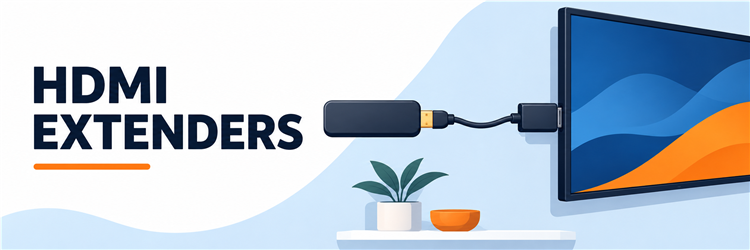
Key Takeaway: The best HDMI extender for Firestick depends on port clearance, required reach, and the display chain. Amazon Fire TV Stick HDMI Extender (4.7-Inch) is the simplest short replacement, StarTech 6-Inch HDMI 2.0 offers a documented 4K60 rating and secure plug, and Monoprice 1-Foot 8K Extension adds extra bandwidth for mixed home-theater gear. For most Firestick owners, buy only enough length to clear the TV port.
Best HDMI Extenders for Firestick: Top Recommendations
| HDMI Extender | Best For | Length or Fit | Get Started |
|---|---|---|---|
| Amazon HDMI Extender | Best direct Fire TV fit | 4.7-inch male-to-female | Visit Site |
| StarTech 6-Inch HDMI 2.0 | Best secure short extension | 6-inch male-to-female | Visit Site |
| Monoprice 1-Foot 8K Extension | Best high-bandwidth short cable | 1-foot male-to-female | Visit Site |
| Cable Matters 2-Pack | Best spare cable value | Male-to-female; length varies | Visit Site |
| CableCreation Angled Adapter | Best for a tight wall gap | Angled male-to-female adapters | Visit Site |
An HDMI extender moves the Firestick away from a cramped port; it does not boost Wi-Fi, add power, or upgrade video quality by itself. I compared short Fire TV-specific leads, documented 4K options, angled adapters, and longer cables, so the right pick depends on clearance rather than a headline bandwidth number.
1) Amazon Fire TV Stick HDMI Extender (4.7-Inch)
The Amazon Fire TV Stick HDMI Extender is the simplest replacement for the short adapter supplied with many streaming sticks. Amazon lists a 4.7-inch male-to-female extender as compatible with Fire TV Sticks. I put it first for a basic clearance problem because it matches the intended device family without extra length or a bulky coupler.
Features:
- Device Fit: Amazon lists this 4.7-inch male-to-female adapter as compatible with Fire TV Sticks and other HDMI devices, making it the most direct fit.
- Short Reach: The short lead moves the Stick away from a crowded HDMI socket while avoiding the long, loose cable loop created by a full-length extension.
- Tight Recess: Amazon says an extender can help when a rear panel pocket is under 4.5 inches, ports face the wall, or neighboring plugs crowd access.
- 4K Guidance: Amazon recommends a 4K HDMI extender for a 4K Stick, but the product listing does not specify a refresh rate or bandwidth figure.
- Passive Connection: This is a simple HDMI extension path, not a powered signal booster, wireless transmitter, switch, or device that converts one video standard into another.
- Setup Check: I would connect the stick to the female end and the male end to the TV, then confirm the displayed resolution and HDR mode.
- Power Separate: The extender carries HDMI audio and video only; keep the Stick connected to its supplied USB power cable or a suitable adapter.
| Pros | Cons |
| Designed for Fire TV Stick compatibility | Bandwidth details are not listed |
| Compact 4.7-inch extension | Stock and price can vary |
| No separate power supply | |
| Useful for crowded or recessed ports |
Pricing:
- Product listing: current retailer price varies by availability.
- Amazon setup guidance identifies a 4.7-inch male-to-female model.
Link: https://www.amazon.com/dp/B0GJFS1HB5
2) StarTech 6-Inch HDMI 2.0 Port Saver (HD2MF6INL)
StarTech HD2MF6INL adds six inches between a Firestick and the television while keeping the connection compact. Its official specification lists HDMI 2.0, 18Gbps, and 4K at 60Hz, plus a high-retention male connector. I rank it above generic short leads for buyers who value documented signal limits and a firmer fit.
Features:
- 6-Inch Length: The six-inch cable gives a Firestick enough room to clear neighboring plugs and a shallow TV recess without hanging far below the display.
- 4K60 Support: StarTech rates this HDMI 2.0 extension for resolutions up to 4K at 60Hz and bandwidth up to 18Gbps, subject to the full signal chain.
- Secure Plug: A high-retention male connector is designed to resist accidental loosening, a practical detail when the stick or cable may be bumped behind a wall-mounted television.
- HDR and Audio: The product datasheet lists HDR, Ethernet, 3D, and multichannel audio support, although every feature still depends on the connected TV and source.
- Port Protection: StarTech describes the cable as a port saver, shifting routine insertion and removal away from the TV’s built-in HDMI socket.
- Flexible Positioning: I would choose this short length when the problem is clearance rather than distance, since extra slack can pull on the female connector.
- Warranty: StarTech backs the model with a lifetime warranty; retain the order details and check the official support terms for conditions and regional availability.
| Pros | Cons |
| Clear 4K60 and 18Gbps rating | More expensive than basic short leads |
| High-retention male connector | May be too short for distant ports |
| Compact six-inch reach | |
| Lifetime warranty listed |
Pricing:
- $19.46 on the official U.S. product listing during research.
- Regional stock and final checkout price may differ.
Link: https://www.startech.com/en-us/cables/audio-video/hd2mf6inl
3) Monoprice 8K Ultra High Speed HDMI Extension (1-Foot)
Monoprice’s 1-foot 8K Ultra High Speed extension gives a Firestick more placement flexibility and carries generous bandwidth headroom for a shared home-theater connection. The official listing specifies 48Gbps and HDMI 2.1 features, with backward compatibility for HDMI 2.0 and 1.4. I treat that capacity as a bonus, not a Firestick performance upgrade.
Features:
- One-Foot Reach: A one-foot lead can move a Firestick around a television edge or cabinet opening while remaining shorter and easier to route than multi-foot alternatives.
- 48Gbps Rating: Monoprice lists bandwidth up to 48Gbps, a figure intended for demanding HDMI 2.1 equipment and far beyond what a Firestick itself needs.
- High Resolutions: The manufacturer lists 8K and high-refresh 4K modes, but the Firestick, television, content, and entire connection path determine the actual output.
- Backward Compatible: Monoprice states backward compatibility with HDMI 2.0 and 1.4, so a newer-rated extension can be used in a lower-bandwidth Fire TV setup.
- Modern Features: The product page lists HDR, VRR, eARC, and other HDMI 2.1 functions for compatible equipment; they do not activate unsupported Firestick features.
- Length Options: The listing offers 1-foot, 1.5-foot, and 3-foot lengths; I prefer the shortest option that reaches comfortably to limit cable slack.
- Lifetime Warranty: Monoprice lists a lifetime warranty and current stock on its product page, giving this more expensive cable a clear support route.
| Pros | Cons |
| 48Gbps headroom | Costs more than a basic extender |
| Multiple short lengths available | Extra bandwidth does not improve Firestick quality |
| Backward compatible with earlier HDMI versions | |
| Lifetime warranty listed |
Pricing:
- $18.19 for the 1-foot variant on Monoprice during research.
- Higher HDMI bandwidth is unnecessary for normal Firestick output.
Link: https://www.monoprice.com/product?p_id=38642
4) Cable Matters 2-Pack 4K HDMI Extension Cables
Cable Matters sells its HDMI 2.0 male-to-female extender as a two-pack, which is convenient when more than one TV needs a port saver. The manufacturer specifies up to 4K at 60Hz, HDR, and 18Gbps, with shielded construction and gold-plated connectors. I like the spare, but check the selected length before ordering.
Features:
- Two-Pack: The package supplies two matching extension leads, useful for a living-room TV and a second display or as a spare for travel and replacement.
- 4K60 Rated: Cable Matters specifies HDMI 2.0 features up to 4K at 60Hz and 18Gbps, which is ample for supported Firestick models and televisions.
- Connector Type: Each lead uses a male HDMI plug and female HDMI socket, allowing a stick or another standard HDMI plug to connect through it.
- Length Selection: The product page includes length options, so I would confirm the variant in the selector instead of assuming every two-pack contains the same reach.
- Port Saver: The brand describes the cable for streaming sticks and wall-mounted UHD TVs, where moving the plug can reduce strain on a hard-to-reach port.
- Shielded Build: Cable Matters lists copper conductors, foil and braid shielding, and molded strain relief to support a tidy connection in a busy entertainment area.
- Not 8K Rated: The official FAQ says this model is not rated for HDMI 2.1 8K bandwidth, so choose it for 4K60 or lower requirements.
| Pros | Cons |
| Two cables included | Official live price not shown in accessible listing |
| Official 4K60 and 18Gbps rating | Not specified for HDMI 2.1 8K |
| Shielded male-to-female design | |
| Useful spare for another TV |
Pricing:
- The official product page uses a live price selector; confirm the variant and checkout total.
- Length options differ, so compare the selected SKU before purchase.
Link: https://www.cablematters.com/pc-553-191-2-pack-hdmi-extension-cable-hdr-and-4k-ready.aspx
5) CableCreation 2-Pack 90/270-Degree HDMI Adapter
CableCreation’s two-piece set includes upward-angled HDMI adapters in 90- and 270-degree orientations. It is not a flexible extension cable, but the low-profile turn can help when a TV sits close to a wall. I include it for a very specific geometry problem and would check which direction clears the cabinet before buying.
Features:
- Two Angles: CableCreation includes one 90-degree and one 270-degree upward adapter, letting you choose the direction that best clears a wall or shelf.
- Small Footprint: The compact connector keeps the HDMI path close to the TV, which can reduce the bending force caused by a stick pressed behind the screen.
- Male-to-Female: The adapter connects a male HDMI plug to a female HDMI port; confirm the connector genders and orientation match the Firestick and TV.
- 4K Claim: CableCreation lists support for 4K but does not state a 60Hz rate on this page, so I would avoid assuming 4K60.
- Two-Piece Pack: A second angle is included for another port or opposite orientation, although it is not two separate cable extensions for different HDMI sources in your setup.
- Price: The manufacturer’s store listed the two-pack at $10.39 during research; shipping and regional checkout costs can change the final amount.
- Fit Before Purchase: I would measure the port direction and available wall gap first, because a fixed angled head cannot be rotated after installation.
| Pros | Cons |
| Two angle orientations in the package | Adapter does not add meaningful reach |
| Compact solution for very tight spaces | No stated 4K refresh-rate limit |
| Official price shown | |
| No separate cable loop |
Pricing:
- $10.39 on CableCreation during research.
- Check the port direction because the adapter angle is fixed.
Link: https://www.cablecreation.com/products/hdmi-adapter-male-to-female
6) JSAUX HDMI Extension Cable (3.3 Feet)
JSAUX’s 3.3-foot HDMI extension is useful when the television’s port is not merely recessed but awkwardly placed for a streaming stick. The manufacturer lists 4K60, 18Gbps, HDR, and a braided cable with reinforced strain relief. I recommend it only when the extra reach solves a real setup problem and the total cable run stays reasonable.
Features:
- Extra Reach: At 3.3 feet, this lead can route a Firestick around a cabinet edge or to a more accessible HDMI socket beyond the TV’s recessed panel.
- 4K60 Support: JSAUX lists HDMI 2.0 support up to 4K at 60Hz and 18Gbps, with compatible source, display, and remaining cables.
- Braided Jacket: The nylon-braided exterior is designed to resist tangling and everyday abrasion, though it still needs a gentle bend radius behind the television.
- Strain Relief: JSAUX says its reinforced design passed more than 20,000 bend cycles; that is a manufacturer test claim, not a guarantee for every installation.
- HDR and HDCP: The official description lists HDR and HDCP 2.2 support, useful for compatible 4K streaming chains that also meet the content provider’s requirements.
- Total Length: JSAUX cautions that 4K HDR use requires a supported cable chain under six meters; I would avoid stacking several extensions together.
- Current Price: The official store showed $5.39 during research; discount pricing can move, and international availability may differ from the U.S. listing.
| Pros | Cons |
| Longer 3.3-foot reach | More slack to route and secure |
| Official 4K60 and 18Gbps specification | 4K HDR depends on total path length |
| Braided cable and reinforced joints | |
| Low listed direct-store price |
Pricing:
- $5.39 on JSAUX during research.
- Use one extension and keep the full HDMI chain within the manufacturer’s guidance.
7) Monoprice Commercial Series 4K HDMI Extension (10-Foot)
Monoprice’s Commercial Series 10-foot HDMI extension is for a setup where a Firestick must reach a distant, accessible port or equipment location. It supports 18Gbps and 4K60, with 24AWG conductors and a CL2 in-wall rating. I rank it seventh because most TVs need only a short extender, and long passive chains require more care.
Features:
- Ten-Foot Reach: A 10-foot extension gives substantial routing flexibility for a recessed media cabinet or distant HDMI connection, but can be excessive for a stick behind a TV.
- 18Gbps Rating: Monoprice lists 18Gbps throughput and 4K at 60Hz, with HDR and full chroma claims for a compatible end-to-end home theater setup.
- 24AWG Conductors: The manufacturer specifies 24AWG conductors, a relatively substantial gauge for an extension cable intended to be routed through an installation.
- CL2 Rating: The product page identifies a CL2 in-wall fire-safety rating; follow local electrical rules and use a qualified installer when a wall route needs one.
- Other Lengths: The same product line is offered in 3-, 6-, and 10-foot options; choose the shortest version that reaches without tension behind the TV.
- Signal Caution: Longer cable paths can be more sensitive to connector quality and total length, so test the Firestick at the intended resolution before concealing the route.
- Warranty and Price: Monoprice lists a lifetime warranty and a $16.09 10-foot price during research; promotional pricing and stock can change.
| Pros | Cons |
| 10-foot reach | Too long for most direct Firestick setups |
| 18Gbps and 4K60 listed | Longer path leaves less signal margin |
| CL2 in-wall rating | |
| 3-, 6-, and 10-foot options |
Pricing:
- $16.09 for the 10-foot variant on Monoprice during research.
- 3- and 6-foot options are listed in the same product family.
Link: https://www.monoprice.com/product?p_id=3343
How I Ranked These Firestick HDMI Extenders
I prioritized direct device fit, connection length, published HDMI specifications, connector security, warranty, and official price visibility. Amazon’s short adapter leads because it is identified for Fire TV Sticks. StarTech follows for clearly documented 4K60 performance, while Monoprice’s 1-foot HDMI 2.1 lead is a flexible pick for a mixed setup. The long cables and angled adapter rank lower because most Firestick installations need only a small amount of clearance. I did not treat a higher HDMI version as proof of better Firestick picture quality, and I did not claim physical testing.
How to Choose an HDMI Extender for Your Firestick
Measure the recessed HDMI socket first: a short port saver is easier to support and puts less leverage on the television jack.
- Measure the port recess and nearby cable spacing before picking a length. A short lead prevents leverage without leaving a loose loop.
- Match the connector genders: the Firestick plugs into the female socket, and the extender male end connects to the television.
- For 4K60 HDR, confirm every cable and TV input in the chain supports the needed mode; a single weak link can limit output.
- Use a right-angle adapter only when its fixed direction clears the wall and neighboring ports. It changes geometry, not distance.
- Avoid stacking multiple passive extenders. Choose one suitable cable and test the complete route before hiding it.
Is HDMI 2.1 Worth It for a Firestick?
HDMI 2.1 capacity can help a cable serve a console or receiver later, but it does not improve a Firestick stream on its own.
- A 48Gbps HDMI 2.1 cable carries far more bandwidth than a streaming stick normally needs. That number does not make apps load faster.
- A reputable HDMI 2.0 extension rated for 18Gbps can cover common 4K60 setups when the stick and television support the same output.
- Choose HDMI 2.1 when the extension will also serve a console, PC, or receiver that can use its higher refresh-rate capabilities.
- Do not assume any unlabelled adapter supports 4K60 just because its seller uses the phrase “4K.” Check the maker’s exact rating.
- For a simple port-clearance problem, connector quality, physical fit, and enough slack matter more than unused bandwidth headroom.
Installing the Extender Without Losing Picture
A clean installation starts with the Firestick separately powered, firmly seated HDMI plugs, and the correct input selected on the television.
- Power down or unplug the Firestick before changing the HDMI connection, then connect the extender to the TV and the stick to its female end.
- Reconnect the USB power cable separately and select the correct television input; HDMI does not supply the streaming stick’s operating power.
- Keep connectors straight while inserting them, support the stick, and avoid sharp bends that pull the TV port sideways.
- Turn the TV and Firestick back on, then confirm the expected resolution and HDR mode in the display settings.
- If the screen is unstable, remove extra adapters and test the shortest direct path before concealing the cable.
When an HDMI Extender Does Not Solve the Problem
An extender only changes the physical connection path. It cannot fix a failed port, insufficient USB power, or an unsupported picture mode.
- A passive HDMI extender cannot repair a damaged television port, weak Firestick power supply, faulty cable, or unsupported display resolution.
- If the TV shows no signal, reseat both plugs and try another HDMI input before replacing the extender.
- If a 4K mode disappears, simplify the cable chain and confirm that the chosen port supports the TV’s 4K and HDR settings.
- A long extension can add more connection points and cable length than a short port-saver; use the minimum route that reaches safely.
- For other blank-screen causes, see our Firestick black-screen guide after testing the direct HDMI connection.
Final Verdict
For most buyers, the Amazon Fire TV Stick HDMI Extender is the simplest short fit. Pick StarTech HD2MF6INL if you want an explicit 4K60 rating and a retention connector. Choose Monoprice 38642 when you also need a short, high-bandwidth cable for other HDMI 2.1 devices.
- Amazon Fire TV Stick HDMI Extender – best direct fit
- StarTech HD2MF6INL – best documented 4K60 short cable
- Monoprice 38642 – best high-bandwidth short extension
Frequently Asked Questions
Do I need an HDMI extender for every Firestick?
No. Use one only when the stick blocks another port, presses against the wall, or is difficult to reach. Amazon notes that recessed pockets, crowded rear panels, and back-facing ports can benefit from an extender.
Will an HDMI extender reduce Firestick picture quality?
A short, compatible passive extender normally passes the HDMI signal without changing resolution. If 4K, HDR, or audio drops, reseat the connectors and test the Firestick directly before changing picture settings.
Does a Firestick HDMI extender need power?
A passive male-to-female HDMI cable or angled adapter needs no separate power. It does not power the Firestick; keep the supplied USB power cable connected to the TV or an adequate wall adapter.
Should I buy an HDMI 2.1 extender for a Firestick?
Usually no. Firestick output is well below the 48Gbps ceiling of HDMI 2.1. A correctly specified HDMI 2.0 18Gbps extension is ample for common 4K60 chains, subject to the connected model and TV.
Can a Firestick extender fix a no-signal warning?
It can fix a blocked or loose physical connection, but it cannot repair a faulty HDMI port, power issue, or unsupported display mode. See our Firestick no-signal troubleshooting guide if the screen stays blank.
How do I choose the right extension length?
Measure the gap and choose the shortest cable that clears it without bending or pulling on the port. A 4.7-inch or six-inch lead suits simple clearance; longer models fit routed setups.