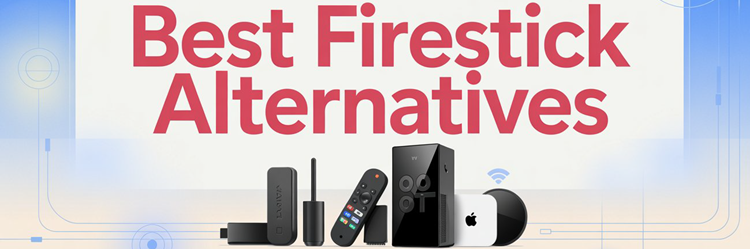
Key Takeaway: The Google TV Streamer is my best balanced upgrade, Roku Streaming Stick 4K is the simplest direct replacement, and onn 4K Pro delivers the strongest US budget specifications. Choose by platform, storage, networking, and app freedom—not by processor claims alone.
Firesticks are inexpensive and familiar, but they are not ideal for every television. Limited storage, Amazon-heavy recommendations, adapter-dependent Ethernet, and a tightly controlled interface push many owners toward Roku, Google TV, or a more capable Android TV box. This guide compares alternatives that solve a specific Fire TV limitation rather than listing nine near-identical versions of the same stick.
I separated simple subscription-streaming devices from boxes built for Kodi, local media, smart-home control, or wired networks. Every pick has a clear buyer, an official product page, and a current reason to choose it in 2026. Prices are device-only US figures where the manufacturer publishes them; subscriptions, regional taxes, and temporary discounts are not included.
Content and Licensing Note: This Best Firestick Alternatives for Streaming guide compares applications and viewing services for informational purposes. Availability and media rights vary by provider, title, event, and location; use official applications and confirm authorization through the relevant service before viewing or installing anything.
Best Firestick Alternatives: Top Recommendations!
| Device | Best For | Platform Advantage | Get Started |
|---|---|---|---|
| Google TV Streamer (4K) | Smart-home users | Google TV, Gemini, Ethernet | Visit Site |
| Roku Streaming Stick 4K | Simple 4K streaming | Dolby Vision and Roku OS | Visit Site |
| onn 4K Pro Streaming Device | US budget buyers | 32GB, Ethernet, Google TV | Visit Site |
| Xiaomi TV Box S (3rd Gen) | International Google TV | Wi-Fi 6 and Dolby formats | Visit Site |
| NVIDIA Shield TV Pro | Kodi and local media | Plex server, USB, AI upscaling | Visit Site |
1) Google TV Streamer (4K)
Google TV Streamer is the Firestick alternative I recommend for people who want a full-size box, a cleaner Google ecosystem, and built-in smart-home controls. Its $99.99 official price places it above streaming sticks, but the faster interface, Ethernet support, 32GB storage, and Google TV recommendations provide a more spacious and flexible everyday experience than Amazon’s compact players.
Features:
- Google TV: Profiles, recommendations, watchlists, and search combine supported services without centering every screen on Amazon storefront content or Prime Video promotions.
- Gemini Search: Current software can use conversational assistance to discover programs, answer questions, and control compatible smart-home products from the television interface.
- 32GB Storage: The larger internal capacity leaves substantially more room for mainstream streaming apps, games, screensavers, and updates than many entry-level sticks.
- Built-In Ethernet: A wired network connection is available without purchasing an adapter, improving consistency in rooms where Wi-Fi congestion causes buffering or quality drops.
- Hands-On Note: I prefer the separate box design when ports, thermals, and stable power matter more than hiding a tiny stick behind the television.
- Casting Support: Google Cast lets supported phone and tablet apps send video, music, and photos directly to the television with familiar controls.
- Smart-Home Panel: Compatible cameras, lights, thermostats, and household controls can appear on the television, making the device useful beyond streaming apps.
| Pros | Cons |
|---|---|
| Fast Google TV interface | Costs more than a stick |
| 32GB storage | Recommendations still include ads |
| Ethernet included | HDMI cable excluded in some regions |
| Strong casting support |
Pricing:
- Device: $99.99 from Google Store.
- No mandatory monthly device fee.
- Streaming subscriptions are purchased separately.
Link: https://store.google.com/product/google_tv_streamer
2) Roku Streaming Stick 4K
Roku Streaming Stick 4K is the easiest Firestick replacement for viewers who want familiar apps without learning another complicated home screen. I like its straightforward channel grid, long-range Wi-Fi, Dolby Vision, HDR10+, and compact travel-friendly design. Roku lists it at $49.99, making it a direct price rival while offering a noticeably different, less Amazon-centered interface.
Features:
- Roku Interface: A simple app grid and universal search reduce menu complexity, although Roku still places recommendations and advertisements around portions of the home experience.
- Picture Formats: The stick supports 4K, HDR10+, Dolby Vision, and compatible high-dynamic-range content when connected to a television and HDMI input that support them.
- Long-Range Wi-Fi: Roku positions this model for televisions farther from the router, though actual stability still depends on walls, interference, and broadband performance.
- Voice Remote: Included controls handle television power, volume, and voice search, reducing the need to juggle the original television remote during normal streaming.
- Hands-On Note: I find Roku’s fixed layout easier to explain to less technical family members because apps remain visible and settings are comparatively contained.
- AirPlay Support: Apple users can send compatible media through AirPlay and integrate the player with HomeKit without purchasing an Apple TV box.
- Free Channels: The Roku Channel and other FAST apps expose free live and on-demand programming, with availability and local content varying by region.
| Pros | Cons |
|---|---|
| Very simple interface | Limited customization |
| Dolby Vision support | Native sideloading unavailable |
| Compact and portable | Advertisements remain visible |
| Good cross-platform compatibility |
Pricing:
- Device: $49.99 official Roku price.
- No mandatory Roku subscription.
- Paid channels and services cost extra.
Link: https://www.roku.com/products/players/roku-streaming-stick-4k
3) onn 4K Pro Streaming Device
Walmart’s 2026 onn 4K Pro is the value-focused alternative I would buy when a Firestick feels cramped but a premium box costs too much. At $59.98, it includes Google TV with Gemini, 32GB storage, 3GB RAM, Dolby Vision and Atmos, Ethernet, Wi-Fi 6, a backlit remote, and hands-free voice control. Availability is restricted to the United States and Puerto Rico.
Features:
- Current Hardware: The 2026 Pro model combines 3GB RAM and 32GB storage, providing more breathing room for apps and updates than typical budget sticks.
- Google TV: The interface gathers services, profiles, recommendations, free channels, and search within Google’s ecosystem rather than Amazon’s Fire TV experience.
- Wired Networking: An Ethernet port supports a direct router or switch connection, avoiding the adapter purchase required by many compact streaming sticks.
- Video and Audio: Dolby Vision and Dolby Atmos support enable premium formats when the television, sound system, app, subscription tier, and title are compatible.
- Hands-On Note: I would choose the Pro over the cheaper onn models specifically for storage, memory, Ethernet, and the remote-finding convenience.
- Gemini Voice: Hands-free conversational control can search entertainment and interact with compatible smart-home devices, although supported features may evolve through updates.
- Regional Limitation: Walmart labels the device for the United States and Puerto Rico, so international buyers should not assume services or support transfer cleanly.
| Pros | Cons |
|---|---|
| Excellent specifications for price | US and Puerto Rico only |
| 32GB storage | Walmart availability varies |
| Ethernet and Wi-Fi 6 | Google recommendations include promotions |
| Backlit find-my-remote control |
Pricing:
- Device: $59.98 at Walmart, checked August 3, 2026.
- No required monthly hardware fee.
- Apps and subscriptions remain separate.
Link: https://www.walmart.com/ip/18382213962
4) Xiaomi TV Box S (3rd Gen)
Xiaomi TV Box S (3rd Gen) is the internationally available Google TV option I would consider when Walmart’s onn devices are unavailable. It combines a 6nm quad-core processor, 2GB RAM, 32GB storage, Wi-Fi 6, Dolby Vision, HDR10+, Dolby Atmos, and DTS:X. Regional pricing varies, so the official local Xiaomi store should be checked before purchasing.
Features:
- Global Product: Xiaomi markets the box across multiple regions, but app availability, voice features, content catalogs, remote design, and pricing can differ by country.
- Modern Processor: The 64-bit quad-core A55 platform reaches up to 2.5GHz and is paired with updated graphics intended to improve navigation and decoding performance.
- 32GB Storage: Internal capacity provides more room than many basic sticks, although the operating system and preinstalled applications consume part of the advertised figure.
- Premium Formats: Dolby Vision, HDR10+, Dolby Atmos, and DTS:X are supported when every device and content layer in the playback chain is compatible.
- Hands-On Note: I value the Wi-Fi 6 upgrade most in apartments where numerous nearby networks make older wireless hardware unpredictable during peak evening hours.
- Google Cast: Supported mobile apps can cast movies, music, and photos to the television without navigating through the box’s complete home-screen interface.
- Bluetooth Remote: The included voice remote does not require line of sight and provides Google Assistant access where the relevant language and region support it.
| Pros | Cons |
|---|---|
| Broad international availability | Only 2GB RAM |
| 32GB storage | Built-in Ethernet absent |
| Wi-Fi 6 | Local prices vary |
| Dolby Vision and Atmos |
Pricing:
- Device: Region-dependent; verify with the local Xiaomi store.
- No mandatory Google TV fee.
- Streaming subscriptions are separate.
Link: https://www.mi.com/global/product/xiaomi-tv-box-s-3rd-gen/
5) NVIDIA Shield TV Pro
NVIDIA Shield TV Pro remains the specialist Firestick alternative for Kodi, Plex, local files, and advanced home theaters. I would not buy it merely for Netflix because the official $199.99 price is steep and the hardware is old. Its Tegra X1+ processor, 3GB RAM, two USB ports, Ethernet, Dolby Vision and Atmos, and Plex Media Server make it unusually capable.
Features:
- Kodi Strength: Android TV, USB connectivity, Ethernet, generous codec support, and sustained performance make Shield particularly suitable for large Kodi libraries and advanced setups.
- Plex Server: The Pro can run Plex Media Server directly, allowing attached storage to serve compatible personal media around the home without another computer.
- AI Upscaling: NVIDIA’s enhancement can sharpen supported lower-resolution video, although results depend on content quality, television size, viewing distance, and selected strength.
- Port Selection: Two USB ports and Ethernet support external drives, tuners, controllers, hubs, wired networking, and other accessories that compact sticks cannot accept directly.
- Hands-On Note: I reserve Shield for users who will actually use local media, emulation, Kodi, or server features rather than ordinary subscription streaming alone.
- Premium Formats: Dolby Vision and Atmos are supported, while exact passthrough behavior should be checked against the receiver, television, app, and source format.
- Long Support Life: NVIDIA has maintained the platform for years, but buyers must balance that record against the age and unchanged price of current hardware.
| Pros | Cons |
|---|---|
| Best Kodi flexibility | Expensive old hardware |
| Plex server capability | Overkill for basic streaming |
| USB and Ethernet | HDMI cable sold separately |
| Strong sustained performance |
Pricing:
- Shield TV Pro: $199.99 from NVIDIA.
- No mandatory NVIDIA subscription.
- Streaming, gaming, and media services may cost extra.
Link: https://marketplace.nvidia.com/en-us/consumer/streaming-media-devices/
6) Amazon Fire TV Cube
Fire TV Cube is the Firestick upgrade I recommend when hands-free Alexa, faster hardware, HDMI input, and stronger equipment control justify moving from a hidden stick to a full-size box. It retains the familiar Fire TV catalog while adding Wi-Fi 6E, Dolby Vision, Atmos, far-field microphones, and wired networking through the included adapter. The interface remains Amazon-heavy.
Features:
- Hands-Free Alexa: Far-field microphones let compatible households search, launch apps, adjust playback, and control connected equipment without first picking up the remote.
- HDMI Input: A compatible cable box, console, or camera can connect through the Cube, allowing Alexa-assisted switching that ordinary streaming sticks cannot provide.
- Powerful Processor: Amazon describes the octa-core platform as twice as powerful as Fire TV Stick 4K Max, supporting smoother menus and device-control tasks.
- Wi-Fi 6E: Compatible routers can use the newer 6GHz band, although range, interference, broadband, placement, and client support determine real-world improvement.
- Hands-On Note: I would choose Cube over Apple TV only when Alexa, HDMI control, and Amazon services are central to the household’s daily routine.
- Premium Playback: The device supports 4K, AV1, Dolby Vision, HDR formats, and Atmos on compatible equipment, apps, subscriptions, and source material.
- Fire OS Tradeoff: Sideloading flexibility is useful, but the interface emphasizes Amazon recommendations and newer Fire TV hardware is moving toward Amazon’s Vega platform.
| Pros | Cons |
|---|---|
| Strong Alexa control | Promotion-heavy interface |
| HDMI input | Older Android-based Fire OS |
| Fast Fire TV hardware | Less private ecosystem feel |
| Premium format support |
Pricing:
- Device: Verify current Amazon regional price at purchase.
- No mandatory Alexa subscription.
- Streaming services and smart-home products cost extra.
Link: https://developer.amazon.com/docs/device-specs/device-specifications-fire-tv-cube.html
7) Roku Ultra
Roku Ultra is the premium Firestick alternative I would give to a household that values simple navigation, Ethernet, and an excellent rechargeable remote. It combines 4K, HDR10+, Dolby Vision, Dolby Atmos, Wi-Fi 6, USB playback, and AirPlay. Roku’s interface is less customizable than Fire TV, but its predictable app grid is easier for many families.
Features:
- Fast Roku OS: Roku calls Ultra its fastest player, with quicker app launches and a familiar grid that remains easier to learn than many recommendation-heavy interfaces.
- Picture and Sound: 4K, HDR10+, Dolby Vision, and Dolby Atmos support premium home theaters when compatible televisions, receivers, apps, tiers, and titles align.
- Wi-Fi and Ethernet: Wi-Fi 6 handles modern wireless networks, while built-in Ethernet offers a consistent option for media cabinets and congested households.
- Voice Remote Pro: The rechargeable remote includes backlighting, hands-free voice, lost-remote finding, television controls, and quick-launch features missing from cheaper Roku models.
- Hands-On Note: I consider Ultra strongest for families who want premium hardware without turning the television into another phone, gaming, or smart-home computer.
- AirPlay and HomeKit: Apple users retain AirPlay and HomeKit compatibility, softening the ecosystem loss even though tvOS applications and Apple Arcade do not transfer.
- USB Playback: A USB port accepts supported local video, audio, and image formats, though codec and library management remain less advanced than specialist boxes.
| Pros | Cons |
|---|---|
| Simple premium interface | Limited app customization |
| Excellent remote | Apple Arcade unavailable |
| Ethernet and Wi-Fi 6 | Advertisements remain |
| AirPlay and HomeKit |
Pricing:
- Device: $99.99 from Roku.
- No required Roku subscription.
- Paid channels cost separately.
Link: https://www.roku.com/products/roku-ultra-lt
8) Apple TV 4K
Apple TV 4K is the premium Firestick alternative I recommend for iPhone households that value speed, privacy controls, AirPods integration, Apple Arcade, and a comparatively restrained home screen. Current US pricing starts at $129 for 64GB Wi-Fi and $149 for 128GB with Ethernet. Sideloading is limited, but mainstream app quality and long-term polish are excellent.
Features:
- Fast tvOS: Apple’s A15 Bionic platform keeps menus, application launches, animations, and multitasking consistently responsive without depending on aggressive background cleanup.
- Apple Ecosystem: iPhone setup, iCloud Photos, AirPods, FaceTime, Apple Music, Fitness+, Arcade, and HomeKit integrate more deeply than they do on Fire TV.
- Premium Formats: Dolby Vision, HDR10+, Dolby Atmos, 4K playback, and frame-rate matching support capable home theaters when applications and content provide them.
- Storage Choice: The 64GB Wi-Fi model suits mainstream streaming, while the 128GB configuration adds Ethernet and Thread networking for more demanding households.
- Hands-On Note: I would pay the premium only when Apple-device integration, an ad-light interface, gaming, or consistently fast navigation matters every day.
- Siri Remote: The rechargeable USB-C remote includes a touch-enabled clickpad, television controls, voice input, and iPhone-assisted finding when it disappears nearby.
- Closed Platform: tvOS offers strong mainstream apps and security controls, but ordinary Android APK sideloading, USB media expansion, and Kodi installation are not supported.
| Pros | Cons |
|---|---|
| Excellent everyday performance | Costs more than most sticks |
| Deep Apple integration | Limited sideloading |
| Polished ad-light interface | Ethernet requires 128GB model |
| Strong privacy controls |
Pricing:
- 64GB Wi-Fi: $129 from Apple.
- 128GB Ethernet: $149 from Apple.
- Subscriptions and HDMI cable are separate.
Link: https://www.apple.com/shop/buy-tv/apple-tv-4k
9) Formuler Z11 Pro Max
Formuler Z11 Pro Max is the specialist Firestick alternative I would consider for legitimate IPTV subscriptions, local recording, and wired television setups. Its Android 11 platform includes 4GB RAM, 32GB storage, Wi-Fi 6, Gigabit Ethernet, USB, microSD, HDR10+, AV1, and MYTVOnline3. Mainstream certification and regional retailer support require closer checking than consumer boxes.
Features:
- MYTVOnline3: Formuler’s television client emphasizes provider portals, playlists, guides, favorites, catch-up, recording, and timeshifting when those features are supplied legally.
- 4GB Memory: Higher RAM than many consumer streamers supports heavier menus and multitasking, although software optimization still determines how responsive applications feel.
- 32GB Storage: The internal capacity plus USB and microSD options provides room for apps, recordings, local media, and maintenance without Apple’s fixed-storage pricing.
- Gigabit Ethernet: Full wired networking suits high-bitrate local playback and stable IPTV use where a fast router, switch, cabling, and source can benefit.
- Hands-On Note: I would select Formuler only for its specialized television workflow, not as the automatic replacement for Apple TV’s polished mainstream app ecosystem.
- Codec Support: AV1, HEVC, 4K60, HDR10+, and Widevine support cover modern playback, but Dolby Vision and app certification should be checked carefully.
- Remote Workflow: Programmable shortcuts and television control emphasize channel navigation, yet the interface will feel more technical than tvOS to casual users.
| Pros | Cons |
|---|---|
| Excellent IPTV workflow | Dolby Vision not listed |
| 4GB RAM and 32GB storage | Android 11 is aging |
| Gigabit Ethernet | Regional retailer pricing varies |
| USB and microSD |
Pricing:
- Device: Price varies by authorized retailer and region.
- No mandatory Formuler subscription.
- Legal IPTV or streaming services are separate.
Link: https://www.formuler.tv/z11promax
Which Firestick Alternative Fits Your Streaming Style?
The strongest option depends on whether you want a cleaner interface, more storage, smart-home integration, sideloading flexibility, or local-media performance. A household using only major apps needs less hardware than a Kodi user with external drives. Start with the platform and daily workflow, then pay for additional power only when it solves an identified problem.
- Simple Household: Choose Roku when a predictable app grid, easy remote, broad mainstream service support, and minimal setup are more valuable than customization.
- Google Household: Choose Google TV for casting, profiles, broad Android app support, recommendations, and compatible camera or smart-home control on the television.
- Budget Power: Choose onn 4K Pro in supported regions when storage, memory, Ethernet, and premium formats matter more than global availability.
- Kodi User: Choose Shield TV Pro when USB storage, Ethernet, local playback, server features, or demanding Kodi configurations justify the premium cost.
- International Buyer: Choose Xiaomi where official regional availability and Google TV support are stronger than US-only Walmart hardware or region-specific Roku services.
How I Evaluated These Firestick Replacements
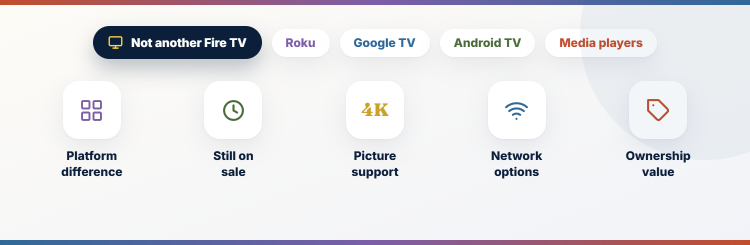
A useful replacement must improve something meaningful without creating a worse problem elsewhere. I compared platform behavior, current official specifications, storage, network options, format support, regional availability, and ownership cost. Raw speed matters, but navigation clarity and reliable access to the apps you actually use matter more during daily viewing.
- Platform Difference: Each finalist offers a genuinely different Roku, Google TV, Android TV, or advanced media experience rather than another Amazon-branded variation.
- Current Availability: I removed discontinued products and checked that the manufacturer or primary retailer still lists the exact model during August 2026.
- Picture Support: 4K and HDR claims were matched to Dolby Vision, HDR10+, television compatibility, subscription tiers, and the limitations disclosed by official pages.
- Network Options: Wi-Fi generation, long-range claims, Ethernet availability, and adapter requirements were considered because connection stability often matters more than benchmark speed.
- Ownership Value: Device price, storage, included remote, ports, regional restrictions, and likely upgrade longevity were weighed together instead of choosing the cheapest sticker price.
Can These Devices Sideload Apps Like a Firestick?
Google TV and Android TV boxes generally allow installation outside their primary stores, although menus, security prompts, file access, and package compatibility vary. Roku does not provide a comparable consumer APK sideloading workflow. Sideloading should never be confused with safety: installing an unknown file expands risk, and a working app does not prove that its content is licensed.
- Google TV: Developer-oriented installation is possible, but newer platform versions can restrict storage access, background behavior, or compatibility with phone-designed Android applications.
- Roku Limitation: Roku’s channel platform is curated and does not accept ordinary Android APK files, making it unsuitable for readers whose priority is sideloading.
- Shield Advantage: Android TV plus USB ports and established power-user tooling make Shield more flexible for local packages, emulators, media servers, and accessories.
- Source Safety: Download packages from the developer’s recognized source, verify file names and signatures where possible, and reject bundles distributed through unrelated mirrors.
- Legal Responsibility: The ability to install an app does not establish permission to stream its catalog; users remain responsible for services, content, and local law.
Should You Replace or Keep Your Firestick?
Replacement makes sense when a limitation is persistent and hardware-specific. A factory reset, stronger power adapter, fewer background apps, or better Wi-Fi may restore an otherwise suitable stick. If the real frustration is an Amazon-centered interface, low storage, missing Ethernet, or weak local-media support, another platform provides a durable change instead of temporarily cleaning the same constraint.
- Keep It: Retain the Firestick when major apps work, storage remains manageable, Alexa integration is valuable, and occasional maintenance solves the problem.
- Replace for Platform: Move to Roku or Google TV when interface priorities, recommendations, casting, profiles, or ecosystem compatibility matter more than Amazon familiarity.
- Replace for Hardware: Choose a box when built-in Ethernet, additional storage, USB ports, sustained performance, or advanced audio and video handling are required.
- Avoid Sidegrades: Do not replace one basic stick with another unless the new platform or format support directly addresses the reason you are dissatisfied.
- Comparison Context: Our Roku vs Firestick comparison explains the largest everyday interface and ecosystem differences before you switch.
Set Up a New Streaming Device Without Losing Access
Changing platforms does not transfer every login, preference, purchase, or local file automatically. Make a list of essential apps, confirm each exists on the target platform, keep password-manager access nearby, and avoid wiping the old Firestick until the replacement has passed a full evening of normal use. This staged approach protects subscriptions and makes platform-specific gaps visible before the return window closes.
- App Inventory: List every paid, free, local, event-viewing apps, regional, and accessibility app used during a normal month, then verify the exact target platform version.
- Account Access: Confirm email, password, two-factor authentication, parental PINs, and subscription ownership before disconnecting the existing device from the television.
- Picture Calibration: Enable enhanced HDMI mode where required, then confirm 4K, HDR, Dolby Vision, frame rate, and audio output with compatible titles.
- Network Test: Run the replacement on the intended Wi-Fi or Ethernet connection during peak household use rather than judging it beside the router.
- Keep the Old Device: Retain the Firestick until apps, purchases, casting, remotes, and family profiles work reliably; factory-reset it only after the migration succeeds.
Verdict:
The right Firestick alternative is the device that fixes your specific constraint. Google TV Streamer is the most balanced platform upgrade, Roku Streaming Stick 4K is the easiest switch, and onn 4K Pro maximizes hardware value for supported US buyers. Xiaomi broadens international choice, while Shield TV Pro remains the specialist answer for Kodi and local media.
- Google TV Streamer (4K): Best balanced upgrade for Google services, smart-home control, 32GB storage, and wired networking without entering specialist media-player pricing.
- Roku Streaming Stick 4K: Best straightforward replacement for mainstream apps, Dolby Vision, a simple remote, and an interface that feels meaningfully different from Fire TV.
- onn 4K Pro Streaming Device: Best US value when 32GB storage, 3GB RAM, Ethernet, Wi-Fi 6, Dolby formats, and a backlit find-my-remote feature matter.
FAQs
What is the best overall alternative to Firestick?
Google TV Streamer is the best balanced alternative for buyers wanting 32GB storage, Ethernet, casting, Google TV profiles, and smart-home controls. Roku is easier, while Shield is stronger for Kodi and local media.
Which Firestick alternative is cheapest?
Prices change, but Roku’s Streaming Stick range and Walmart’s onn devices generally compete most directly with Fire TV. Compare the exact model, storage, HDR support, remote, and region rather than promotional price alone.
Can I install Android apps on Roku?
No. Roku does not use ordinary Android APK packages and lacks the consumer sideloading workflow available on Google TV and Android TV devices. Choose a compatible Android-based box if APK installation is essential.
Is NVIDIA Shield still worth buying?
Shield TV Pro remains useful for Kodi, Plex Media Server, USB storage, Ethernet, emulation, and local media. It is expensive and old for viewers who only use Netflix, YouTube, and similar apps.
Should I buy Roku or Google TV instead of Firestick?
Choose Roku for simplicity and Google TV for casting, profiles, broader Android flexibility, and smart-home integration. The best Chromecast alternatives guide provides additional Google-centric options and tradeoffs.