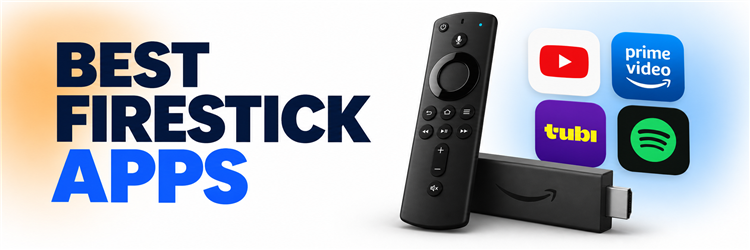
Key Takeaway: YouTube is the best starting point for everyday videos, Prime Video makes sense for existing Prime households, and Tubi adds free movies without another renewal. Build around those needs, then add music, a browser, or specialist viewing only when it earns space on your home screen.
A new Firestick can fill with apps faster than it fills an evening with something worth watching. Several services may show the same films, a free download may still require payment, and phone-only features do not necessarily reach the television. The best firestick apps give each home-screen slot a purpose, whether that means familiar series, free channels, music, learning, or an occasional web page.
I compared ten official Fire TV options by their everyday role, documented support, account requirements, and current US pricing. The recommendations below explain what each app contributes, where its limits matter, and which charges sit outside the basic download. This is an editorial comparison based on provider documentation, with device performance dependent on your Firestick model, internet connection, and local availability.
Use official apps and content you are entitled to access. Catalogs, plans, and Fire TV support vary by country and device; the prices below reflect US information checked on September 10, 2026.
Best Firestick Apps: Top Recommendations
| App | Best For | Free Access / Cost | Get Started |
|---|---|---|---|
| YouTube | Everyday videos and learning | Free with ads | Visit Site |
| Prime Video | Existing Prime households | Prime from $14.99/month | Visit Site |
| Tubi | Free movies and series | Free with ads | Visit Site |
| Spotify | Music and podcast listening | Free; Premium optional | Visit Site |
| Amazon Silk | Occasional web browsing | Free browser | Visit Site |
1) YouTube
YouTube is my first recommendation for a Firestick home screen because it covers tutorials, creator series, music videos, and live broadcasts without requiring a subscription. Its TV app also connects with your phone for easier searching. The tradeoff is advertising and uneven video quality, so subscriptions and playlists help narrow an otherwise enormous selection.
Features:
- Creator Variety: Tutorials, interviews, performances, and independent series share one searchable library, making the app useful for brief breaks as well as longer evening viewing.
- Phone Pairing: Link the television using a TV code or supported pairing option, then use your phone to find videos and control the viewing session.
- Subscriptions Feed: Following selected channels creates a more deliberate starting point than the recommendation feed. I suggest subscribing to creators whose uploads consistently match your interests.
- Saved Playlists: Watch Later and personal playlists organize videos around a project, artist, or evening plan, reducing repeated searches when you return to the television.
- Video Controls: Available resolution choices depend on the upload and playback setup, while captions help with dialogue when the creator or automatic transcription supplies them.
- Account Lock: A four-digit account lock on supported television experiences adds a barrier before opening an account, a useful setting to review on a shared screen.
- Optional Premium: A qualifying Premium subscription removes YouTube-served video advertisements, although creator sponsorships can remain. YouTube TV channel packages require a separate subscription and offer.
| Pros | Cons |
|---|---|
| Large range of free videos across practical and entertainment topics | Advertisements interrupt viewing on the free tier |
| Phone pairing reduces typing with the television remote | Creator accuracy and production quality vary substantially |
| Subscriptions provide direct access to selected creators | |
| Playlists make saved videos easier to revisit |
Pricing:
- Free access: videos supported by advertising
- Premium Individual: $15.99/month in the United States
- YouTube TV: separate paid television service
Link: https://www.youtube.com/
2) Prime Video
Prime Video is the Firestick app I would check before adding another paid movie service, especially when a household already has Amazon Prime. Included shows sit alongside optional channel subscriptions, rentals, and purchases. That breadth is useful, but reading each title’s access label matters: downloading the app does not unlock everything displayed in its storefront.
Features:
- Included Catalog: Prime membership provides access to the eligible Prime Video library, including Amazon originals and licensed entertainment; availability changes with country and distribution agreements.
- Separate Profiles: Individual profiles organize recommendations and viewing progress for different people, while Kids profiles offer a dedicated starting point for younger members of the household.
- Content Labels: Included titles, rentals, purchases, and additional subscriptions can appear within the service. I recommend checking the access label before selecting any payment confirmation.
- Channel Subscriptions: Optional channel memberships bring participating services into Prime Video, allowing eligible content to be watched there while adding a recurring charge to billing.
- Live Events: Selected sports and other live programming expand the app beyond films, but rights, event availability, and advertising differ from the regular on-demand catalog.
- Ultra Upgrade: In the United States, Prime Video Ultra adds eligible 4K streaming and Dolby Atmos alongside its ad-free benefits, subject to compatible equipment and content.
- Simultaneous Streams: Amazon lists four concurrent streams for the base experience and five with Ultra, although additional limits can apply when multiple devices play one title.
| Pros | Cons |
|---|---|
| Useful starting point for households already paying for Prime | Rentals and channel subscriptions increase the displayed base cost |
| Original series and licensed movies share one app | US 4K and Dolby Atmos require the additional Ultra upgrade |
| Optional channels centralize eligible subscription viewing | |
| Profiles separate different household viewing histories |
Pricing:
- Prime: $14.99/month or $139/year in the United States
- Ultra add-on: $4.99/month above eligible base access
- Annual Ultra: $45.99/year for eligible annual Prime members
Link: https://www.primevideo.com/
3) Tubi
Tubi is my budget pick for adding a proper movie and television library without another subscription renewal. The official Fire TV app combines on-demand entertainment with live channels, and basic viewing does not require a paid account. Its rotating selection rewards browsing, although advertisements and gaps in specific franchises make it a supplement to paid services.
Features:
- Free Library: Movies and television series play without a subscription payment, with commercial breaks funding access rather than a free trial that later becomes a bill.
- Optional Account: Basic viewing can begin without creating an account, making Tubi convenient for visitors or viewers who want to explore before saving personal viewing preferences.
- Saved Queue: An optional account supports a personal list and continued viewing across supported devices. I would sign in when building a longer movie or series queue.
- Live Channels: Scheduled streams provide an alternative to choosing individual episodes, with available news and entertainment channels depending on the country where the service is accessed.
- Genre Browsing: Catalog categories offer routes into unfamiliar films and series, helping viewers browse by subject or mood when they do not have a specific title.
- Official Installation: Tubi documents Fire TV support and an Amazon installation route, so viewers can obtain its television app without searching for an APK download.
- Changing Selection: Licensing determines which movies and episodes remain available, so a saved title may eventually leave; checking availability before organizing a group screening avoids surprises.
| Pros | Cons |
|---|---|
| Movies and series require no recurring subscription payment | Commercial breaks are part of the free viewing experience |
| Account creation is optional for basic viewing | Specific titles and complete franchises are not guaranteed |
| Live channels complement the on-demand catalog | |
| Official Fire TV distribution simplifies installation |
Pricing:
- Monthly subscription: $0, supported by advertisements
- Account registration: optional and free
- Ad-free upgrade: no paid ad-free subscription offered
Link: https://tubitv.com/
4) Spotify
Spotify earns a place on my Firestick shortlist when the television also serves as the room’s music system. Playlists and podcasts give the screen a useful role between films, while Spotify Connect lets a phone handle selection. Free listening includes restrictions and advertisements; Premium is an optional account upgrade rather than a requirement to install the app.
Features:
- Television Listening: Music and supported podcasts play through the television’s audio setup, turning existing speakers into a listening option without purchasing another dedicated streaming device.
- Spotify Connect: A phone or other supported device can select the television as a playback destination. I prefer this route for browsing a large music library.
- Account Pairing: Supported TV sign-in options include a pairing code or companion-device flow, reducing the need to enter a full password using an on-screen keyboard.
- Personal Library: Saved playlists and followed artists remain associated with the signed-in account, providing familiar starting points when moving from personal headphones to the living room.
- Curated Playlists: Editorial collections and personalized recommendations offer music for different activities, helping listeners choose a mood or genre when they have no particular album planned.
- Free Access: Spotify supports television listening without requiring Premium, although advertising and account-specific playback restrictions mean the free experience differs from a paid music subscription overall.
- Premium Choice: Premium removes advertisements from music listening, but benefits vary by platform; mobile downloads and other advertised extras should not be assumed to work on Firestick.
| Pros | Cons |
|---|---|
| Adds music listening to an existing television setup | Free listening includes advertisements and playback restrictions |
| Spotify Connect makes phone-based selection convenient | TV features differ from the full mobile app |
| Existing playlists remain available through the account | |
| Free access allows evaluation before a Premium subscription |
Pricing:
- Spotify Free: $0 with advertising and restrictions
- Premium Individual: $12.99/month in the United States
- Duo and Family: separate household plans with eligibility rules
Link: https://www.spotify.com/
5) Amazon Silk
Amazon Silk is the utility app I would keep for occasional web pages that do not need a dedicated Fire TV application. It brings Amazon’s browser to the television, including bookmarks and browsing controls. Remote navigation suits simple pages better than complex forms, and a website’s video player may still reject television browsers or require separate access.
Features:
- Web Access: Silk opens websites on Fire TV, providing a route to public information pages and browser-compatible services when a dedicated television app is unnecessary.
- Remote Navigation: The browser adapts web navigation to television input, although selecting controls and completing lengthy forms can still require more effort than phone browsing.
- Bookmarks: Saved destinations reduce repeated address entry with the remote. I suggest bookmarking useful pages instead of accumulating links you rarely revisit.
- Browser Settings: Available settings provide control over browsing data and privacy preferences, giving shared-TV users a place to review what the browser retains between sessions.
- Private Browsing: Private sessions limit locally retained browsing history, but they do not make activity anonymous to websites, network providers, or parties observing internet traffic.
- Website Accounts: Paid websites retain their login and subscription requirements inside Silk; installing a free browser does not grant access to a service’s protected content.
- Player Compatibility: Website video playback depends on the provider’s browser support and rights checks, so an official Fire TV app remains preferable whenever one is available.
| Pros | Cons |
|---|---|
| Provides general web access through an official Amazon browser | Complex forms and small page controls are awkward on television |
| Bookmarks reduce repeated address entry with a remote | Some websites and video players do not support TV browsers |
| Useful for occasional public information and support pages | |
| Browser installation carries no subscription requirement |
Pricing:
- Browser installation: free
- Browser subscription: none required
- Website content: provider charges may apply separately
Link: https://www.amazon.com/silk
6) Netflix
Netflix is my paid pick for households that regularly follow original series and want a separate profile for each viewer. The Fire TV app combines discovery, saved titles, and episode progress in one familiar service. Plan choice matters more than installation: advertising, picture resolution, and simultaneous viewing limits change with the subscription selected in your country.
Features:
- Original Programming: Netflix combines commissioned films and series with licensed titles, giving frequent viewers a changing selection while making specific show availability dependent on their country.
- Personal Profiles: Separate profiles keep viewing histories and recommendations apart, which helps different household members return to their own series without rearranging another person’s browsing choices.
- My List: Saved titles create a queue for later. I recommend using this list before an evening session to reduce time spent browsing recommendations.
- Plan-Based Resolution: The US Premium plan supports eligible 4K and HDR viewing, while Standard plans reach Full HD; the television, Firestick, title, and connection must qualify.
- Household Viewing: US Standard plans allow two simultaneous supported streams, while Premium allows four, making concurrent use an important distinction when several household members watch separately.
- Parental Controls: Kids profiles, maturity restrictions, and profile protections help tailor access, although managing some settings requires the account controls on a phone or web browser.
- Playback Preferences: Account settings can adjust episode autoplay and preview behavior, while available audio languages and subtitles depend on the selected program and playback device.
| Pros | Cons |
|---|---|
| Original films and series suit frequent subscription viewing | The lowest-priced US plan includes advertising |
| Profiles keep different household recommendations separate | 4K access requires the more expensive Premium plan |
| Saved titles provide a manageable personal watch queue | |
| Premium offers eligible 4K HDR and additional concurrent streams |
Pricing:
- Standard with ads: $8.99/month in the United States
- Standard: $19.99/month without ads
- Premium: $26.99/month with eligible 4K HDR
Link: https://www.netflix.com/
7) Disney+
Disney+ is the subscription I would prioritize for a household that repeatedly watches Disney, Pixar, Marvel, or Star Wars. Its appeal comes from those particular libraries, alongside National Geographic programming and other region-dependent content. Family profiles help organize access, but adults should configure maturity settings deliberately; a familiar Disney logo does not make every available title child-friendly.
Features:
- Brand Collections: Dedicated entertainment hubs organize major Disney-owned franchises, making it easier to browse related films and series without searching individually for every installment or character.
- Family Profiles: Separate profiles support viewing preferences across the household, so an adult’s series queue and a child’s preferred films can have their own starting points.
- Maturity Settings: Content ratings and Junior Mode help tailor profile access. I would configure these through the supported account settings before allowing children to browse independently.
- Profile PINs: Optional profile protection adds a barrier to switching into an adult profile, complementing content ratings rather than replacing supervision or the other family settings.
- Picture Formats: Eligible titles support 4K and HDR on compatible setups, with playback depending on the Fire TV model, display, connection, and supported regional service plan.
- Premium Audio: The US Premium offering includes supported Dolby Atmos playback, but the title and connected audio equipment must also support the format for its benefits.
- Series Continuity: Watchlists and episode progress help viewers return to franchise stories, while title availability and release timing remain subject to the service’s country-specific catalog.
| Pros | Cons |
|---|---|
| Strong fit for Disney, Pixar and major franchise fans | US ad-supported viewing still requires a monthly subscription |
| Brand collections make related films easier to find | Franchise focus may not suit viewers seeking unrelated catalogs |
| Profiles and maturity settings support shared household viewing | |
| Eligible titles offer high-resolution playback on compatible devices |
Pricing:
- With Ads: $11.99/month in the United States
- Premium: $18.99/month
- Annual Premium: $189.99/year
Link: https://www.disneyplus.com/
8) Crunchyroll
Crunchyroll is my specialist choice when anime occupies more of the watchlist than general television. Its Fire TV app provides a dedicated place for seasonal releases, established series, and available language versions. Check the exact show and dub before subscribing, because regional rights differ, and signing up through Amazon can offer a different billing route from direct membership.
Features:
- Anime Catalog: A service devoted to anime keeps seasonal series and established titles together, reducing the need to search across unrelated movie collections for a show.
- Seasonal Releases: Selected series receive new episodes during their broadcast season, although schedules, regional licensing, and language releases determine when a particular episode becomes available locally.
- Language Choices: Subtitled and dubbed versions vary by title and region. I suggest checking the preferred audio language on a show’s page before starting any subscription.
- Television Activation: The Fire TV sign-in process supports account activation using an on-screen code or QR route, letting a companion device handle parts of account setup.
- Episode Tracking: Watchlist and continued-viewing features organize ongoing series, helping viewers return to unfinished episodes when several shows are releasing new installments during the same season.
- Concurrent Streams: Direct US memberships distinguish one stream on Fan, four on Mega Fan, and six on Ultimate Fan, supporting needs for simultaneous household viewing.
- Amazon Billing: Fire TV signup can use Amazon-managed membership options, so the checkout price, tier, trial eligibility, and cancellation route should be reviewed before confirming.
| Pros | Cons |
|---|---|
| Anime-focused browsing serves a clear specialist interest | The desired show or language may be unavailable locally |
| Seasonal releases complement established series | Amazon-managed signup can differ from direct membership choices |
| Available subtitle and dub options support different preferences | |
| Several direct membership tiers offer different simultaneous stream limits |
Pricing:
- Fan: $9.99/month, direct US membership
- Mega Fan: $13.99/month, direct US membership
- Ultimate Fan: $17.99/month, direct US membership
Link: https://www.crunchyroll.com/
9) PBS
PBS is the Firestick app I would add for documentaries, public affairs, science, and drama with a local public-television connection. Selected programs are free, while PBS Passport extends access for qualifying station members. Local station selection matters for live viewing and membership activation, so this recommendation fits US public-media viewers more directly than an international entertainment audience.
Features:
- Public Television: Documentary, science, history, public-affairs, and drama programming give the app a distinct role beside commercial entertainment services, with available episodes organized around PBS shows.
- Local Station: Selecting a station connects the experience with local programming and availability, making the chosen location important when looking for a station’s live stream.
- Selected Free Episodes: Some programs are available without Passport membership, allowing viewers to explore current offerings before deciding whether extended access justifies supporting their local station.
- Passport Access: A qualifying station contribution unlocks eligible extended viewing. I recommend checking the station’s membership requirement and activation instructions before paying specifically for one series.
- Program Search: Fire TV search and show navigation help locate episodes by series, reducing the need to browse unrelated collections when returning to a PBS program.
- Viewing Resume: Supported continue-watching functionality helps viewers resume unfinished episodes, which is useful for longer documentaries and dramas watched over more than one evening at home.
- Closed Captions: Caption controls support viewers who need readable dialogue or quieter playback, while the caption tracks and other accessibility options depend on the program.
| Pros | Cons |
|---|---|
| Selected programs are available without a paid subscription | Live availability depends on location and participating station |
| Distinctive focus on documentary and public-affairs programming | Extended episodes may require station membership and activation |
| Local station connection supports relevant public television access | |
| Passport can extend viewing for qualifying station members |
Pricing:
- App and selected viewing: free
- PBS Passport: qualifying local-station contribution required
- Contribution amount: varies by station and membership terms
Link: https://www.pbs.org/pbs-app/
10) Pluto TV
Pluto TV is my choice for viewers who prefer opening a channel guide to choosing a movie from a poster wall. Its free service combines scheduled streams with on-demand titles, giving a Firestick a familiar channel-surfing option. The lineup varies by country and includes advertisements, so it should not be mistaken for a complete premium cable package.
Features:
- Live Guide: A scheduled channel grid shows what is playing, providing a browsing pattern for viewers who prefer joining an ongoing program over selecting individual episodes.
- Themed Channels: Dedicated entertainment streams group genres, shows, or interests, creating a background-viewing option when everyone in the room would rather watch than debate choices.
- Free Streaming: Advertising supports access without a subscription payment or credit-card requirement, making the app suitable for occasional viewing without adding another recurring household entertainment charge.
- On-Demand Choices: A movie and television selection lets viewers choose individual titles when a scheduled channel does not match the amount of time they have.
- Channel Favorites: Saved favorites can shorten the guide for returning viewers. I suggest keeping only frequently watched channels prominent so the list remains useful over time.
- Optional Account: Signing in enables supported personalization such as saved viewing choices and continued playback, while the service’s basic free streaming does not require a paid membership.
- Regional Lineup: Channel names, schedules, and available titles vary by country, so a recommendation from another market may not describe the lineup shown on your Firestick.
| Pros | Cons |
|---|---|
| Free channels do not require a credit-card subscription | Advertisements remain part of the viewing experience |
| A guide suits viewers accustomed to scheduled television | The lineup does not replace every premium cable channel |
| On-demand titles offer an alternative to live schedules | |
| Themed streams work well for casual background viewing |
Pricing:
- Monthly service: $0, supported by advertising
- Credit card: not required for free streaming
- Paid ad-free tier: not offered
Link: https://pluto.tv/
How Did We Choose the Best Firestick Apps?
A useful Firestick collection needs a reason for every installation. The ranking favors broad daily usefulness near the top, then adds specialist options for viewers with more specific interests. Official provider documentation supplied the feature and access details; prices were checked against US membership pages. These criteria explain the selections without treating a published compatibility statement as a measured performance result on every device.
- Everyday Role: Each app earns a distinct purpose, such as creator videos, subscription entertainment, music, web access, anime, or public television within a household setup.
- Official Support: Provider documentation and recognized distribution routes establish Fire TV availability, while model restrictions remain relevant when checking an individual television or streaming stick.
- Transparent Cost: Free viewing, base subscriptions, upgrades, rentals, and station contributions are separated so readers can compare the actual route they intend to use.
- Practical Limits: Advertising, regional rights, language availability, simultaneous streams, and platform-specific features receive attention because they can change whether an otherwise suitable app works for someone.
- Useful Variety: The list balances general entertainment with specialist roles instead of assuming every household should subscribe to every service or install the entire selection.
Which Firestick Apps Belong on Your Home Screen First?
Start with what the household already watches, then fill one missing role at a time. A smaller selection makes choosing something easier and avoids paying twice for similar libraries. Free apps can handle casual sessions, while a paid service should justify itself through programs you actually intend to watch. Music and browser access are useful additions when they serve a regular purpose in the room.
- Daily Videos: Put YouTube within easy reach if tutorials, creators, interviews, and short sessions account for more television use than scheduled channels or long films.
- Existing Membership: Check the included Prime Video library before adding another subscription, especially when Amazon Prime is part of the household’s monthly or annual budget.
- Free Entertainment: Add Tubi for on-demand browsing or Pluto TV for a channel guide, choosing the experience that suits how people prefer to start watching.
- Specialist Interests: Choose Netflix, Disney+, Crunchyroll, or PBS around series and interests; a distinctive catalog is more useful than another rarely opened application icon.
- Room Utilities: Keep Spotify for television-based listening and Silk for occasional websites, then remove unused installations when they stop contributing to the household’s routine.
How Do You Install and Update Official Fire TV Apps?
Use the app listing available on the Fire TV itself as the starting point. Search names carefully, confirm the publisher, and inspect the access requirements before accepting any subscription offer. Installation and account activation are separate steps for many services. The screens vary across Fire TV generations, so follow the labels on your model and the provider’s current instructions whenever a menu differs from a guide.
- Find the Listing: Search the app name from Fire TV’s search or app area, then choose the official publisher rather than a similarly named result.
- Check Access: Read whether the download is free, whether viewing needs an account, and whether the device is offering a new recurring subscription checkout.
- Install and Open: Select the installation option shown on your screen, allow it to complete, and open the app before making further changes to device settings.
- Activate Carefully: Use the provider’s displayed code or QR instructions on a trusted companion device, checking the destination before entering account details or confirming payment.
- Keep It Updated: Use Fire TV’s available application-update controls and system updates, then restart an affected app when the provider recommends it after an installation change.
How Can You Keep App Subscriptions Under Control?
A free app listing describes the software download, not necessarily the content behind it. A subscription may also be managed by Amazon rather than the streaming provider directly, which changes where cancellation happens. Review the complete checkout and the services you already have before starting anything new. The most useful comparison is the monthly cost of the shows and features your household will actually use.
- Identify the Seller: Record whether Amazon or the provider manages the subscription, because deleting an app from the Firestick does not cancel its recurring billing.
- Compare the Tier: Check advertising, resolution, household viewing limits, and included content before selecting a plan; a higher price only helps when its benefits matter.
- Separate the Extras: Treat Prime Video channels, rentals, purchases, and Ultra as distinct decisions rather than assuming they are all included in the displayed base membership.
- Review Annual Commitments: Annual pricing may reduce the equivalent monthly cost, but committing for a year makes less sense when only one short series interests you.
- Use Free Gaps: Keep ad-supported options for casual viewing between paid subscriptions, and review renewal dates whenever the household finishes the series that prompted signup.
What Should You Check When a Firestick App Is Unavailable?
An absent app can reflect regional distribution, an unsupported device, a renamed service, or a provider’s decision to stop offering that version. Repeating installation attempts will not resolve every case. Confirm the account country and the app’s current support information before changing the device. If several installed apps fail together, the broader Firestick troubleshooting guide can help separate a device problem from an individual service issue.
- Country Support: Compare the provider’s supported countries with your legitimate account location, remembering that a service’s website can exist where its television app is unavailable.
- Device Requirements: Confirm the Fire TV model and software requirements; a listing for one generation does not establish support for every older or newer device.
- Service Changes: Look for an official rename, replacement app, or retirement notice before relying on an old installation guide or searching for a discontinued package.
- Account Restrictions: Review profile permissions and subscription status when an app opens but content remains inaccessible, since installation success does not confirm the required viewing entitlement.
- Supported Alternative: Follow the provider’s documented browser or other-device option when available, or choose another licensed service that officially supports the Firestick in your home.
Verdict:
The strongest Firestick setup starts with viewing habits rather than a long installation list. YouTube covers everyday discovery, Prime Video serves an existing membership, and Tubi adds a free movie library. The remaining choices fill clearer specialist roles. Keep the apps that your household actually opens, check regional availability, and buy a higher subscription tier only for benefits you need.
- YouTube: Start here for free creator videos, practical tutorials, playlists, and phone-assisted selection when varied everyday viewing matters more than a conventional television catalog.
- Prime Video: Check it first if Prime is already paid for, while keeping included shows separate from channel memberships, rentals, purchases, and Ultra upgrades.
- Tubi: Add it for free movies, television series, and casual browsing when advertisements are acceptable and avoiding another recurring subscription is the main priority.
FAQs
What is the best Firestick app to install first?
YouTube is a practical first install for free everyday videos, tutorials, and creator entertainment. If you already have Amazon Prime, check Prime Video as well. Add Tubi when a free on-demand movie library is the bigger priority.
Which Firestick apps can I watch for free?
YouTube, Tubi, Pluto TV, and Spotify provide free access with advertising or restrictions. PBS offers selected free programs, while Silk is a free browser. A free app download does not automatically include every title or premium feature.
Do I need Amazon Prime to use Firestick apps?
No. Amazon Prime is not required to use Fire TV apps such as YouTube, Tubi, Netflix, or Spotify. The device needs an Amazon account, while each streaming service applies its own account requirements and optional or required subscription charges.
Can I install every Android app on a Firestick?
No. Fire TV models differ in supported applications, and many phone apps rely on touch controls or unavailable services. Use the official Fire TV listing and the developer’s device requirements to confirm compatibility.
Why is an app missing from my Fire TV Appstore?
Country restrictions, device requirements, a changed name, or discontinued support can explain a missing listing. Confirm the publisher, your account country, and your model’s software support before following installation instructions intended for another device or market.
How can I stop Firestick apps from buffering?
Check whether the problem affects one service or every app, then restart the affected app and review connection quality. Follow these Firestick buffering fixes for a structured diagnosis before clearing data or reinstalling anything.