Key Takeaway: Tubi is the strongest free all-round replacement, The Roku Channel excels at originals and channel browsing, and Plex is best for a portable Watchlist and universal search. The original Movies7 operation was shut down, so use accountable services instead of unfamiliar lookalike domains.
Movies7.to disappeared with the wider FMovies network after a coordinated 2024 enforcement action. That history matters because current pages using the Movies7 name are not automatically connected to the original team. A familiar logo, copied layout, or promise of free 4K playback cannot establish ownership, licensing, or safe handling of your email address. The practical replacement is an identifiable service with an official application and clear access rules.
I reviewed nine licensed Movies7 alternatives for the specific friction that sends people looking for a replacement: no-cost viewing, minimal signup, a useful movie catalog, complete television episodes, reliable playback, subtitles, resume points, and Fire TV compatibility. This guide also separates genuinely free catalogs from rentals and library-funded access, so you can choose a workable combination instead of chasing another temporary clone.
Best Movies7 Alternatives in 2026: Top Recommendations
| Service | Best For | Access Model | Get Started |
|---|---|---|---|
| Tubi | Broad free movie and TV library | Free with ads | Visit Site |
| The Roku Channel | Free originals and live channels | Free with ads | Visit Site |
| Plex | Universal discovery and personal media | Free with ads | Visit Site |
| Sling Freestream | Free channels, profiles, and DVR | Free with ads | Visit Site |
| Pluto TV | Movies plus channel surfing | Free with ads | Visit Site |
1) Tubi
Tubi is the strongest all-round Movies7 replacement when you want licensed movies and complete television seasons without paying or entering card details. I rank it first for its official Fire TV app, broad genre coverage, simple guest playback, and optional account tools. The tradeoff is unavoidable advertising and a catalog that changes as distribution agreements expire.
Features:
- Instant Free Access: Start supported titles without buying a plan or entering payment information, while a free account remains optional for saved lists, recommendations, and synchronized progress.
- Fire TV Ready: Install Tubi directly from the Amazon Appstore on Fire TV and Fire Stick hardware, avoiding copied websites, browser redirects, unofficial packages, and misleading download prompts.
- Wide Genre Mix: Browse studio films, complete television series, Tubi Originals, documentaries, anime, Spanish-language collections, family programming, and selected live channels inside one consistent interface.
- Account Choice: Guest viewing reduces signup friction, whereas registration adds a queue, viewing history, resume points, personalization, and easier movement between televisions, phones, browsers, and consoles.
- Accessible Playback: Closed captions, audio options, parental features, and platform display controls improve household usability whenever the individual title and supported device provide those capabilities.
- Evaluation Note: I checked the current supported-device list, free access model, account behavior, installation route, and viewing limitations against Tubi official help documentation before ranking it.
- Honest Limitation: Commercial breaks cannot be removed, titles rotate regularly, availability differs by country, and most on-demand movies do not match the newest theatrical release window.
| Pros | Cons |
|---|---|
| No subscription or payment card | Commercial breaks are unavoidable |
| Official Fire TV application | Titles rotate with licenses |
| Large licensed catalog | Catalog differs by country |
| Guest viewing is available |
Pricing:
- Streaming: $0 with advertising
- Account: Optional and free
- Payment Card: Not required for ordinary viewing
Link: https://tubitv.com/
2) The Roku Channel
The Roku Channel replaces Movies7 with free films, television series, Roku Originals, and more than 500 live channels under a recognizable operator. It is not limited to Roku hardware; compatible Fire TV devices in the United States can install the official app. I rank it fourth for easy big-screen access, though its strongest lineup and device coverage remain region dependent.
Features:
- Large Free Lineup: Movies, television episodes, Roku Originals, children programming, and more than 500 live channels create a varied catalog funded by normal commercial breaks.
- Fire TV Route: Compatible Amazon Fire TV devices can add the official Roku Channel application in the United States without sideloading, Downloader codes, or visiting imitation websites.
- Original Productions: Roku Originals include documentaries, unscripted series, acquired exclusives, films, and revived programs that are clearly labeled and organized within the service interface today.
- Resume Viewing: A free Roku account can retain progress and preferences across supported Roku players, mobile apps, web browsers, Samsung televisions, and eligible Fire TV hardware.
- Live Guide: News, movies, crime, reality, lifestyle, family, sports, and single-program channels support relaxed browsing when nobody in the room has chosen a specific title.
- Evaluation Note: I confirmed the latest official channel count, free catalog, United States Fire TV route, mobile and web availability, and account benefits through Roku support.
- Honest Limitation: Free programming includes ads, the Fire TV app is United States-focused, premium add-ons vary by platform, and individual titles or channels can disappear unexpectedly.
| Pros | Cons |
|---|---|
| More than 500 live channels | Fire TV access is US-focused |
| Includes Roku Originals | Advertising remains required |
| Compatible Fire TV application | Content rotates frequently |
| Free account syncs progress |
Pricing:
- Free Catalog: $0 with advertising
- Roku Account: Free
- Premium Add-ons: Optional and separately priced
Link: https://therokuchannel.roku.com/
3) Plex
Plex is the smartest Movies7 alternative for people who lose track of which service holds a film. Its universal search and Watchlist sit alongside more than 50,000 free on-demand titles, 600-plus live channels, rentals, and personal media libraries. I place it fifth because discovery is excellent across Fire TV and other devices, although free partner content always carries advertising.
Features:
- Universal Search: Search once to see whether a movie or series appears on Plex, a selected subscription service, a rental storefront, or your own organized media library.
- Portable Watchlist: Save titles independently of one rotating catalog, then open the Watchlist later to compare current viewing sources across supported streaming services and devices.
- Free Entertainment: Plex advertises over 50,000 on-demand titles and more than 600 live channels, supported by commercials and available without separate tuner hardware or an antenna.
- Fire TV App: Amazon Fire TV receives an official Plex client for free streaming, search, rentals, Watchlist access, and personal libraries without browser pop-ups or unknown APK files.
- Personal Media: A separate Plex Media Server can organize lawfully owned video files with posters, descriptions, progress, users, and playback controls that rotating online catalogs cannot guarantee.
- Evaluation Note: I checked Plex current catalog figures, supported players, free live service, Watchlist behavior, personal-server distinction, and subscription boundaries in official documentation before ranking it.
- Honest Limitation: Advertisements remain inside free partner titles, available programming differs by region, remote personal-media rules require careful plan checking, and the interface can feel busy.
| Pros | Cons |
|---|---|
| Powerful universal discovery | Free titles include ads |
| Large free catalog and channels | Interface combines many functions |
| Official Fire TV support | Regional programming differs |
| Handles personal media libraries |
Pricing:
- Free Streaming: $0 with advertising
- Rentals: Variable by title and market
- Personal Media: Local use remains separate from free catalog viewing
Link: https://watch.plex.tv/
4) Sling Freestream
Sling Freestream is a Movies7 replacement for households wanting scheduled channels and a deep on-demand shelf without starting a paid television package. Sling currently promotes more than 600 channels and over 40,000 free shows and movies. I rank it sixth because guest viewing has minimal friction, while a free account unlocks profiles, favorites, parental controls, and limited cloud DVR.
Features:
- No-Login Viewing: Open basic Freestream programming without creating an account or supplying payment information, producing the quick start former Movies7 visitors often value most during casual viewing.
- Expansive Guide: More than 600 free channels cover movies, news, sports, anime, reality, comedy, international programming, children content, documentaries, and dedicated single-series marathons throughout the day.
- On-Demand Choice: Over 40,000 free movies and television programs complement live channels, so viewers can search for a title instead of waiting for a scheduled broadcast.
- Useful Free Account: Registration adds profiles, channel favorites, watchlists, parental controls, rewards, and personalization without forcing a Sling Orange or Sling Blue paid package today.
- Cloud Recording: Eligible accounts receive ten hours of free cloud DVR for recordable programming, helping viewers save a scheduled movie or episode for a later convenient time.
- Evaluation Note: I verified Sling official current channel and catalog figures, login choice, free account extras, DVR allowance, and device availability before including Freestream here.
- Honest Limitation: Advertising remains, some channels cannot be recorded, regional availability changes the lineup, and the service emphasizes continuous television more than brand-new theatrical movies.
| Pros | Cons |
|---|---|
| More than 600 free channels | Commercials remain unavoidable |
| No login required to start | DVR excludes some programming |
| Free profile and watchlists | Lineup varies by location |
| Ten hours of cloud DVR |
Pricing:
- Freestream: $0 with advertising
- Account: Optional and free
- Cloud DVR: 10 hours on eligible programming
Link: https://www.sling.com/freestream
5) Pluto TV
Pluto TV best suits former Movies7 viewers who enjoy choosing between a searchable film and a channel already playing something interesting. Its free service combines hundreds of live channels with thousands of on-demand movies and shows. I place it second because playback works across major devices without payment, although scheduled channels behave more like cable than a personal library.
Features:
- Two Viewing Modes: Switch between a traditional live guide and an on-demand catalog, covering quick channel surfing as well as deliberate searches for films, episodes, genres, or franchises.
- Zero-Dollar Access: Advertising funds the entire service, so no paid subscription or credit card is required for supported live channels, movies, television programs, and family selections.
- Extensive Reach: Official applications cover Fire TV, Roku, Apple TV, Android TV, consoles, smart televisions, mobile devices, and browsers, making big-screen installation straightforward for most households.
- Optional Profile: Create a free profile to synchronize favorite channels, build a Watch List, resume supported programs, and keep preferences available when changing devices or locations.
- Curated Channels: Single-series, movie-genre, news, reality, crime, comedy, children, sports, and themed channels reduce decision fatigue for viewers when you prefer continuous programming over searching.
- Evaluation Note: I verified Pluto TV current free model, device coverage, profile benefits, live guide, and on-demand positioning through its official service pages and published help information.
- Honest Limitation: Ads interrupt both viewing modes, live programs follow fixed schedules, catalogs vary geographically, and pausing or replaying a linear channel may not be available.
| Pros | Cons |
|---|---|
| Live and on-demand choices | Frequent advertising breaks |
| No credit card required | Live channels follow schedules |
| Broad official device support | Regional catalogs vary |
| Optional cross-device profile |
Pricing:
- Live Channels: $0 with advertising
- On-Demand Catalog: $0 with advertising
- Profile: Optional and free
Link: https://pluto.tv/
6) Fandango at Home
Fandango at Home is a useful Movies7 alternative when your priority is a specific newer release rather than endless browsing. Its Free to Watch shelf sits beside rentals and purchases, letting one account mix zero-cost viewing with legitimate first-window options. I rank it third because it closes the new-release gap that free services rarely solve, but prices vary by title.
Features:
- Flexible Storefront: Choose ad-supported free titles, temporary rentals, or permanent digital purchases individually instead of committing to a monthly streaming bundle containing programs you may never watch.
- New-Release Route: Recent studio movies frequently appear for rent or purchase earlier than they reach free advertising-supported catalogs, providing a lawful answer for time-sensitive viewing.
- Free Shelf: Dedicated Free to Watch collections rotate movies and television programs supported by commercials, allowing cost-free browsing today when immediate premium access is unnecessary.
- Quality Options: Eligible titles may offer standard definition, HDX, or 4K UHD editions, while the exact resolution and price depend on licensing, hardware, and availability.
- Library Ownership: Purchased titles remain organized in the account library, and Movies Anywhere compatibility can connect qualifying studio purchases across participating digital retailers and supported services.
- Evaluation Note: I reviewed Fandango current Free to Watch catalog, rental and purchase routes, format labels, account navigation, and device-facing storefront before placing it here.
- Honest Limitation: An account is required, free films include commercials, individual rentals accumulate quickly, and not every purchased title participates in Movies Anywhere portability or 4K playback.
| Pros | Cons |
|---|---|
| Combines free and premium access | Account needed for viewing |
| Strong recent-release availability | Rentals can become expensive |
| Offers HDX and 4K options | Free titles include ads |
| No monthly plan required |
Pricing:
- Free to Watch: $0 with advertising
- Rentals: Variable by title and quality
- Purchases: Variable by title and edition
Link: https://athome.fandango.com/
7) Xumo Play
Xumo Play is a straightforward Movies7 alternative for viewers who want immediate legal streaming with no login, subscription, or credit card. It combines more than 350 live channels with about 15,000 on-demand titles across supported televisions, streaming devices, phones, tablets, and browsers. I rank it seventh because access is simple, but personalization and parental controls remain comparatively limited.
Features:
- No Account Needed: Open Xumo Play and begin watching without registering, remembering a password, starting a trial, attaching payment information, or accepting a recurring monthly subscription.
- Combined Library: More than 350 live channels and approximately 15,000 on-demand titles cover movies, news, entertainment, crime, reality, lifestyle, sports, children programming, and documentaries.
- Fire TV Support: The official Xumo Play application supports Amazon Fire TV and Fire Stick devices alongside Roku, Android TV, Google TV, mobile platforms, computers, and smart televisions.
- Simple Navigation: A channel guide, search tools, categories, and on-demand rows provide a familiar television experience without exposing viewers to deceptive play buttons or embedded third-party servers.
- Multiple Devices: Concurrent viewing is allowed across supported devices, giving household members flexibility today without buying extra screens, adding profiles, or managing simultaneous-stream plan restrictions.
- Evaluation Note: I verified Xumo official account policy, current channel and title figures, Fire TV availability, supported-device range, and simultaneous viewing guidance before adding it.
- Honest Limitation: Commercial breaks fund access, no account means weak progress portability, parental controls are unavailable, and the catalog leans toward older programming rather than newest releases.
| Pros | Cons |
|---|---|
| No account or credit card | No parental controls currently |
| Official Fire TV application | Limited progress synchronization |
| Live and on-demand catalogs | Catalog favors older programming |
| Allows multiple supported devices |
Pricing:
- Streaming: $0 with advertising
- Account: Not required
- Subscription: None
Link: https://play.xumo.com/
8) Kanopy
Kanopy is the premium-feeling Movies7 alternative for viewers with a participating public library card or university login. Its curated collection emphasizes documentaries, independent cinema, classics, world films, educational programs, and family titles without ordinary advertising. I place it eighth because picture quality and curation are strong, though every institution controls eligibility, catalog access, ticket allowances, and unlimited collections.
Features:
- Institution Funded: A participating library or university pays for eligible access, replacing a personal subscription bill with locally managed credentials, title rights, allowances, and viewing rules.
- Ticket System: Public-library viewers receive a monthly ticket allocation selected by their institution, and the counter resets on the first day while unused tickets never roll forward.
- Unlimited Areas: Zero-ticket collections remain viewable without reducing the allowance, while Kanopy Kids titles use no tickets when that family service is included by the library.
- Current Fire TV Support: Kanopy officially supports Fire TV devices running FireOS 6 or later, alongside current Roku, Apple TV, Android TV, Google TV, and Samsung platforms.
- Curated Strength: Documentaries, festival films, world cinema, independent features, classics, lectures, educational series, and thoughtful children programming provide depth beyond mass-market free catalogs and channel feeds.
- Evaluation Note: I checked Kanopy July 2026 device requirements, June 2026 ticket rules, monthly resets, unlimited viewing, and library-dependent access through current official help pages.
- Honest Limitation: Participation is mandatory, ticket totals vary, some programs cost multiple tickets, mobile browsers cannot play video, and available collections depend on each institution agreement.
| Pros | Cons |
|---|---|
| Ad-free curated programming | Participating institution required |
| Official Fire TV support | Monthly tickets vary locally |
| Strong documentaries and world cinema | Catalog differs by institution |
| Kanopy Kids uses no tickets |
Pricing:
- Viewer Cost: $0 with eligible library or university access
- Tickets: Monthly allocation set locally
- Kanopy Kids: No tickets where included
Link: https://www.kanopy.com/
9) YouTube Free Primetime
YouTube Free Primetime works when you want a familiar player installed on nearly every television. Its official movie program carries ad-supported studio titles in selected countries, with a changing shelf at YouTube Movies. I rank it ninth because device reach and playback controls are excellent, but free availability is narrower and more regional than dedicated FAST services.
Features:
- Official Free Shelf: Eligible viewers can browse ad-supported Primetime movies supplied through local and global studio agreements instead of relying on random uploads with uncertain rights or durability.
- Regional Availability: The official program currently serves the United States, Australia, Japan, Germany, and United Kingdom, while free television shows are limited to America and Australia.
- Built-In Device Reach: YouTube runs on Fire TV, Roku, Apple TV, Android TV, smart televisions, phones, tablets, browsers, and game consoles with mature accessibility and casting controls.
- Regular Rotation: The free movie shelf updates periodically, creating new choices but requiring viewers to recheck availability because individual titles can leave when studio agreements change.
- Quality Controls: Supported movies may play in SD or HD according to licensing, hardware, bandwidth, and title availability, with familiar caption, speed, queue, and casting interfaces.
- Evaluation Note: I verified current countries, the free movie discovery shelf, advertising rules, television-show limitation, device coverage, and quality definitions using official YouTube Help documentation.
- Honest Limitation: Selection is smaller than specialist services, ads remain without Premium, titles rotate, regional eligibility is strict, and search results can mix licensed movies with unrelated uploads.
| Pros | Cons |
|---|---|
| Already available on most devices | Available only in select countries |
| Official studio-supplied titles | Smaller dedicated movie shelf |
| Familiar playback controls | Search can mix unrelated videos |
| No separate streaming app needed |
Pricing:
- Free Primetime: $0 with advertising in supported regions
- YouTube Account: Free
- Premium: Optional; pricing varies by country and plan
Link: https://www.youtube.com/movies
Why Movies7 Clones Are Not the Original Service
Movies7 belonged to the Hanoi-based FMovies network that authorities dismantled in 2024. ACE specifically named Movies7 among the associated sites, and reporting from the shutdown period documented the original Movies7.to domain closing. The brand can still appear on unrelated addresses because names and page designs are easy to copy; continuity requires evidence, not visual similarity.
- Operation Closed: Hanoi Police and ACE shut down the larger FMovies operation, which included Movies7, after the network accumulated billions of visits across its associated piracy sites.
- Names Are Reusable: A third party can register another extension, copy posters and navigation, then call itself Movies7 without inheriting the original database, accounts, operators, or safeguards.
- Redirects Prove Little: A closure page sending visitors elsewhere does not confirm shared ownership, licensed content, safe code, responsible data handling, or continued access to an old Watchlist.
- Credentials Are Valuable: Never reuse the former Movies7 password on a replacement page; change it anywhere else you reused it, and avoid supplying email details to anonymous clones.
- Apps Beat Mirrors: An official television application from an accountable publisher reduces exposure to fake play buttons, forced notifications, misleading updates, pop-under advertising, and rapidly changing domains.
How We Evaluated Movies7 Alternatives
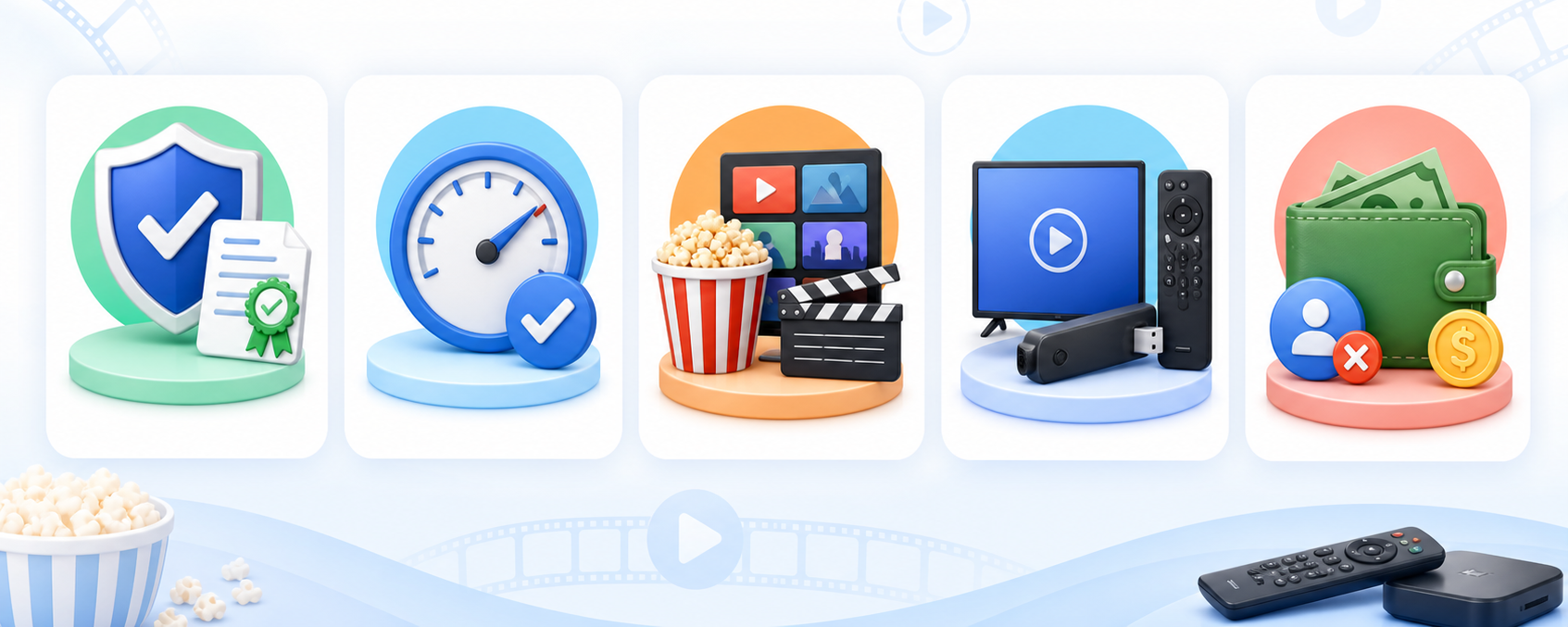
I scored each option against the jobs Movies7 visitors actually need completed, then penalized vague ownership, unofficial installation, hidden payment friction, and overstated catalog claims. The final order rewards services that are simple on a television, transparent about advertising or fees, and genuinely useful even when the viewer refuses another subscription.
- Rights and Identity: Only services with identifiable operators, documented distribution models, official destinations, and normal support information qualified; Movies7-branded copies and embedded indexes were excluded completely.
- Playback Reliability: Stable applications, consistent navigation, resume behavior, captions, search, and clearly labeled video options mattered more than unverified promises of 4K playback on every title.
- Catalog Usefulness: General films, television seasons, originals, live channels, documentaries, world cinema, and recent rentals received separate consideration because one catalog cannot serve every viewing habit.
- Device Coverage: Official Fire TV availability earned additional weight, followed by Roku, mobile, browser, smart-TV, console, casting, and cross-device account support for mixed households.
- Real Access Cost: I separated guest playback, optional profiles, advertisements, library credentials, institutional tickets, rentals, purchases, and premium upgrades so zero-dollar access never hides its practical conditions.
Find the Exact Movie Without Testing Random Servers
A legal replacement may not hold every title because streaming rights are split by country, studio, subscription, and release window. The fastest approach is title-first rather than site-first: identify the exact edition, check several legitimate catalogs, and decide whether waiting, watching with ads, borrowing through a library, or renting once makes the most sense.
- Confirm the Edition: Record the title, release year, director, season, episode, language, and cut when necessary, preventing remakes, similarly named programs, dubbed versions, or specials from causing confusion.
- Search Broadly: Start with Plex universal search, then check Tubi, Pluto TV, Roku, and Fandango because free rights, rentals, and subscription availability change independently today.
- Inspect the Label: Look for Free to Watch, Rent, Buy, Included, ticket cost, or premium wording before pressing play so an attractive poster does not imply zero cost.
- Check Your Region: A service can exist on Fire TV while a particular title remains unavailable locally, so confirm the active country catalog rather than relying on another person screenshot.
- Set a Spending Rule: For occasional new releases, one rental can cost less than another monthly plan; frequent viewers should compare the recurring total before repeatedly paying title by title.
Build a Better Free Stack Than a Single Movies7 Copy
No legal zero-cost service reproduces Movies7 claim of every new movie in one catalog. A small stack works better because each platform fills a different gap while remaining easy to install. Keep three or four apps that earn their space, use one neutral Watchlist, and remove anything that duplicates another catalog without improving discovery or device usability.
- General Movies: Use Tubi for broad on-demand films and television, accepting regular commercials in exchange for no monthly charge, no payment card, and an official Fire TV application.
- Channel Surfing: Choose Pluto TV, The Roku Channel, Sling Freestream, or Xumo Play when continuous themed channels and a familiar program guide matter more than newest releases.
- Hard-to-Find Cinema: Add Kanopy when an eligible library or university provides access, especially for documentaries, world cinema, classics, independent films, education, and advertising-free family viewing.
- Current Releases: Use Fandango at Home for a specific rental or purchase instead of visiting a clone promising an implausible free theatrical title through unknown embedded servers.
- One Discovery Layer: Keep the master queue in Plex Watchlist, then open the provider currently carrying each title, reducing duplicated lists and forgotten progress across several applications.
Install Movies7 Replacements on Firestick Safely
Every recommendation with a Fire TV route should come from Amazon search or the publisher official instructions. That simple habit prevents most fake-APK problems. If a service is unavailable in your region or device store, choose another documented option rather than downloading a package from a clone page. Our free FMovies alternatives guide offers more context on safer licensed viewing choices.
- Search by Exact Name: Use Fire TV Find, Alexa, or Amazon Appstore search, then compare the publisher, icon, screenshots, age rating, reviews, permissions, and support destination carefully.
- Prefer Store Installs: An official store listing provides signed updates and a visible publisher trail, while random APK pages can silently change files, inject advertising, or imitate branding.
- Open Without Payment: Test the documented guest or free tier first, then create an optional account only when Watchlists, resume points, profiles, favorites, parental controls, or DVR matter.
- Check Video Stability: Play a familiar title for several minutes, seek forward, enable captions, resume after closing, and confirm remote navigation before building a large saved list.
- Remove Failed Options: Uninstall apps that redirect unexpectedly, request unusual permissions, hide pricing, demand a VPN extension, or lack a recognizable support page and accountable publisher identity.
Best Movies7 Alternatives: Final Verdict
The original Movies7 network is gone, and a copied name is not a trustworthy successor. The best replacement depends on the viewing job: broad free movies, relaxed channel surfing, or one search layer that remembers what you want. These three services cover the largest share of everyday needs while staying transparent about advertising, accounts, devices, and regional catalogs.
- Tubi: Pick it for the strongest general free catalog, guest-friendly playback, family shelves, an official Fire TV app, and optional progress synchronization without payment details.
- The Roku Channel: Choose it for Roku Originals, more than 500 live channels, free movies and television, and a straightforward Fire TV route in the United States.
- Plex: Use it when finding where a title streams, maintaining a provider-neutral Watchlist, watching free programs, and organizing personal media matter more than one catalog.
FAQs
What is the best free Movies7 alternative?
Tubi is the best free all-round Movies7 alternative because it combines a broad licensed movie and television catalog, guest playback, optional Watchlists, and an official Fire TV application. Pluto TV is better for channel surfing, while Plex is more useful when universal search and a provider-neutral Watchlist are the priority.
Is the original Movies7 website still working?
No. ACE says the FMovies operation and associated sites including Movies7 were shut down by Vietnamese authorities in 2024. Websites now using the Movies7 name should not be assumed to share the original operator, user accounts, database, or safety practices. Treat each unfamiliar address as unrelated unless verifiable evidence proves continuity.
Are Movies7 alternatives legal and safe?
The services recommended here use identifiable operators and documented legal access models such as advertising, rentals, purchases, subscriptions, or institutional library funding. Safety still requires ordinary caution: use official destinations and app stores, keep devices updated, review account settings, and avoid clone domains, unknown APK files, forced notifications, and misleading download buttons.
Which Movies7 alternatives work on Firestick?
Tubi, Pluto TV, The Roku Channel in the United States, Plex, Sling Freestream, Xumo Play, Kanopy on supported FireOS versions, and YouTube all document Fire TV routes. Fandango at Home device availability can vary, so check its current application listing. Our HDO Box alternatives comparison covers additional official streaming options.
Do I need a VPN for these Movies7 alternatives?
No VPN is required simply because a service is legal. A VPN may add network privacy, but it cannot expand a provider license, make a regional catalog universally available, remove advertising, or authorize an unlicensed stream. Confirm each service terms and local availability, and never trust a page claiming its own VPN extension is mandatory for playback.