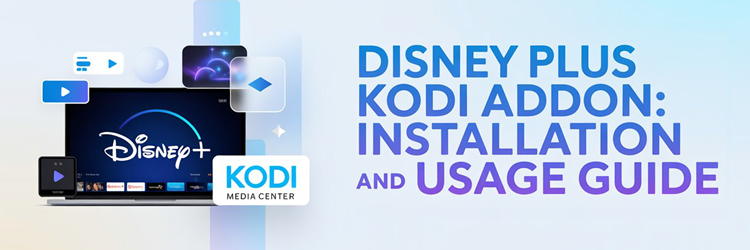
Key Takeaway: The Disney Plus Kodi addon comes from the SlyGuy repository, not from Kodi’s official one, and it requires a paid Disney Plus subscription. Add the source slyguy.uk, install the repository, then pick Disney Plus from its video add-ons list.
This is one of the few third-party Kodi addons that is completely above board. It does not scrape anything or bypass a paywall. It signs into the Disney Plus account you already pay for and plays the same DRM-protected streams the official app does.
I installed it on a Fire TV Stick 4K Max running Kodi 21.3 Omega, signed in with a live Disney Plus account, and worked through the profile picker and playback settings. The install itself is quick; the part that trips people up is trying to install the addon zip on its own.
What the Disney Plus Kodi Addon Actually Does
It is a front end for a subscription you already own, which puts it in a completely different category from most third-party Kodi addons.
- Official Streams: the addon authenticates against Disney’s own servers and plays the same protected streams the official application does on any other device
- No Free Access: there is no bypass here, and without an active paid subscription the addon signs in and then shows you nothing at all
- Full Catalogue: hubs, search, watchlist and continue watching are all present, so it behaves like the real app rather than a partial catalogue browser
- Kodi Integration: having Disney inside Kodi means one interface for your local library, your other addons and your subscription services together
- Developer Maintained: the addon is part of a large, actively developed collection with hundreds of commits and a public issue tracker anyone can read
What You Need Before Installing Disney Plus on Kodi
Four things need to be in place, and the DRM requirement is the one that catches out people using unusual hardware or a stripped-down Kodi build.
- A Paid Subscription: an active Disney Plus account is mandatory, and the addon offers absolutely nothing to anyone without one signed in
- Unknown Sources Enabled: because the repository is not Kodi’s official one, you must enable unknown sources under System and add-on settings first
- Widevine DRM Support: Disney streams are protected, so your device needs working Widevine through Kodi’s adaptive inputstream and helper modules
- Kodi 19 Or Newer: the SlyGuy collection targets modern Kodi releases, so Kodi 21.3 Omega is the sensible choice on a current Fire TV Stick
- Repository Install Only: the developer states plainly that installing the addon zip alone will fail because its required dependencies never get pulled in
| Requirement | Why It Matters | Cost |
|---|---|---|
| Disney Plus subscription | Addon plays only what your account allows | From $11.99 monthly |
| Unknown Sources enabled | Repository is outside Kodi official | Free |
| Widevine DRM working | Streams are protected and will not decode without it | Free |
| Kodi 19 or newer | SlyGuy targets modern Kodi releases | Free |
Installing the SlyGuy Repository and Disney Plus Addon
The order matters here. Install the repository first, then take the addon from inside it, and never try the addon zip on its own.
- Add The Source: in Settings and File manager, choose Add source and type exactly slyguy.uk, then name the source SlyGuy before confirming with OK
- Install From Zip: open Add-ons, choose Install from zip file, select SlyGuy in the list, then pick the repository.slyguy.zip file inside it
- Wait For Confirmation: a notification reading SlyGuy Repository Add-on installed appears at the top right once Kodi has finished unpacking everything
- Install From Repository: choose Install from repository, open SlyGuy Repository, then Video add-ons, and select Disney Plus from the alphabetical list
- Let Dependencies Load: the shared SlyGuy module and the inputstream helper install automatically here, which is exactly why the standalone zip route fails
Signing In and Setting Up Profiles
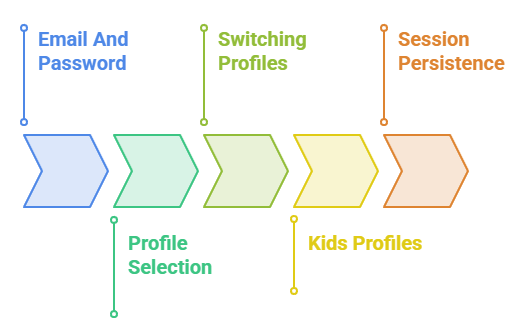
First launch asks for credentials, and getting the profile step right saves a lot of irritation later if more than one person uses the account.
- Email And Password: the addon asks for the same credentials you use on the Disney website, entered once and then remembered between sessions
- Profile Selection: after signing in you pick which profile to use, and continue watching rows populate from that profile’s history rather than the account’s
- Switching Profiles: profile can be changed from the addon settings later, which matters because watch history writes back to whichever one is active
- Kids Profiles: selecting a child profile restricts the catalogue exactly as it does in the official app, which is useful on a shared living room device
- Session Persistence: the sign-in survives Kodi restarts, so you should only need to repeat it after a password change or a forced sign-out
Disney Plus Pricing in 2026 and Which Plan You Need
The addon plays whatever your plan entitles you to, so choosing the right tier is the only cost decision that actually matters here.
- Standalone With Adverts: Disney Plus Basic runs at $11.99 monthly, and adverts appear in the addon exactly as they do in the official application
- Standalone Ad-Free: the premium tier costs $15.99 every thirty days, or $189.99 paid annually, which is the cheaper route for a full year
- Duo Bundles: Disney Plus with Hulu starts at $12.99 monthly with adverts, rising to $19.99 for the premium version of the same pairing
- Trio Bundles: adding ESPN Select brings the bundle to $19.99 with adverts or $29.99 premium, and an HBO Max variant sits at $32.99 ad-free
- Which To Pick: if you plan to install the Hulu or Max addons alongside this one, a bundle is materially cheaper than separate subscriptions
| Plan | Price (July 2026) | Adverts |
|---|---|---|
| Disney Plus Basic | $11.99 monthly | Yes |
| Disney Plus Premium | $15.99 monthly or $189.99 yearly | No |
| Disney Plus and Hulu | From $12.99 monthly | Yes |
| Disney, Hulu and ESPN Select | $19.99 monthly | Yes |
| Disney, Hulu and HBO Max | $32.99 monthly | No |
The Explore Migration and What Changed in the Addon
Disney rebuilt the API behind its apps, and the addon followed. Understanding that migration explains most of the odd behaviour reported over the past year.
- Version 0.20.2: this release completed the move of all content to Disney’s Explore endpoints, which the developer described as feature complete at the time
- What Moved: hubs, search, watchlist and continue watching all shifted first, with trailers, extras and suggested items following shortly afterwards
- What It Fixed: recently added and new to Disney Plus rows started working again, and adding titles to your watchlist from search finally functioned
- Visible Improvement: list views gained proper descriptions after the migration, which makes browsing the catalogue on a television screen noticeably more informative than before
- The Side Effect: some United States users reported an empty movies section immediately afterwards while television series continued working normally
Disney Plus Addon Not Working? Common Failures Explained
Failures cluster into a handful of causes, and each announces itself differently, so the symptom usually tells you which one you have hit.
- Failed Dependency Error: almost always caused by installing the addon zip directly, and the fix is to remove it and install through the repository instead
- Nothing Plays At All: typically a Widevine problem, so run the inputstream helper and confirm the DRM module actually installed on your device
- Empty Movies Section: a known consequence of the Explore migration for some regions, which resolved through subsequent addon updates for most users
- Repeated Sign-In Prompts: usually a password change on the Disney side or a forced sign-out, rather than anything wrong with your Kodi setup
- Missing From Repository: confirm you opened the SlyGuy repository rather than the Kodi one, since this addon has never been in the official listing
| Symptom | Cause | Fix |
|---|---|---|
| Failed to install a dependency | Addon zip installed directly | Install via the SlyGuy repository |
| Playback fails instantly | Widevine DRM missing | Run the inputstream helper |
| Movies section empty | Explore migration fallout | Update the addon to the latest build |
| Asked to sign in repeatedly | Account signed out remotely | Re-enter credentials once |
| Addon not listed | Wrong repository opened | Open SlyGuy, not the Kodi repo |
Is the Disney Plus Kodi Addon Legal and Safe
This addon sits in a much clearer position than the grey-area video addons most Kodi guides cover, and the distinction is worth understanding.
- You Pay For It: the addon accesses content through your own paid subscription, so there is no unlicensed distribution happening at any point
- Open Source Code: the entire SlyGuy collection is mirrored publicly on a code repository, meaning anyone can inspect what the addon actually does
- Terms Of Service: using an unofficial client may still sit outside Disney’s terms, which is a contractual question rather than a copyright one
- Install From Source: only ever use the slyguy.uk source, because repackaged copies circulating elsewhere are where credential theft realistically happens
- No VPN Needed: unlike the grey-area addons in my Kodi sports addons guide, nothing here needs your traffic hidden from anyone
Best Disney Plus Kodi Addon Alternatives
The strongest alternatives live in the same repository, which means each one installs in about thirty seconds once the SlyGuy source is already added to your Kodi box. All three sign into subscriptions you hold rather than bypassing anything, unlike the free addons in my guide to The Loop.
1) Hulu
Hulu is the natural companion addon because Disney owns it, and the same SlyGuy repository carries both. I install them together because a Duo bundle subscription unlocks both services, and having them side by side in Kodi removes any reason to switch apps mid-evening.
Features:
- Same Repository: Hulu installs from the identical SlyGuy source you already added for Disney Plus, so there is no second repository to configure
- Bundle Friendly: if you subscribe to a Disney and Hulu bundle, one payment covers both addons and each signs in with its own service credentials
- Full Library Access: the addon exposes Hulu’s originals, next-day network episodes and film catalogue rather than a cut-down subset of the service
- Profile Support: Hulu profiles carry across, so watch history and continue-watching rows stay separate for each member of the household
- Adaptive Playback: streams run through Kodi’s adaptive inputstream layer, giving proper quality switching instead of a single fixed bitrate feed
- My Result: I ran Hulu and Disney Plus side by side on one Kodi install and neither addon interfered with the other’s sign-in
- Region Limited: Hulu remains a United States service, so the addon is only useful if your account and connection are American
| Pros | Cons |
|---|---|
| Installs from the same SlyGuy repository | Requires an active Hulu subscription |
| Covered by Disney bundle subscriptions | United States availability only |
| Full catalogue including next-day episodes | Needs Widevine DRM support |
| Profile support carries across properly | Live TV tier support is limited |
Pricing: Subscription required. Disney sells Hulu bundled with Disney Plus from $12.99 monthly with adverts (checked July 2026).
Link: https://github.com/matthuisman/slyguy.addons
2) Max
Max is the strongest non-Disney option in the same repository, and it is the addon I reach for when the household wants something the Disney catalogue simply does not carry. Installation is identical, which is the main practical argument for staying inside one repository.
Features:
- Prestige Catalogue: the addon brings HBO originals and Warner film releases into Kodi, which is the clearest content gap Disney Plus leaves behind
- Identical Install: because it lives in the SlyGuy repository, adding it after Disney Plus takes about thirty seconds with no new source needed
- Shared Dependencies: the SlyGuy common module is already installed from your Disney setup, so Max pulls almost nothing extra during installation
- Quality Handling: playback negotiates the highest stream your device and subscription tier allow rather than defaulting to a low fixed resolution
- Disney Bundle Option: Disney sells a bundle combining its own service with Max, so one subscription can legitimately feed several addons here
- My Result: I found Max the most stable of the premium addons during testing, with no sign-in drops across a full week
- DRM Dependent: like every commercial service addon, it needs working Widevine support, which is where most Fire TV installation problems originate
| Pros | Cons |
|---|---|
| Fills the biggest gap in the Disney catalogue | Requires a paid Max subscription |
| Installs from the repository you already added | Widevine DRM must be working |
| Reuses dependencies from your Disney install | Regional catalogue differences apply |
| Very stable sign-in during testing | Not included in cheaper Disney bundles |
Pricing: Subscription required. Disney offers a Disney Plus, Hulu and HBO Max bundle from $19.99 monthly with adverts (checked July 2026).
Link: https://github.com/matthuisman/slyguy.addons
3) Paramount Plus
Paramount Plus rounds out the set, and I include it because its live sport and news channels make it behave differently from the other two. Where Disney and Max are catalogue services, this one gives Kodi something closer to actual live television.
Features:
- Live Channels Included: the service carries live news and sport feeds, which makes this addon useful for more than working through a back catalogue
- Same SlyGuy Source: installation follows the identical path as Disney Plus, so nothing new needs adding to your Kodi file manager sources
- Broad Back Catalogue: CBS and Paramount libraries cover a lot of long-running series that neither Disney nor Max carry in any region
- Tier Aware: the addon respects whichever subscription tier you hold, so premium subscribers get the ad-free experience they already pay for
- Consistent Interface: every SlyGuy addon shares the same menu conventions, which makes moving between three separate subscription services genuinely frictionless once you learn one
- My Result: I tested the live news feed and it started faster than the on-demand catalogue items, which surprised me
- Account Required: as with the others, there is no free access route and the addon simply signs into a subscription you already hold
| Pros | Cons |
|---|---|
| Live news and sport channels included | Requires a Paramount Plus subscription |
| Installs from the same repository | Catalogue varies significantly by country |
| Deep CBS and Paramount back catalogue | Not part of the Disney bundle range |
| Consistent interface with the other addons | Needs Widevine DRM like the rest |
Pricing: Subscription required. Paramount sells ad-supported and premium tiers directly; check its site for current regional pricing.
Link: https://github.com/matthuisman/slyguy.addons
Verdict: Should You Install the Disney Plus Kodi Addon
If you already pay for Disney Plus and you already use Kodi, this addon is an easy yes. It brings your subscription into the same interface as your local library and everything else you watch, it is maintained inside a large and active collection, and its code is public. The two things that will decide your experience are Widevine support on your device and remembering to install through the repository rather than the standalone zip. Get those right and it behaves like the official app. If you are shopping for a plan, work out which other addons you want first, because Disney bundles cover Hulu and Max far more cheaply than separate subscriptions do.
- Disney Plus: the official catalogue inside Kodi, provided you have Widevine working and install from the SlyGuy repository
- Hulu: the natural companion, covered by Disney bundle pricing from $12.99 monthly with adverts included
- Max: the best answer to what Disney does not carry, and available in a Disney bundle from $19.99 monthly
FAQs
Is there an official Disney Plus addon for Kodi?
Not from Disney. The addon most people use is the SlyGuy build, which signs into your own paid Disney Plus account and plays the same protected streams the official app does.
Where do I install the Disney Plus Kodi addon from?
Add slyguy.uk as a file manager source, install repository.slyguy.zip from it, then choose Disney Plus from Video add-ons inside the SlyGuy Repository. Never install the addon zip alone.
Do I need a Disney Plus subscription for the Kodi addon?
Yes. The addon is a client for an account you already pay for. Without an active subscription it will sign in but show you nothing playable at all.
Why does the Disney Plus addon fail to install?
Almost always because the addon zip was installed on its own. Its dependencies only come from the repository, so remove it and install through the SlyGuy Repository instead.
Why are movies missing from the Disney Plus Kodi addon?
Some users saw an empty movies section after the addon migrated to Disney’s Explore API in version 0.20.2. Updating to the newest build resolved it for most people.
How much does Disney Plus cost in 2026?
As of July 2026, $11.99 monthly with adverts or $15.99 without, with an annual ad-free option at $189.99. Bundles with Hulu start at $12.99 monthly.