Key Takeaway: To install Emby on Firestick, open Find on any Fire OS model, search for Emby, and install the app named just Emby by Emby, which is the current version. The older Emby for Fire TV listing still exists but is no longer the main app. Emby is only a player, so you also need your own Emby Server. Pick it from the list or enter an address like http://192.168.1.20:8096, then sign in. Playback is free on up to five TV devices per server.
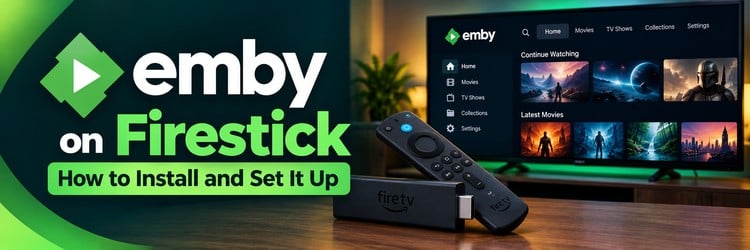
Emby turns a folder of movies, shows, music, and home videos into a polished library with artwork, watch progress, and per-user profiles. A Firestick is a cheap and simple way to put that library on the living room TV.
This guide covers which Emby app to choose, the Appstore install, connecting to your server, Emby Connect, what is free and what needs Emby Premiere, a quick server setup, remote access, Direct Play tips, and fixes for the most common Emby on Firestick problems.
| Path | Best for | What you need |
|---|---|---|
| Amazon Appstore (Emby app) | Most Fire OS Firesticks and Fire TV Cubes | A Fire OS device and an Amazon account |
| Send from the Amazon website | Installing without typing on the TV | The same Amazon account on both |
| Sideload the official APK | Fire OS devices where the listing is missing | Downloader app and Unknown Sources enabled |
| Emby Server on a PC or NAS | Anyone without a server yet | A computer you control and your own media |
What Emby Does on Firestick
Emby is a personal media server platform. The server runs on a computer or NAS you control, scans your folders, downloads posters and descriptions, and organizes everything into libraries. The Firestick runs the client app and streams from that server over your network.
According to the Emby Premiere page, Emby is not a streaming service and provides no content. Everything you watch comes from your own files, or from your own TV tuner if you add Live TV. Emby can convert files on the fly when the Firestick cannot play a format directly, which is why the server matters as much as the app.
Which Emby App Should You Install on Firestick?
Searching the Appstore usually shows two Emby apps, and picking the right one avoids most setup trouble.
| App name in the Appstore | Status | Notes |
|---|---|---|
| Emby (by Emby) | Current standard app | Receives regular 3.x updates, works on Fire TV and phones |
| Emby for Fire TV | Older TV-only app | Still listed and still works, but updated far less often |
| Emby Mobile | Very old listing | Not recommended for Fire TV |
Emby moved its Android TV and Fire TV users to the standard Android app, and the Emby for Android page confirms it is available in the Amazon Appstore. Both TV apps can be installed side by side if you want to compare them. For a new setup, choose the listing named simply Emby.
Check Your Fire TV Model First
Most Fire TV devices run Fire OS, which is based on Android and runs Emby. Some newer Amazon sticks run Vega OS instead, which cannot run Android apps or sideloaded APKs. Amazon lists which model runs which system in its Fire OS developer overview.
To check yours, open Settings, then My Fire TV, then About. If the software line says Fire OS, follow the steps below. If it says Vega OS, search the Appstore first; if Emby does not appear there, a Fire OS stick, Fire TV Cube, or Android TV box is the reliable option.
What You Need Before You Start
- A Fire OS Firestick or Fire TV Cube: signed into your Amazon account and updated.
- A running Emby Server: on a Windows PC, Mac, Linux machine, or supported NAS on the same network.
- A user account on that server: a separate non-admin user per TV keeps watch history and parental controls tidy.
- Your own media: movies, shows, music, or photos stored on the server or a connected drive.
- A stable connection: 5 GHz Wi-Fi or a wired adapter on the Firestick, and wired Ethernet on the server if possible.
How to Install Emby on Firestick from the Amazon Appstore
This is the simplest method and keeps the app updated automatically. Amazon describes the same basic flow in its help page on downloading apps on Fire TV.
- Press Home on the Fire TV remote.
- Open Find (the magnifying glass) and select Search.
- Type or say Emby.
- Open the listing named Emby with Emby as the developer.
- Select Get or Download. The app is free to download.
- When the install finishes, select Open.
- Optional: hold Home, open Apps, highlight Emby, press the Options button, and choose Move to front.
Install Emby from a phone or computer
Sign in to the Amazon website with the same account used on the Firestick, open the Emby app page in the Appstore section, choose your Fire TV device in the Deliver to menu, and select Get App. The app installs on the stick the next time it is online.
If Emby does not show up in the Appstore
- Confirm the device runs Fire OS, not Vega OS.
- Restart the Firestick by holding Select and Play/Pause for about five seconds.
- Install any pending update from Settings, then My Fire TV, then About.
- Check that the Amazon account country matches where you live.
- As a last resort on Fire OS, download the official ARM APK from the Emby for Android page with the Downloader app after enabling Apps from Unknown Sources. A sideloaded copy does not update itself.
How to Connect Emby on Firestick to Your Server
The Emby Fire TV support article explains that the app automatically finds Emby Servers on your local network. If it cannot, it offers manual connection or Emby Connect.
- Open Emby on the Firestick.
- If your server appears on the Select Server screen, choose it.
- If not, choose Add Server and enter the address, for example http://192.168.1.20:8096.
- Select your user and enter the password.
- Your libraries load on the home screen.
Per the Emby connectivity guide, the server uses TCP port 8096 for HTTP, 8920 for secure connections, and UDP port 7359 for discovery on the local network. The local address appears in the server dashboard under In-Home (LAN) access. Giving the server a DHCP reservation in the router keeps that address from changing.
Sign in with Emby Connect
Emby Connect links a server user to an email address. Once linked, sign in on the Firestick with that Emby Connect account and the app finds the route to the server automatically, which also helps when your home IP address changes.
- In the server dashboard, open Users, pick the user, and enter an Emby Connect username or email.
- Confirm the invitation from the email Emby sends.
- On the Firestick, choose Sign in with Emby Connect and enter those details.
Is Emby on Firestick Free? Emby Premiere Explained
In December 2024 Emby announced free playback on up to five TV devices per Emby Server, replacing the old per-app unlock. The Emby Premiere Feature Matrix now lists it like this for Android TV and Fire TV:
| Feature on Fire TV | Free | With Emby Premiere |
|---|---|---|
| Browse libraries and metadata | Yes | Yes |
| Full playback | Up to 5 TV devices per server | Yes, within the license device limit |
| Live TV and DVR | No | Yes |
| Offline downloads | No | Yes |
| Hardware-accelerated transcoding on the server | Limited | Yes |
| Intro skipping and cinema intros | No | Yes |
Premiere is tied to the server, not to the app or a personal account, so every user on that server benefits. The Premiere page lists $4.99 per month, $54 per year, or $119 for a lifetime license, each covering up to 30 devices in a single household. Old app unlocks are still honored.
Optional: Set Up Emby Server on a PC or NAS
Download the server for your platform from the Emby download page, install it, and open http://localhost:8096 on that machine. The setup wizard asks for a language, an admin user, and your media folders, then starts scanning.
- Organize folders by type: separate Movies, TV Shows, and Music folders give the best metadata matches.
- Name files clearly: for example Movie Name (Year) or Show Name S01E01.
- Use a capable machine: an older desktop or a NAS with a modern CPU handles one or two streams well.
- Check transcoding support: the Emby hardware acceleration guide explains which GPUs and CPUs can speed up conversion.
Remote Access and Network Tips
- Home use needs no port forwarding: everything works inside your own network.
- Turn on remote connections deliberately: enable it in the server Network settings and per user only if you need it.
- Prefer Emby Connect for remote logins: it avoids typing changing IP addresses on the TV.
- Watch for double NAT: two routers or a mesh system can block outside access until one runs in access point mode.
- Help the Firestick side: a Firestick Ethernet adapter removes most Wi-Fi buffering.
Direct Play, Transcoding, and Playback Settings
The smoothest result is Direct Play, where the Firestick plays the original file without the server converting it. The Emby Fire TV article lists common containers such as MKV, MP4, MOV, and WebM, subtitles such as SRT, ASS, and PGS, and audio such as AAC, AC3, FLAC, and MP3, with exact support depending on the Fire TV model and the audio gear it is connected to.
- Leave streaming bitrate on Auto: the app tests bandwidth to the server and picks the highest playable rate.
- Raise the bitrate only on fast networks: a cap lower than the file bitrate forces transcoding.
- Use text subtitles where possible: burning in image-based subtitles makes the server re-encode video.
- Check media info in the web app: it shows the file bitrate and codecs when a title transcodes unexpectedly.
Fix Common Emby on Firestick Problems
| Problem | Likely cause | What to try |
|---|---|---|
| Emby missing from the Appstore | Vega OS device or region mismatch | Check About for Fire OS; restart; update; confirm Amazon country |
| Server not listed | Different network or server stopped | Join the same Wi-Fi; start the server; add it by IP and port 8096 |
| Manual address fails | Firewall or wrong port | Allow TCP 8096 and UDP 7359 on the server; use http, not https |
| Wi-Fi devices cannot connect, wired can | Router AP isolation or guest network | Disable AP isolation or use the main network |
| Asked to unlock or one-minute playback | Old app version or over the five-device limit | Update to the current Emby app; remove old devices in the dashboard |
| Buffering or stutter | Weak Wi-Fi or heavy transcoding | Use 5 GHz or Ethernet; set bitrate to Auto; switch subtitles |
| Audio missing on some files | Unsupported audio format for the device | Enable the convert unsupported audio option in playback settings |
| Cannot connect away from home | Remote access off, cgNAT, or double NAT | Enable remote access; try Emby Connect; check router setup |
Emby vs Jellyfin vs Plex on Firestick
All three run on Fire OS and stream your own media, but they differ on cost and features.
| App | Cost on Firestick | Stand-out point |
|---|---|---|
| Emby | Free on up to 5 TV devices; Premiere optional | Polished apps with Live TV and DVR via Premiere |
| Jellyfin | Free and open source | No paid tier at all |
| Plex | Free tier; some features need Plex Pass | Large ecosystem and easy remote access |
If Emby is not a fit, the setup guides for Jellyfin on Firestick and Plex on Firestick follow the same steps, and the roundup of the best Emby alternatives compares more options.
Stay Safe and Legal with Emby on Firestick
- Use media you own or have the right to stream: ripped discs you bought, DRM-free purchases, and home videos.
- Install from official sources: the Amazon Appstore or emby.media only.
- Protect the server: strong admin password, non-admin users on TVs, and remote access only when needed.
Final Verdict
Getting Emby on Firestick takes a few minutes: confirm the stick runs Fire OS, install the app named Emby from the Appstore, connect it to your own Emby Server, and sign in directly or with Emby Connect. Playback is free on up to five TV devices per server, and Emby Premiere adds Live TV, DVR, downloads, and faster transcoding for households that want more.
Frequently Asked Questions
Is Emby available on Firestick?
Yes. Emby is in the Amazon Appstore for Fire OS devices. Install the listing named just Emby, which is the current app. The older Emby for Fire TV listing still works but is updated less often.
Is Emby free on Firestick?
The app is free to download, and full playback is free on up to five TV devices per Emby Server. Live TV, DVR, offline downloads, and some server features require Emby Premiere.
Do I need an Emby Server to use Emby on Firestick?
Yes. The Firestick app is a client only. You need Emby Server running on a computer or NAS you control, with your own media added to it.
How much does Emby Premiere cost?
The Emby Premiere page lists $4.99 per month, $54 per year, or $119 for a lifetime license, each covering up to 30 devices in one household.
Why can Emby on Firestick not find the server?
The Firestick and server must be on the same network for discovery. Check that the server is running, the firewall allows TCP 8096 and UDP 7359, and add the server manually by IP if needed.
What is Emby Connect?
Emby Connect links a server user to an email address so you can sign in on the Firestick without typing an IP address. It also helps the app reach the server remotely.
Can I watch Live TV with Emby on Firestick?
Yes, if your server has a supported TV tuner or IPTV source configured and an active Emby Premiere key. Live TV is not part of the free tier.
Does Emby work on Vega OS Fire TV sticks?
Vega OS cannot run Android apps or sideloaded APKs. Search the Appstore on the device first; if Emby is not listed, use a Fire OS stick, Fire TV Cube, or Android TV box.