Key Takeaway: The best Pluto TV Kodi addon route in 2026 is the Pluto.tv PVR Client from Kodi’s official repository. It adds Pluto’s free live channels and program guide to Kodi’s TV section without a login. It does not include Pluto’s on-demand library, profile sync, recording, or downloads. Avoid old guides that install the deprecated Pluto TV video-plugin ZIP.
The name “Pluto TV Kodi addon” now points to two very different packages. I checked Kodi’s current add-on catalog, the PVR source and settings, the archived video-plugin package, and Pluto TV’s own service pages. This guide follows the maintained live-TV route, explains every useful setting, and shows when the official Pluto app is the better choice.
What the Pluto TV Kodi Addon Means in 2026
Kodi currently offers a Pluto.tv PVR Client for live television, while the older all-in-one video plugin remains on mirrors with a deprecated flag. Choosing the right package prevents most failed installs.
- Current Route: the Pluto.tv PVR Client installs through Kodi’s official repository and places live channels inside Kodi’s TV interface.
- Guide Included: the PVR client supplies electronic program guide data, channel names, and logos instead of presenting Pluto as an ordinary Video add-on.
- Live Only: its declared capabilities support television channels and EPG data; recording, timers, timeshifting, profile favorites, and on-demand playback are not implemented.
- No Login: the settings contain no Pluto username or password field, so Kodi loads the regional channel lineup without linking a Pluto profile.
- Volunteer Project: Kodi identifies the client as community-developed and unrelated to Pluto TV, although it integrates streams from Pluto’s free television service.
| Route | Status | Live TV and guide | On demand | Profile sync |
|---|---|---|---|---|
| Pluto.tv PVR Client | Current Kodi repository route | Yes | No | No |
| Legacy Pluto TV video plugin | Deprecated in package metadata | Previously supported | Previously supported | Limited local favorites |
| Official Pluto TV app | Pluto-supported | Yes | Yes | Yes, with a free profile |
Check These Requirements Before Installation
The supported PVR client needs far less preparation than a third-party Kodi repository. Confirm the Kodi version, dependency support, and intended viewing features before installing anything.
- Stable Kodi: use Kodi 21.3 Omega, the current stable release; Kodi 22 Piers remains beta and can introduce binary add-on compatibility problems.
- Correct Platform: Kodi supplies platform-specific PVR binaries for Android, Windows, and macOS, so let the repository select the correct build automatically.
- Adaptive Input: the client depends on InputStream Adaptive for HLS playback; Kodi should install or update that official dependency during the add-on installation.
- Reliable Network: live linear channels need a steady connection, while weak Wi-Fi can look like an add-on fault when the guide loads normally.
- Feature Expectation: use the official Pluto TV app instead when you need movies on demand, resume progress, search, a watchlist, or profile synchronization.
| Requirement | Recommended choice | Why it matters |
|---|---|---|
| Kodi | 21.3 Omega stable | Matches the current official repository branch |
| Add-on source | Kodi Add-on repository | Avoids stale or wrong-platform ZIP files |
| Dependency | InputStream Adaptive enabled | Handles Pluto’s adaptive HLS streams |
| Account | Not required | The PVR client exposes no sign-in setting |
| Storage | Small amount for guide and artwork cache | No downloads or recordings are created |
Install the Pluto.tv PVR Client From Kodi’s Repository
The installation uses Kodi’s built-in catalog, so you do not need Unknown Sources, File Manager, a repository address, or an external ZIP. Follow this remote-friendly path.
- Open Settings: launch Kodi, select the gear icon, choose Add-ons, and open Install from repository from the add-on browser screen.
- Choose Repository: select Kodi Add-on repository if Kodi displays multiple sources; a clean installation may open the repository categories without this extra choice.
- Open PVR Clients: scroll to PVR clients rather than Video add-ons, because the maintained Pluto package integrates with Kodi’s television frontend.
- Select Client: find Pluto.tv PVR Client, open its information page, choose Install, and accept the listed official dependencies when Kodi asks.
- Wait and Restart: allow the installed notification to appear, then restart Kodi if the TV menu or channel import does not begin automatically.
Link: https://kodi.tv/addons/omega/pvr.plutotv/
Finish First-Run Setup and Tune the TV Guide
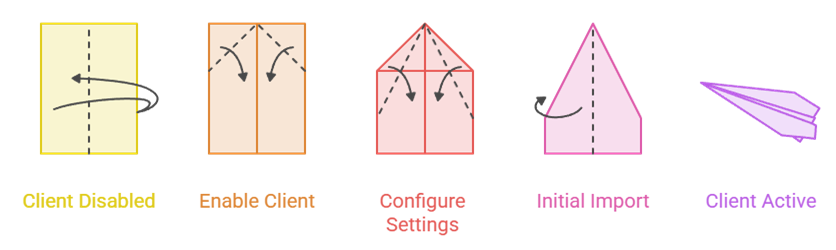
The client works without credentials, but three exposed settings can improve playback and keep channel numbers organized beside other PVR sources. Leave hidden debug identifiers alone.
- Enable Client: open Add-ons, My add-ons, PVR clients, Pluto.tv PVR Client, and confirm the button says Disable, proving the client is active.
- Broken-Stream Workaround: keep this playback option enabled; the maintained setting description says it prevents hangs and requires InputStream Adaptive newer than 21.4.5.
- First Channel: leave the starting channel number at 1 unless another PVR source already occupies that range, then choose a separated higher number.
- Colored Logos: keep colored channel logos enabled for clearer guide browsing, disabling them only when a skin displays those images poorly.
- Initial Import: return to Kodi’s home screen, open TV, and allow the channel and guide progress messages to finish before testing playback.
| Setting | Recommended value | Change it when |
|---|---|---|
| Workaround for broken streams | Enabled | A stream hangs or fails during startup |
| First channel number | 1 | Another PVR client uses the same range |
| Colored channel logos | Enabled | Your skin renders logos unreadably |
| SID and Device ID | Leave automatic | Only a developer requests debugging data |
Know What Appears in Kodi and What Stays in Pluto’s App
The PVR client is designed to make Pluto feel like ordinary live television. That focus creates a clean guide experience, but it deliberately leaves several Pluto app features outside Kodi.
- Live Channels: Kodi imports the lineup available for the connection’s region, including its current channel names, stream addresses, artwork, and scheduled programs.
- TV Guide: browse by time, open program information, start the currently airing stream, and switch channels using Kodi’s standard PVR controls.
- Regional Catalog: channel count and names can change by country or over time because Pluto licenses different programming for different markets.
- No VOD: thousands of Pluto movies and series remain absent because this client’s advertised capabilities cover live TV and EPG data only.
- No Cloud Profile: Kodi does not import Pluto favorites, watchlists, Kids Mode, resume history, or account personalization through the PVR client.
Pluto TV Kodi Addon Not Working? Diagnose the Symptom
Most failures fall into four layers: repository visibility, PVR activation, guide data, or stream playback. Identify the broken layer before clearing caches or reinstalling Kodi.
- Add-on Missing: confirm you searched PVR clients, update Kodi’s official repository, and use Kodi 21 Omega instead of an outdated or prerelease build.
- No TV Menu: open My add-ons, enable the Pluto client, restart Kodi, and wait for the PVR manager to complete its startup import.
- Empty Guide: verify the device clock and internet connection, then clear PVR guide data and let Kodi request a fresh schedule.
- Playback Failure: update and enable InputStream Adaptive, retain the broken-stream workaround, test another channel, and temporarily disable network-level ad or DNS blocking.
- Wrong Lineup: Pluto derives availability from network location; reconnect without a mismatched proxy or VPN and restart Kodi to reload regional channels.
| Symptom | Likely cause | Best first fix |
|---|---|---|
| Pluto client not listed | Wrong category or stale repository | Refresh official repository and check PVR clients |
| TV section is empty | Client disabled or import unfinished | Enable it, restart, and wait for PVR startup |
| Channels show no schedule | Clock, network, or cached EPG problem | Correct time and clear guide data |
| One channel fails | Temporary feed issue | Test other channels before reinstalling |
| Every stream fails | InputStream Adaptive or network filtering | Update dependency and test without filtering |
| Different country lineup | IP geolocation mismatch | Remove proxy or VPN and reload PVR data |
Keep the Installation Legal, Safe, and Device-Friendly
Pluto TV describes its service as free, ad-supported, safe, and legal. The Kodi client is unofficial software, so source selection and realistic expectations still matter.
- Licensed Service: Pluto funds its live channels and on-demand library with commercial breaks, so no payment card or piracy source is required.
- Official Repository: install only Kodi’s catalog version; random ZIP sites can distribute old binaries, incompatible platforms, modified code, or unwanted dependencies.
- No VPN Needed: ordinary Pluto viewing does not require one, and changing apparent countries can cause missing channels, wrong schedules, or playback blocks.
- Fire TV Setup: if Kodi is not installed yet, complete this Kodi on Firestick guide before adding the PVR client.
- Safe Updates: stay on Kodi 21.3 Omega for daily use, update official add-ons normally, and back up userdata before any major Kodi upgrade.
Best Alternatives When the PVR Client Is Too Limited
The right fallback depends on the missing feature. Choose Pluto’s app for its complete library, YouTube for broad free video inside Kodi, or Catch-Up TV & More for regional broadcaster streams.
1) Official Pluto TV App
The official Pluto TV app is the clear alternative when the Kodi PVR client feels incomplete. I recommend it for on-demand movies, series search, profile favorites, Kids Mode, and resume progress across devices. It keeps live channels and the guide while adding the entire service layer that the volunteer Kodi client does not implement.
Features:
- Complete Library: access hundreds of live channels plus thousands of free movies and series instead of the PVR client’s live-only catalog.
- Free Profile: optional registration synchronizes favorite channels, a watchlist, resume progress, and personalization across supported televisions, phones, tablets, and browsers.
- Kids Mode: supported profiles can provide a child-friendly viewing space, a feature that the unauthenticated Kodi PVR route cannot import.
- Native Search: quickly search live channels, films, and shows in one interface instead of relying on Kodi’s guide-oriented PVR navigation.
- Best Use: I would use this route whenever on-demand discovery or cross-device progress matters more than keeping every channel inside Kodi.
- Device Support: Pluto lists Fire TV, Google TV, Roku, Apple TV, PlayStation, Xbox, mobile devices, smart televisions, and web browsers.
- Managed Updates: platform app stores deliver service fixes directly for you, avoiding the repository, binary dependency, and major-Kodi-version compatibility layers entirely.
| Pros | Cons |
| Live TV and full on-demand library | Runs outside Kodi |
| Optional profile and favorites sync | Interface varies by platform |
| Official Pluto support | |
| No subscription or payment card |
Pricing:
- Subscription: Free
- Payment Card: Not required
- Funding: Commercial breaks support the service
Link: https://pluto.tv/where-to-watch
2) YouTube Kodi Addon
YouTube is the strongest official-repository fallback when you want free live streams and on-demand video without leaving Kodi. I would choose it for news channels, creator libraries, trailers, music, and event streams rather than Pluto-style linear television. Account features work, although reliable signed-in use requires more API setup than Pluto’s PVR client.
Features:
- Official Repository: version 7.4.4 is listed for Kodi Omega, eliminating third-party repository addresses and external installation ZIP files.
- Live Streams: watch news, events, creator broadcasts, and public channels, though the experience is not arranged as a traditional electronic guide.
- On-Demand Depth: quickly search an enormous catalog of free videos, playlists, music, clips, documentaries, and long-form creator programming inside Kodi.
- Account Features: optional sign-in can expose subscriptions, history, Watch Later, playlists, and recommendations inside Kodi after the required authorization setup.
- Best Use: I would install YouTube beside Pluto when scheduled live television and searchable on-demand video both matter on one Kodi device.
- Remote Friendly: the television interface supports browsing and playback from an ordinary Fire TV or Android TV remote without a mouse.
- API Tradeoff: personal API credentials avoid shared quota failures, but creating them adds several technical steps that Pluto does not require.
| Pros | Cons |
| Official Kodi repository listing | Personal API setup is cumbersome |
| Live and on-demand content | No Pluto-style channel guide |
| Optional account synchronization | |
| Free on every supported platform |
Pricing:
- Addon: Free and open source
- YouTube Access: Free, ad-supported
- API Project: Uses Google’s free quota for personal setup
Link: https://kodi.tv/addons/omega/plugin.video.youtube/
3) Catch-Up TV & More
Catch-Up TV & More is a better Kodi-native option when your priority is programming from supported regional broadcasters. I would use it for a mix of live channels and replay catalogs rather than a single global FAST lineup. Availability depends heavily on country, but the add-on remains in Kodi’s official Omega catalog and was updated in 2026.
Features:
- Live and Replay: combines compatible television livestreams with catch-up videos, covering a broader broadcaster workflow than Pluto’s live-only PVR client.
- Current Listing: Kodi’s Omega catalog lists version 0.2.41+matrix.1 from March 2026, providing a clear maintained installation source.
- Regional Focus: supported websites and programs vary by country, language, broadcaster rights, and whether each source allows access outside its home market.
- Repository Install: take it from Kodi’s Video add-ons category without enabling Unknown Sources or trusting a separately hosted repository file.
- Best Use: I would use it when a local broadcaster’s replay catalog matters more than Pluto’s large collection of themed linear channels.
- Broadcaster Links: streams come from the supported channels’ web services, while the add-on provides one television-friendly Kodi browsing interface layer.
- Integration Option: its service components can support a more connected Kodi experience, although availability and capabilities differ between individual broadcaster modules.
| Pros | Cons |
| Live and catch-up programming | Availability varies sharply by country |
| Official Kodi repository listing | Not one consistent global catalog |
| Updated during 2026 | |
| Free broadcaster sources |
Pricing:
- Addon: Free and open source
- Broadcaster Access: Usually free where supported
- Account: Requirements depend on each broadcaster
Link: https://kodi.tv/addons/omega/plugin.video.catchuptvandmore/
Verdict
Yes, if you want Pluto’s live lineup inside Kodi’s unified TV guide. The PVR client is free, repository-installed, and requires no account, but its scope is intentionally narrow. Do not install the deprecated video plugin expecting a complete Pluto replacement. Choose the route that matches the feature you actually need.
- Pluto.tv PVR Client: best for live Pluto channels and EPG browsing directly inside Kodi’s standard television interface.
- Official Pluto TV App: best for on-demand movies, shows, search, profile favorites, Kids Mode, and resume synchronization.
- YouTube Kodi Addon: best free Kodi companion when searchable on-demand video and creator livestreams matter alongside Pluto.
FAQs
Is the Pluto TV Kodi addon still working in 2026?
The Pluto.tv PVR Client remains listed in Kodi’s Omega repository and is the supported live-TV route. The older Pluto TV video plugin remains downloadable on mirrors but carries a deprecated flag in its own package metadata.
How do I install Pluto TV on Kodi?
Open Settings, Add-ons, Install from repository, Kodi Add-on repository, PVR clients, and Pluto.tv PVR Client. Select Install, accept its dependencies, then restart Kodi if the TV menu does not load automatically.
Does the Pluto TV Kodi addon include movies on demand?
No. The current PVR client declares live TV and EPG capabilities only. Use the official Pluto TV app or web player for Pluto’s on-demand movie and series library.
Do I need a Pluto TV account or subscription?
No. Pluto TV is free and ad-supported, and the Kodi PVR client has no account fields. A free Pluto profile is optional in official apps for favorites, watchlists, and cross-device progress.
Why are Pluto TV channels missing or different in Kodi?
Pluto offers different lineups by country and changes channels over time. A proxy or VPN can also produce the wrong regional catalog. Reconnect normally, restart Kodi, and refresh PVR guide data.
Does the Pluto TV Kodi addon work on Firestick?
Yes, the official repository provides an Android ARM build for Kodi. Install Kodi first, then add the PVR client. For more legal no-cost choices, see our best free Kodi apps guide.