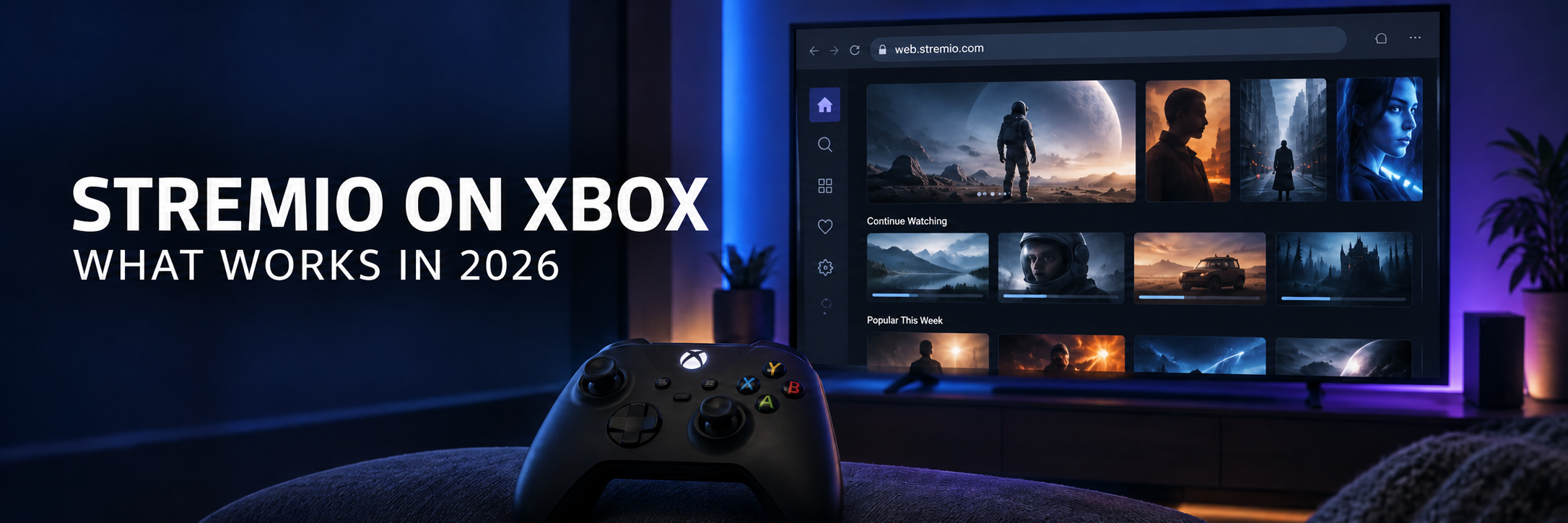
Key Takeaway: Stremio has no Xbox app, and there is no official listing in the Store on Xbox Series X|S or Xbox One. The closest you can get is Stremio Web at web.stremio.com, opened in the Microsoft Edge browser that comes with every current Xbox. It handles browsing, your library, and add-ons, but dependable playback usually needs a Stremio streaming server running on a PC or Mac. For a smoother result, mirror a Windows PC with the Wireless Display app or use native Xbox apps such as Kodi, Plex, Jellyfin, or VLC.
An Xbox is already wired to the biggest screen in a lot of homes, so it feels like the natural place to run Stremio. The console has the power and a modern Chromium browser. What it lacks is an official Xbox release: Stremio does not offer one, and no Stremio app appears in Microsoft’s console store.
I went through every route console owners actually use today, from Edge with a remote streaming server to Miracast mirroring and stream links handed off to VLC. Below you will find the setup that gives Stremio Web its best chance on an Xbox, the controller shortcuts that make it bearable from the couch, which streams play and which do not, and the point at which a different Xbox app is simply the smarter choice.
| Method | Works on Xbox? | What you need | Main catch |
|---|---|---|---|
| Official Stremio Xbox app | No | Nothing to install | Not offered in the console store |
| Stremio Web in Edge, no server | Partly | A Stremio account and Edge | Browsing works; many streams refuse to play |
| Stremio Web plus a remote streaming server | Yes, with effort | PC or Mac running Stremio and an HTTPS endpoint | Computer must stay on; some formats still fail |
| Wireless Display mirroring from Windows | Yes | Windows 10 or 11 PC on the same network | Some lag and a softer picture |
| Stream link opened in VLC for Xbox | Yes, manual | VLC app and a direct HTTP link | One title at a time, no Stremio menus |
| Kodi, Plex, or Jellyfin on Xbox | Yes | Your own media or a home server | Not Stremio and no Stremio add-ons |
Does Stremio Have an Xbox App?
No. As of October 2026, no official Stremio app exists for Xbox Series X|S or Xbox One. The Stremio downloads page covers Windows, macOS, Linux, Android, a range of smart TV platforms, VR headsets, and a browser version, yet it has no Xbox build. Searching the store on the console for Stremio does not turn up an official listing either.
It is not for lack of demand. When a user asked in 2024 why Stremio was missing from the Microsoft Store, a Stremio developer replied on the Stremio feature tracker that a Store listing would not automatically mean Xbox support, and that the team had tried years earlier only for Microsoft to refuse it. A separate request for a native Xbox app, opened in March 2026, was still open when I checked, with no release plan attached.
- Unofficial wrappers: A few community projects package Stremio Web inside a basic Windows app shell. They have no link to the Stremio team, and putting them on a console generally means Xbox Developer Mode, which needs a registered developer account and a switch back to retail mode before you can play your normal games.
- Fake installers: Treat any file offered as a Stremio Xbox package, APK, or installer as untrusted. Stremio does not publish an Xbox package, and Xbox consoles cannot run Android APK files.
What You Need Before You Try Stremio Web on Xbox
Stremio Web is the official browser edition of Stremio and the only first party way onto the console. Gather the following before you start so the process goes quickly:
| Item | Why it matters |
|---|---|
| Xbox Series X or Xbox Series S | Newer consoles have more memory and cope with browser video far better than Xbox One |
| Microsoft Edge, kept current | Edge is preinstalled on the console and runs on the same Chromium engine as the PC version |
| A Stremio account | Your library and installed add-ons follow the account into Stremio Web |
| A PC or Mac running Stremio | Supplies the streaming server that the console browser cannot provide by itself |
| USB keyboard and mouse (optional) | Much faster typing and more precise clicks than the controller cursor |
Install your add-ons on a phone or computer first. Stremio saves them to your account, so they appear in Stremio Web as soon as you log in on the Xbox. Turning on Edge sync with your Microsoft account also carries favorites from a Windows PC to the console, which is handy for long addresses.
How to Open Stremio Web in Microsoft Edge on Xbox
The console version of Edge uses the same Chromium engine as Edge on Windows. Microsoft rolled it out to every Xbox One and Xbox Series console in September 2021. Follow these steps:
- Press the Xbox button, go to My games & apps, open the Apps tab, and launch Microsoft Edge.
- Press the View button to jump to the address bar, enter web.stremio.com, and confirm.
- Select the login option and sign in with the same Stremio account you use on your phone or computer.
- Wait for the Board and Discover sections to load. Your library and installed add-ons should appear within a few seconds.
- Add the page to Favorites in Edge so you can return later without typing the address again.
- Pick a movie or episode, choose a stream from the list, and use the full screen button inside the player.
If a banner says the streaming server is not available, do not worry; on a console that message is normal. Stremio Web can load catalogs and metadata without help, but the Stremio team states that features such as converting video for the browser and torrent downloading depend on a companion service. The next section explains how to provide one from another computer.
Connect a Streaming Server from Your PC or Mac
The streaming server is the engine behind Stremio playback. It deals with torrents, format conversion, and subtitle handling. The desktop app quietly runs one in the background, and Stremio also offers a standalone companion called Stremio Service for Windows, macOS, Linux, and Docker. An Xbox cannot run either of them, but Stremio Web on the console can borrow a server that runs on another machine in your home.
There is one technical snag. Stremio Web loads over HTTPS, and browsers only let a secure page talk to an unsecured server when that server is on the same device. That is why typing a plain local network address into the console usually ends in an error. In the comments on the Stremio Service announcement, a Stremio developer confirms that a server on a different device needs HTTPS. The desktop app can create a secure address for you:
- Install the latest Stremio desktop app on a Windows PC or Mac connected to the same home network as the Xbox, then sign in.
- Open Settings in the desktop app and scroll down to the Streaming section.
- Find the option for remote HTTPS connections and select the computer’s local network IP address from the list.
- Wait for Stremio to generate an HTTPS endpoint, then copy it. Saving it as an Edge favorite on a synced PC saves typing it on the console.
- On the Xbox, open Stremio Web, go to Settings, then Streaming, and add the endpoint as the streaming server URL.
- Confirm the server status reads Online, then start a stream again.
Labels shift a little between Stremio releases, so look for wording such as remote HTTPS or HTTPS endpoint. Keep the computer awake while you watch, allow Stremio through the Windows firewall when asked, and pause any VPN on that PC if it blocks traffic on your home network.
Controller, Mouse, and Keyboard Controls in Edge
Edge gives the gamepad a free moving pointer. It works, but it is slow on a site built for a mouse. Microsoft’s guide to Edge on Xbox lists several shortcuts that make Stremio Web far easier to steer:
| Control | What it does in Edge on Xbox |
|---|---|
| A button | Selects or clicks whatever sits under the cursor |
| B button | Returns to the previous page |
| Left and right bumpers | Move to the previous or next tab |
| View button | Jumps to the address bar |
| Menu button (press and hold) | Switches between gamepad control and mouse control |
| Thumbsticks | Move the pointer, scroll the page, and zoom |
A cheap USB keyboard and mouse make the biggest difference. Plug them into any free USB port on the console and Edge treats them much like a computer would, so searching for a film or entering a server address takes seconds rather than minutes. You can also copy and paste with the controller by highlighting text and choosing Copy from the Menu button.
- Go full screen: Begin playback, then select the full screen icon so the browser toolbars disappear.
- Keep tabs to a minimum: Close extra tabs before pressing play, because each open page eats console memory.
- Use the player controls: The space bar usually pauses the web player, and the on-screen controls handle seeking and subtitles.
What Plays and What Fails in the Xbox Browser
Stremio Web plays video through Edge, so it can only show what the console browser can decode and relies on the streaming server for the rest. Based on Stremio’s documentation and public reports from console owners, here is how the main stream types tend to behave:
| Stream type | Without a streaming server | With a remote server |
|---|---|---|
| Torrent based add-on results | Do not play | Can play, depending on format and network speed |
| Direct HTTP links, such as debrid results | Often play if the format suits the browser | The server can convert some formats |
| MP4 with H.264 video and AAC audio | Usually plays | Plays |
| MKV with HEVC video or DTS and TrueHD audio | Often fails or plays with no sound | May need conversion; results vary |
| Embedded subtitle tracks | Limited | Better handled through the server |
| Very high bitrate 4K remux files | Likely to stutter or reload the tab | Still demanding; smaller files work better |
Two limits matter most on a console. The first is memory. The open GitHub request for a native Xbox app describes Edge running out of memory during high bitrate playback, so choose 1080p or compact 4K files when the stream list gives you the option. The second is hardware age. Xbox One owners report streams that start loading and then fail, while Xbox Series X|S consoles fare noticeably better.
Audio catches many people out. Surround formats that browsers do not decode leave you with a picture but silence, so pick a stream labelled with AAC or stereo audio when you can.
Other Ways to Get Stremio Content onto the Xbox Screen
When the browser falls short, these routes use the Xbox as a display, or as a player for a link that Stremio finds on another device.
Mirror a Windows PC with the Wireless Display App
Microsoft’s free Wireless Display app turns the console into a Miracast receiver. Open it on the Xbox, then press Windows + K on a Windows 10 or 11 PC and choose the console. The full Stremio desktop app then appears on your TV with every add-on and format the PC can handle, and the Xbox controller can even act as a mouse for the computer.
- Same network: Keep the PC and the Xbox on the same home network, and use the 5 GHz band where you can.
- Some lag is normal: Mirroring compresses the picture, so fast scenes look softer and menus respond a beat late.
- Protected video is blocked: Encrypted services such as Netflix do not play through this app.
Open a Stream Link in VLC for Xbox
VLC is in the store on Xbox and, according to VideoLAN, plays network streams, MKV files, multiple audio tracks, and subtitles. Some console owners use Stremio on a phone or PC only to find a stream, then hand its direct link to VLC. It is clumsy, but VLC decodes many files that Edge cannot.
- On your phone or computer, open the title in Stremio and pick a stream that provides a direct HTTP link, such as a cached debrid result.
- Use the stream menu to copy the link; the exact wording depends on your Stremio version.
- Move the link to the console, for example through a synced Edge favorite or a note you open in Edge, then copy it there.
- In VLC on the Xbox, open the network stream option, paste the link, and press play.
Torrent results do not work this way, and some direct links expire, so grab a fresh one if a title stops loading.
Send Streams to Kodi on Xbox
Kodi has offered an official Xbox edition through the Microsoft Store since late 2017. It cannot run Stremio add-ons, but a user on the Stremio bug tracker described sending Stremio streams from an Android phone to Kodi on Xbox through Web Video Caster, a separate casting app. Treat it as a community workaround, not a supported feature.
Why Chromecast, AirPlay, and DLNA Casting Do Not Help
Stremio’s built in casting targets Chromecast, and an Xbox is neither a Chromecast receiver nor an AirPlay target. The desktop app once offered DLNA as Cast to TV, but Stremio dropped DLNA and UPnP support from version 4.5 onward. Microsoft’s Media Player app on Xbox can browse DLNA media servers on your network, yet Stremio does not act as a DLNA server, so that path only helps with files already stored on a PC or NAS.
Xbox Apps That Cover What Stremio Cannot
If your main goal is watching your own media or free content on the console, a native Xbox app beats any browser workaround. These are the strongest picks:
| App | Best for | What it needs | Runs Stremio add-ons? |
|---|---|---|---|
| Kodi | Local files and Kodi add-ons | Kodi from the store, plus network shares for remote files | No |
| Plex | A personal library with transcoding | Plex Media Server on a PC or NAS | No |
| Jellyfin | Free, open source library streaming | Jellyfin Server on your own hardware | No |
| VLC | Direct links and unusual file formats | Files on USB, a network share, or a URL | No |
| Media Player by Microsoft | Quick USB and DLNA playback | A USB drive or a DLNA server | No |
Plex suits mixed file types because its server can convert video the console cannot play directly. Jellyfin’s official Xbox client is free and open source, wrapping the Jellyfin web interface in an app designed for controller navigation. Kodi on Xbox is a genuine Kodi build, although its developers warned at launch that the Xbox version works within platform restrictions, so a few features behave differently from Android or Windows.
Fix Common Stremio on Xbox Problems
Most failures trace back to the server connection, the stream format, or the console browser itself. Find your problem in the table below.
| Problem | Probable cause | Fix |
|---|---|---|
| Streaming server is not available banner | No server connected | Add the HTTPS endpoint from your PC under Settings, Streaming |
| Server status shows an error | Plain HTTP address, or the PC is asleep or firewalled | Use the HTTPS endpoint, wake the PC, allow Stremio through the firewall |
| Title could not be played | Torrent stream with no server, or an unsupported format | Connect the server or choose a different stream |
| Picture but no sound | Surround audio the browser cannot decode | Pick a stream with AAC or stereo audio |
| Stutter, or the tab reloads mid film | Bitrate too high for console memory | Choose a 1080p stream, close other tabs, restart Edge |
| Add-ons missing on the Xbox | Logged in to a different Stremio account | Log out and sign in with the account that holds your add-ons |
| Pointer stuck on screen in other apps | Edge still running in the background | Close every Edge tab or quit Edge from the guide |
If Edge itself acts strangely, clear its browsing data in the Edge settings and restart the console.
Stay Safe While Using Stremio on a Console
A browser workaround adds a few risks that a store app does not have. Keep these habits in mind:
- Type the real address: Enter web.stremio.com yourself instead of following links from videos or forums, because copycat sites exist for many popular apps.
- Guard your server endpoint: The HTTPS address from your PC grants access to your streaming server, so never post it publicly.
- Pick add-ons carefully: Stremio is legal software, but add-ons that pull unlicensed streams can bring legal trouble and unreliable sources. Stick to content you have the right to watch.
Final Verdict
Stremio on Xbox works only through the browser, and how well it works depends on what sits around the console. On an Xbox Series X|S with a PC running Stremio nearby, Stremio Web in Edge plus a remote HTTPS streaming server is a usable setup for compatible streams. Without that computer, expect browsing to work and playback to be hit or miss. Our guide to the Stremio web app goes deeper into the browser version and its settings if you want to fine tune it.
- Best for Series X|S owners with a PC: Stremio Web in Edge linked to the desktop app’s HTTPS endpoint.
- Best picture with the least fuss: Mirror the Stremio desktop app through Wireless Display, or connect the PC to the TV with HDMI.
- Best native Xbox option: Use Kodi, Plex, or Jellyfin for your own library; our Kodi on Xbox guide walks through that setup.
Frequently Asked Questions
Is there an official Stremio app for Xbox?
No. Stremio has no app for Xbox Series X|S or Xbox One, and the official downloads page does not list Xbox. A Stremio developer has said Microsoft refused an earlier attempt.
Can I use Stremio on Xbox through Microsoft Edge?
Yes. Open Edge, go to web.stremio.com, and sign in. Browsing and add-ons work, but many streams need a Stremio streaming server on a PC or Mac before they play.
Why does Stremio Web say the streaming server is not available on Xbox?
The console cannot run Stremio’s streaming server. Enable remote HTTPS in the Stremio desktop app on a PC or Mac and add that HTTPS endpoint under Settings, Streaming on the Xbox.
Does Stremio work on Xbox One?
Edge on Xbox One can open Stremio Web, but the older hardware struggles with browser video and many users report streams that fail. Xbox Series X|S consoles handle it noticeably better.
Can I cast Stremio to my Xbox?
Not with Stremio’s cast button, because the Xbox is not a Chromecast or AirPlay receiver and Stremio removed DLNA casting. You can mirror a Windows PC running Stremio with Microsoft’s Wireless Display app instead.
Can I use a mouse and keyboard with Stremio on Xbox?
Yes. Edge on Xbox supports a USB keyboard and mouse plugged into the console. Press and hold the Menu button on the controller to switch between gamepad and mouse control.
Can VLC on Xbox play Stremio streams?
VLC for Xbox can play a direct HTTP stream link copied from Stremio on another device, one title at a time. Torrent results will not work that way because they need a streaming server.
Is it safe to install an unofficial Stremio app on Xbox?
It is not recommended. Unofficial wrappers are not made by the Stremio team and usually require Xbox Developer Mode. Stremio Web in Edge or a native Xbox app is safer.