
Key Takeaway: The best Stremio addons for anime pair one strong stream source with a proper anime catalogue. AIOStreams merges every scraper into one clean list, Torrentio still finds the most anime torrents, and Anime Kitsu turns Stremio into a real anime library. Seven of the eight are free.
Stremio is only as good as the addons you feed it, and for anime the default setup barely finds a thing, let alone the right sub or dub.
I have run every addon below against the same test list, from current simulcast episodes to dual-audio movie remasters and obscure OVAs, on a Firestick 4K Max and on Stremio v5 desktop. Several addons that older guides still push are now archived, so I have left those out entirely.
Best Stremio Addons for Anime: Top Recommendations!
| Addon | Best For | Type | Get Started |
|---|---|---|---|
| AIOStreams | One clean stream list | Aggregator | Visit Site |
| Torrentio | Widest anime coverage | Stream source | Visit Site |
| Comet | Fastest results | Stream source | Visit Site |
| MediaFusion | Dubs and Asian releases | Stream source | Visit Site |
| Anime Kitsu | Anime catalogue | Catalogue | Visit Site |
1) AIOStreams
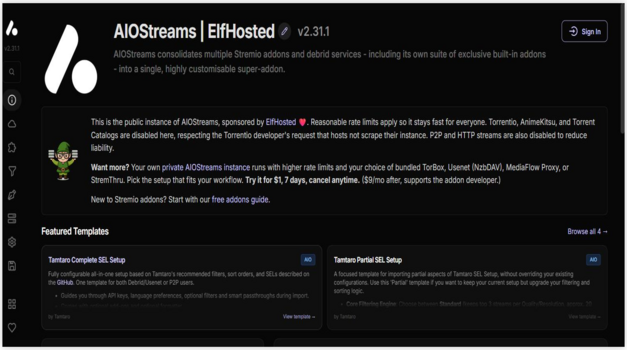
AIOStreams is the first addon I install for anime, and it fixed the mess my results used to be. It queries Torrentio, Comet, MediaFusion, and dozens more at once, then deduplicates and sorts every episode and batch into a single clean, filterable list. One search, one tidy set of results.
Features:
- Addon Aggregation: it queries dozens of upstream anime and general stream addons in parallel, then merges everything into one list, so you install a single addon rather than eight.
- Deduplication: it detects identical anime releases by hash and filename and strips the duplicates, which cut my season-pack list from roughly two hundred entries down to about thirty.
- Deep Filtering: filter anime by resolution, codec, HDR, audio language, release group, file size, and seeder count, which is essential for separating clean dual-audio encodes from junk.
- Custom Sorting: sort results by quality, size, cached status, or debrid service, with entirely separate rules for anime films and long-running series, so binge sessions stay tidy.
- One Debrid Setup: enter your debrid key once and it applies to every wrapped addon at the same time, instead of pasting it separately into each anime source.
- Stream Proxying: it routes playback through a proxy to defeat debrid IP restrictions when you watch anime across several devices on the same household account.
- Custom Formatting: it rewrites how each stream line looks, so you see resolution, audio, and file size at a glance instead of a wall of raw release filenames.
| Pros | Cons |
| Replaces an entire stack of addons | Configuration page is intimidating |
| Best filtering in the ecosystem | Only as good as its upstream addons |
| Cuts duplicate clutter dramatically | Near-useless without a debrid plan |
| Free and open-source | Public instances are rate-limited |
| Public instance needs no self-hosting | |
| Extremely actively maintained |
Pricing:
- Addon is free and open-source
- Public instance is free but rate-limited
- Managed private instance from about $9 per month
Link: github.com/Viren070/AIOStreams
2) Torrentio
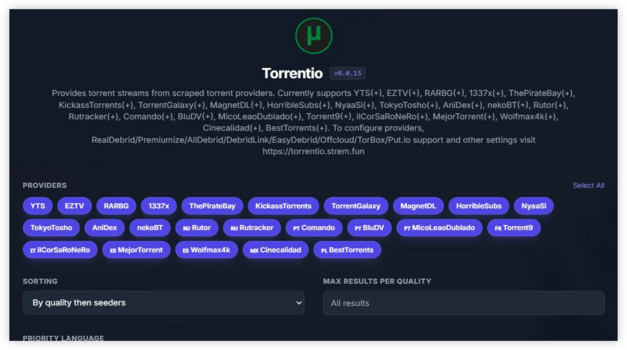
Torrentio is the addon most people start with, and for anime it is still the one that finds something when newer scrapers come up empty. It pulls from Nyaa, AnimeTosho, and twenty-plus indexers, returning episodes and batches sorted by quality. For older OVAs and obscure titles, nothing beats its raw reach.
Features:
- Anime Indexers: it pulls from Nyaa, AnimeTosho, and general trackers, and in my testing it still surfaces fansub OVAs that no other addon on this list could locate.
- Quality Sorting: it orders results by resolution, seeders, or size, so the best available encode of an episode sits right at the top of the list.
- Resolution Filters: exclude resolutions you never want, which stops your stream list filling with 480p rips of a series you would rather watch in crisp 1080p.
- Language Priority: push releases in your chosen audio language to the top, which matters enormously for choosing between subbed simulcasts and later English dual-audio batches.
- Size Limits: cap the maximum file size, which is useful when a full-season 4K batch would stall your connection during a long weekend binge.
- Every Debrid: it supports Real-Debrid, Premiumize, AllDebrid, TorBox, Debrid-Link, Offcloud, and Put.io with no extra configuration steps, which is exactly what you want on a streaming box.
- Simple Configuration: one page, a handful of toggles, and an install button, which is far gentler for a beginner than almost every other addon featured here.
| Pros | Cons |
| Widest raw anime torrent coverage | Blocked by ISPs in several countries |
| Far simpler than AIOStreams | Returns long unfiltered result lists |
| Best for obscure OVAs and films | Development is slow and quiet |
| Works with every major debrid | Peer-to-peer mode exposes your IP |
| Completely free | |
| Still receiving updates in 2026 |
Pricing:
- Free with no account required
- Debrid optional but strongly recommended
- A VPN may be needed in blocked regions
Link: torrentio.strem.fun
3) Comet
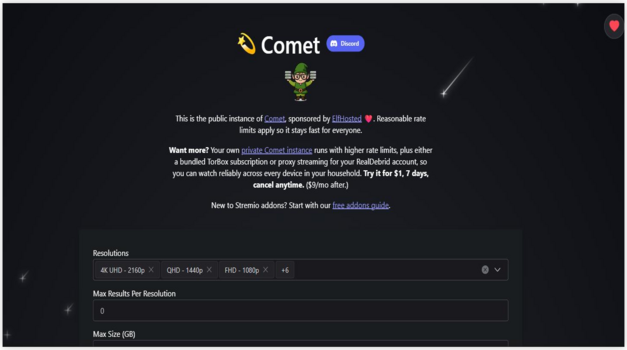
Comet bills itself as the fastest torrent and debrid search addon for Stremio, and for anime it consistently fills a stream list before anything else responds. It pulls from Jackett, Prowlarr, Zilean, and more, then resolves everything through your debrid account for near-instant subbed and dubbed playback.
Features:
- Parallel Scraping: it queries many indexers simultaneously, and in my testing it populated the anime stream list before any other addon here had even finished responding.
- Debrid Caching: it checks what is already cached on your debrid account first, so popular episodes play instantly instead of waiting on seeders or downloads.
- CometNet: it shares torrent metadata between Comet instances, which improves debrid cache hit rates for anime across everyone using the network over time.
- Built-in Proxy: it proxies debrid streams natively, so one account works across your phone, tablet, and Firestick without a separate MediaFlow proxy setup.
- Resolution Filters: cap results by resolution and file size, keeping the list focused on the exact quality of anime encode you actually want to watch.
- Kodi Client: it ships an official Kodi addon, so the same anime setup follows you onto a Kodi box with automatic updates included.
- Docker Self-Host: it runs as a container in minutes, which removes the rate limits that every free public instance necessarily imposes on heavy users.
| Pros | Cons |
| Fastest results of the big three | Narrower coverage used alone |
| Built-in proxy saves a separate tool | Shines mainly when self-hosted |
| CometNet improves caching over time | Pointless without a debrid account |
| Great lightweight second source | Docker knowledge helps for best setup |
| Free public instance available | |
| Very active development |
Pricing:
- Free and open-source (GPL-3.0)
- Public instance is free
- Requires a debrid subscription in practice
Link: github.com/g0ldyy/comet
4) MediaFusion
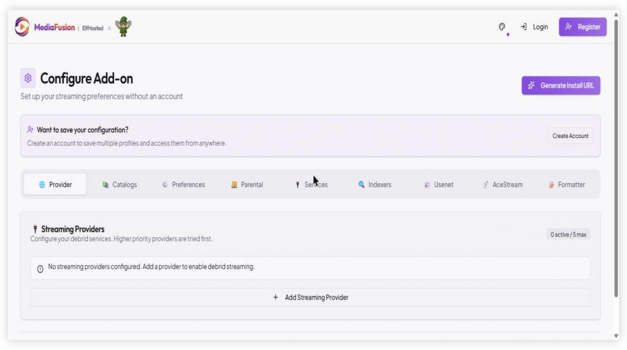
MediaFusion is the addon I recommend to anyone who wants dubs or East Asian releases. Its coverage of Japanese, Korean, and Chinese sources is far better than the English-first scrapers, and it indexes dual-audio anime batches and regional releases the others simply never surface at all.
Features:
- Language Catalogues: it ships catalogues in over fifty languages, which turns Stremio into a genuinely international anime library rather than an English-subbed-only one.
- Dub Coverage: it finds English, Japanese, and regional dual-audio releases, and this is the addon I install first for anyone who prefers watching anime dubbed.
- Multi-Source Aggregation: it combines torrent, debrid, and direct sources into one result list, rather than restricting itself to a single anime stream type.
- Granular Filters: it filters by quality, language, and codec with more precision than most anime addons offer anywhere in their configuration pages.
- Parental Filters: it includes built-in content filters, which is a genuine benefit when the same streaming box is shared across a whole family household.
- Browser Playback: it works in Stremio, Kodi, and directly in a web browser, so the same anime configuration follows you across every platform you use.
- Full Self-Hosting: it deploys via Docker Compose or Kubernetes for anyone who wants total control and no rate limits imposed on their anime lookups.
| Pros | Cons |
| Best dub and Asian coverage | Configuration UI is dense and slow |
| Highly configurable for power users | Slower to return results than Comet |
| Parental filters are genuinely useful | Public build is currently a beta |
| Free and open-source (MIT) | Self-hosting needs a real database |
| Public instance available | |
| Very active development |
Pricing:
- Free and open-source (MIT)
- Public instance is free to use
- Managed private instance from about $9 per month
Link: github.com/mhdzumair/MediaFusion
5) Anime Kitsu
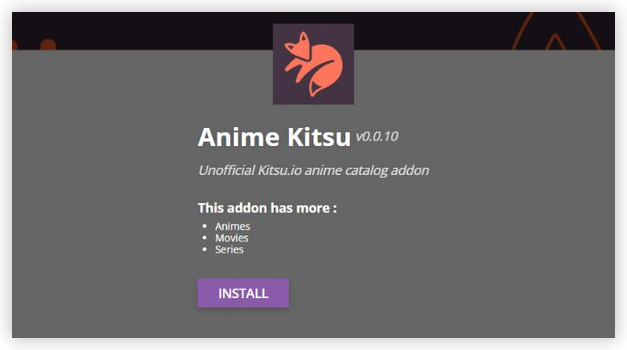
Anime Kitsu is the catalogue addon that makes Stremio feel built for anime, and I install it on every setup. It replaces the film-first home screen with proper anime rows pulled from Kitsu, complete with seasonal charts, correct episode numbering, and artwork that stock Stremio never gets right.
Features:
- Anime Catalogues: it adds Trending, Seasonal, and Top Rated anime rows to your home screen, so Stremio finally opens on shows you would genuinely watch.
- Correct Episode Data: it fixes the absolute-versus-seasonal numbering that breaks anime in most addons, which spared me from constantly hunting for the right episode myself.
- Kitsu Integration: it pulls posters, synopses, and ratings straight from Kitsu, giving each series accurate artwork and descriptions instead of mismatched film metadata.
- Seasonal Charts: it surfaces the current season’s simulcasts as a browsable row, so keeping up with airing anime takes no external tracker or spreadsheet.
- Works With Streams: it feeds titles to your stream addons, so Torrentio and Comet return the correct episode links directly from an Anime Kitsu catalogue entry.
- Genre Browsing: it organises anime by genre and format, separating films, ONAs, and long-running series so you can browse by exactly what you feel like watching.
- Lightweight Setup: it installs from a single manifest URL with no keys or accounts required, making it one of the easiest anime upgrades you can add.
| Pros | Cons |
| Purpose-built anime catalogue | Provides no streams itself |
| Fixes anime episode numbering | Overlaps with Cinemeta rows |
| Great seasonal simulcast rows | Kitsu data occasionally lags |
| No account or keys needed | Ratings differ from MyAnimeList |
| Free and open-source | |
| Simple one-URL install |
Pricing:
- Free and open-source
- No account required
- No debrid service needed
Link: anime-kitsu.strem.fun
6) AIOMetadata
AIOMetadata is the best artwork upgrade of the last year, and it transforms how anime looks on your home screen. It replaces Stremio’s dull default metadata with data from TMDB, TVDB, and Fanart.tv, so anime pages finally get proper posters, logos, and descriptions in your own language.
Features:
- Better Artwork: it pulls high-quality anime posters and logos from Fanart.tv, and I noticed the difference immediately across every catalogue row on my home screen.
- Custom Catalogues: it builds and reorders your own anime rows, including MDBList lists, so the home screen shows the exact series and films you care about.
- Cross-ID Mapping: it maps IMDb, TMDB, and TVDB identifiers accurately, which quietly fixes the mismatched seasons and missing artwork that plague anime metadata.
- RPDB Support: it stamps ratings directly onto anime posters when paired with Rating Poster DB, including when you use only the free tier key.
- AI Search: it searches with natural language through Gemini, so a vague query about a half-remembered anime actually returns the title you were thinking of.
- Streaming Rows: it adds Crunchyroll and other provider rows with region filtering, so you see which anime is genuinely available where you live.
- Self-Healing Cache: it uses a Redis-backed cache that repairs itself, which keeps anime browsing fast even on a busy shared public instance.
| Pros | Cons |
| Dramatically better anime posters | Needs your own free API keys |
| Replaces several addons at once | You should disable Cinemeta first |
| Deep custom list support | Power-user oriented setup |
| No debrid needed, fully legitimate | Moves fast, so settings shift |
| Free and open-source | |
| Actively maintained |
Pricing:
- Free and open-source (GPL-3.0)
- Free TMDB, TVDB, and MDBList keys required
- Works with the free RPDB tier
Link: github.com/cedya77/aiometadata
7) SubSense
SubSense replaces the whole confusing pile of subtitle addons with one, and for anime that matters more than for anything else. It queries OpenSubtitles, SubDL, SubSource, Podnapisi, and AnimeTosho at once and returns whichever responds first, so fansubbed episodes finally get accurate, well-timed subtitles.
Features:
- AnimeTosho Search: it queries AnimeTosho alongside four other databases, which is exactly where the accurate fansub subtitle tracks for anime actually live.
- Fast-First Strategy: it returns results from whichever provider responds quickest, so you are not staring at a loading spinner halfway through an episode.
- Five Languages: it selects up to five languages with equal priority, which suits bilingual anime households far better than a single hardcoded default track.
- Web Configuration: it sets everything up in a browser, then hands you a manifest URL to paste straight into the Stremio addon screen.
- SQL Caching: it caches previous lookups, so repeat searches for the same series return almost instantly rather than querying every provider again.
- Higher Hit Rate: it finds subtitles for obscure OVAs and non-simulcast anime, and it recovered several titles for me where the stock addon returned nothing.
- Encrypted Keys: it stores your provider API keys encrypted inside the manifest URL, rather than leaving them sitting there in plain text.
| Pros | Cons |
| Replaces three subtitle addons | Single maintainer project |
| Much higher hit rate on rare anime | Young, so less battle tested |
| Noticeably faster than the default | Best results need free API keys |
| Free, MIT licensed, self-hostable | No debrid or catalogue function |
| No ads or spam results | |
| Fastest rising subtitle addon |
Pricing:
- Free and open-source (MIT)
- Free provider API keys recommended
- No subscription of any kind
Link: github.com/NepiRaw/Stremio-SubSense
8) Jackettio
Jackettio is for the anime fan who wants to point Stremio at their own indexers. It bridges Jackett to Stremio, so any private or niche anime tracker you have access to becomes a stream source, then resolves the results through your debrid account for clean playback.
Features:
- Your Own Indexers: it connects Stremio to any Jackett indexer you configure, so private anime trackers and niche fansub sources feed straight into your results.
- Debrid Resolution: it resolves torrents through Real-Debrid, AllDebrid, and Premiumize, so cached anime episodes play instantly rather than depending on live seeders.
- Quality Filtering: it filters by resolution, size, and quality keywords, which keeps a noisy anime tracker from flooding your list with low-quality camrips.
- Self-Hosted Control: it runs as a lightweight container you host yourself, and I found it the most reliable way to search my own indexers privately.
- Sorting Options: it orders results by seeders, size, or quality, so the best encode of an episode consistently lands near the top of the list.
- Multi-Tracker: it queries several configured indexers at once, combining public and private anime sources into one merged list inside Stremio.
- Privacy By Design: because it uses only your own indexers and debrid, nothing routes through a shared public instance that could log your anime activity.
| Pros | Cons |
| Uses your own private trackers | Requires self-hosting Jackett |
| Great for niche anime sources | Not beginner friendly |
| Clean debrid playback | No public instance to rely on |
| Fully private setup | Only as good as your indexers |
| Free and open-source | |
| Actively maintained |
Pricing:
- Free and open-source
- Requires self-hosting and Jackett
- Debrid subscription recommended
Link: github.com/arvida42/jackettio
How to Install Stremio Anime Addons on Firestick
Stremio addons install from a manifest URL, not from an app store, which trips up a lot of newcomers. You configure the addon on its website, it hands you a link, and Stremio installs it. The one wrinkle on a Firestick is that typing long URLs with a remote is miserable, so configure on a phone or laptop and log into the same Stremio account.
- Install Stremio First: follow our guide on how to install Stremio on Firestick if the app is not already on your device.
- Sign In Everywhere: use the same Stremio account on your phone and your Firestick, so anime addons sync between the two devices automatically.
- Configure On A Computer: open the addon’s configure page in a browser, choose your audio and quality options, and enter your debrid key there.
- Hit Install: the configure page hands you an install link that opens Stremio and adds the anime addon straight to your account.
- Check The Firestick: reopen Stremio on the Firestick and the addon is already there, with no long URLs typed on the remote.
How I Ranked These Stremio Anime Addons

I tested every Stremio anime addon using the same four titles to keep the comparison fair. The test covered both popular and hard-to-find content, while also considering repository activity, subtitle and dubbing options, setup difficulty, and Firestick compatibility.
- Current-season simulcast: Checked whether the addon provided recently released episodes.
- Popular dubbed shonen: Tested the availability and quality of English-dubbed content.
- Anime film remaster: Evaluated movie availability and playback quality.
- Obscure 1990s OVA: Measured how well the addon handled older and less popular titles.
- Repository activity: Confirmed whether the addon was actively maintained and recently updated.
- Sub and dub selection: Compared the range of subtitled and dubbed streams.
- Setup experience: Recorded how long installation and configuration took on a Firestick.
Addons that only provided popular current-season shows received lower scores because finding mainstream anime is relatively easy. Higher rankings went to addons that combined broad content coverage, active maintenance, reliable playback, and simple setup.
Do You Need Real-Debrid for Anime on Stremio?
For the stream addons here, in practice yes. Without a debrid service, Torrentio and Comet fall back to raw peer-to-peer, which is slower, less reliable, and exposes your IP to the swarm on every episode. With one, anime streams come from a cached server at full speed and start instantly. Our explainer on what is Real-Debrid covers how it works.
- Instant Playback: cached episodes start in seconds, with no waiting for peers or buffering partway through a simulcast that just aired hours ago.
- Better Batches: full-season batches resolve to fast direct links, which makes marathoning a long-running series far smoother than depending on live torrents.
- Low Cost: most debrid services cost only a few pounds a month, though prices change often, so always check the provider directly first.
- Not Always Needed: Anime Kitsu, AIOMetadata, and SubSense are catalogue and subtitle tools that need no debrid service at all.
- IP Restrictions: if you watch on several devices, use a proxy addon such as AIOStreams to avoid tripping debrid IP checks mid-episode.
Sub or Dub? Getting Anime Audio and Subtitles Right
The single biggest anime-specific headache on Stremio is audio. A stream addon might return a perfect video release with the wrong audio track or no subtitles at all, which is why pairing a good stream source with a dedicated subtitle addon matters so much. Getting this combination right is the difference between a smooth binge and constantly fiddling mid-episode — see our Stremio subtitle addons guide.
- Dual-Audio Releases: search for releases tagged dual-audio when you want both languages available, so you can switch between sub and dub without changing the file.
- Prioritise Audio: set your preferred language in Torrentio or MediaFusion, which pushes dubbed or subbed releases to the top of the anime list.
- Add SubSense: install a dedicated subtitle addon, because Stremio’s default subtitle source misses a huge share of fansubbed and obscure anime titles.
- Check The Release Group: trusted fansub groups produce better-timed subtitles, so filtering by release group in AIOStreams noticeably improves your subtitle quality.
- Match The Episode: absolute numbering breaks subtitle matching, so an anime catalogue addon like Anime Kitsu keeps episodes and subtitle files correctly aligned.
Stremio Anime Addons Not Working? Quick Fixes
Nine times out of ten it is not the addon, it is your configuration or your network. The most common cause is an expired or missing debrid key, and the second is an ISP block on the addon’s domain. Work through these in order before assuming an anime project is dead, because most fixes take under a minute — see how to fix Stremio’s “no streams found” error.
- Check Your Debrid Key: an expired subscription silently returns nothing at all, which looks exactly like a completely broken anime addon.
- Try A VPN: several countries block Torrentio and Nyaa sources at DNS level, and switching your connection often restores anime results instantly.
- Reduce Your Filters: aggressive resolution or language filters in AIOStreams can silently remove every single anime result you were expecting to see.
- Check The Instance: public instances go down occasionally, so try a different one before uninstalling and reconfiguring the anime addon from scratch.
- Confirm It Is Alive: some popular anime addons are now archived, so check the repository’s recent activity before spending time troubleshooting a dead project.
Are Stremio Anime Addons Legal? Use a VPN
Stremio itself is legal software, and several addons here are pure catalogue and subtitle tools that touch no copyrighted streams at all. The torrent-indexing addons sit in a grey area, because the anime they index is frequently copyrighted. A VPN protects your privacy either way and costs very little, so it is standard practice for anyone streaming anime through scraper addons.
- Legitimate Tools: Anime Kitsu, AIOMetadata, and SubSense handle only catalogue data, artwork, and subtitles, and touch no copyrighted anime streams.
- Grey Area: Torrentio, Comet, MediaFusion, and Jackettio index torrent content, and much of the anime they surface is copyrighted material.
- Debrid Is Legal: the debrid services themselves are legitimate businesses, but what you choose to stream through them remains your own responsibility.
- Peer Exposure: without a debrid service, your IP address is visible to every other peer in the anime torrent swarm you join.
- Pick A Fast VPN: a slow provider will ruin 4K anime playback, so choose one with servers near you and a proper Fire TV app.
Verdict:
A great Stremio anime setup is two addons, not eight. One strong stream source to find the episode, and one anime catalogue so the home screen is actually worth opening. Add a subtitle addon if you watch fansubbed or obscure titles, and you are done. These three are where I would start.
- AIOStreams: replaces every other stream addon with one filtered, deduplicated anime list, and it is the single biggest upgrade available today.
- Torrentio: still the widest coverage for obscure OVAs and older films, and by far the simplest anime source to set up.
- Anime Kitsu: fixes Stremio’s film-first layout with proper anime rows and correct episode numbering, without touching your streams at all.
FAQs
What is the best Stremio addon for anime in 2026?
AIOStreams, if you are willing to spend twenty minutes configuring it. It queries every other anime stream addon at once, removes duplicates, and lets you filter down to the exact resolution and audio you want. If that sounds like too much work, Torrentio still does an excellent job with far less setup and remains the easiest place to start — see our Anime Kitsu addon guide.
How do I watch dubbed anime on Stremio?
Set your preferred audio language in Torrentio or MediaFusion, and search for releases tagged dual-audio. MediaFusion has the strongest dub coverage of the addons here, and pairing it with a subtitle addon like SubSense means you can switch between dubbed and subbed versions of the same series without hunting for a different file.
Do I need Real-Debrid for anime on Stremio?
For the stream addons, in practice yes. Without one, Torrentio and Comet fall back to peer-to-peer, which means slower starts, more buffering, and your IP visible to the swarm. With a debrid account, episodes play instantly from a cached server. The catalogue and subtitle addons on this list need no debrid at all.
Why is my anime addon not showing streams?
Almost always an expired debrid key or an ISP block rather than a dead addon. Recheck your debrid subscription first, then try a VPN, since several countries block Torrentio and Nyaa sources at DNS level. If you still see nothing, loosen any aggressive resolution or language filters, which can silently remove every result.
How many anime addons should I install?
Fewer than you think. One stream addon, one anime catalogue addon, and one subtitle addon is a complete setup. Running several stream addons produces hundreds of duplicate results for every episode, and running two catalogue addons creates duplicate home-screen rows. AIOStreams exists precisely so you can consolidate the first category into a single entry — if you’d rather use a website, compare HiAnime alternatives.