Key Takeaway: For the 2023 second-generation models, Fire TV Stick 4K Max doubles built-in storage to 16 GB, adds Wi-Fi 6E and Ambient Experience, and has higher specified CPU and GPU clocks. The regular Fire TV Stick 4K retains 4K, Dolby Vision, HDR10+, Dolby Atmos, AV1 decoding, 2 GB RAM, and Wi-Fi 6. Buy the Max for those specific extras, not for a promised picture-quality upgrade.
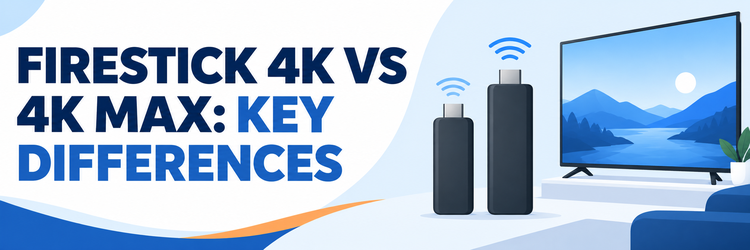
“Firestick 4K” can refer to more than one device. This comparison is between Amazon’s Fire TV Stick 4K (2nd Generation, 2023) and Fire TV Stick 4K Max (2nd Generation, 2023). It does not compare the 2018 4K, 2021 first-generation Max, 2025 4K Select, or 2025 4K Plus. Check the full model name on a listing before paying.
I would make this decision from the television and network you actually own. Both 2023 sticks support the same headline 4K HDR formats and the same 2 GB of RAM. The Max earns its name through more room for apps, a 6 GHz wireless option, a higher-clocked chipset, an enhanced remote, and Ambient Experience. None of those guarantees that every streaming app will look sharper or load a measured number of seconds faster in your room.
Firestick 4K vs 4K Max: The Short Answer
The regular 2023 4K is the sensible baseline for a TV viewer with a conventional Wi-Fi router and a modest app collection. The 2023 Max is the stronger fit when storage pressure, a compatible Wi-Fi 6E network, or its artwork-and-widgets idle display matter. Amazon’s published device specifications are the basis for the table, not a hands-on speed test. The two models remain distinct from the later 4K Plus and 4K Select.
| Difference | Fire TV Stick 4K (2nd Gen, 2023) | Fire TV Stick 4K Max (2nd Gen, 2023) |
|---|---|---|
| Amazon model code | AFTKM | AFTKRT |
| Built-in storage | 8 GB | 16 GB |
| Memory | 2 GB LPDDR4 | 2 GB LPDDR4 |
| CPU specification | Four Cortex-A55 cores, up to 1.7 GHz | Four Cortex-A55 cores, up to 2.0 GHz |
| GPU specification | GE9215, up to 650 MHz | GE9215, up to 850 MHz |
| Wireless | Dual-band Wi-Fi 6, 2.4/5 GHz | Tri-band Wi-Fi 6E, 2.4/5/6 GHz |
| HDR and video | 4K, Dolby Vision, HDR10, HDR10+, HLG, AV1 | The same listed formats and 4K AV1 support |
| Remote and idle display | Alexa Voice Remote; no Max-specific Ambient feature listed | Alexa Voice Remote Enhanced; Ambient Experience |
- Buy the standard 4K for ordinary streaming: Its 4K HDR and audio format support is not cut down to make room for the Max, and 2 GB RAM is shared.
- Buy the Max for storage headroom: Twice the advertised built-in capacity is meaningful for larger app libraries, although usable space after system files is lower than either headline figure.
- Treat Wi-Fi 6E as conditional: Only a compatible 6 GHz router and suitable local conditions let the Max use that band; a Wi-Fi 5 or Wi-Fi 6 household can still connect.
- Do not equate clock speed with a benchmark: Amazon lists higher CPU and GPU ceilings for the Max, but app launches, decoding, heat, and network conditions determine perceived results.
- Compare the actual listing: Prices, discounts, package contents, and names vary by country and retailer; verify the exact generation and total checkout cost instead of relying on an old list price.
First Identify Which 4K Stick a Store Is Selling
The word “Max” is not the only generational clue. Amazon’s model list separately identifies the 2018 first-generation Fire TV Stick 4K, the 2021 first-generation Max, the two 2023 second-generation sticks here, and newer 4K Plus and 4K Select names. A vague “latest 4K Firestick” headline cannot establish which specification sheet applies. Ask the seller for the full product title and check the model identifier when buying used.
- 2023 regular 4K: Amazon’s device database calls it Fire TV Stick 4K (2nd Gen), with model AFTKM, 8 GB storage, Wi-Fi 6, and Fire OS 8.
- 2023 4K Max: Model AFTKRT identifies the second-generation Max with 16 GB, Wi-Fi 6E, and Fire OS 8 in Amazon’s developer listing.
- Older stock: A first-generation 4K or Max has different hardware and software specifications; do not paste a 2023 table onto a 2018 or 2021 purchase.
- Newer names: Amazon also lists a 2025 Fire TV Stick 4K Plus and a separate 4K Select. The Plus has 8 GB, 2 GB RAM, and Wi-Fi 6 in Amazon’s listing.
- Marketplace check: Amazon lists particular countries for each model, but local stock and third-party listings can change. Confirm the exact device and seller in your country before ordering.
Storage Is the Clearest Everyday Upgrade
Amazon specifies 8 GB for the standard 2023 4K and 16 GB for the 2023 Max. This is internal capacity, not the amount left for new apps after Fire OS, updates, cached data, and preinstalled content. If your current stick repeatedly asks you to remove apps, the Max’s extra headroom is a concrete reason to choose it. If you use only a few streaming services, storage alone may not justify paying more.
- App libraries grow: Games, media apps, browsers, and their data all compete for internal capacity; the difference matters more to a tinkerer than to a three-app household.
- Usable space differs: Neither advertised 8 GB nor 16 GB is a promise of equal free space on first boot, because the operating system and updates consume part of it.
- External-storage caution: Amazon’s consumer device-identification page says the Max supports external storage and the regular 4K does not, but also labels compatible USB devices “not available.”
- Do not assume a USB socket: These are HDMI sticks with power connections, not TV boxes with a general USB-A port. Accessory-based storage workflows need compatibility checks.
- Existing-device test: Look at Settings and installed-app storage on your current Fire TV before buying. Removing abandoned apps or clearing unnecessary data may solve a modest shortage.
Wi-Fi 6E Helps Only on a Suitable Network
The regular 4K has dual-band Wi-Fi 6 on 2.4 and 5 GHz. The Max adds tri-band Wi-Fi 6E, including 6 GHz. This is an extra radio option, not a promise of faster internet service or higher-quality video. The 6 GHz band can be useful in a crowded wireless environment, but its availability depends on router support, regional rules, distance, walls, and where the television sits.
- Router compatibility: Without a Wi-Fi 6E access point and enabled 6 GHz network, the Max will connect on older supported bands; the 6E badge alone changes nothing.
- Distance matters: A 6 GHz connection can be less forgiving through walls than lower-frequency bands. A strong 5 GHz signal may be the better real-world path.
- Streaming bandwidth: A stable connection that already sustains your service’s 4K stream does not gain a new picture format merely because the radio standard changes.
- Ethernet option: Amazon’s developer sheets list 10/100 Mbps Ethernet through an external dongle for both, so neither stick has a built-in Ethernet jack.
- Diagnose before upgrading: Router placement, interference, internet service, and app/server congestion can cause buffering on either model. Check the current network path before replacing the device.
Processor Specs Are Higher, but Both Have 2 GB RAM
Amazon lists four Cortex-A55 cores up to 1.7 GHz and a GE9215 GPU up to 650 MHz for the regular 4K. The Max lists four Cortex-A55 cores up to 2.0 GHz and a GE9215 up to 850 MHz. These are published ceilings, not measured sustained speeds. Both have 2 GB LPDDR4 RAM, Fire OS 8, and a 32-bit application binary interface in Amazon’s device database.
- Menu responsiveness: More processing headroom could help interface and app work, but Amazon’s frequency figures alone do not establish how much quicker your specific app feels.
- No RAM doubling: An advertisement that implies the Max has twice the memory confuses 16 GB storage with 2 GB RAM; the 2023 models list equal RAM.
- App bottlenecks: Slow authentication, server responses, large app startup tasks, or a congested network can dominate a faster chip’s contribution to perceived speed.
- Thermal context: Short bursts and long sessions are different workloads. Avoid turning a peak clock into a claim about sustained gaming performance without a controlled test.
- Upgrade logic: If you mainly watch films, the extra storage and wireless capabilities are easier to evaluate than an unmeasured promise of instant menus.
Picture and Sound: More Alike Than Different
Both 2023 sticks list hardware-accelerated 4K video support, including AV1 decoding, and the familiar HDR10, HDR10+, HLG, and Dolby Vision formats. Amazon describes Dolby Atmos support for both. The Max’s hardware advantages should not be presented as an exclusive Dolby Vision, Atmos, or AV1 entitlement. Actual 4K or Atmos playback also needs a compatible television or audio chain, the right content, an eligible service plan, and a suitable connection.
| Playback question | What Amazon lists for both 2023 sticks | What to check at home |
|---|---|---|
| 4K and HDR | 4K video; Dolby Vision, HDR10, HDR10+, HLG | TV capabilities, HDMI path, service tier, and title |
| AV1 | Hardware-accelerated 4K AV1 decode | Whether an app supplies an AV1 stream to the device |
| Surround audio | Dolby Atmos and multiple Dolby/DTS formats in device specifications | Title, app, receiver or soundbar, and audio settings |
| HDMI/ARC | HDMI 2.1 output with ARC input support in developer sheets | Compatible TV/ARC setup; this is not a general HDMI input port |
- HDR compatibility is shared: If Dolby Vision is your deciding requirement, the 2023 standard 4K already lists it; Max is not needed solely for that format.
- Atmos is conditional: A logo on a stick is not enough. The app, program, plan, TV audio path, and speaker system must support the relevant playback route.
- AV1 is shared too: Amazon’s specifications list hardware-accelerated 4K AV1 on each 2023 model, so codec support is not an honest Max-only selling point.
- Source quality governs: A lower-bitrate or HD stream remains limited by the service and source; a faster device cannot manufacture native 4K detail from it.
- Test the chain: Use a known 4K HDR title and your TV’s signal information before attributing a missing format to the Fire TV stick itself.
Ambient Experience and Remote Controls
Amazon explicitly advertises Ambient Experience for the second-generation Max. It can show curated art, personal photos, and information when you are not streaming, with settings and device availability described in Amazon support. The 2023 regular 4K specification does not advertise that Max feature. This matters if the television often stays on between sessions, but not if you turn it off after every program.
- Artwork use: Ambient Experience can turn an idle compatible TV into an art or photo display. Availability and individual options should be checked in Settings on the actual device.
- Power tradeoff: Amazon warns that Ambient Experience may increase energy consumption; turn it off if an always-on or frequently waking display is unwanted.
- Enhanced remote: Amazon says Max includes Alexa Voice Remote Enhanced with dedicated power, volume, and channel controls for compatible TVs, soundbars, and receivers.
- Regular remote: The standard 4K includes an Alexa Voice Remote with power and volume controls, so ordinary TV control and voice search are not Max exclusives.
- Device-specific caveat: Amazon now describes Ambient features on other newer Fire TV products too. The comparison here is only between the two named 2023 sticks.
Ports, Power, and Ethernet Accessories
The developer specifications list an HDMI 2.1 output with ARC input support for each 2023 stick and 10/100 Mbps Ethernet when an external dongle is used. That does not mean either has a built-in Ethernet socket, a full-size USB port, or a second HDMI input for a game console. The included power arrangement and compatible adapters should be confirmed on the regional retail page and setup guide for the actual package.
- HDMI connection: Plug the stick into a compatible TV HDMI port, leaving enough physical space or using the supplied extender if the package includes one.
- Power source: Follow Amazon’s model-specific setup instructions and supplied power accessories; an underpowered television USB port can create avoidable instability.
- Ethernet accessory: Both developer entries list a 10/100 Mbps external-dongle path. Check an adapter’s Fire TV compatibility instead of assuming any generic hub will work.
- ARC is specialized: Amazon lists ARC input support in the HDMI specification for Alexa Home Theater with compatible Echo and TV hardware, not a universal pass-through video input.
- No invented expansion: The consumer page’s external-storage wording and USB-device wording deserve a model-specific check before promising plug-and-play storage on either stick.
Price and Value Without a Stale Sticker Price
The purchase decision is a comparison of the current local checkout prices, not an old launch MSRP. Amazon and third-party sellers can change prices, stock, bundles, taxes, and remote packages independently. I would pay a premium for Max when 16 GB, a compatible 6 GHz network, or Ambient Experience solves a real need. Otherwise, the standard 2023 4K offers the same listed headline picture and audio formats for ordinary TV streaming.
- Compare the exact generation: Confirm AFTKM versus AFTKRT or the full official title; a discounted older Max is not necessarily this comparison’s 2023 Max.
- Calculate the whole basket: Add any compatible Ethernet accessory, HDMI clearance solution, or service subscription you actually need rather than judging only the stick’s sale price.
- Avoid false savings: A low-priced import may have different regional support, marketplace app access, warranty terms, and plug or power arrangements.
- Value the features you use: Double storage has a concrete purpose for app-heavy households; Wi-Fi 6E has no immediate value without a suitable router.
- Check both listings now: There is deliberately no fixed price here. Compare Amazon’s current local product detail and checkout terms immediately before purchase.
Which One Should You Buy?
For a new 2023-generation purchase, choose the standard 4K if your TV already supports the formats you want, you run a handful of apps, and your Wi-Fi 6 or older network is stable. Choose the Max if app storage is tight, you can make practical use of Wi-Fi 6E, or you want its Ambient Experience and enhanced remote. Neither choice fixes an unsuitable router location or a slow streaming service.
- Small app lineup: The standard 4K is enough on published video and audio format specifications; do not pay for Max merely to unlock Dolby Vision or AV1.
- Many installed apps: Max’s 16 GB advertised capacity gives more space than the standard model’s 8 GB, while actual free capacity still depends on system use.
- 6 GHz household: Max can use Wi-Fi 6E with a compatible router and good placement; test the present connection before assuming the new band is better.
- Art display household: Max makes sense if you genuinely use Ambient Experience and accept its possible energy cost rather than leaving a black idle screen.
- Already own a working 4K: A feature-by-feature need is a stronger upgrade case than a generic performance slogan. For other hardware classes, see our streaming-device comparison.
Firestick 4K vs 4K Max: Final Verdict
The 2023 Max is the more capable stick on Amazon’s specifications, principally through 16 GB storage, tri-band Wi-Fi 6E, higher stated CPU and GPU clocks, Ambient Experience, and its enhanced remote. The regular 2023 4K is the value-oriented choice when those extras are not needed. Both share 2 GB RAM and the major listed 4K HDR, Atmos, and AV1 capabilities. Verify the local listing and generation before choosing.
Frequently Asked Questions
Is the Fire TV Stick 4K Max picture sharper than the regular 4K?
Amazon lists 4K playback, Dolby Vision, HDR10, HDR10+, HLG, and hardware AV1 decoding for both 2023 second-generation devices. The Max’s higher processor specifications do not by themselves make the same source stream sharper. Your television, content, service plan, settings, and connection determine the format you actually see.
Does the Max have more RAM or just more storage?
The 2023 models each list 2 GB LPDDR4 RAM. Their advertised built-in storage differs: 8 GB for Fire TV Stick 4K and 16 GB for Fire TV Stick 4K Max. Usable app space is less after Fire OS and system files. Storage is the doubled number, not working memory.
Do I need a Wi-Fi 6E router for the 4K Max?
No. The Max can connect on supported 2.4 and 5 GHz networks too. A compatible Wi-Fi 6E router is needed to use its additional 6 GHz band, and the best band depends on signal strength and interference. The standard 2023 4K supports dual-band Wi-Fi 6.
Can either stick connect to Ethernet?
Amazon’s developer specifications list 10/100 Mbps Ethernet through an external dongle for both 2023 models. Neither is advertised with a built-in Ethernet jack. Check the exact adapter and power arrangement for your device. Our Firestick Ethernet adapter guide explores that setup in more detail.
Is Fire TV Stick 4K Plus the same as the 2023 4K?
Amazon separately lists Fire TV Stick 4K Plus as a 2025 product with its own model identifier. Its published core specifications resemble the 2023 standard 4K in several respects, including 8 GB storage, 2 GB RAM, and Wi-Fi 6, but do not assume every retail bundle or regional detail is identical. This article’s direct comparison uses the two 2023 second-generation names.
Is the first-generation 4K Max covered by this comparison?
No. Amazon lists the first-generation Max as a 2021 model with different specifications, including 8 GB storage and Wi-Fi 6 rather than the 2023 Max’s 16 GB and Wi-Fi 6E. Check the full model title or identifier before using this table for a secondhand device.