Key Takeaway: Rising Tides installs from the Mullafabz repository and costs nothing to run. Its stream links only appear a few minutes before kick-off, which explains almost every complaint that the addon has stopped working.
Rising Tides has quietly outlasted dozens of flashier sports addons, and it manages that by doing very little. There is no debrid requirement, no account, and no attempt to be an all-in-one media centre.
I installed Rising Tides on a clean Kodi 21.3 Omega profile on my Fire TV Stick 4K Max, then deliberately opened it hours before kick-off and again minutes before, because that timing turns out to explain most of what people report as failure.
What Is Rising Tides and Who Is It Really For?
Rising Tides is a narrow, football-first sports addon rather than a general media tool, and being clear about that saves a lot of disappointment on day one.
- Football First: Premier League, Championship and European club competitions form the backbone, and coverage of those is deeper than almost any free rival offers.
- Pay-Per-View Events: Boxing, wrestling and mixed martial arts cards appear on event nights, which is where free sports addons most often let people down.
- Highlights Included: Condensed match highlights sit alongside full fixtures, useful when you want the result without committing a full ninety minutes to it.
- Nothing To Pay: There is no account, no subscription and no debrid service involved anywhere, so the running cost is genuinely nothing beyond broadband.
- Deliberately Minimal: It carries no films, no television series and no rolling channels, which keeps the interface fast but limits its appeal considerably.
Inside the Rising Tides Menu: Live, Highlights and Events
The menu is short enough to learn in a single sitting, and knowing which section fills up at which time of day is most of the skill.
- Football Live: Fixtures currently in progress or starting shortly appear here, and this section is empty for most of the day by design.
- Football Highlights: Recent match summaries stay available after the whistle, which makes the addon useful even when you have missed everything live.
- Live PPV Events: Combat sports cards populate on event nights only, so an empty listing midweek is expected rather than a sign of failure.
- More Sports Events: Basketball, mixed martial arts and assorted other fixtures gather here, though coverage is noticeably thinner than the football sections.
- Sports Highlights: A general highlights area collects clips beyond football, and it is the section most likely to sit unchanged for days.
| Section | When It Fills Up | Best Used For |
|---|---|---|
| Football Live | Minutes before kick-off | Watching a match live |
| Football Highlights | A few hours after full time | Catching up quickly |
| Live PPV Events | Event nights only | Boxing, wrestling, MMA |
| More Sports Events | Irregularly | Basketball and MMA fixtures |
| Sports Highlights | Occasionally | General clip browsing |
Preparing Kodi for the Mullafabz Repository
Preparation matters less here than with debrid addons, but the Kodi version requirement is stricter than many older guides admit and causes real install failures.
- Kodi 19 or Newer: The addon needs the Python 3 API, so Kodi 18 Leia produces dependency errors that no amount of retrying will ever resolve.
- Clean Install Preferred: Upgrading over an old Kodi 18 profile frequently leaves broken dependencies behind, and a fresh profile avoids that entirely from the start.
- Unknown Sources On: Enable Unknown Sources under System, Add-ons before starting, or Kodi rejects the file source without telling you what went wrong.
- Exact Capitalisation: The repository path is case sensitive, and a lowercase letter where a capital belongs produces a failure that mimics a dead server.
- A VPN Connected: Live sport is the most closely monitored streaming category, so connect a reputable VPN before opening any fixture at all.
| Requirement | Why It Matters | Cost |
|---|---|---|
| Kodi 19 or newer | Python 3 dependencies | Free |
| Fresh Kodi profile | Avoids legacy conflicts | Free |
| Unknown Sources enabled | Allows third-party installs | Free |
| Exact case in the URL | Path is case sensitive | Free |
| Reputable VPN | Privacy on live feeds | Paid subscription |
Installing Rising Tides Without Mistyping the Source
More Rising Tides installs fail on a typing error than on anything technical, so this section is worth following slowly rather than from memory.
- Add the Source: Open Settings, File Manager, Add Source, then enter the Mullafabz repository path with its capital letters exactly as published.
- Name It Simply: Give the source a short lowercase name such as tides, because the source name has no effect on whether the path resolves.
- Install From Zip: Return to Add-ons, choose Install from Zip File, open your new source and select the Rising Tides repository zip inside it.
- Install From Repository: Choose Install from Repository, open the Mullafabz repository, browse Video Add-ons and select Rising Tides to complete the installation.
- Try a Mirror: If the main path fails, the developer also publishes the same repository through a GitHub-hosted mirror that behaves identically.
Why Rising Tides Shows Nothing Until Kick-Off
This single behaviour accounts for the overwhelming majority of reports that the addon is broken, and understanding it removes most of the frustration immediately.
- Links Appear Late: Stream links are typically published around five minutes before a fixture starts rather than hours ahead like a television guide.
- Empty Is Normal: An empty Football Live section at lunchtime means nothing has started yet, not that the addon or repository has failed.
- Check the Clock First: Before troubleshooting anything, confirm the fixture has actually kicked off, because almost every other fix is unnecessary otherwise.
- Refresh, Do Not Reinstall: Backing out of the section and re-entering it pulls a fresh listing, which is far quicker than reinstalling the whole addon.
- Plan Around It: Open the addon a few minutes after kick-off rather than before, and it behaves far more like people expect it to.
Rising Tides Troubleshooting: Errors, Freezes and Dead Mirrors
Once timing is ruled out, the remaining faults fall into a short and fairly predictable list, and most resolve without touching the installation at all.
- Dependency Errors: These almost always mean Kodi is too old, so update to a current release rather than hunting for missing modules individually.
- Frozen Playback: A stream that freezes early rarely recovers, so back out and open a different link instead of waiting it out.
- Repository Unreachable: When the main host fails, switch to the alternative mirror, since the same files are published from more than one address.
- Overloaded Sources: During major fixtures the underlying servers saturate, and quality drops for everyone regardless of your connection or hardware.
- Wider Kodi Problems: If other addons misbehave too, the fault is Kodi itself, and our Kodi troubleshooting guide covers those fixes.
| Symptom | Likely Cause | Fix |
|---|---|---|
| Failed to install a dependency | Kodi version too old | Update to Kodi 19 or newer |
| No links at all | Fixture has not started | Return after kick-off |
| Repository will not add | Wrong capitalisation | Retype the exact path |
| Stream freezes immediately | Dead or saturated source | Open a different link |
| Everything fails at once | Host mirror offline | Switch to the GitHub mirror |
How Rising Tides Performs on Big Match Nights
Testing an addon on a quiet Tuesday tells you very little, so the more useful question is what happens when several million people want the same fixture.
- Quality Drops Sharply: Picture quality on marquee fixtures falls well below what the same source delivers on a mid-table midweek game.
- More Links Appear: Popular matches attract more mirrors, so there are usually several alternatives when the first one stutters badly.
- Early Entry Helps: Opening a stream in the opening minutes tends to hold better than joining a heavily loaded feed at half time.
- Have a Backup Open: Running a second sports addon alongside it costs nothing and removes the panic when the first option collapses mid-half.
- Manage Expectations: This is free redistribution rather than a broadcast feed, so treat a stable 720p picture as a good outcome.
Rising Tides Safety: Repository Scans and Streaming Risk
Two separate questions get muddled here, and they deserve separate answers, because one concerns the files you install and the other concerns what you watch.
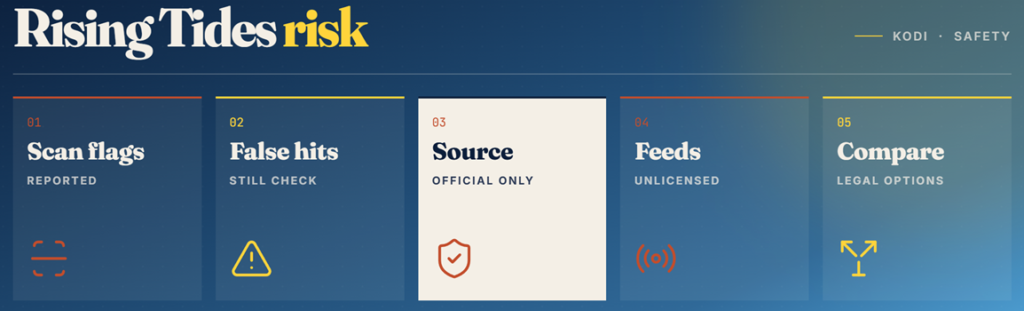
- Scan Warnings Exist: At least one well-known Kodi site reported flagged files inside the repository during scanning, which is worth knowing before installing.
- Treat Flags Seriously: Automated scanners produce false positives on Kodi repositories regularly, but an unexplained flag still argues for caution rather than dismissal.
- Install From Source Only: Use the developer published paths and never a rehosted zip from a forum, since tampered copies are the real distribution risk.
- Streaming Legality: The addon holds no media itself, but the feeds it lists are redistributed broadcasts, and watching those is unlawful in many countries.
- Compare the Field: If that risk profile bothers you, our best Kodi sports addons guide covers legal free options too.
Best Rising Tides Alternatives
Rising Tides does football and fight nights well and almost nothing else, so a second addon alongside it is not optional for most people. These three fill the gaps it leaves, and each one installed cleanly on the same Kodi profile during testing.
1) The Loop
The Loop is the addon I pair with Rising Tides most often, because it fills exactly the long hours when Rising Tides sits completely empty. Its 24/7 zones keep themed channels running continuously, so there is always something watchable playing between fixtures.
Features:
- Rolling 24/7 Channels: Themed channels play continuously with no schedule at all, covering classic drama, motorsport and fan collections around the clock.
- Daily Sports Schedule: A separate fixtures list covers football, rugby, cricket and combat sports, refreshed automatically each morning without any user action.
- Replay Zone: Recently finished matches remain watchable for a while afterwards, which suits anyone catching up outside the original broadcast window.
- Search Across Zones: A built-in search tool cuts through every zone at once, which beats browsing when you already know which fixture you want.
- Testing Note: I left its 24/7 zones running for several evenings and playback held up better than the live fixtures did.
- No Cost At All: Nothing here asks for an account, subscription or debrid service, matching Rising Tides on price while covering completely different ground.
- Guide Support: Pairing it with Kodi built-in PVR client adds programme data, turning the channel list into something resembling real television.
| Pros | Cons |
| Excellent 24/7 channels | Repository occasionally down |
| Good replay archive | Live schedule less reliable |
| Completely free | Bare domain redirects oddly |
| Useful search tool | Zone names are unclear |
| Perfect Rising Tides pairing |
Pricing: Free addon. No account, subscription or debrid service is needed to use any section.
Link: loopaddon.uk/theloop
2) Mad Titan Sports
Mad Titan Sports is the broadest free sports addon I have tested, and it is the obvious upgrade if Rising Tides narrow focus starts to frustrate you. It aggregates several source lists, which is why it tends to survive outages that empty other addons.
Features:
- Aggregated Sources: Reading several independent lists rather than one website means a single provider failing rarely empties the addon completely.
- Every Major League: Football, American football, basketball, baseball, hockey and motorsport each get dedicated sections instead of one crowded list.
- Deep Replay Archive: Finished matches stay available for days afterwards, giving it the strongest catch-up coverage of any free option tested here.
- Optional Debrid: Connecting Real-Debrid noticeably improves link quality, though the addon stays genuinely usable on free sources without any account.
- My Experience: I opened three fixtures at once and it found a working feed for every one, which nothing else here managed.
- Built-In Loop Area: It includes its own rolling channel section, so it partly covers what people install dedicated loop addons for anyway.
- Dependable Repository: The Magnetic repository stayed reachable throughout 2026 while several rival sports repositories disappeared for days at a time.
| Pros | Cons |
| Widest sports coverage | Menus take learning |
| Survives source outages | Heavier on old hardware |
| Strong replay archive | Free link quality varies |
| Optional debrid support | Some sections go stale |
| Very stable repository |
Pricing: Free addon. Optional Real-Debrid improves stream quality from roughly €4 per 30 days.
Link: magnetic.website
3) SlyGuy
SlyGuy is the collection I keep permanently installed as a safety net, because nothing inside it depends on volunteers or grey-area feeds at all. It brings official free services such as Pluto TV, Plex Live and the Roku Channel into Kodi as proper addons.
Features:
- Entirely Legal: Every service here streams officially and free of charge, so there is no rights question and nothing that needs hiding.
- Effectively Never Down: Because the sources are commercial services rather than scraped feeds, availability is permanent instead of depending on a volunteer maintainer.
- Proper Guide Data: Full electronic programme guides load for most services, giving Kodi a real live television feel rather than a bare list.
- Personal Note: I keep Pluto TV one click from my Kodi home screen purely as the fallback when a sports feed collapses.
- Several Services: Pluto TV, Plex, Roku Channel and various regional broadcasters install separately from one shared repository, so you take only what you need.
- Zero Maintenance: Updates arrive automatically and these addons almost never break, so nothing needs reinstalling before an important fixture starts.
- Region Aware: Channel lineups follow your location automatically, and a VPN can switch between country catalogues where the licensing permits it.
| Pros | Cons |
| Completely legal | Very little live sport |
| Extremely reliable | No premium fixtures |
| Full guide data | Region-locked catalogues |
| No maintenance needed | Adverts on free tiers |
| Free permanently |
Pricing: Free, ad-supported services. No account, payment card or debrid subscription is required at any point.
Link: slyguy.uk
Verdict: Should You Install Rising Tides?
Rising Tides is a good addon judged on what it actually sets out to do. Football coverage is deep, pay-per-view nights are handled better than most free options manage, and the interface loads fast enough to be usable on older Fire TV hardware. The catch is timing rather than quality. Because links only publish minutes before a fixture starts, anyone who checks early concludes it is broken and uninstalls it, which is the single biggest reason it gets written off unfairly. Install it, accept that it lives in the last five minutes before kick-off, and keep a broader addon alongside it for everything outside football.
- The Loop: The best companion, filling the quiet hours with rolling 24/7 channels when no fixture is running.
- Mad Titan Sports: The strongest upgrade, covering every major league with aggregated sources and a deep replay archive.
- SlyGuy: The dependable legal fallback, delivering official free channels and real guide data that never break.
FAQs
Is the Rising Tides Kodi addon still working in 2026?
Yes. Every published repository mirror was reachable during testing and the addon installs cleanly on Kodi 21.3 Omega. Most reports that it has stopped working turn out to be people checking before links have been published.
Where do I install Rising Tides from?
From the Mullafabz repository, which is published on the developer own domain and mirrored on GitHub. The path is case sensitive, so type the capital letters exactly or Kodi will refuse to add the source.
Why does Rising Tides show no streams?
Because links usually appear only around five minutes before kick-off. An empty listing earlier in the day is normal behaviour. Check the fixture has actually started before clearing caches or reinstalling anything.
Do I need Real-Debrid for Rising Tides?
No. The addon streams live sports feeds directly and never touches torrents, so a debrid account adds nothing. It is genuinely free to run beyond your existing broadband and any VPN you choose.
Does Rising Tides work on Kodi 21 Omega?
Yes. It requires Kodi 19 or newer because of its Python 3 dependencies and runs fine on Kodi 21.3 Omega. Kodi 18 Leia produces dependency errors that cannot be worked around.
Is Rising Tides safe to install?
The addon installed cleanly in testing, though one well-known Kodi site reported flagged files inside the repository during scanning. Install only from the developer published paths and keep a VPN connected while streaming.