Key Takeaway: TiviMate not working usually comes down to an expired playlist, a provider outage, or a cache glitch, and each is fixable in minutes. If your current provider keeps failing, a more reliable service like OrigineTV or Tellystudio can stop the buffering for good. Below, I walk through the fixes first, then the best TiviMate alternatives.
Few things are more frustrating than settling in for a match only to find TiviMate frozen on a black screen or endless spinner. I have hit every one of these errors myself, so this guide starts with the exact fixes that get TiviMate running again, then moves on to the most reliable alternative players if you decide to switch. Whether the problem is your playlist, your provider, or the app itself, you will find a clear solution below.
Why You Can Trust FirestickTVStream?
This guide covers fixes and alternatives for TiviMate that have been tested firsthand. Every recommendation here is:
✅ Checked for stability and reliable playback during peak hours
✅ Reviewed for interface quality, EPG accuracy, and feature depth
✅ Evaluated on device support, ease of setup, and overall user experience
✅ Verified for safe, official download sources and honest pricing
Important Note: We avoid recommending cracked or modified player apps because they often carry malware or unstable builds. Every option here is chosen from official sources based on real testing, performance checks, and user feedback.
Research Overview:
- 20+ IPTV player apps tested
- 200+ Hours of research and testing
- 45+ Detailed guides and reviews checked
Why is TiviMate Not Working?
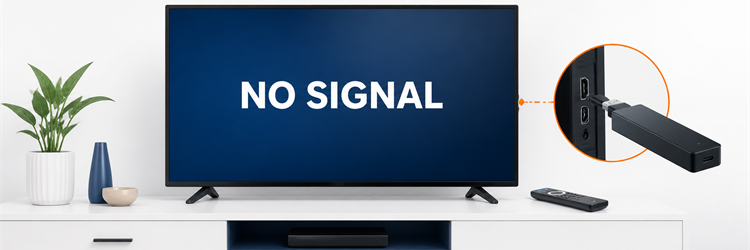
TiviMate itself is stable software, so when it stops working the cause is almost always something feeding into it rather than the app. Expired playlists, provider outages, cache problems, and weak connections are the usual suspects, and each shows slightly different symptoms. Understanding the likely cause below helps you jump straight to the right fix instead of reinstalling everything and losing your setup.
- Expired Playlist: An expired or changed playlist URL from your provider stops channels loading even though the TiviMate app itself opens normally.
- Provider Outage: A provider server outage or maintenance window means the fault sits with the IPTV service rather than with TiviMate.
- Outdated App: An outdated app version or corrupted cache causes freezing, black screens, or crashes when you launch TiviMate.
- Weak Connection: Weak or unstable internet, especially on 2.4GHz Wi-Fi, triggers buffering and dropped streams during busy evening hours.
- Login Error: An expired subscription or incorrect Xtream Codes login blocks access to the channel list until you re-enter the details.
- Low Storage: A device low on free storage can stop TiviMate updating or caching correctly, leading to sluggish or failed playback.
How to Fix TiviMate?
Work through these fixes in order and TiviMate will be back up in most cases within a few minutes. Start with the quick restarts before moving on to cache clearing, credential checks, and reinstalls. The steps below are ordered from the fastest, most common fixes to the deeper ones, so you rarely need to try more than two or three before your channels return.
- Restart Everything: Force close TiviMate and reopen it, then reboot your Firestick or Android box to clear temporary glitches quickly.
- Check Connection: Test your internet and switch to 5GHz Wi-Fi or Ethernet for a steadier, faster connection during playback.
- Clear The Cache: Clear the TiviMate cache in your device settings, then re-add your playlist if channels still fail to load.
- Verify Credentials: Confirm your subscription is active and your M3U URL or Xtream Codes login details are entered correctly.
- Update Or Reinstall: Update TiviMate to the latest version, or uninstall and reinstall it if freezing or crashing continues.
- Contact Provider: If channels still will not load, your provider server may be down, so contact support or try an alternative below.
Best TiviMate Alternatives
If TiviMate keeps letting you down, these player apps are the most reliable alternatives I have tested, each working with your existing IPTV subscription.
1) OTT Navigator
OTT Navigator is the closest match to TiviMate, offering a polished guide with deep customisation and strong catch-up support. I switched to it during a TiviMate outage and barely missed a beat. You get flexible layouts, multi-playlist handling, and archive playback, with a free tier and an affordable premium unlock.
Features:
- Closest To TiviMate: Deep customisation of the guide, layout, and playback rebuilds the TiviMate feel exactly, which made my switch almost seamless.
- Excellent Catch-Up: Strong catch-up and archive support lets you rewind past programmes whenever your provider supplies the data, ideal for missed sport.
- Multi-Playlist Handling: Multi-playlist management and flexible decoders handle demanding setups smoothly on Firestick, Android TV, and set-top boxes.
- Free And Premium: A free tier covers the essentials, while a low-cost premium unlock adds recordings, reminders, and extra customisation options.
- Highly Configurable: Extensive settings let you tailor decoders, buffering, and layout, giving power users precise control over playback quality.
- Needs A Subscription: Like TiviMate, it supplies no channels itself, so pair it with your existing IPTV subscription to start streaming.
Pricing:
- Free; Premium unlock available
Link: play.google.com
2) IPTV Smarters Pro
IPTV Smarters Pro is a free, dependable player that makes a great fallback when TiviMate fails. I keep it installed as a backup because setup with Xtream Codes takes seconds. You get live TV, VOD, and series in one clean layout, plus parental controls, all driven by your existing IPTV subscription.
Features:
- Free Backup Player: Completely free with fast Xtream Codes or M3U login, giving you an instant backup the moment TiviMate stops cooperating.
- All-In-One Layout: Live TV, movies, and series sit in one tidy interface, which kept my channels organised across a large provider playlist.
- Parental Controls: Built-in parental controls and multi-screen support suit family homes, letting you manage access on shared devices easily.
- Wide Platform Support: It runs across Firestick, Android, iOS, and smart TVs, so the same familiar layout follows you between screens.
- Quick Setup: Setup with Xtream Codes takes only seconds, making it the fastest way to get streaming again after a failure.
- Needs A Subscription: The app carries no channels of its own, so pair it with your existing IPTV provider to start watching.
Pricing:
- Free
Link: iptvsmarters.com
3) Kodi (PVR IPTV Simple Client)
Kodi with the PVR IPTV Simple Client is a powerful, free alternative for viewers who want total control. I rely on it when I need add-ons and IPTV in one place. You get open-source flexibility, EPG support, and endless customisation, though the initial setup takes a little more effort than TiviMate.
Features:
- Free And Open-Source: The free PVR IPTV Simple Client loads your M3U playlist and EPG directly, turning Kodi into a capable live-TV player.
- Endless Add-Ons: Open-source add-ons let you combine IPTV with media libraries and streaming sources, making my Kodi box a true all-in-one hub.
- Deep Customisation: Skins and settings let you shape the interface exactly how you like, from simple guides to feature-packed dashboards.
- Cross-Platform: It runs on Firestick, Android, Windows, and more, so you can replicate the same IPTV setup across every device.
- DVR And EPG: PVR add-ons add EPG and recording features, giving you a guide and DVR-style playback for your IPTV channels.
- Steeper Setup: Kodi takes more effort to configure than TiviMate, but rewards you with unmatched flexibility once it is set up.
Pricing:
- Free (open-source)
Link: kodi.tv
4) Sparkle TV
Sparkle TV is a clean, modern IPTV player built for Android TV and Firestick, and a solid TiviMate stand-in. I like its fast, tile-based interface that feels right at home on a big screen. You get M3U and Xtream Codes support, a tidy EPG, and reliable playback, with a free trial and a low one-time price.
Features:
- Big-Screen Interface: A polished tile-based interface designed for the big screen makes navigation quick and intuitive, which is why it felt instantly familiar to me.
- Xtream And M3U: It supports M3U playlists and Xtream Codes with EPG, so you can load your existing IPTV subscription without complicated setup.
- Fast Stable Playback: Fast channel switching and stable playback held up well in testing on Firestick and Android TV during busy evenings.
- Free Trial: A free trial lets you test it first, and a low one-time purchase unlocks the full app without recurring fees.
- Favourites And EPG: Favourite channels and a tidy EPG make organising a large playlist simple, so you reach your top channels fast.
- Needs A Subscription: Sparkle TV supplies no channels itself, so pair it with your existing IPTV provider to start streaming live TV.
Pricing:
- Free trial; low one-time purchase
Link: play.google.com
5) Perfect Player
Perfect Player is a lightweight, long-trusted IPTV player that works reliably when you just need channels to play. I keep it as a no-frills backup for stubborn streams. You get M3U and Xtream Codes support, EPG integration, and multiple decoders, with a free ad-supported version and a cheap unlock to remove ads.
Features:
- Lightweight And Stable: A lightweight design loads fast and stays stable on older and newer hardware, which kept my backup setup dependable over long sessions.
- Flexible Inputs: Support for M3U, Xtream Codes, and external EPG sources gives you flexible ways to load any IPTV subscription you own.
- Multiple Decoders: Multiple decoder options help fix playback on awkward channels, making it a reliable fallback when other players stumble.
- Free And Paid: The free version is ad-supported, while a low-cost unlock removes ads for a cleaner viewing experience.
- Simple Reliable UI: A no-frills interface keeps things simple, so you spend less time configuring and more time watching your channels.
- Needs A Subscription: Perfect Player carries no channels of its own, so combine it with your existing IPTV provider to start watching.
Pricing:
- Free (ad-supported); paid unlock available
Link: play.google.com
How to Install a TiviMate Alternative
Switching to a new player is quick, and you can keep your existing subscription. Most alternatives install from the Google Play Store or through the Downloader app on Firestick, then load your channels with an M3U URL or Xtream Codes login. The steps below walk you through setting up any alternative on Firestick or Android TV in just a few minutes.
- Enable Unknown Sources: Open Settings, My Fire TV, then Developer Options, and enable Apps from Unknown Sources if you are sideloading a player.
- Install The App: Get the app from the Google Play Store, or use the Downloader app with the official download link on Firestick.
- Add Your Playlist: Open the player, choose Add Playlist, and enter your M3U URL or Xtream Codes login from your provider.
- Load Your Channels: Let the channel list and EPG load fully, then arrange your favourites for quick access on the home screen.
- Connect And Stream: Connect a VPN for privacy, then start streaming your channels on the new player without missing a beat.
How Did We Choose These Alternatives?
We picked alternatives that genuinely replace what TiviMate does well rather than lookalikes. Compatibility came first, so every app supports M3U playlists and Xtream Codes and your current subscription simply works. We then tested interface quality, EPG accuracy, and playback stability on real devices. The criteria below shaped the order, favouring apps that combine reliability with fair pricing for a smooth switch.
- Subscription Compatibility: Each app had to support M3U playlists and Xtream Codes so your existing IPTV subscription works without any extra setup.
- Interface Quality: We judged guide design, navigation, and EPG accuracy, favouring players that feel as polished as TiviMate on the big screen.
- Playback Stability: We tested streams on Firestick and Android TV through peak hours, rewarding apps that stay stable when networks are busy.
- Feature Depth: We valued recordings, catch-up, and multi-playlist support, since power users want more than basic live playback from a replacement.
- Fair Pricing: We favoured apps with free tiers or reasonable one-time prices, so you can replace TiviMate without overspending on a new player.
- Device Support: We checked broad support across Firestick, Android TV, and set-top boxes, so your chosen app works on the hardware you own.
Should You Use a VPN With IPTV Players?
Yes, a VPN is worth using with any IPTV player, including TiviMate and its alternatives. It hides your streaming from your internet provider, helps prevent throttling that causes buffering, and adds privacy when you connect to third-party servers. If you need help choosing, our guide to the best VPNs for IPTV compares the top performers.
- Privacy Protection: A VPN masks your streaming from your internet provider, keeping your viewing activity private whenever you use a third-party player.
- Throttling Prevention: By hiding your traffic, a good VPN helps stop ISP throttling that causes buffering during peak evening hours.
- Smoother Streams: Routing through a less congested server can stabilise playback, reducing drops when networks are busy with heavy demand.
- App Itself Is Legal: The player app is legal, but a VPN protects your privacy whenever the channels come from an unofficial source.
- Choose Fast Servers: Pick a VPN with fast, nearby servers and strong encryption, so you gain privacy without slowing your streams.
How to Stream Safely With IPTV Apps
Safe streaming starts with good habits, whichever player you choose. Stick to reputable apps downloaded from official sources like the Play Store or the developer site, and avoid cracked or modified versions that can carry malware. Choose transparent IPTV providers, keep your apps updated, and run a VPN for privacy. The points below keep your setup secure while you stream.
- Use Official Sources: Download players only from the Play Store or the developer official site, avoiding cracked or modified builds that hide malware.
- Keep Apps Updated: Update your player and device software regularly, since outdated apps carry security holes and cause avoidable playback problems.
- Protect Payment Details: Never share sensitive card details with unknown sellers, and use secure payment methods for any IPTV subscription you buy.
- Run A VPN: A VPN adds privacy whenever you stream from third-party servers, keeping your activity hidden from your internet provider.
- Add Device Security: Install a lightweight security tool on Android devices, giving an extra layer of protection against malicious apps or links.
Verdict:
If TiviMate has let you down, these three players are the most reliable replacements I tested, each working with your existing subscription. Remember that many failures trace back to the provider, not the app, so pairing your player with a dependable service like OrigineTV often helps too.
- OTT Navigator: My top replacement for its near-identical guide and deep customisation. Pick it if you want the closest TiviMate feel with strong catch-up support and flexible layouts on Firestick or Android TV.
- IPTV Smarters Pro: The best free backup, with quick Xtream Codes setup and a clean all-in-one layout. I recommend it when you need a reliable, no-cost player up and running in seconds.
- Kodi: The best pick for total control, combining IPTV with add-ons and endless customisation. Choose it if you want a powerful all-in-one hub and do not mind a slightly longer setup.
FAQs
Why does TiviMate keep buffering?
Buffering usually means slow internet or an overloaded provider server. Switch to 5GHz Wi-Fi or Ethernet, clear the cache, and try a VPN. If it continues, your provider is likely the cause.
Is TiviMate free to use?
TiviMate has a free version with core features, while TiviMate Premium unlocks recordings, multiple playlists, and reminders for a small yearly fee. You still need an IPTV subscription separately.
What is the best alternative to TiviMate?
OTT Navigator is the closest alternative, with a similar guide and deep customisation. For more options, see our full guide to the best TiviMate alternatives.
Does TiviMate work on Firestick?
Yes, TiviMate runs well on Firestick and Fire TV devices. If it stops working, clear the cache, update the app, and confirm your playlist and subscription are still active.
Why did TiviMate stop showing channels?
Missing channels usually mean an expired playlist or subscription, or a provider outage. Re-enter your M3U or Xtream Codes details, and contact your provider if the channels stay empty.