Key Takeaway: Elementum is the best free Kodi addon because it streams straight from torrents and needs no Real-Debrid account. Install it with the official all-in-one zip, which adds the addon, its repository, and the Burst provider together. It still updated in 2026, but always run a VPN, because torrenting exposes your IP address.
Elementum turns Kodi into a torrent streaming machine, and unlike almost every rival addon it needs no paid debrid account. The install is where nearly everyone comes unstuck.
I installed Elementum on a clean Kodi 21 Omega setup using my Fire TV Stick, working through the all-in-one zip, the Burst provider, and the crashes people keep reporting. Below is the exact step-by-step method that worked, the fix for every common error, and three alternatives if it still refuses to behave.
What Is the Elementum Kodi Addon?
Elementum is a torrent-based streaming addon for Kodi, and that single detail explains everything that makes it different. Instead of scraping links from file hosts the way most addons do, it downloads and plays torrents on the fly. That is precisely why it works without a paid debrid account, and why it behaves so unlike anything else.
- Built-In Torrent Engine: Elementum embeds a torrent client directly inside Kodi, buffering a file as it downloads so playback starts without waiting for the whole download.
- Burst Does the Searching: Burst is the companion provider that actually searches torrent sites, and Elementum returns no sources whatsoever until Burst is installed and enabled.
- No Debrid Account Needed: Because it pulls torrents directly rather than cached links, it needs no Real-Debrid or Premiumize subscription, which is why free users love it.
- Full Library Integration: Films and shows can be added to a proper Kodi library with artwork and metadata, giving a tidy browsing experience instead of a raw link list.
- Still Alive in 2026: Elementum reached version 0.1.113 in June 2026, making it one of the very few torrent addons still receiving genuine, regular updates.
What You Need Before You Install Elementum
Elementum is more demanding than a normal scraper addon, so five minutes of preparation saves a lot of frustration later. Because it downloads torrent data in real time, your connection and free storage matter far more than they do with other addons. Run through this checklist before you touch the install itself.
- Kodi 19 or Newer: Elementum needs a reasonably current Kodi, so update to Kodi 20 Nexus or 21 Omega first if you are running something older.
- Kodi Already Installed: If Kodi is not on your device yet, set that up first using our guide on how to install Kodi on Firestick, then come back to this page.
- Unknown Sources Enabled: Kodi blocks all third-party addons until you allow them, so this toggle must be switched on before anything will install at all.
- A Decent Connection: Torrent streaming needs steady bandwidth, so aim for at least 25 Mbps if you want 1080p playback without constant buffering interruptions.
- A VPN Running: Torrenting shares your IP with every peer in the swarm, so connect a reputable VPN before you stream anything at all through Elementum.
- Free Storage Space: Elementum caches torrent data as it plays, so keep a few gigabytes free on your Firestick or point its cache to external storage.
How to Install Elementum on Kodi (Step by Step)
The official all-in-one zip is by far the easiest route, because it installs the addon, its repository, and the Burst provider together in one go. The old manual method is where most failures happen. Work through these steps in order, and take particular care typing the source URL, since a single wrong character breaks everything.
- Step 1 — Enable Unknown Sources: Open Kodi, go to Settings, then System, then Add-ons, and switch on Unknown Sources. Confirm the warning message that appears on screen.
- Step 2 — Open File Manager: Return to the Settings cog, choose File Manager, then scroll down and double-click on Add Source to begin adding the Elementum repository.
- Step 3 — Enter the Source URL: Click None, carefully type the official Elementum site address exactly as written, press OK, then name the source elementum and confirm again.
- Step 4 — Install From Zip File: Go back to the home screen, open Add-ons, click the box icon, select Install from zip file, and choose your elementum source.
- Step 5 — Pick the All-in-One Zip: Select the all-in-one zip that matches your device platform. This single file installs Elementum, its repository, and the Burst provider together.
- Step 6 — Wait, Then Restart Kodi: Let every component finish installing without interrupting Kodi, wait for the Add-on installed notification, then fully close and reopen Kodi.
How to Install and Enable Elementum Burst
Burst is the piece people miss, and it is the single most common reason Elementum finds no sources at all. The all-in-one zip normally installs it automatically, but it does not always enable itself, and on slower Firesticks the install can appear to freeze. Here is how to confirm Burst is genuinely working.
- Check It Installed: Go to Add-ons, then My add-ons, then Services, and confirm that Elementum Burst appears in the list alongside Elementum itself.
- Enable It Manually: If Burst shows as disabled, open it and click Enable, then restart Kodi so Elementum registers the provider properly on next launch.
- If Kodi Freezes: Burst installation sometimes hangs Kodi. Force close the app, reopen it, clear the cache in settings, and the install usually completes itself.
- Install Burst Separately: If the bundled Burst never appears, install it on its own from the Elementum repository under Program add-ons, then restart Kodi again.
- Confirm It Works: Open Elementum, search for any popular film, and if a list of torrent sources appears with seeder counts then Burst is functioning correctly.
How to Set Up Elementum for the Best Streams
Out of the box Elementum will happily serve you a badly seeded 480p torrent, which is why so many people conclude it is slow. Ten minutes in the settings menu transforms it. These are the four changes I make on every fresh install to get fast, reliable 1080p playback on a Firestick.
- Set a Minimum Seeder Count: In Elementum settings, raise the minimum seeders to around ten. Poorly seeded torrents are the main cause of stuttering and endless buffering.
- Filter Your Resolution: Restrict results to 1080p and below unless you have very fast internet, because 4K torrents will buffer badly on a standard Firestick connection.
- Move the Cache: Point the download and cache path to a USB drive or external storage, since Firestick internal storage fills quickly and causes playback failures.
- Limit the Download Rate: Capping the download speed slightly below your maximum keeps your network responsive and, counter-intuitively, often makes playback noticeably more stable.
- Enable Automatic Cleanup: Turn on the option to delete files after watching, otherwise cached torrents will silently consume all of your available storage over time.
Elementum Not Working? Common Fixes
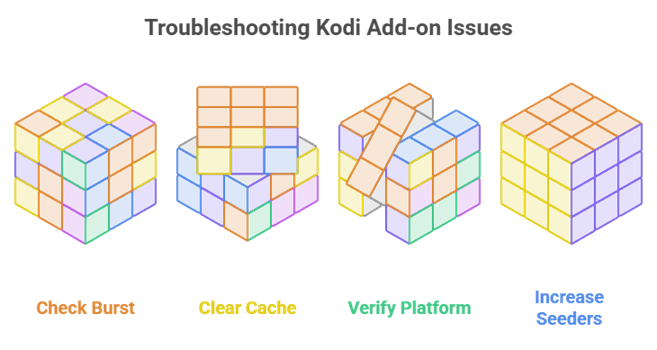
Almost every Elementum problem falls into one of a handful of buckets, and the addon itself is rarely at fault. The most reported issue by far is Kodi freezing while Burst installs, which looks alarming but resolves easily. Here are the fixes that have worked for me every single time something went wrong.
- No Sources Found: This nearly always means Burst is missing or disabled. Check it under Services in My add-ons, enable it, restart Kodi, and search again.
- Kodi Freezes on Install: If Kodi hangs while Burst installs, force close the app, reopen it, and clear the cache in settings, then let the installation finish properly.
- Wrong Platform Version: Elementum is platform-specific, so an incorrect build installs but never plays. Using the all-in-one zip avoids this because it auto-detects your device.
- Stuttering Playback: Low seeder counts cause most stuttering, so raise the minimum seeders in settings and choose sources showing healthy numbers before pressing play.
- Repository Will Not Connect: A typo in the source URL or a stale cached source causes this, so delete the old entry in File Manager and re-add it carefully.
Do You Need Real-Debrid or a VPN With Elementum?
Elementum is unusual because it genuinely does not need Real-Debrid, and that is its biggest selling point. A VPN, however, is an entirely different matter. Since you are downloading and sharing torrent data rather than streaming a hosted link, your activity is far more visible than with any other Kodi addon. Our best Real-Debrid addons guide covers the debrid route properly.
- Debrid Is Genuinely Optional: Unlike Seren and Umbrella, Elementum works perfectly with no paid account, which makes it the strongest completely free Kodi addon available today.
- A VPN Is Not Optional: Torrenting exposes your IP address to every other peer in the swarm, so a VPN is essential protection rather than a nice optional extra.
- Choose a Fast VPN: Pick a reputable paid VPN with high speeds, because torrent streaming is bandwidth-hungry and a slow provider causes constant, unwatchable buffering.
- When to Move to Debrid: If you want instant 4K playback with no seeding and no cache management, a debrid account paired with Seren or Umbrella is the natural upgrade.
Is Elementum Legal and Safe to Use?
Elementum itself is simply software, and installing it is not the issue. What matters is the content you choose to stream through it. Because it uses torrents you are both downloading and uploading, which puts you more clearly in view than hosted-link addons do. Being honest about that helps you make an informed decision.
- The Addon Is Just Code: Elementum is an open-source torrent client for Kodi, and taken from the official source it carries no malware or hidden payload whatsoever.
- The Content Is the Grey Area: Streaming copyrighted films through torrents sits in a legal grey area, and the rules differ significantly from one country to the next.
- Torrenting Is Visible: Unlike hosted links, torrenting shares data with other peers, so your IP address is exposed to the entire swarm unless a VPN is running.
- Only Use the Official Zip: Modified Elementum builds from unknown sites are the realistic route for malware onto a Firestick, so never install it from a random mirror.
Best Elementum Alternatives
If Elementum keeps crashing, your connection cannot handle torrents, or you simply want faster playback, these three addons are the ones I would move to. All three are actively maintained, and the first two are significantly quicker if you own a Real-Debrid account.
1) Seren
Seren is the addon I switch to when Elementum feels slow, though it does demand a debrid account. It pulls nothing from free sources, querying only Real-Debrid or Premiumize caches, so results appear almost instantly and virtually never break mid-stream. For anyone already paying for debrid, it is the obvious upgrade.
Features:
- Debrid Exclusive: Seren queries only Real-Debrid and Premiumize caches, so every link it returns is fast, cached, and far less likely to fail during playback.
- Near-Instant Results: Because it skips free scraping and torrent downloading entirely, sources appear within a second or two rather than after a long wait.
- No Cache Management: Unlike Elementum there are no torrent files filling your storage, which removes the biggest ongoing maintenance headache on a Firestick.
- Deeply Configurable: Provider, filter, and quality settings run far deeper than most addons offer, letting experienced users tune precisely which sources they see.
- Trakt Integration: Native Trakt support syncs your watchlist and progress across devices, so your viewing stays consistent wherever you happen to watch.
- Reliable 4K Sources: With debrid attached, Seren surfaces 4K and HDR links consistently, which torrent streaming through Elementum rarely manages on a Firestick.
- Actively Maintained: The Nixgates repository stays current, so Seren keeps working across Kodi versions instead of breaking after each major platform upgrade.
| Pros | Cons |
| ✅ Extremely fast debrid links | ❌ Useless without a debrid account |
| ✅ Almost no dead streams | ❌ Steeper learning curve |
| ✅ No torrent cache to manage | ❌ No live TV |
| ✅ Highly configurable | |
| ✅ Trakt sync | |
| ✅ Reliable 4K sources |
Link: nixgates.github.io
2) The Crew
The Crew is the best all-rounder if you want more than films, and it is what I recommend to most people leaving Elementum. Alongside movies and shows it carries live TV and sports, which Elementum does not attempt at all. It works with or without debrid, making it a genuinely flexible fallback.
Features:
- Genuine All-in-One: Movies, TV shows, live channels, and sports all sit inside one addon, so you need far fewer separate installs cluttering your Kodi setup.
- Works Free or With Debrid: It surfaces free hosted links on its own but improves dramatically with Real-Debrid attached, suiting both free and paying users equally well.
- Starts Faster Than Torrents: Because it plays hosted links rather than downloading torrents, streams begin almost immediately without the buffering delay Elementum sometimes introduces.
- Live TV and Sports: A dedicated live section covers channels and fixtures, filling the single biggest gap that torrent-only addons like Elementum leave behind.
- Still Updated in 2026: The Crew reached version 3.0.9.5 in July 2026, showing the team still ships fixes while many rival addons have been abandoned.
- Built-In Maintenance Tools: Cache clearing and troubleshooting tools ship inside the addon, so you can fix most playback problems without installing anything extra.
- Large Community: Its popularity means working fixes appear quickly whenever something breaks, which I have genuinely relied on more than once myself.
| Pros | Cons |
| ✅ Movies, TV, live and sports | ❌ Grey-area content |
| ✅ Works with or without debrid | ❌ Best links need debrid |
| ✅ Faster start than torrents | ❌ Servers strain at peak times |
| ✅ Actively updated | |
| ✅ Built-in maintenance tools | |
| ✅ Big community |
Link: team-crew.github.io
3) Umbrella
Umbrella is the most polished debrid addon available, and it feels closer to a commercial app than a Kodi plugin. Like Seren it leans on Real-Debrid and Premiumize, but its setup wizard and interface are far friendlier. If Elementum felt rough and fiddly, Umbrella is the comfortable alternative to move to.
Features:
- Debrid-First Design: Umbrella is built around Real-Debrid and Premiumize, resolving links fast in high quality rather than downloading torrent data in real time.
- Guided Setup Wizard: A first-run wizard walks you through linking debrid and Trakt, removing exactly the kind of configuration guesswork that makes Elementum frustrating.
- Modern Interface: The layout is clean and genuinely pleasant to browse on a television, which is rare among third-party Kodi streaming addons.
- Consistent 4K and HDR: With debrid attached it surfaces 4K and HDR sources reliably, a clear step above what Elementum manages through torrents alone.
- No Storage Overhead: Nothing is cached to disk, so it never fills your Firestick storage the way Elementum inevitably does over a few weeks of use.
- Trakt Sync: Built-in Trakt integration keeps watchlists and progress aligned across devices, so you always resume exactly where you stopped watching.
- Very Actively Updated: The developer ships regular releases with expanded provider support through 2026, keeping the addon reliable while others quietly break.
| Pros | Cons |
| ✅ Best-looking debrid addon | ❌ Debrid account essentially required |
| ✅ Easy guided setup | ❌ Few free links |
| ✅ Reliable 4K links | ❌ Not built for live TV |
| ✅ No storage overhead | |
| ✅ Trakt sync | |
| ✅ Frequently updated |
Link: umbrellaplug.github.io
Verdict:
Elementum remains the best torrent addon on Kodi and the strongest option for anyone unwilling to pay for debrid, provided you run a VPN and keep an eye on seeders. If it will not behave, these three cover every remaining situation between them.
- Seren: The fastest upgrade if you own Real-Debrid, returning cached links almost instantly with very few failures.
- The Crew: The best all-rounder, adding the live TV and sports that Elementum does not attempt to cover.
- Umbrella: The most polished option, with a guided setup wizard and consistently reliable 4K debrid links.
FAQs
Is the Elementum Kodi addon still working in 2026?
Yes. Elementum reached version 0.1.113 in June 2026 and remains actively maintained, making it one of the few torrent-based Kodi addons still working reliably today.
How do I install Elementum on Kodi?
Enable Unknown Sources, add the official Elementum site as a source in File Manager, then use Install from zip file and choose the all-in-one zip, which adds the addon, repository, and Burst together.
Why does Elementum find no sources?
This almost always means the Burst provider is missing or disabled. Check Burst under Services in My add-ons, enable it, restart Kodi, and then search again.
Do I need Real-Debrid for Elementum?
No. Elementum streams directly from torrents, so it works fully without any debrid subscription. That is precisely what makes it the best free Kodi addon available.
Do I need a VPN with Elementum?
Yes, strongly. Because Elementum uses torrents you both download and upload data, which exposes your IP address to every other peer unless a VPN is running.