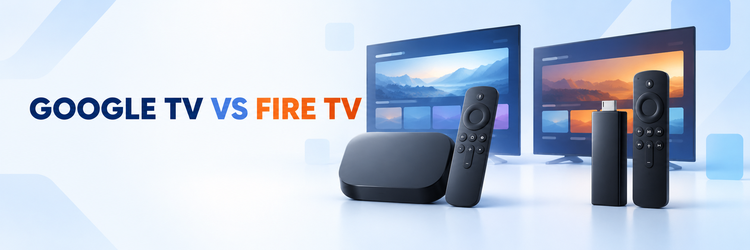
Key Takeaway: Google TV is the better fit if you already use Google Home, want built-in casting, or prefer the Google TV Streamer’s roomy storage and wired Ethernet. Fire TV is the stronger fit if Alexa, Prime Video, compact stick hardware, and frequent entry-level discounts matter more. Compare the exact device, not just the platform name, because current Fire TV products can run either Fire OS or Vega OS and their storage, ports, wireless hardware, and app compatibility differ.
Google TV and Fire TV can both put Netflix, YouTube, Disney+, live TV apps, and free streaming services on a television. The real difference is how each platform organizes those apps, which smart-home system it favors, what you can cast from a phone, and how much freedom a specific device gives you after purchase.
This is a platform comparison, not a claim that every Google TV television beats every Fire TV stick. Google TV appears on televisions and streaming devices from several manufacturers. Fire TV also appears in sticks, boxes, and televisions, while Amazon’s current device family spans more than one operating system. Use the short answer below to choose an ecosystem, then check the hardware section before choosing a model.
Google TV vs Fire TV: The Short Answer
Choose Google TV when casting, Google Home, broad hardware choice, and a content-first watchlist are central to your setup. Choose Fire TV when Alexa, Amazon services, inexpensive stick options, and a remote-first experience are more useful. Neither platform is automatically faster or better-looking: those results depend on the exact processor, memory, storage, Wi-Fi hardware, television, app, and video source.
| Decision factor | Google TV | Fire TV |
|---|---|---|
| What it is | A TV experience built on Android TV OS | Amazon’s streaming platform across Fire TV devices and televisions |
| Best ecosystem fit | Google Home, Google services, and Google Cast | Alexa, Prime Video, Ring, and Amazon services |
| Home screen | Content recommendations, watchlist, apps, and profiles | Recommendations, live content, apps, and Amazon services |
| App software | Android TV apps from Google Play | Amazon Appstore apps; format depends on Fire OS or Vega OS |
| Phone connection | Google Cast is a core feature on supported devices | Remote-app control is common; mirroring and AirPlay vary by model |
| Voice control | Google voice search and Home controls | Alexa voice search and smart-home controls |
| Hardware choice | Google streamer plus televisions and devices from other brands | Sticks, streaming players, and Fire TV televisions |
| Ports and storage | Varies; Google TV Streamer has 32 GB and Ethernet | Varies widely by Fire TV model; adapters may be needed |
| 4K, HDR, and audio | Available on compatible models | Available on compatible models |
| Main caution | Hardware quality and update support vary by manufacturer | Fire OS and Vega OS do not use the same app package format |
- Pick the ecosystem you already use: Google Home and Alexa integrations are more valuable when they connect to devices already in your home.
- Compare exact hardware: A premium streaming box and a low-cost stick can share a platform while delivering very different storage, ports, and responsiveness.
- Check your must-have apps: Major services usually support both platforms, but regional, niche, and newly released apps can differ.
- Do not buy for a logo alone: 4K, HDR, Dolby formats, and Wi-Fi standards are device specifications, not universal platform guarantees.
- Recheck the current listing: Retail names, included remotes, prices, and operating systems can change between model years.
What Google TV and Fire TV Actually Are
Google TV is a discovery and interface layer that runs on Android TV OS. It combines installed apps with recommendations, search, profiles, and a watchlist. You can find it on Google’s own streaming player and on televisions or devices made by other companies. That variety is useful, but it also means that performance, storage, ports, and update timing depend on the manufacturer.
Fire TV is Amazon’s television platform and device family. Historically, many Fire TV devices used Fire OS, Amazon’s Android-based operating system. Amazon now also sells models based on Vega OS. Amazon’s Fire TV operating-system documentation identifies the OS used by current devices. This distinction matters because an app built for Fire OS is not automatically compatible with Vega OS.
- Google TV is not one box: It is available across multiple brands and product types.
- Fire TV is not one stick: The name covers several generations, televisions, players, and operating systems.
- The interface is only one layer: Processor speed, RAM, storage, and Wi-Fi still come from the individual product.
- Updates have two owners: Platform vendors provide software, while device makers may control rollout timing on third-party televisions.
- Exact model names matter: A year, generation, Plus, Max, or Select label can change important capabilities.
Home Screen, Search, and Recommendations
Both platforms are built around finding something to watch rather than presenting only a grid of apps. Google TV tends to connect recommendations, a cross-service watchlist, profiles, and Google search. Fire TV combines app rows with recommendations, live programming, Alexa search, and prominent Amazon content. In either case, the screen can change as the platform updates its layout or introduces new promotional placements.
- Google TV favors cross-service discovery: Its watchlist and recommendations are useful when you subscribe to several supported services.
- Fire TV favors Amazon integration: Prime Video, Freevee availability where offered, and Alexa features feel native to the interface.
- Recommendations are not neutral catalogs: Subscription choices, viewing activity, region, and commercial placement can influence what appears.
- App-only navigation still works: You can open a service directly instead of following a home-screen suggestion.
- Try the interface before buying a TV: A built-in platform is harder to replace than a separate stick or box, although an external streamer remains an option.
Apps, Sideloading, and the Fire OS or Vega OS Split
The largest services are normally available on both stores, so the practical question is whether your regional or specialist apps are present on the exact device. Google TV uses Android TV apps distributed through Google Play. Fire TV uses the Amazon Appstore, but developers now submit different binaries for different operating systems. Amazon’s app-submission guidance lists APK or Android App Bundle formats for Fire OS and VPKG packages for Vega OS.
- Check the television version of an app: A phone app existing does not guarantee a remote-friendly TV release.
- Fire OS can run compatible Android packages: That does not mean every Android phone APK is safe, licensed, or designed for a television.
- Vega OS is different: It does not turn an Android APK into a supported Vega app; the developer needs a Vega package.
- Store availability can be regional: Rights, billing, and developer support may change from one country to another.
- Prefer official stores: They reduce the risk of modified files, missing updates, and remote-control incompatibility.
Performance, Storage, Ports, and Connectivity
Platform names do not determine speed. A device with more memory, faster storage, a newer processor, and better cooling can feel more responsive even if its interface is similar. Google’s current Google TV Streamer specifications list 4 GB of memory, 32 GB of storage, gigabit Ethernet, dual-band Wi-Fi, Bluetooth 5.1, HDMI 2.1, and USB-C for power and data. An HDMI cable is sold separately.
Fire TV hardware varies more. Amazon’s device specification table covers compact HD and 4K sticks, newer Plus or Select models, and earlier Max hardware. Their memory, built-in storage, Wi-Fi generation, ports, codecs, and operating systems are not interchangeable. Ethernet commonly requires a compatible adapter on stick-shaped models.
| Hardware question | Google TV example | Fire TV reality |
|---|---|---|
| Built-in storage | Google TV Streamer lists 32 GB | Capacity varies by model and generation |
| Memory | Google TV Streamer lists 4 GB | Varies by model; check Amazon’s exact row |
| Wired network | Gigabit Ethernet is built into Google TV Streamer | Many sticks need a separate compatible adapter |
| Wireless | Dual-band Wi-Fi on Google TV Streamer | Wi-Fi generation and supported bands vary |
| TV connection | HDMI cable is required and sold separately | Sticks normally connect directly to HDMI, often with an extender |
- Storage affects convenience: More space gives apps and caches more room, although usable capacity is lower than the advertised total.
- Ethernet can simplify a fixed setup: It avoids local wireless congestion, but internet speed and service quality still set limits.
- Wi-Fi 6 or 6E is conditional: The router, band, distance, interference, and device all need to support the connection you expect.
- USB-C does not promise every accessory: Power delivery, hubs, storage, and peripherals depend on device support and sufficient power.
- Television hardware can be slower: A TV with Google TV or Fire TV built in may not match a separate premium player.
Picture Quality and Sound
Google TV and Fire TV both support devices capable of 4K video, HDR formats, surround sound, and modern codecs. The platform label alone does not establish picture quality. A complete chain must support the same feature: the streaming device, television, HDMI connection, app, subscription plan, title, receiver or soundbar, and settings.
- Resolution is only the first check: A 4K badge does not confirm that every app or title streams at 4K.
- HDR formats differ by model: Look for the exact combination of Dolby Vision, HDR10, HDR10+, and HLG your television supports.
- Atmos is content-dependent: Device support does not add an Atmos track to a title or a subscription tier that lacks it.
- Automatic frame-rate matching varies: Support can depend on the player, app, and television handshake.
- Upscaling claims need caution: Source quality, viewing distance, television processing, and personal preference can matter more than the interface brand.
Casting, Voice Control, and the Phone Experience
Google TV has a clear advantage for households that regularly use the Cast button in supported phone apps. Content starts on the television while the phone acts as a controller. Google’s Google TV remote guidance also explains how a phone can navigate, enter text, control playback, and operate compatible power or volume functions.
Fire TV works well as a remote-first platform and integrates Alexa search and commands. The Fire TV mobile app can replace basic remote functions on a compatible network. Screen mirroring, AirPlay, and casting-like behavior are more model-specific than Google Cast, so check the product page rather than assuming every Fire TV television or stick supports the same protocol.
- Choose Google TV for routine casting: It is the more consistent fit for apps that expose Google Cast.
- Choose Fire TV for Alexa habits: Voice control can connect naturally to compatible Echo, Ring, and Alexa devices.
- A phone remote is useful backup: It helps when a physical remote is missing or text entry is tedious.
- Both devices need the right network: Discovery can fail when phones and streamers are isolated on different Wi-Fi networks.
- Voice results depend on services: Search coverage and direct playback can vary by app, region, and account.
Smart Home Integration
Your existing smart-home system is often the best tie-breaker. Google TV connects naturally with Google Home speakers, displays, cameras, and routines. The Google TV Streamer also includes a Matter hub and Thread border router, according to Google’s Thread support documentation. That can help compatible Matter-over-Thread devices join a Google Home setup.
Fire TV is the natural counterpart for Alexa households. Compatible Fire TV devices can show supported camera feeds, respond to Alexa commands, and connect entertainment with routines and smart-home controls. The value depends on devices you already own; replacing speakers, cameras, or doorbells only to match a streaming interface rarely makes financial sense.
- Google Home users gain continuity: Casting, cameras, speakers, and household controls stay in one ecosystem.
- Alexa users gain continuity: Fire TV works naturally with Alexa voice commands and compatible Amazon-owned services.
- Matter improves interoperability: It does not guarantee that every feature works identically across ecosystems.
- Thread is hardware-specific: Do not assume every television or Google TV device is a Thread border router.
- Check camera compatibility: A brand supporting one assistant does not ensure every camera feature appears on a television.
Profiles, Kids Controls, and Household Use
Profiles help separate recommendations, watchlists, and app access, but they do not replace controls inside Netflix, YouTube, or another service. Google documents kids profiles with app selection, content restrictions, daily limits, bedtime scheduling, profile locking, and Family Link management. Its kids profile help page also notes that availability and specific features can vary.
Fire TV supports household profiles and parental controls, with details depending on the device, account, country, and service. Check whether the exact model provides the limits you want and whether those settings cover purchases, app launches, ratings, or only selected Amazon content. A PIN on the streaming platform may not control behavior inside every third-party app.
- Use both control layers: Configure the platform and each major streaming app.
- Test purchase protection: Confirm that rentals, subscriptions, and in-app purchases require the intended PIN or approval.
- Keep adult profiles locked: A child can bypass a restricted profile if switching remains open.
- Review recommendations: Shared profiles can mix viewing history and make age filters less useful.
- Availability can differ: Family features may change across countries, devices, and account types.
Privacy, Advertising, and Ecosystem Lock-In
Both platforms use account activity and device settings to personalize parts of the experience. Both can also display recommendations or promotions that are not the same as a neutral list of installed apps. Review the privacy controls on the Google or Amazon account you plan to use, plus any automatic content-recognition setting offered by the television manufacturer.
- Separate the platform from the TV maker: A television can have its own privacy settings in addition to Google or Amazon controls.
- Personalization has a tradeoff: Better recommendations generally require more viewing or account activity.
- Promotional rows can change: An interface that feels quiet today may add new placements after an update.
- Account purchases create switching cost: Apps are often free to reinstall, but rentals, subscriptions, and smart-home devices may be tied to one ecosystem.
- A separate streamer is easier to replace: It lets you change platforms without replacing the television.
Price and Long-Term Value
Fire TV usually offers more low-cost stick choices, and Amazon discounts its hardware frequently. Google TV hardware ranges from built-in television platforms to the more capable Google TV Streamer. A fixed price comparison would go stale quickly, so compare current local checkout totals, included accessories, shipping, and the exact model name on the day you buy.
Value includes more than the first payment. Add the cost of an HDMI cable for Google TV Streamer, an Ethernet or storage adapter for a stick, replacement remotes, and any smart-home devices needed for the features you want. If you are still comparing Roku, Apple TV, and other options, the site’s streaming device buying guide puts the wider market in one place.
- Buy enough storage: A small saving is less valuable if app removals become routine.
- Count required accessories: Cables, adapters, hubs, and remote upgrades can erase a headline discount.
- Favor replaceable hardware: A separate streamer can extend the useful life of an otherwise good television.
- Check update history: Support quality and timing may matter more than a feature that you will never use.
- Avoid paying for duplicate ecosystems: Existing speakers, cameras, purchases, and subscriptions can make one platform cheaper overall.
Which One Should You Buy?
Buy Google TV if your household casts from Android or iPhone apps, uses Google Home, wants a unified watchlist, or values the Google TV Streamer’s 32 GB storage and built-in Ethernet. It is also the easier recommendation when you want to choose among several television and device brands while keeping the same general interface.
Buy Fire TV if Alexa and Prime Video are already central to the home, you want a small HDMI stick, or a current discount makes the right model substantially cheaper. Read the specification row carefully: a Fire TV Stick HD, 4K Plus, 4K Select, 4K Max, and a built-in Fire TV are not substitutes merely because their home screens look related.
- Best for Google Home households: Google TV.
- Best for Alexa households: Fire TV.
- Best current first-party storage and wired-network package: Google TV Streamer.
- Best selection of inexpensive stick formats: Fire TV.
- Best for everyone: Neither; app support, exact hardware, and the ecosystem already in your home decide the result.
Final Verdict
Google TV wins this comparison for casting, Google Home integration, and the well-rounded hardware of Google TV Streamer. Fire TV wins for Alexa integration, compact sticks, and a broader ladder of entry prices. The gap in basic streaming is much smaller than the ecosystem difference: both can handle the major services and premium video formats on the right model.
List your must-have apps, choose Google Home or Alexa, decide whether you need Ethernet or extra storage, and verify the operating system and specifications of the exact listing before buying.
Frequently Asked Questions
Is Google TV better than Fire TV?
Google TV is better for households that use Google Cast, Google Home, and a cross-service watchlist. Fire TV is better for Alexa, Prime Video, compact stick hardware, and frequent entry-level discounts. The exact device can matter more than the platform for speed, storage, ports, and Wi-Fi.
Can Google TV and Fire TV run the same apps?
Major streaming services commonly support both, but the catalogs are not identical. Google TV uses Android TV apps from Google Play. Fire TV uses Amazon Appstore releases, and current Fire TV devices may require either a Fire OS Android package or a separate Vega OS package. Check every must-have app for your region and exact model.
Can I cast my phone to Fire TV?
Some Fire TV devices support screen mirroring or AirPlay, and many apps can control playback through their own features, but support varies. Google Cast is more consistent on Google TV. Check the specification page for the Fire TV device or television instead of assuming every model behaves the same way.
Does Google TV have more storage than Fire TV?
Google TV Streamer lists 32 GB of built-in storage, which is more than many stick-shaped Fire TV models. That is a hardware comparison, not a platform rule. Other Google TV televisions and devices can offer less, while Fire TV capacity varies by generation and model.
Is Fire TV the same as Firestick?
No. Fire TV is Amazon’s wider platform and product family. A Fire TV Stick is one type of Fire TV hardware. There are several stick generations plus Fire TV televisions and other players. If two Amazon sticks are on your shortlist, compare the exact models in the Firestick 4K vs 4K Max guide.
Which platform is easier for a smart home?
Google TV is usually easier in a Google Home household, while Fire TV is usually easier in an Alexa household. Matter can improve compatibility, but it does not make every camera, routine, or device feature identical. Choose the platform that already matches your speakers, displays, cameras, and account.