Key Takeaway: Choose Jellyfin if you want a completely free, private, open-source media server with no paywalls. Choose Plex for the most polished apps and easiest setup, but remember remote streaming now needs a paid Plex Pass. For most self-hosters in 2026, Jellyfin offers the better long-term value.
Personal media servers let you stream your own movie and TV collection to any device, and two names lead the field: the polished, commercial Plex and the free, open-source Jellyfin. I have run both on a home server feeding a Firestick to see which truly deserves your library in 2026.
The decision got much more interesting after Plex started charging for remote streaming and raised its lifetime price. This comparison breaks down cost, setup, apps, transcoding, and privacy so you can see exactly where Jellyfin and Plex differ, and which media server fits how you actually watch.
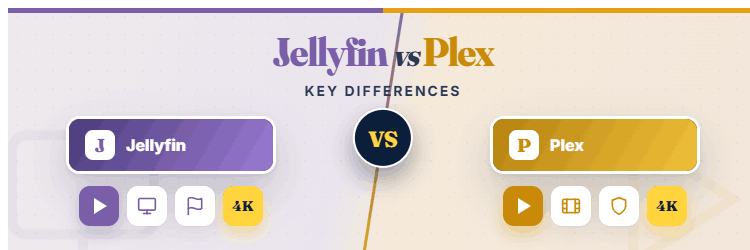
Jellyfin vs Plex: The Short Answer
Plex is the slicker, more beginner-friendly option, but it now charges for features Jellyfin gives away free, including remote streaming. Jellyfin is completely free and private but asks a little more technical effort. Here is the quick comparison before the detail.
| Feature | Plex | Jellyfin |
|---|---|---|
| Core price | Free locally; Plex Pass $7/mo | 100% free forever |
| Remote streaming | Paid since April 2025 | Free, always |
| Open source | No | Yes |
| Ease of use | Very polished | More technical |
| Hardware transcoding | Plex Pass only | Free |
| Best for | Simplicity and apps | Free, private control |
What Is Plex?
Plex is the most popular media server, prized for its polished apps and effortless setup. It organises your library with rich artwork and streams it almost anywhere, plus it bundles free ad-supported movies and live TV. In 2026, though, more of its best features sit behind a paywall.
- Polished Everywhere: Offers beautifully designed apps on virtually every platform, from Firestick to smart TVs and consoles, making it the most user-friendly media server for non-technical households by far.
- Effortless Setup: Guides you through installation and library scanning with minimal fuss, automatically fetching artwork and metadata so your collection looks professional within just a few minutes.
- Free Extras: Bundles thousands of free ad-supported movies, shows, and live channels alongside your personal library, adding value even before you consider any paid Plex Pass upgrade.
- Plex Pass Features: Locks hardware transcoding, mobile downloads, and skip-intro behind a paid Plex Pass, so power features increasingly require an ongoing subscription in 2026.
- Remote Now Paid: Charges for remote streaming since April 2025, meaning watching your own library away from home now needs a Plex Pass or Remote Watch Pass.
What Is Jellyfin?
Jellyfin is a free, open-source media server born from a fork of Emby, built entirely by its community. It does almost everything Plex does, streaming your library to any device, with no paywalls, no tracking, and total control. In my testing it felt refreshingly generous, if slightly rougher around the edges.
- Completely Free: Costs absolutely nothing, with every feature including remote streaming and hardware transcoding available to all users, funded by the community rather than any subscription tier.
- Fully Open Source: Publishes all its code openly, so anyone can inspect, contribute, or self-host with confidence, a transparency commercial rivals like Plex simply cannot offer users.
- No Paywalls: Locks nothing behind payment, giving you mobile access, remote streaming, and transcoding free, precisely the features Plex increasingly reserves for paying subscribers in 2026.
- Privacy First: Keeps everything on your own hardware with no mandatory cloud account, so your viewing habits and library stay genuinely private rather than passing through a company’s servers.
- Active Community: Improves rapidly through a passionate open-source community that ships regular updates, plugins, and client apps, steadily closing the polish gap with commercial competitors over time.
The Big 2026 Change: Plex Remote Streaming Now Costs Money
This is the single biggest reason people are switching in 2026. Plex ended free remote playback on April 29, 2025, and later raised its lifetime price dramatically. Here is exactly what changed and why it matters for your decision.
- Remote Playback Paywalled: Plex now requires a paid plan to stream your library away from home, ending the free remote access that defined the service for over a decade.
- Plex Pass Pricing: A full Plex Pass costs about seven dollars monthly or seventy dollars yearly, unlocking remote streaming along with transcoding, downloads, and other premium features.
- Remote Watch Pass: A cheaper Remote Watch Pass at around three dollars monthly covers remote streaming alone, aimed at users who only need access to someone else’s server.
- Lifetime Price Jump: Plex tripled its lifetime pass to roughly seven hundred and fifty dollars in mid-2026, making the one-off option far less appealing than it once was.
- Jellyfin Stays Free: Jellyfin offers the same remote streaming completely free forever, which is precisely why many self-hosters migrated after Plex introduced its remote paywall.
Cost Compared: Free Jellyfin vs Plex Pass
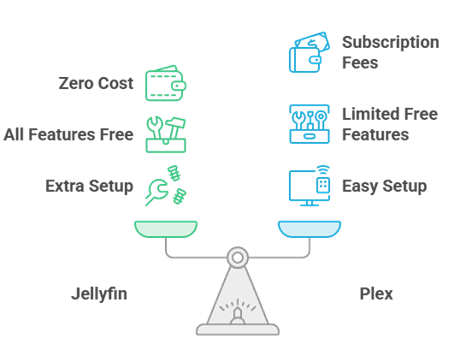
Cost is where these two diverge most sharply in 2026. Jellyfin is free, full stop. Plex has a capable free local tier but charges for its best features. Here is how the real numbers compare, alongside our Plex plugins guide.
- Jellyfin Total Cost: Comes to exactly zero, with no tiers, no subscriptions, and no lifetime purchase, since every feature is free for every user permanently.
- Plex Free Tier: Still lets you stream locally, organise your library, and watch free ad-supported content without paying, which suits users who only ever watch at home.
- Plex Pass Monthly: Adds up to roughly eighty-four dollars a year at seven dollars monthly, a recurring cost Jellyfin users avoid entirely for comparable functionality.
- Lifetime Consideration: Plex’s seven-hundred-and-fifty-dollar lifetime pass only makes sense for committed long-term users, whereas Jellyfin delivers similar core features without any upfront outlay.
- Long-Term Value: Over several years the savings from Jellyfin are substantial, making it the clear budget winner for anyone comfortable with a little extra initial setup.
Setup and Ease of Use
Getting started is where Plex earns its reputation and Jellyfin asks a bit more of you. I installed both on the same hardware to compare how quickly a newcomer gets from download to streaming on Firestick.
- Plex Guided Setup: Walks you through installation with a polished wizard, auto-fetching artwork and organising media so a first-time user is streaming within minutes with almost no friction.
- Jellyfin Manual Touches: Requires slightly more hands-on configuration during setup, from folder structure to occasional metadata tweaks, though its installer has become notably friendlier over recent releases.
- Firestick Apps: Plex offers a flawless official Firestick app, while Jellyfin relies on solid official and third-party apps that work well but feel a touch less refined.
- Metadata Handling: Plex generally fetches artwork and details more automatically, whereas Jellyfin occasionally needs manual identification for obscure titles, adding minor effort for large or unusual libraries.
- Overall Curve: Plex clearly wins on beginner-friendliness, but Jellyfin is far from difficult, and most users comfortable installing software will have it running without serious trouble.
Apps, Clients, and Device Support
A media server is only as good as the apps you watch it through. Plex has a decade head start here, but Jellyfin’s client ecosystem has matured fast. Here is how they compare across the devices people actually use.
- Plex App Breadth: Provides polished first-party apps on Firestick, smart TVs, consoles, phones, and browsers, offering the widest and most consistent client experience available on any media server.
- Jellyfin Client Growth: Covers all major platforms through official and community apps, and while a few feel less polished, the essential Firestick and mobile experiences are genuinely solid today.
- Consistency: Plex apps behave almost identically everywhere, whereas Jellyfin clients vary slightly in features and design depending on who develops each particular platform’s application.
- Third-Party Options: Jellyfin benefits from excellent third-party clients like Findroid and Streamyfin, giving enthusiasts polished alternatives that rival or exceed the official apps on some devices.
- Firestick Reality: On Firestick specifically, both deliver a smooth experience in daily use, so this gap matters most to households juggling many unusual or older device types.
Jellyfin vs Plex Feature Map
Here is a side-by-side feature map summarising where each media server leads in 2026. Every rating reflects my hands-on testing of both on the same hardware.
| Category | Plex | Jellyfin |
|---|---|---|
| Cost | Free core; paid extras | Free forever |
| Remote streaming | Paid | Free |
| Apps and clients | Best in class | Very good, growing |
| Setup ease | Effortless | Slightly technical |
| Hardware transcoding | Plex Pass only | Free |
| Privacy | Account required | Fully private |
| Live TV and DVR | Yes (Plex Pass) | Yes, free |
Hardware Transcoding and Performance
Transcoding converts your media on the fly so it plays on any device and connection, and it is demanding work. How each server handles it, and what it costs, matters for smooth playback. Here is what I found in testing.
- Jellyfin Free Transcoding: Includes hardware-accelerated transcoding completely free, letting modest servers convert 4K and high-bitrate files smoothly without paying for any premium tier whatsoever.
- Plex Pass Required: Locks hardware transcoding behind Plex Pass, so free Plex users rely on slower software transcoding unless they pay for the subscription to unlock acceleration.
- Real-World Speed: With acceleration enabled, both transcode 4K content smoothly on capable hardware, delivering comparable performance once Jellyfin’s free or Plex’s paid acceleration is active.
- Direct Play Preference: Both avoid transcoding entirely when a device supports the file natively, so a well-organised library reduces the transcoding load regardless of which server you choose.
- Cost Impact: Because Jellyfin gives transcoding away free, budget-conscious self-hosters with 4K libraries gain the most obvious advantage by choosing it over a paid Plex Pass.
Privacy and Data Ownership
For many self-hosters, privacy is the whole point of running a personal media server. This is another area where the open-source Jellyfin holds a clear philosophical edge over commercial Plex. Here is how they compare.
- Jellyfin Full Ownership: Keeps your library, accounts, and viewing data entirely on your own hardware with no mandatory external account, giving you complete ownership and privacy over everything.
- Plex Account Needed: Requires a Plex account that routes some activity through Plex’s servers, meaning your setup depends on and shares data with a commercial third party.
- Open-Source Trust: Jellyfin’s fully open code lets anyone verify exactly what it does with your data, a transparency that closed-source Plex cannot offer privacy-focused users.
- Offline Capability: Jellyfin can run entirely offline on a local network, whereas Plex historically leans on its online account system for authentication and many of its features.
- Data Peace Of Mind: For users who value keeping their media habits genuinely private, Jellyfin’s self-contained model is far more reassuring than depending on any external provider.
Live TV, DVR, and Extra Features
Beyond streaming your own files, both servers offer live TV, DVR, and other extras, though the terms differ. Here is how the additional features stack up, and you can extend either with add-ons from our Jellyfin plugins guide.
- Jellyfin Free DVR: Provides live TV and DVR functionality free with a compatible tuner, letting you record over-the-air channels without paying for any subscription or premium unlock.
- Plex Live TV: Offers live TV and DVR too, but records from a personal tuner require Plex Pass, adding a cost Jellyfin users avoid for the same capability.
- Free Streaming Content: Plex bundles free ad-supported movies and live channels that Jellyfin does not, a genuine bonus if you want extra content beyond your own library.
- Plugin Ecosystems: Jellyfin supports a growing range of community plugins for extra features, while Plex keeps a more curated but tightly controlled set of official enhancements.
- Feature Balance: Plex adds polish and bundled content, whereas Jellyfin delivers the core extras free, so the winner depends on whether you value convenience or cost more.
Which Media Server Should You Choose?
After running both daily, my recommendation comes down to your priorities. Neither is a wrong choice in 2026, but the paywall shift has changed the calculation. Here is how I would decide between Jellyfin and Plex for your home.
- Choose Jellyfin If: You want everything free forever, value privacy and open source, and do not mind a little extra setup for full control over your media.
- Choose Plex If: You prioritise the slickest apps and easiest setup, watch mostly at home, or happily pay a Plex Pass for its polish and bundled content.
- For Beginners: Plex’s effortless setup and flawless apps make it the gentler starting point for non-technical households wanting a personal media server with minimal fuss.
- For Privacy Fans: Jellyfin is the obvious pick for anyone who wants their library and viewing data to stay entirely on their own hardware, away from any company.
- Best Long-Term Value: With Plex now charging for remote streaming, Jellyfin offers superior long-term value for self-hosters comfortable trading a little polish for zero ongoing cost.
Verdict:
After weeks of running both on the same hardware, Jellyfin is my overall recommendation for 2026, especially now that Plex charges for remote streaming and hardware transcoding. It delivers the same core experience completely free, with better privacy and no paywalls. Plex still wins on polish and app breadth, making it the better choice for non-technical households who watch mostly at home and value effortless setup over saving money.
- Jellyfin: The best long-term value and my pick for most self-hosters, offering free remote streaming, free transcoding, full privacy, and no subscriptions whatsoever in 2026.
- Plex: The better choice for beginners and app polish, ideal for households that watch mostly at home or willingly pay a Plex Pass for its slick, bundled experience.
- Best Overall Free Option: For anyone unwilling to pay ongoing fees after Plex’s remote paywall, Jellyfin is the clear winner, matching the essentials without ever charging a cent.
FAQs
Is Jellyfin better than Plex in 2026?
For value and privacy, yes. Jellyfin is completely free with no paywalls, including free remote streaming and transcoding. Plex offers slicker apps and easier setup but now charges for remote playback, so the best choice depends on your priorities.
Does Plex still offer free remote streaming?
No. Plex ended free remote playback on April 29, 2025. You now need a Plex Pass at about seven dollars monthly, or a Remote Watch Pass at around three dollars monthly, to stream your library away from home.
Is Jellyfin really completely free?
Yes. Jellyfin is open-source and free forever, with every feature including remote streaming, hardware transcoding, and live TV available to all users at no cost. There are no tiers, subscriptions, or lifetime purchases.
Is Jellyfin harder to set up than Plex?
Slightly. Plex offers a more polished, guided setup, while Jellyfin asks for a little more manual configuration. However, Jellyfin has become much friendlier recently, and most users comfortable installing software can set it up without trouble.
Can I run Jellyfin and Plex at the same time?
Yes. Both can run on the same server pointing at the same media library, so many users trial both before deciding. Jellyfin’s zero cost makes running it alongside Plex completely risk-free.
Which is better for privacy, Jellyfin or Plex?
Jellyfin. It keeps your library and viewing data entirely on your own hardware with no mandatory external account, and its open-source code is fully verifiable. Plex requires an account that routes some activity through its servers.