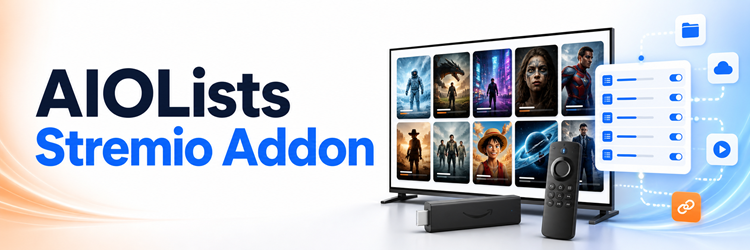
Key Takeaway: The AIOLists Stremio addon can combine Trakt, MDBList, and external catalog lists, but it should no longer be treated as a maintained long-term choice. Its maintainer marked the project inactive, ElfHosted deprecated the hosted instance, and Trakt OAuth has a current open failure report. Existing catalog-only setups may still work; new users should favor AIOMetadata.
AIOLists once offered one of the cleanest ways to replace a crowded Stremio home screen with personally ordered catalogs. Its configuration page still explains useful features, but availability alone does not equal active maintenance. I checked the live interface, repository, release history, open issues, community directory, hosting notice, and current successor before deciding which instructions remain responsible to follow in 2026.
What the AIOLists Stremio Addon Actually Does
AIOLists is a catalog and list-management addon. It changes what appears across Home, Discover, and search, while leaving playback to separate stream addons and lawful services.
- Unified Imports: accepts public Trakt and MDBList URLs, external addon manifests, and AIOLists configuration hashes through one import field on its setup page.
- Personal Connections: can connect Trakt, MDBList, TMDB, and RPDB accounts for private lists, watchlists, metadata, search, and enhanced poster artwork.
- Catalog Control: lets you rename, reorder, merge, split, remove, or retype catalogs, then hide selected rows from Home without deleting Discover access.
- Search Choices: offers split results from Cinemeta, Trakt, and TMDB, merged TMDB multi-search, Kitsu anime search, and selectable metadata languages.
- No Playback: supplies catalog and metadata responses only, so another maintained addon or licensed application must provide every playable stream you select.
| Function | AIOLists handles it? | Separate requirement |
|---|---|---|
| Import public lists | Yes | Trakt, MDBList, or addon URL |
| Reorder home catalogs | Yes | Saved AIOLists configuration |
| Change metadata language | Yes | Cinemeta or TMDB selection |
| Find video streams | No | Separate stream addon |
| Play or download video | No | Stremio player and lawful source |
Is AIOLists Still Working and Maintained in 2026?
The honest answer is mixed: the public configuration page responded during this review, but the project’s own maintenance and hosting signals say not to build a new long-term setup around it.
- Inactive Project: the latest v1.2.7.3 release note says AIOLists should be viewed as inactive and specifically directs users toward AIOMetadata instead.
- Hosted Deprecation: ElfHosted’s 2026 addon guide labels AIOLists deprecated and states that removal of its public instance was scheduled for July 1.
- Reachable Interface: the familiar configuration interface still loaded on August 18, exposing keys, connections, import, search, metadata, genre, list-management, and install controls.
- Version Mismatch: the package and community directory show 1.2.7, while GitHub’s later release tag is 1.2.7.3, demonstrating why one badge cannot prove health.
- Open Failures: unresolved 2026 reports cover Trakt OAuth, Trakt URL imports, incomplete TMDB lists, watchlist-breaking items, and MDBList order reversal.
| Signal checked | August 2026 finding | Practical meaning |
|---|---|---|
| Public configurator | Page loads | Some existing functions may remain usable |
| Latest release note | Project described as inactive | Do not expect routine fixes |
| ElfHosted guide | Deprecated; removal announced | Hosted availability is not guaranteed |
| Trakt OAuth issue | Open since July 18, 2026 | Account connection may fail |
| Successor | AIOMetadata 2.13.0 maintained | Preferred route for new builds |
Decide Whether AIOLists Fits Your Setup Today
Use the smallest risk surface that solves your actual problem. A public-list-only configuration is easier to justify than a credential-heavy build depending on broken OAuth and deprecated hosting.
- Reasonable Existing Use: keep a functioning configuration temporarily when it only imports public catalogs, reveals no secrets, and remains easy to reproduce elsewhere.
- Poor New Choice: avoid starting here when you require dependable Trakt authorization, ongoing bug fixes, hosted availability, or future compatibility with changed provider APIs.
- Minimal Test: import one public MDBList or Trakt URL without connecting accounts, then confirm Home and Discover populate before adding any credential.
- Migration Priority: move sooner when lists vanish, authentication fails, descriptor limits recur, or the public instance becomes unreachable after configuration changes.
- Self-Host Caveat: operating your own copy restores server control but does not create upstream maintenance, repair broken integrations, or eliminate secret-management responsibility.
Prepare a Minimal Catalog-Only Configuration
Prepare a reversible test before touching account integrations. You need one public list, a signed-in Stremio account, and a record of which rows should appear.
- Public Source: choose a normal Trakt or MDBList page that loads without authentication, keeping the first test independent from account tokens and refresh behavior.
- Expected Sample: record three titles near the beginning, middle, and end so incomplete imports or unexpected sort reversal become immediately visible after installation.
- Stremio Identity: verify the exact Stremio account used on desktop, phone, and television because addon synchronization follows the account rather than one device.
- Clean Baseline: temporarily note overlapping catalog addons, since duplicate trending, watchlist, or recommendation rows can make a successful AIOLists import look broken.
- Backup Details: save source URLs and custom row names separately, never relying on one personalized manifest address as the only recoverable configuration record.
Install the AIOLists Stremio Addon Step by Step
These steps use the remaining public interface cautiously. Do not enter Trakt, TMDB, MDBList, RPDB, or Upstash secrets merely to prove that basic catalog importing works.
- Open Configure: visit https://aiolists.elfhosted.com/configure and confirm the page identifies AIOLists before pasting any list address or considering an account connection.
- Import One List: paste a public Trakt or MDBList URL into Link/Hash, wait for validation, and confirm the resulting catalog appears below.
- Shape the Row: rename the catalog, choose its media type, set supported sorting, and decide whether movies and series should remain split or merged.
- Limit Extras: leave account connections, poster keys, random lists, and multiple search providers disabled until the first imported catalog works correctly inside Stremio.
- Install Carefully: select Install/Update in Stremio, verify the addon name, approve installation, and confirm AIOLists appears once under the account’s installed addons.
Open Home and Discover after installation rather than expecting stream results on a title page. Confirm the imported row, sample titles, custom name, content type, and order. If the install button does not open Stremio, copy the generated manifest address and paste it into Stremio’s Add addon field. Never publish that address because a configured URL may contain encoded credentials.
Organize Trakt, MDBList, and External Catalogs
AIOLists becomes valuable when its rows are intentionally different. Importing every available source creates duplicates, longer manifests, slower diagnosis, and an interface less useful than Stremio’s defaults.
- Public URLs: import individual Trakt or MDBList pages without connecting an account when you only need a curator’s public catalog and its normal updates.
- Personal MDBList: an API key exposes personal lists and watchlists, but adds a secret to your encoded configuration and another provider limit to monitor.
- External Manifests: AIOLists can read catalogs declared by another addon manifest, though stream or live-TV resources from that addon are not promised to transfer.
- Row Design: use rename, reorder, type, merge, and visibility controls to give each catalog a clear purpose instead of repeating nearly identical discovery rows.
- Order Verification: manually select a supported sort when order matters because an open issue reports reversed MDBList defaults when no explicit field is chosen.
Keep Search, Metadata, and Genre Data Manageable
Search and metadata controls can make AIOLists feel broader than a list importer, but each selected provider increases complexity and can enlarge the installed addon descriptor.
- Split Search: combines selected Cinemeta, Trakt, and TMDB providers into separate movie and series results, potentially producing duplicates when identifiers or translations differ.
- Merged Search: TMDB Multi Search produces one combined row, useful for broad discovery but dependent on TMDB authorization and accurate cross-provider identifier mapping.
- Anime Search: Kitsu adds anime-focused discovery, while your chosen Cinemeta or TMDB metadata source still determines much of the displayed descriptive information.
- Language Choice: selecting TMDB metadata languages can improve localized titles and summaries, yet a current issue reports missing information for some non-English settings.
- Descriptor Limit: the maintainer warns that numerous catalogs and genre filters may exceed Stremio’s roughly eight-kilobyte manifest limit; disable genres before deleting useful lists.
Understand Trakt Persistence Before Connecting
Trakt is AIOLists’ weakest 2026 path. The addon is stateless by default, tokens need refreshing, and the newest OAuth failure report remains open without an assigned repair.
- Current Warning: issue 101 reports that Trakt cannot connect after changed requirements, so repeated browser attempts may never produce a valid authorization today.
- Stateless Limitation: without persistent storage, expired Trakt credentials cannot refresh automatically, eventually removing personal watchlists, recommendations, trending data, or connected lists.
- Upstash Option: the documented workaround stores Trakt token state in your own Upstash Redis database using its REST URL and access token.
- Added Responsibility: Upstash persistence means protecting database credentials, selecting a suitable region, reviewing access, and revoking exposed tokens across multiple services.
- Safer Route: use public list URLs without Trakt OAuth, or migrate to a maintained catalog addon instead of troubleshooting an inactive authentication implementation indefinitely.
Use AIOLists on Firestick and Android TV
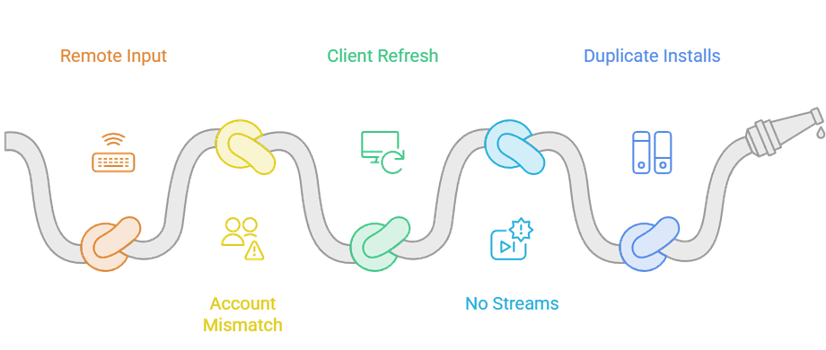
AIOLists configuration belongs to your Stremio account, so completing the browser setup once should synchronize catalogs to television clients signed into that same account.
- Configure Elsewhere: use a phone or computer browser for URLs, keys, list ordering, and imports because television remotes make long manifest work error-prone.
- Match Accounts: compare the Stremio email or profile on Firestick with the browser session that received AIOLists before diagnosing any missing home row.
- Refresh Client: fully close and reopen Stremio after installation, then check Discover when a catalog was intentionally hidden from the Home screen.
- Expect Catalogs: AIOLists rows can appear correctly even when a chosen title has no streams, because playback sources come from entirely separate addons.
- Update Once: edit the saved configuration in a browser and use Install/Update again, avoiding duplicate AIOLists installations with overlapping rows and stale settings.
Fix Missing Lists, Failed Imports, and Wrong Sorting
Change one layer at a time. Current failures may originate from deprecated hosting, an upstream API change, a malformed source URL, descriptor size, or the addon itself.
- Nothing Loads: verify the configuration domain first, then test one public list without credentials before rebuilding a large personalized setup or changing television settings.
- Import Rejected: use the original public Trakt or MDBList page URL, not a search result, private dashboard address, shortened redirect, or copied title.
- Trakt Fails: stop repeated OAuth attempts after confirming the current open issue; use public URLs temporarily or move personal catalogs to a maintained replacement.
- Rows Missing: disable genre filters, reduce catalog count, reinstall the smaller descriptor, and verify hidden rows inside Discover before assuming data was deleted.
- Order Looks Reversed: select an explicit sort and direction for that MDBList, reinstall the updated configuration, and compare against the three recorded sample titles.
| Symptom | Most likely layer | First safe action |
|---|---|---|
| Configurator will not open | Deprecated public host | Do not expose or rebuild credentials |
| Trakt connection fails | Open OAuth defect | Use public URLs or migrate |
| Imported URL is rejected | Unsupported or private address | Copy original public list page |
| Some catalogs disappear | Manifest descriptor limit | Disable genre filters and reduce rows |
| MDBList order is reversed | Default sorting defect | Choose sort and direction explicitly |
| TV shows no new rows | Wrong account or stale client | Verify identity and restart Stremio |
Protect API Keys and Personalized Manifest URLs
The configuration page explicitly warns that its URL contains encoded API keys. Encoding is not a security boundary, so treat every generated manifest and share hash as sensitive.
- Never Share URLs: keep configured install addresses out of screenshots, forums, messages, browser-sync exports, support tickets, and public AIOStreams configuration examples.
- Prefer Public Data: a catalog imported from a public page needs fewer credentials than connecting complete Trakt, MDBList, TMDB, RPDB, and Upstash accounts.
- Authorize Honestly: enter passwords only on genuine provider authorization pages, review requested access, and never paste account passwords into an addon configuration field.
- Revoke Exposure: disconnect affected applications, rotate API or database tokens, replace the installed manifest, and remove copied links when a configuration becomes public.
- Audit Old Access: remove unused Stremio addons and provider authorizations after migration so abandoned AIOLists URLs and refresh tokens cannot remain active unnoticed.
Migrate AIOLists Catalogs Without Rebuilding Blindly
AIOMetadata is the maintainer-recommended destination and reached version 2.13.0 on August 16, 2026. Migrate catalog purposes and source URLs, not exposed encoded configuration strings.
- Inventory First: list each visible catalog’s source, name, type, order, visibility, and sorting so the replacement solves the same discovery job without duplicating rows.
- Start Fresh: create a new AIOMetadata configuration through its maintained interface instead of importing an AIOLists URL that may embed outdated or exposed credentials.
- Move Sources: recreate essential MDBList, Trakt, TMDB, search, language, and artwork choices gradually, validating each catalog before importing the next group.
- Compare Side by Side: keep AIOLists installed briefly, match row contents and order, then remove it only after the replacement passes television and Discover checks.
- Trakt Context: our Trakt Stremio setup and sync guide explains which account features are official and which still depend on community catalog integrations.
| AIOLists role | Migration action | Verification |
|---|---|---|
| Public MDBList or Trakt URL | Re-add the original source | Compare three sample titles |
| Custom row name and type | Recreate in collection builder | Check Home and Discover labels |
| Catalog order | Rebuild intentionally | Compare top-to-bottom sequence |
| Search and metadata provider | Select maintained equivalent | Test movie, series, and anime |
| Encoded configuration URL | Do not transfer or share | Rotate any exposed credentials |
Link: https://github.com/SebastianMorel/AIOLists
Verdict
AIOLists remains an instructive catalog manager, and a minimal public-list configuration may still serve an existing account. However, its maintainer calls the project inactive, ElfHosted deprecated the public instance, and current OAuth failures make credential-heavy use difficult to recommend. Preserve your source URLs and catalog design, avoid sharing encoded configurations, and plan a controlled move to AIOMetadata rather than waiting for a critical setup to fail.
FAQs
Is the AIOLists Stremio addon still available?
The public configuration page responded on August 18, 2026, but that does not make the service dependable. ElfHosted labeled AIOLists deprecated and scheduled its public removal, while the maintainer’s latest release note calls the project inactive. Treat current availability as temporary and keep a migration plan.
Does AIOLists provide streams or require Real-Debrid?
No. AIOLists manages catalogs, search, and metadata; it does not return playable video. Real-Debrid is therefore not an AIOLists requirement. Any streams shown for a selected title come from another installed addon or licensed service, with separate setup, privacy, and legal considerations.
Why will AIOLists not connect to Trakt?
A GitHub issue opened July 18, 2026 reports that Trakt OAuth is broken after changed requirements, and no repair is attached there. Use public Trakt list URLs when possible rather than repeatedly authorizing. For personal lists and persistent access, migrate to a maintained catalog solution.
Why are some AIOLists catalogs missing?
First check whether the row is hidden from Home but present in Discover. If several catalogs disappear, reduce the configuration and disable genre filtering because the maintainer warns about Stremio’s manifest-size limit. Also verify the source URL still loads and reinstall the updated manifest once.
Can I use AIOLists on Firestick?
Yes, when the addon still installs and your configuration remains reachable. Configure it from a phone or computer, then sign into the same Stremio account on Firestick. If Stremio itself is not installed correctly, use our Stremio on Firestick installation guide before diagnosing catalog synchronization.
What is the best replacement for AIOLists?
AIOMetadata is the clearest replacement because AIOLists’ own latest release note directs users there. It is actively maintained and supports modern catalog, collection, metadata, search, import, and configuration workflows. Migrate original list sources and row purposes gradually instead of copying an encoded AIOLists configuration URL.