Key Takeaway: Stremio is better for people who want a quick, add-on-driven streaming hub without maintaining a server. Plex is better for anyone building a permanent personal library, sharing it with family, or needing dependable transcoding across many devices. On Fire TV, both are easy to install in 2026, but they solve fundamentally different problems.
Choosing between Stremio and Plex becomes confusing when both are described as media centers. Stremio helps you discover and play video from sources supplied by add-ons. Plex catalogs files stored on your computer, NAS, or server and delivers them to player apps. One reduces the work before pressing play; the other gives you lasting control over what remains available.
I compared their current official downloads, pricing, remote-play rules, device coverage, local-media behavior, and 2026 feature changes, then checked the claims made by leading comparison pages. The result is not a universal winner. It is a practical choice based on whether you collect media, how often you watch away from home, and which screens your household actually uses.
Stremio vs Plex: The Short Answer
Stremio wins for fast, low-maintenance discovery through add-ons. Plex wins for owning, organizing, transcoding, and sharing a personal collection. The table below shows the decision in one screen, while the five points explain where the headline answer changes for different households.
| Category | Stremio | Plex | Winner |
|---|---|---|---|
| Main purpose | Add-on streaming hub | Personal media server and free catalog | Depends on your library |
| Initial setup | Install, sign in, add sources | Install server, organize files, add clients | Stremio |
| Personal library | Basic local-file support | Full metadata, collections, sharing | Plex |
| 4K adaptation | Client plays the selected stream | Direct Play or server transcoding | Plex for mixed devices |
| Base cost | Free; optional Supporter tier | Free locally; remote and premium features may cost | Stremio |
| Best fit | Stream-first viewers | Collectors and households | Use case decides |
- Choose Stremio: you want one clean catalog, quick account syncing, and add-on supplied sources without buying storage or keeping a home server online.
- Choose Plex: you already own files, care about metadata and collections, or need one administrator to serve predictable media to several household members.
- Fire TV Pick: Stremio is simpler for individual stream-first viewing, while Plex feels more dependable when family members expect a single obvious Play button.
- Remote Viewing: Plex is engineered for it, but remote personal-video playback now requires an eligible Plex Pass or Remote Watch Pass arrangement on affected apps.
- Best Overall: Stremio wins convenience; Plex wins control. Running both is sensible when you mix temporary discovery with a permanent collection of favorite titles.
Architecture: Add-On Hub vs Personal Media Server
The biggest difference sits behind the home screen. Stremio is mainly a client that asks installed add-ons for catalogs, metadata, subtitles, and streams. Plex Media Server scans media you store and sends it to authenticated Plex clients. Understanding that architecture prevents nearly every bad comparison.
- Stremio Sources: add-ons behave like remote search services, so they do not install executable packages locally, but their availability and accuracy can vary.
- Plex Sources: your server provides personal movies, television, music, and photos, while Plex separately offers free ad-supported movies and live channels.
- Hardware Dependency: Stremio normally needs only a capable playback device; Plex also needs a computer, NAS, Shield, or compatible server running when clients connect.
- Failure Point: a Stremio community add-on may disappear independently, whereas a Plex library remains available unless your server, network, storage, or account fails.
- Ownership Difference: Plex builds a durable catalog from files you control; Stremio builds a convenient view of sources that may change outside your control.
Setup and Maintenance: Which One Takes Less Work?
Stremio reaches a useful home screen faster because account synchronization carries its library and installed add-ons between compatible devices. Plex setup takes longer, but the work creates a cleaner long-term system. File naming, network access, and server health become the price of that control.
- Stremio Start: install the official app, sign in, select reputable add-ons, and the same account configuration appears on another supported screen automatically.
- Plex Start: install Plex Media Server, name folders correctly, create typed libraries, wait for metadata scanning, then sign player devices into your account.
- Ongoing Stremio Work: replace unavailable community add-ons, update clients, and review source permissions; there is little storage management unless you use local files.
- Ongoing Plex Work: maintain disks, backups, server updates, folder naming, remote access, and transcoding capacity, especially when several viewers share the same machine.
- Beginner Result: Stremio is easier on day one. Plex becomes easier for daily family use after an experienced person has completed the server configuration.
Content Access, Discovery, and Library Ownership
Stremio makes browsing feel immediate because catalogs appear before you own or organize files. Plex rewards collectors with posters, cast data, editions, collections, tags, and dependable availability. Neither subscription automatically grants every title: sources, licensing, region, and personal files still decide what plays.
- Discovery Advantage: Stremio combines catalogs from installed add-ons and remembers watch progress, making it efficient for exploring content across different connected sources.
- Collection Advantage: Plex automatically enriches properly named personal files with artwork and metadata, then lets administrators correct matches, group editions, and create collections.
- Local Files: Stremio can discover some local videos and play dropped files, but Plex is designed to manage a large, persistent, multi-user archive.
- Licensed Free Content: Plex includes ad-supported movies and live television in supported regions; Stremio itself supplies no catalog and relies on installed add-ons.
- Availability Guarantee: personal files remain yours when licenses rotate or add-ons fail, giving Plex the decisive advantage for favorites you want to preserve.
4K Playback, Direct Play, and Transcoding
Both platforms can deliver excellent 4K, but they handle incompatibility differently. Stremio generally passes the selected stream to the device player. Plex first attempts Direct Play, can remux with Direct Stream, and may transcode video or audio when the client, bandwidth, or subtitles require conversion.
- Stremio Strength: compatible hardware can play high-quality sources directly without a separate server, avoiding a second machine and cleanly preserving the original stream quality.
- Stremio Limitation: when a television cannot decode the source codec, audio format, or subtitle method, another player or different stream may be necessary.
- Plex Strength: its server understands each client and can adapt resolution, bitrate, container, audio, or subtitles instead of simply reporting an unsupported format.
- Plex Limitation: real-time 4K transcoding demands capable hardware, and hardware-accelerated streaming requires an active Plex Pass on the server owner’s account.
- Best Quality Rule: use wired Ethernet or strong Wi-Fi, choose clients supporting your codecs, and favor Direct Play to avoid quality loss and server load.
Device Support: Fire TV, Apple TV, Roku, and Smart TVs
Plex has the broader living-room footprint, especially on Roku, Apple TV, and game consoles. Stremio has improved significantly: its official Fire OS app arrived in December 2025, LG support returned for 2020-and-newer models in August 2026, and Android TV remains a strong experience.
| Device | Stremio in August 2026 | Plex | Better Fit |
|---|---|---|---|
| Fire TV / Firestick | Official Amazon Appstore app | Official app | Stremio for simplicity; Plex for libraries |
| Android TV / Google TV | Official Play Store app | Official app | Either |
| Apple TV | No normal tvOS listing on current downloads page | Official app | Plex |
| Roku | No native Roku app | Official app | Plex |
| Samsung TV | 2019+ models | Supported models | Either |
| LG TV | 2020+ models; regional rollout applies | Supported models | Either |
| Windows / macOS / Linux | Desktop apps and web | Server and player apps | Depends on purpose |
- Firestick Users: both now install officially, eliminating old Stremio sideloading advice; storage, Wi-Fi strength, and codec support matter more than installation difficulty.
- Apple Households: Plex is the safer choice for Apple TV, while Stremio’s current Apple options vary by region and may offer limited functionality.
- Roku Households: Plex wins by default because it has a supported Roku channel and Stremio does not provide a native Roku application.
- Smart TV Caveat: model year and country availability affect store listings, so confirm the exact television before replacing a working streaming device.
- Desktop Users: Stremio emphasizes viewing and add-on management, while a Plex desktop or NAS machine may also carry the always-on server workload.
Pricing and Plex Remote-Streaming Rules in 2026
Old comparisons are especially misleading here. Stremio’s established features remain free, though Supporter plans add experimental conveniences. Plex remains free for personal media on the home network, but remote personal-video playback on affected platforms now needs a qualifying pass held by the viewer or server administrator.
| Option | Current USD Price | What It Covers |
|---|---|---|
| Stremio Basic | Free | All previously available core features |
| Stremio Supporter | $39.99/year | Experimental profiles, downloads, skipping, filters, and customization |
| Stremio Lifetime | $199.99 once | Supporter thank-you features without renewal |
| Plex local personal media | Free | Server and same-network playback |
| Plex Remote Watch Pass | $2.99/month or $29.99/year | Remote personal-video playback for one account |
| Plex Pass | $6.99/month or $69.99/year | Remote access plus hardware transcoding, downloads, DVR, and more |
| Plex Pass five-year | $249.99 | Full Plex Pass benefits for five years |
| Plex Pass lifetime | $749.99 once | Full Plex Pass benefits permanently |
- Stremio Cost: the free product is functional, while optional Supporter benefits do not provide movies, channels, or a subscription to third-party content sources.
- Plex Local Cost: organizing files and watching them on the same network remains free, assuming you already own the server, storage, and player hardware.
- Plex Remote Cost: one administrator’s Plex Pass can enable remote playback for accounts accessing that server; Remote Watch Pass covers only its subscriber.
- Premium Features: Plex hardware transcoding, supported-app downloads, and DVR recording require Plex Pass, while free ad-supported Plex streaming remains separate and keeps advertisements.
- Value Winner: Stremio costs less for stream-first viewing; Plex justifies payment when remote sharing, adaptive playback, DVR, or offline personal media matters regularly.
Profiles, Sharing, and Watch History
Plex remains stronger for a household because it was built around administrators, users, permissions, and shared libraries. Stremio synchronizes an individual’s library, add-ons, and progress elegantly; its 2026 Supporter tier adds up to six profiles, but the feature is newer and platform management still varies.
- Stremio Sync: signing into the same account carries installed add-ons, library items, and progress between compatible devices with very little repeated configuration.
- Stremio Profiles: Supporters can create separate profile experiences, including child-safe catalogs, although profile management is not equally available in every client.
- Plex Sharing: a server owner can grant library access to other Plex accounts, keeping the master files under one administrator’s storage and permission controls.
- Plex Home: managed users, profile switching, restrictions, and certain premium benefits make Plex more suitable when adults and children share one television.
- Household Winner: choose Plex when one technical person manages content for everyone; choose Stremio when independent viewers manage their own sources and lists.
How We Evaluated Stremio and Plex in 2026
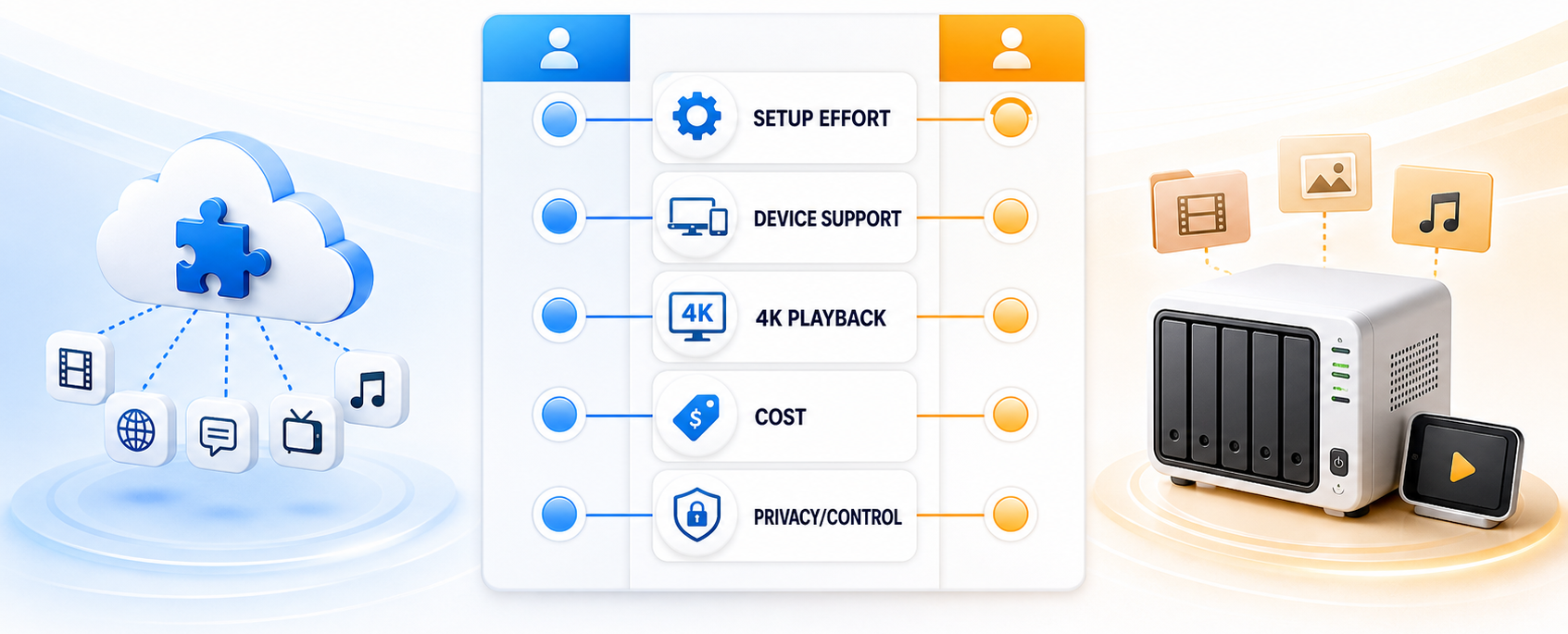
A useful comparison must test the job each platform promises instead of awarding points for unrelated features. We verified current vendor information on August 27, 2026, and weighted the factors that change everyday viewing.
- Setup Effort: we counted the required app, account, server, file-organization, networking, and add-on steps before a new user can begin dependable playback.
- Device Coverage: we checked official availability across Fire TV, Android TV, Apple TV, Roku, smart televisions, desktop systems, browsers, and mobile platforms.
- Playback Pipeline: we compared direct playback, format compatibility, hardware decoding, server transcoding, bandwidth adaptation, subtitles, audio handling, and high-bitrate 4K requirements.
- Total Cost: we separated free local use from optional supporter features, remote viewing subscriptions, hardware acceleration, storage, server electricity, and third-party services.
- Control and Risk: we assessed library ownership, account syncing, household permissions, source reliability, privacy exposure, legal boundaries, and recovery when components stop working.
Privacy, Legality, and Reliability
The applications themselves are legitimate, but their risk profiles differ. Plex asks you to expose a server for remote access and trust its account infrastructure. Stremio add-ons are remote services; official ones are maintained by Stremio, while community developers control their own availability, logs, and content sources.
- Source Legality: personal files, licensed subscriptions, and public-domain streams are straightforward; accessing copyrighted material without permission can violate the law regardless of application.
- Community Add-Ons: Stremio states it does not control community add-ons, so review each operator, permissions, configuration URL, and source policy before installation.
- Torrent Exposure: peer-to-peer sources can reveal an IP address to the swarm; encrypted streaming services change transport but do not create content rights.
- Plex Security: use strong authentication, current server software, minimal sharing permissions, and carefully configured remote access instead of exposing unnecessary ports or services.
- Reliability Winner: Plex is more predictable for files you own; Stremio is less maintenance, but any community source can become unavailable without warning.
Can You Use Stremio and Plex Together?
Yes. Keeping both apps is often better than forcing one to cover every job. Use Stremio for convenient discovery and Plex for the collection you want to retain. Advanced users can also expose authorized Plex libraries inside Stremio through Plexio, explained in our Plex Stremio addon setup guide.
- Daily Discovery: browse Stremio when you want a lightweight catalog assembled from your chosen sources without waiting for downloads, organization, or a library scan.
- Permanent Favorites: add legally obtained files to Plex when you want reliable availability, precise editions, curated collections, and consistent quality across future rewatches.
- Family Access: give relatives a polished Plex library with predictable titles while keeping experimental Stremio add-ons and source decisions on your own account.
- Plexio Bridge: this independent integration can surface authorized Plex libraries in Stremio, but it adds another service, security boundary, and troubleshooting point.
- Practical Combination: install both official apps on Fire TV, assign each a clear job, and avoid duplicating complex features unless the bridge genuinely saves time.
Final Verdict: Which Streaming Platform Is Better?
Stremio is the better starting point for an individual who wants quick streaming with minimal infrastructure. Plex is the better long-term platform for anyone who owns a serious media collection or supports a household. The winner is defined by the media you control, not by which home screen looks more modern.
- Stremio: best for fast setup, account-synced add-ons, low maintenance, and viewers who do not want to buy storage or operate an always-on server.
- Plex: best for personal files, family sharing, metadata control, broad device support, remote access, and transcoding when different clients cannot Direct Play.
- Both: best for enthusiasts who want Stremio’s convenient discovery alongside a dependable Plex archive, with each platform handling the job it does naturally.
FAQs
Is Stremio better than Plex for Firestick?
Stremio is better for a Firestick user who wants a quick, add-on-driven streaming setup without running a server. Plex is better when the Firestick is one client for a personal library stored on a computer or NAS. Both now have official Fire TV apps, so the content workflow—not installation—should decide.
Can Stremio replace Plex for personal media?
Not completely. Stremio can discover and play local files, but it does not match Plex’s large-library metadata management, remote sharing, user permissions, collections, or adaptive transcoding. It can replace Plex only when your local library is small and you mainly want direct playback rather than a managed household server.
Does Plex require a subscription in 2026?
Local personal-media playback on the same network remains free. Remote personal-video playback on affected apps requires Plex Pass, Remote Watch Pass, or a Plex Pass held by the server administrator. Hardware-accelerated transcoding, supported-app downloads, and DVR recording also require Plex Pass. Plex’s separate ad-supported catalog remains free.
Is Stremio completely free?
Stremio’s established core features remain free. The optional Supporter tier adds experimental features such as profiles, download management, intro skipping, stream filters, and catalog customization. Stremio does not provide paid movie or television content, and individual add-ons or connected services may have separate requirements or prices.
Which is better for 4K, Stremio or Plex?
Stremio is excellent when the chosen stream already matches the device’s video, audio, subtitle, and bandwidth capabilities. Plex is better for a mixed-device household because its server can Direct Play, remux, or transcode as needed. High-quality Plex transcoding requires capable hardware, and hardware acceleration requires Plex Pass.
What should I choose if neither platform fits?
Choose Jellyfin when you want a free, open-source personal server; Kodi when you want a highly customizable local media center; or Emby when you want a polished server between those approaches. Our guide to the best Plex alternatives compares the main options and their setup tradeoffs.