Key Takeaway: POV 6.08.05 is currently listed in the KodiFitzwell repository for Kodi 19 and newer. Install the repository ZIP from its verified address, add POV from Video add-ons, authorize one supported premium service, keep source filters modest, and diagnose scraping separately from resolving or playback.
POV is a lightweight, Fen-derived Kodi video addon maintained under the KodiFitzwell name. Its current package includes internal and external torrent scrapers, debrid-cloud menus, TMDb discovery, Trakt and MDBList options, subtitle controls, quality filters, autoplay settings, and extensive cache utilities. It does not include a subscription or guarantee playable media.
I downloaded the repository ZIP, followed its internal repository targets, inspected the live addon index, unpacked POV 6.08.05, and reviewed its settings plus changelog. That source-level check matters because old tutorials still point at secondary addresses, retired providers, or settings that the current package has already removed.
POV 6.08.05 Requirements and Supported Services
The package requires Kodi’s Python 3 addon environment and the Requests module, while the repository declares Kodi 19 as its minimum. Kodi 21.3 Omega remains the current stable release; Kodi 22 Piers is still a prerelease line.
- Kodi Version: use Kodi 19 or newer, with Kodi 21.3 Omega preferred for a stable production installation on supported Fire TV hardware.
- Debrid Choices: current code includes Real-Debrid, AllDebrid, Premiumize, TorBox, Offcloud, and Easynews integrations, each requiring its own active account.
- Metadata Access: TMDb supplies discovery and artwork functions, while optional Trakt or MDBList authorization adds personal lists, calendars, and watched-state behavior.
- Storage Headroom: leave enough free device storage for Kodi updates, thumbnails, databases, scraper caches, subtitles, logs, and temporary playback information.
- Network Baseline: confirm Kodi can reach ordinary HTTPS resources before diagnosing POV because incorrect time, DNS filtering, or captive portals break repository requests.
| Requirement | Recommended baseline | Why it matters |
|---|---|---|
| Kodi | 21.3 Omega | Current stable branch |
| Repository | KodiFitzwell ZIP | Delivers updates |
| Premium service | One authorized account | Resolves supported results |
| Test media | Owned or authorized title | Reproducible diagnosis |
Install the KodiFitzwell Repository and POV
Enter the source exactly, name it clearly, install the small repository ZIP, and then install POV from that repository’s Video add-ons category. Avoid third-party bundles that modify the package or conceal its update origin.
- Unknown Sources: enable installation from unknown sources only for the duration needed, understanding that Kodi will display a security warning before continuing.
- File Source: add https://kodifitzwell.github.io/repo as a file-manager source and inspect spelling, HTTPS, and final path before saving it.
- Repository ZIP: choose repository.kodifitzwell-0.0.1.zip from the source and wait for Kodi’s repository-installed notification before opening another menu.
- Video Addon: open Install from repository, select the KodiFitzwell repository, enter Video add-ons, choose POV, and review dependencies before installing.
- Version Check: I verify that Add-on information reports 6.08.05, or a newer repository-issued build, before entering any service authorization.
Authorize Debrid, Easynews, Trakt, or MDBList Correctly
POV keeps service authorization inside its settings and menus. Connect only the accounts you use, finish device-code approval on the provider’s official domain, and revoke unexpected sessions directly from that provider.
- One Resolver: start with a single active debrid provider so source failures are not obscured by several account states, quotas, or cloud behaviors.
- Device Approval: enter the short code only on the premium service’s verified authorization page and confirm the account name before granting access.
- Trakt Lists: authorize Trakt when personal lists, progress, or scrobbling matter, then allow the first synchronization to finish before browsing widgets.
- MDBList OAuth: use the newer OAuth flow because POV’s changelog warns that legacy MDBList API-key support is being removed from future code.
- Expiration Notice: set a practical premium-expiry warning so an account lapse is recognized before it is misdiagnosed as a broken scraper.
Configure Scrapers, Result Filters, and Playback
The current package exposes internal Magneto sources, external integrations such as AIOStreams, cloud scrapers, timeouts, quality rules, size handling, language priority, and autoplay. Begin near defaults and tune for the Firestick’s decoder rather than chasing the largest file.
- Source Test: use the built-in Test All Source Providers action to identify nonresponding scrapers before changing debrid credentials or reinstalling the addon.
- Scraper Timeout: keep the default twenty seconds initially, increasing it only when a known provider responds slowly and local networking is healthy.
- Quality Range: permit SD, 720p, and 1080p for the first test, then add 4K when the display, bandwidth, and decoder support it.
- Codec Filters: exclude Dolby Vision, AV1, HEVC, or HDR only when the target Firestick or television repeatedly rejects those exact formats.
- Manual First: I leave autoplay disabled until source names, cache status, sizes, languages, and successful resolution are predictable on the intended device.
A Three-Stage Test for No Sources and Failed Playback
POV failures become easier when divided into discovery, service resolution, and decoding. Use the same authorized mainstream title for every retry and change one variable at a time.
- Discovery Stage: an empty results dialog points toward scraper availability, aliases, timeouts, filters, title matching, or blocked upstream indexes.
- Resolution Stage: a visible result that will not open usually indicates expired authorization, unsupported provider behavior, uncached status, quota, or deleted content.
- Playback Stage: a resolved address that starts then fails implicates bandwidth, codec, container, audio format, subtitles, or the selected Kodi player.
- Cloud Comparison: open the chosen service’s cloud menu to determine whether account access works independently from a fresh external source search.
- Log Timing: reproduce the error once, note the clock time, and inspect nearby Kodi log lines without publishing tokens, complete URLs, or personal paths.
| Symptom | Most likely stage | First targeted action |
|---|---|---|
| No results | Scrape | Test providers and relax one filter |
| Result fails immediately | Resolve | Reauthorize the selected service |
| Video buffers | Delivery | Choose smaller cached file |
| Black screen with audio | Decode | Exclude incompatible HDR or codec |
| Wrong episode | Matching | Check alias and pack information |
Clear the Right POV Cache Instead of Resetting Everything
POV maintains separate metadata, providers, debrid, Trakt, MDBList, favorites, watched, and navigation caches. Clear the cache tied to the changed setting; account-wide data removal should be the last resort.
- Provider Cache: clear external scraper information after changing a provider instance or debrid configuration, as several changelog entries specifically instruct.
- Meta Cache: clear metadata after changing the preferred content-rating region, artwork behavior, or language when old details remain on screen.
- List Cache: refresh Trakt or MDBList data after authorization and sorting changes rather than erasing sources or debrid cloud information.
- Thumbnail Cleanup: use POV’s stale Kodi thumbnail utility only when images are genuinely incorrect or storage pressure is confirmed, not after every error.
- Full Reset: export or record important settings before clearing all files because a complete reset removes evidence and forces every account setup again.
Keep POV Updated, Legal, and Private on Firestick
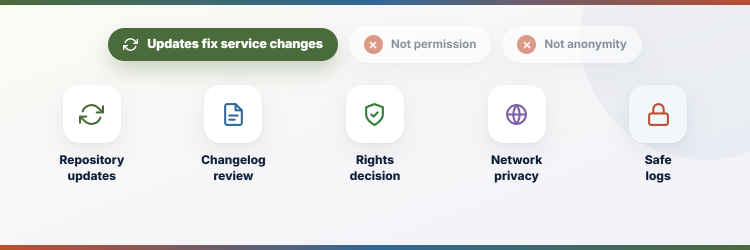
Repository updates can repair service changes, yet a current version cannot determine whether a particular source is authorized. Review the result, provider, and local rules independently. Our Real-Debrid setup guide explains the service boundary in more detail.
- Repository Updates: leave the verified repository enabled so POV receives signed-through-Kodi updates from its configured index instead of random replacement ZIP files.
- Changelog Review: read current changes before updating because providers, APIs, default instances, subtitle requirements, or authentication behavior can be removed or replaced.
- Rights Decision: use personal, public-domain, creator-authorized, or properly licensed media; debrid cache availability does not establish permission to view it.
- Network Privacy: understand which provider receives requests and account data, then evaluate its current privacy policy rather than assuming an addon supplies anonymity.
- Safe Logs: redact API keys, usernames, IP addresses, authorization codes, cloud identifiers, and resolved links before sharing a diagnostic excerpt.
Best POV Alternatives for Different Kodi Workflows
POV is not the only debrid-oriented Kodi option. These alternatives have different strengths: Fen Light emphasizes speed, Umbrella exposes granular controls, and Seren offers a polished provider-package architecture. Do not install all three merely to multiply identical searches.
1) Fen Light
Fen Light is the leanest alternative for viewers who value fast navigation and a compact interface. It shares family resemblance with POV but follows its own release and scraper decisions. I would choose it on storage-constrained Firesticks after confirming the current repository status, then connect one supported premium service and keep widgets modest for responsive browsing.
Features:
- Lean Design: keeps menus and background work restrained, which helps older Fire TV devices avoid the sluggishness produced by oversized Kodi builds.
- Fen Lineage: retains familiar source selection, extras, lists, and playback behavior for users moving from other addons descended from Fen.
- Debrid Focus: expects a compatible premium resolver for practical source playback, making account status an essential part of every no-result diagnosis.
- Fast Navigation: reduces interface overhead so movie, series, season, and episode pages can populate quickly when metadata services respond normally.
- External Scrapers: uses its maintained scraper arrangement rather than copying POV’s exact provider list, so coverage and maintenance events will differ.
- My Use: I would limit home-screen widgets and artwork on a basic Firestick before blaming Fen Light for slow Kodi navigation.
- Repository Control: installs through its maintainer’s repository, allowing normal Kodi update checks instead of repeated manual ZIP replacement from tutorial mirrors.
| Pros | Cons |
|---|---|
| Very responsive interface | Premium resolver is effectively required |
| Familiar Fen-style navigation | Current fork status needs rechecking |
| Good for modest Firesticks | |
| Maintainer repository updates |
Pricing:
- Addon: Free community software with no included media plan
- Premium Service: Separate debrid or compatible resolver subscription required
- Checked: Repository and project information reviewed August 6, 2026
Link: https://github.com/Tikipeter/tikipeter.github.io
2) Umbrella
Umbrella suits users who want fine control over scrapers, accounts, filters, lists, and playback without adopting a heavy Kodi build. Its official repository is clearly published on GitHub. I prefer it when detailed configuration is worth the additional setup time, especially for households that need predictable language, file-size, and quality rules across movies and episodic content.
Features:
- Granular Settings: offers extensive controls for sources, filters, accounts, playback, metadata, and interface behavior instead of hiding decisions behind a fixed preset.
- Debrid Integration: connects supported premium services through account authorization, separating addon installation from the paid resolver needed for usable links.
- Scraper Package: works with its expected scraper component, so missing or disabled provider dependencies should be checked before altering unrelated Kodi settings.
- List Support: integrates personal discovery and tracking services for watchlists, collections, progress, and recommendations when the user deliberately authorizes them.
- Source Dialog: presents quality, size, provider, and cache information that helps manual selection avoid incompatible files on limited television hardware.
- My Preference: I keep manual source selection active until Umbrella’s sorting produces dependable results for several known movies and episodes.
- Official Repository: the maintainer publishes the repository and source on GitHub, giving users a clearer update origin than anonymous wizard bundles.
| Pros | Cons |
|---|---|
| Deep configuration options | Setup can overwhelm beginners |
| Clear GitHub repository | Scraper dependency adds another failure point |
| Strong manual source controls | |
| Useful list integrations |
Pricing:
- Addon: Free community Kodi addon
- Resolver: Requires a separately purchased supported premium service
- Checked: Official repository reviewed August 6, 2026
Link: https://github.com/umbrellaplug/umbrellaplug.github.io
3) Seren
Seren remains a distinct Kodi alternative because providers are installed through packages rather than bundled as one fixed scraper set. It supports premium-resolution workflows, Trakt features, smart play, and manual source selection. I recommend it to users comfortable maintaining a provider package and diagnosing that package separately from Seren, the premium resolver, and Kodi playback.
Features:
- Provider Packages: separates scraper installation from the core addon, allowing providers to update independently while creating a clearly identifiable troubleshooting layer.
- Premium Playback: is designed around supported debrid services and cached sources, so free hoster expectations should not guide setup or diagnosis.
- Smart Play: automates episode sourcing and progression after initial configuration, with manual selection still valuable while testing quality and language priorities.
- Trakt Features: uses optional Trakt authorization for lists, collection, watched progress, and scrobbling across devices connected to the same account.
- Source Filtering: sorts and filters returned files by quality, size, provider, and other attributes before autoplay or manual selection begins.
- My Baseline: I install one reputable provider package, authorize one resolver, and test manual selection before enabling Seren’s automatic episode playback.
- Open Development: publishes its code and issue history on GitHub, making version changes and recurring faults easier to investigate than closed bundles.
| Pros | Cons |
|---|---|
| Distinct provider-package model | Provider package must be maintained |
| Good Trakt integration | Initial setup has several layers |
| Capable smart-play workflow | |
| Open GitHub development |
Pricing:
- Addon: Free and open-source community software
- Provider Package: Normally free but installed separately
- Premium Service: Supported resolver subscription is an additional cost
Link: https://github.com/nixgates/plugin.video.seren
POV Setup Verdict for Kodi 21.3 Omega
POV is a capable lightweight addon when installed from the verified repository and paired with an active supported service. Its greatest strength is control: provider tests, cloud menus, filters, timeouts, cache tools, and several account integrations. That control also means troubleshooting must follow the pipeline. Diagnose discovery, resolution, delivery, and decoding separately before clearing data or replacing the addon.
- Fen Light: Best for a minimal, responsive Fen-style experience on Firesticks where interface weight matters more than exhaustive configuration.
- Umbrella: Best for people who want detailed filters, accounts, scraper control, and transparent manual result selection.
- Seren: Best for users who prefer an independent provider-package architecture with Trakt and smart-play features.
FAQs
What is the current POV Kodi addon version?
The live repository index reported POV 6.08.05 on August 6, 2026. Check Add-on information because the repository may issue a newer maintenance build.
Does POV work on Kodi 21.3 Omega?
Yes. Its repository metadata declares Kodi 19 or newer, and Kodi 21.3 Omega is the current stable Kodi branch.
Does POV include Real-Debrid or TorBox?
No. POV contains integrations, not subscriptions. Buy and manage the selected premium service separately, then authorize it through POV using the provider’s official approval page.
Why does POV show results but fail to play them?
That usually places the fault after scraping. Reauthorize the chosen service, check cache or quota status, select a smaller compatible file, and inspect the timed Kodi log entry.
Should I install POV on a new Firestick build?
Install Kodi first, keep the build light, and add the verified repository only. Our Kodi on Firestick guide covers the base application before third-party addons.